What is Camarilla_Full Indicator?
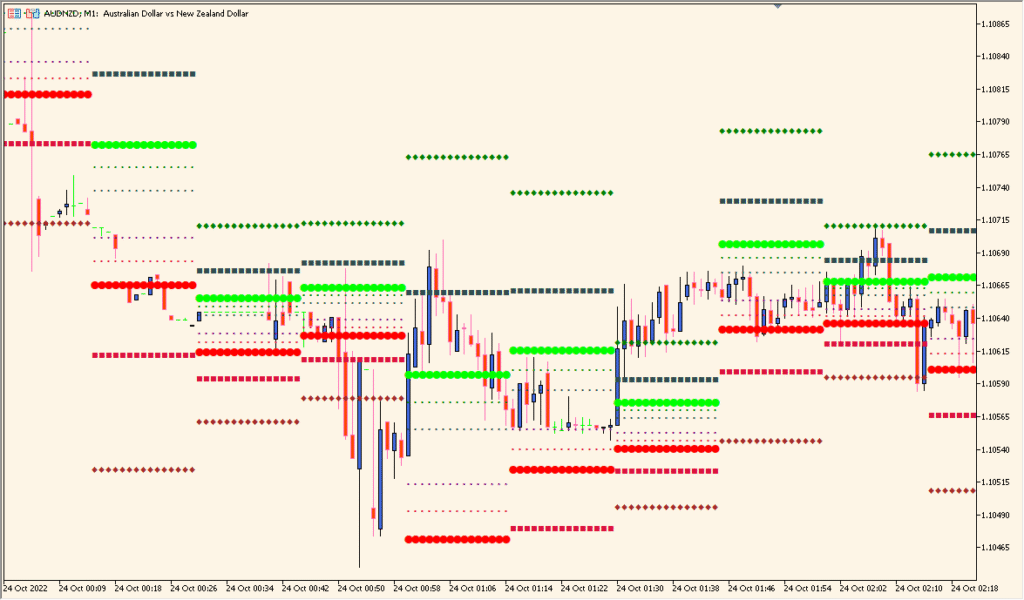
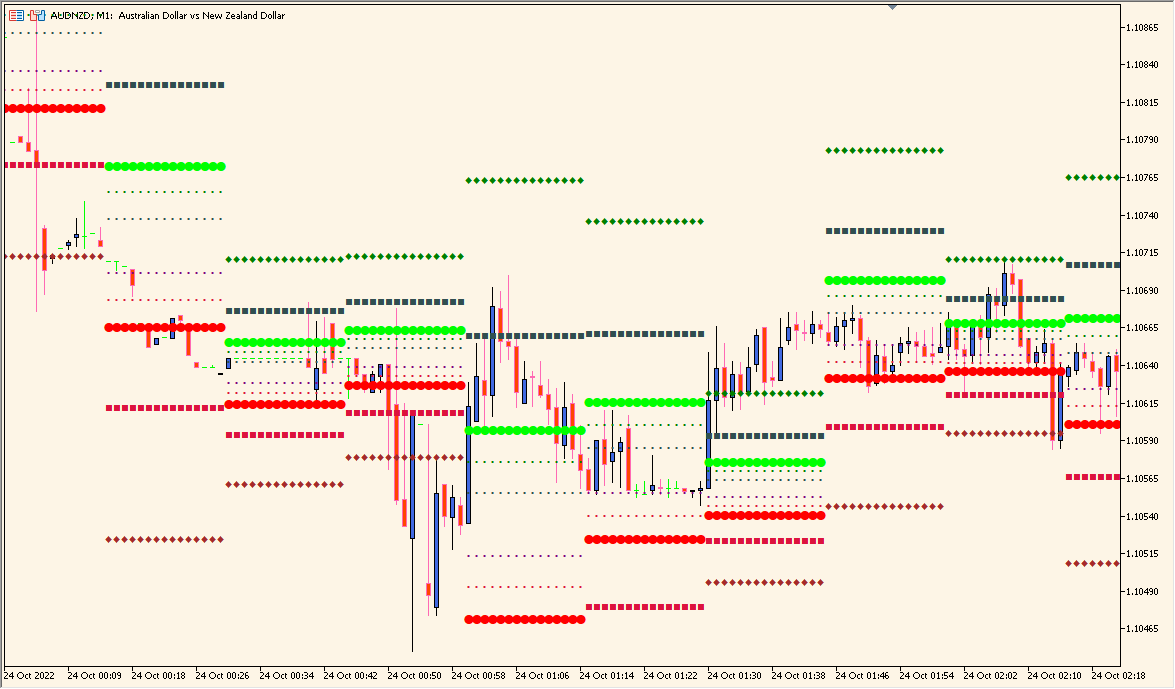
The Camarilla_Full indicator for MT4 automatically plots intraday support and resistance levels based on the Camarilla pivot point formula. It displays five resistance levels (H1–H5) and five support levels (L1–L5), providing a structured view of potential price reaction zones throughout the trading day. Traders use these levels to identify breakout points, reversals, and intraday targets.
This indicator helps simplify daily analysis by visually showing key price levels derived from the previous day’s high, low, and close. It adapts automatically to the selected timeframe, making it useful for both day traders and swing traders.
How to Use It in Practice
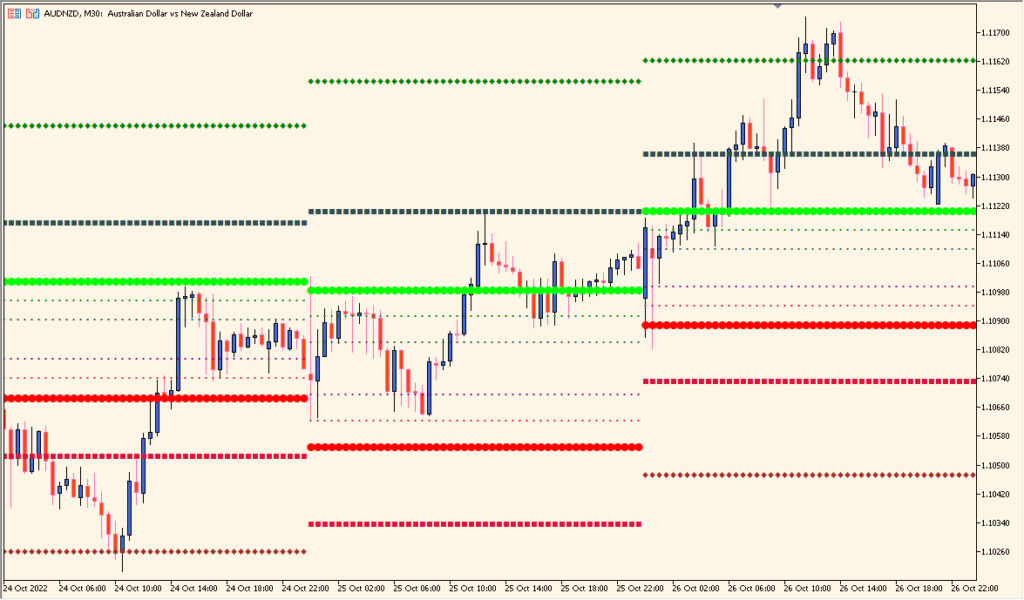
In practical use, the Camarilla_Full indicator can be applied to:
- Identify intraday reversal zones where price often reacts.
- Spot potential breakout levels when price moves beyond H4 or L4 levels.
- Plan trades with clear support and resistance references.
- Combine with oscillators or volume indicators for confirmation.
Typically, traders look for short opportunities near upper resistance levels and long opportunities near lower support levels, while monitoring for breakouts beyond key thresholds.
Best Settings & MT5 Parameters for Camarilla_Full
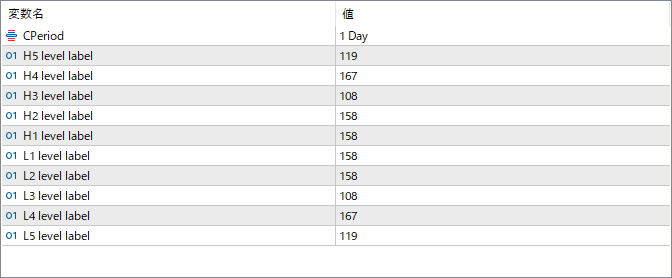
CPeriod
Defines the calculation period for Camarilla levels. Commonly set to “1 Day” to calculate intraday pivot zones.
H5 level label
Controls the label size or placement for the H5 (highest resistance) level line.
H4 level label
Defines the display label for the fourth resistance line (H4), often used as the breakout level.
H3 level label
Adjusts the visual label for H3, commonly used as a reversal level in range-bound markets.
H2 level label
Sets the label visibility or position for H2, a minor resistance level.
H1 level label
Controls the label for H1, the nearest minor resistance above the pivot zone.
L1 level label
Controls the label for L1, the nearest minor support below the pivot zone.
L2 level label
Sets the label for L2, a minor support line that can mark early bounce points.
L3 level label
Defines the label for L3, typically used as a key intraday reversal area.
L4 level label
Adjusts the label for L4, often the main breakout support level.
L5 level label
Controls the label for L5, the lowest support level indicating an extreme price range extension.