What is iFanRSI Indicator?
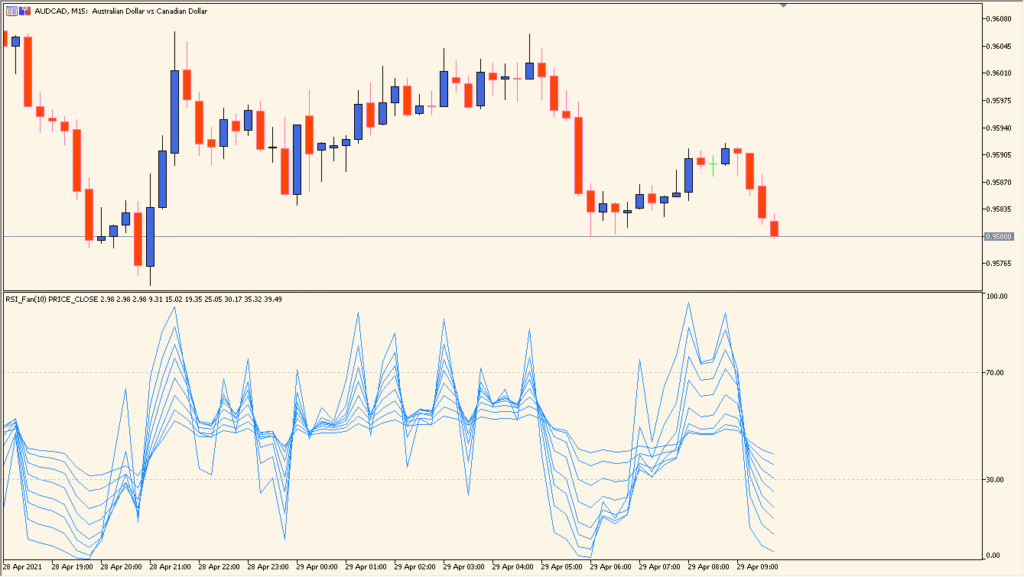
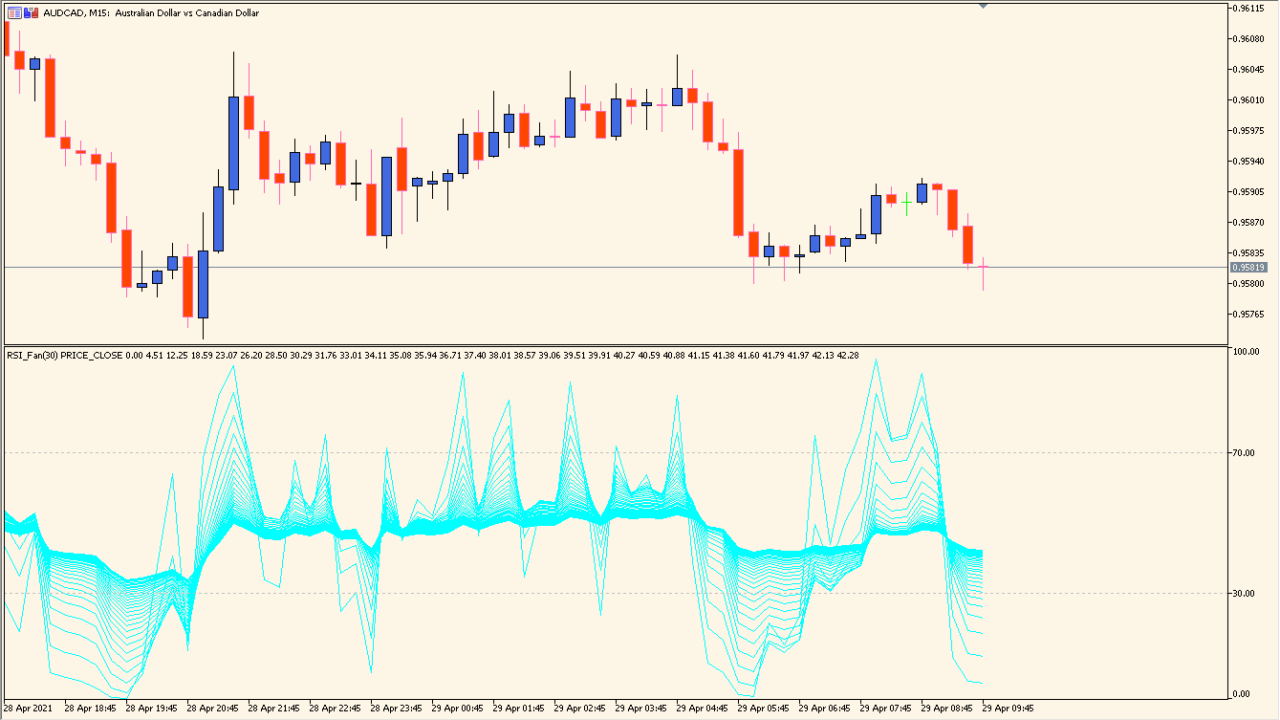
The iFanRSI indicator for MT4 generates multiple RSI lines in a fan-like structure, creating a visual effect that expands outward. This structure is designed to give traders a broader perspective on momentum dynamics by showing several RSI curves with progressive periods. It helps identify strength or weakness with greater granularity, especially in ranging or transitioning markets.
The fan expands by progressively increasing the RSI period, which results in a layered view of momentum over short to long terms—all in one panel. This can provide early warnings of shifts in trend momentum or divergence setups.
How to Use It in Practice
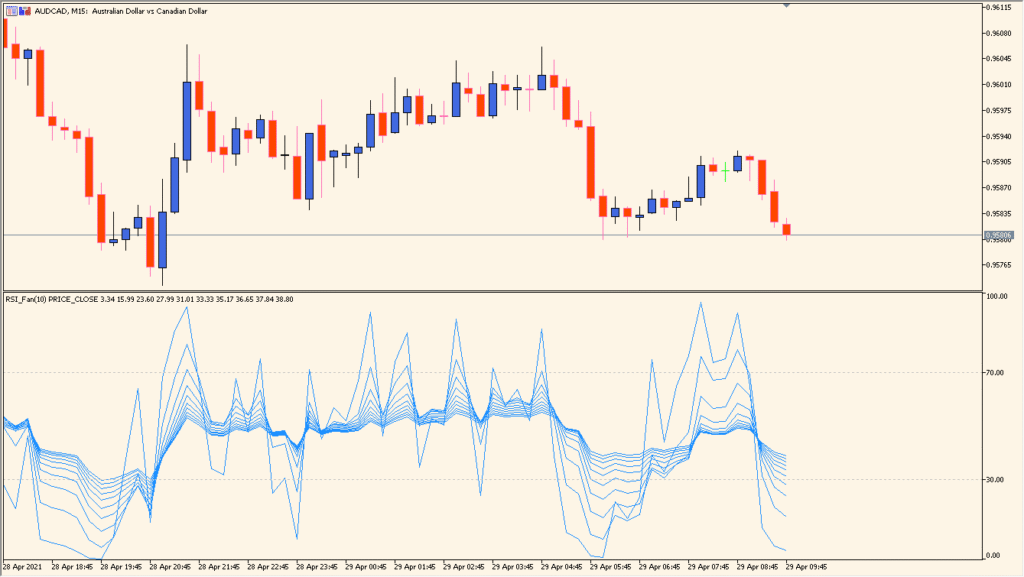
In live trading, iFanRSI can be used to:
- Gauge overall momentum strength by observing the fan’s shape and direction.
- Spot early divergence signals as shorter-period lines deviate from longer ones.
- Track confirmation of trend direction when all RSI lines align and move in unison.
- Identify consolidation when RSI lines cluster together and flatten out.
This indicator is particularly useful for traders who rely on momentum shifts or who want a multi-speed view of RSI behavior without switching indicators.
Best Settings & MT5 Parameters for iFanRSI
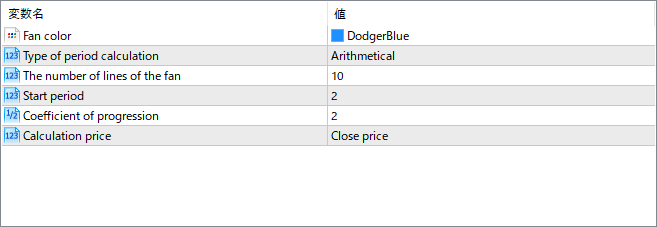
Fan color
Sets the color for all RSI lines in the fan. Helps improve visibility or match your chart theme.
Type of period calculation
Determines how each RSI period is calculated—arithmetical means each step increases linearly. This affects the spacing and progression of the fan lines.
The number of lines of the fan
Specifies how many RSI curves will be drawn. More lines give a smoother gradient of momentum views but may clutter the chart.
Start period
Defines the shortest RSI period used as the base of the fan. The remaining lines are derived by progressively increasing from this base.
Coefficient of progression
Multiplies each subsequent RSI period by this value to expand the fan. A higher coefficient creates wider spacing between RSI lines.
Calculation price
Determines which price is used in RSI calculation (e.g., Close, Open, High, Low). This impacts how reactive the lines are.