What is imafan Indicator?
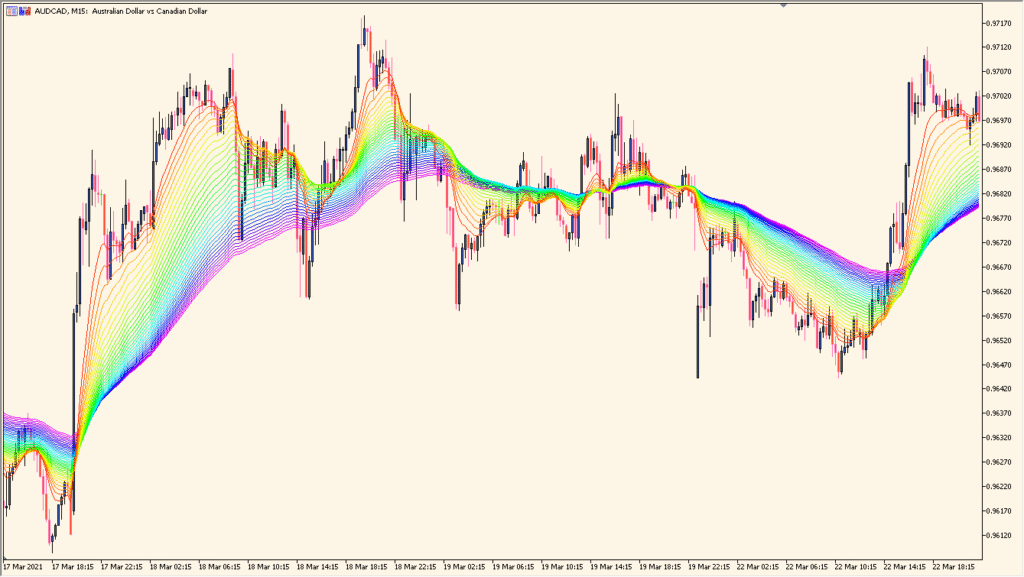
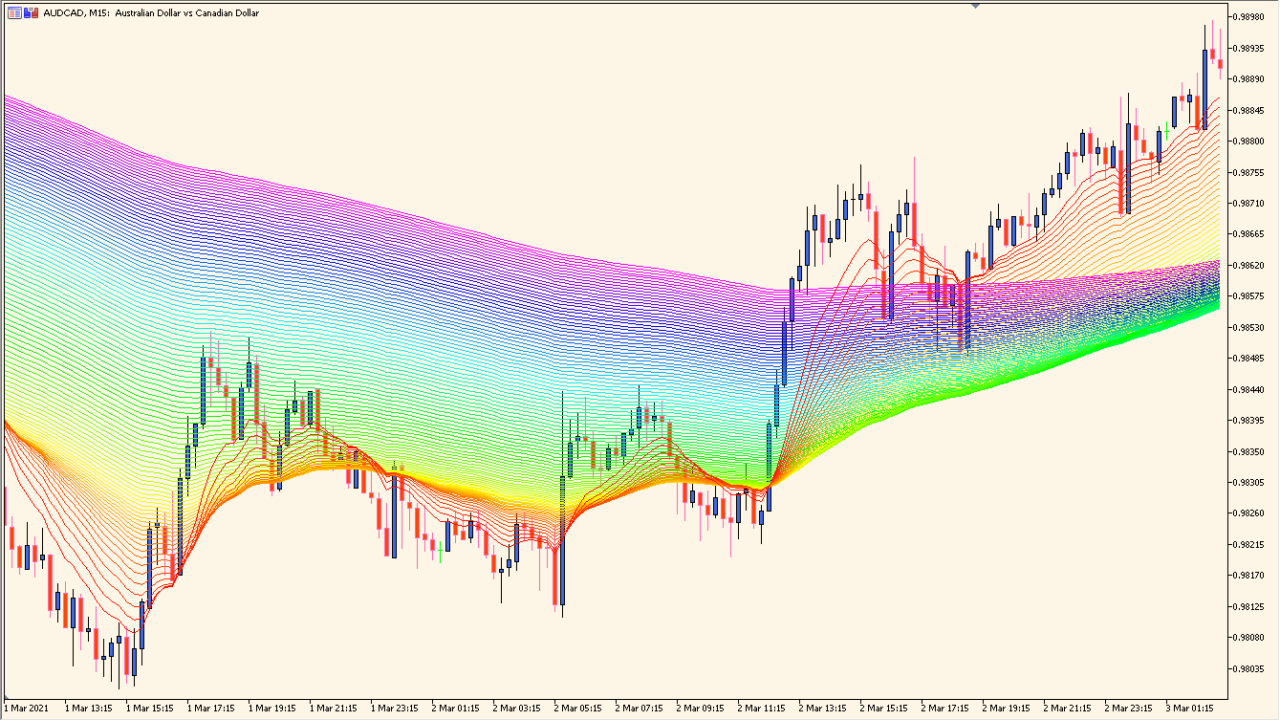
The imafan indicator displays a series of moving averages with increasing periods, forming a colorful “fan” behind price. This visual layering helps you see the strength, structure, and depth of a trend at a glance. When the fan expands, the trend tends to strengthen; when it contracts, momentum weakens. The color bands make it easy to understand how price interacts with different moving average groups.
The indicator works by generating multiple MAs starting from a base period, increasing with a fixed step, and repeating colors as defined. This creates a smooth gradient-style view that responds to trend changes without additional noise.
How to Use It in Practice
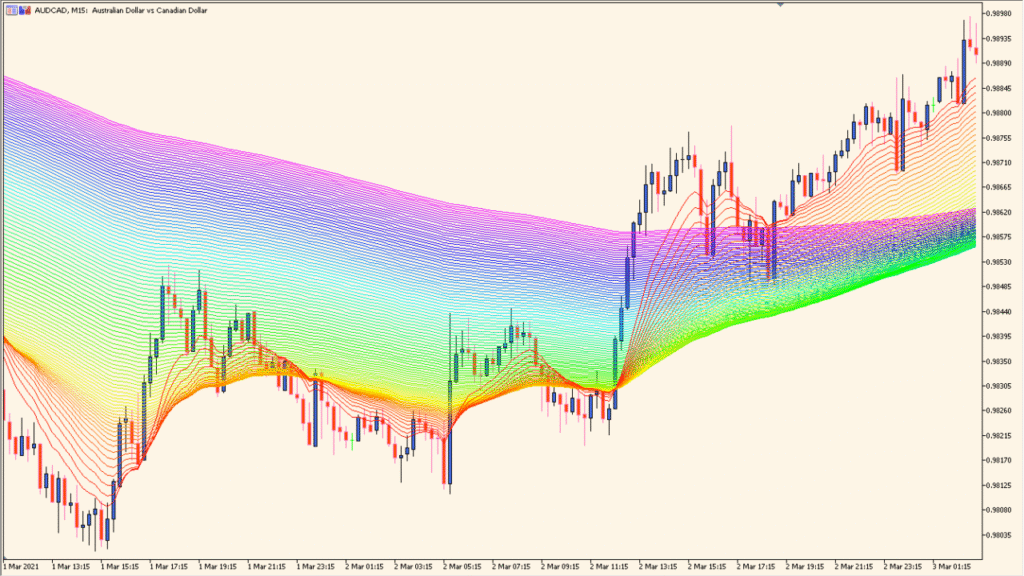
In real trading, the imafan indicator can be used to:
- Confirm trend direction by observing whether price stays above or below the fan.
- Judge trend strength by watching the fan widen or compress.
- Identify dynamic support and resistance when price touches inner or outer moving average layers.
- Filter trades by aligning entries with the dominant fan direction.
It serves as a visual trend map and helps you avoid trading against momentum.
Best Settings & MT5 Parameters for imafan
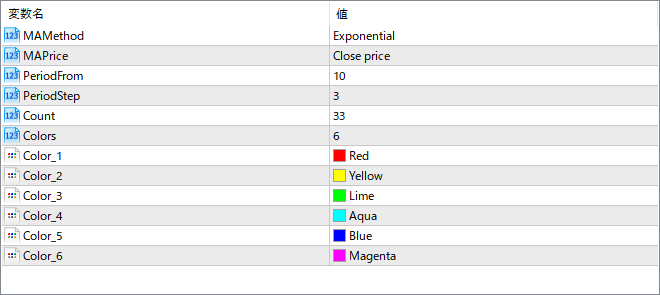
MAMethod
Sets the type of moving average used (e.g., Exponential, Simple). This controls how responsive the fan is to price changes.
MAPrice
Chooses the price source for the moving averages, such as Close price or Open price.
PeriodFrom
Defines the starting MA period from which the fan begins.
PeriodStep
Sets how much each subsequent MA period increases. A larger step spreads the fan more widely.
Count
Specifies how many moving averages are drawn to create the full fan.
Colors
Sets how many colors are used before repeating the sequence across the fan layers.
Color_1
First color applied to the moving average sequence.
Color_2
Second color in the sequence.
Color_3
Third color in the sequence.
Color_4
Fourth color in the sequence.
Color_5
Fifth color in the sequence.
Color_6
Sixth color in the sequence. The colors repeat as needed based on the number of MAs.