What is kase-dev-stops-indicator?
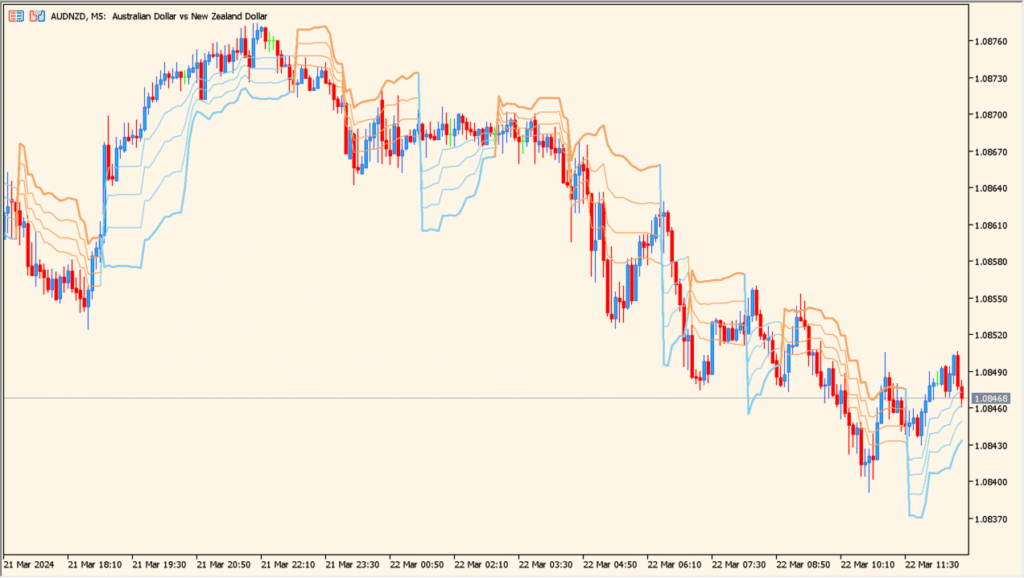
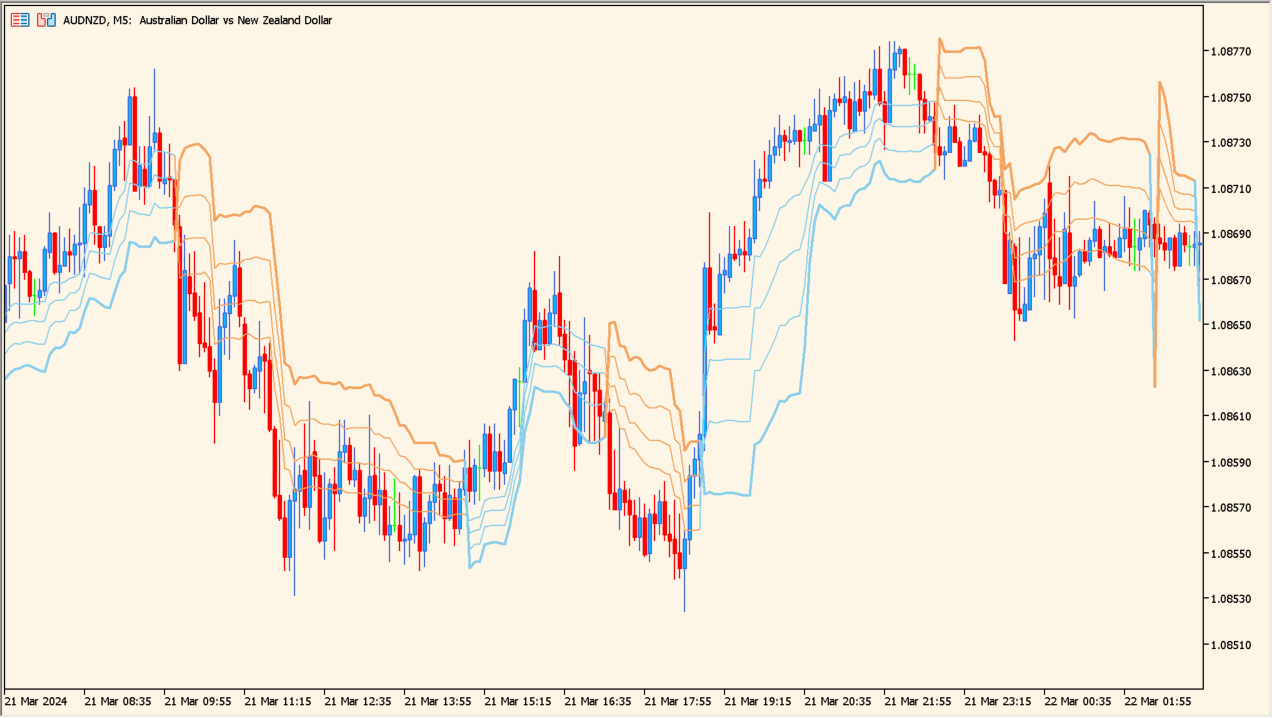
The Kase Dev Stops indicator is a trend-following tool designed to visualize dynamic stop levels based on price deviation. It plots adaptive stop lines above or below price, helping traders objectively track trend direction and manage exits without relying on fixed-distance stops.
By combining fast and slow calculation periods with multiple deviation levels, the indicator adjusts smoothly to changing market conditions while staying aligned with the dominant trend.
How to Use It in Practice
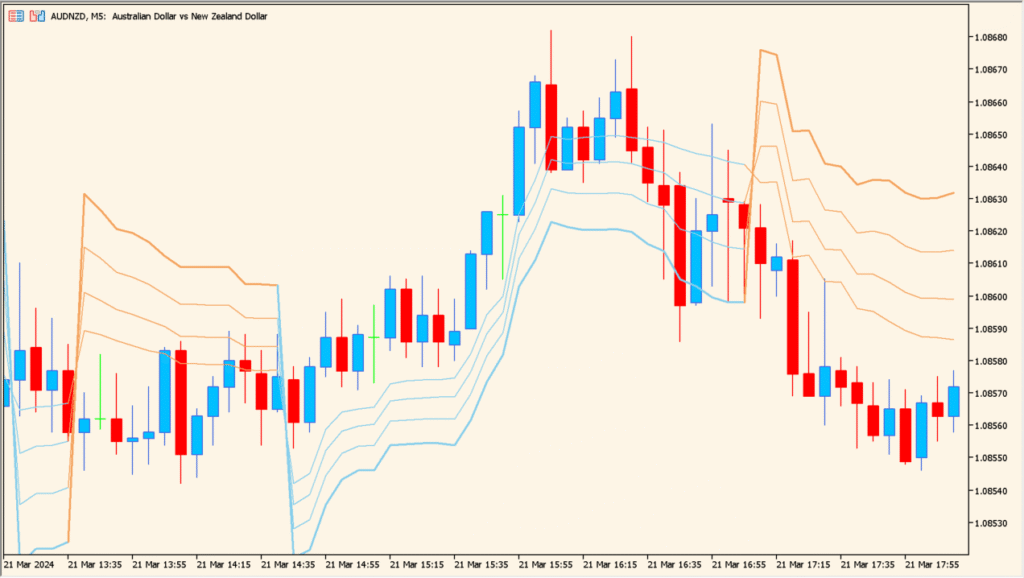
In practical trading, the Kase Dev Stops indicator can be used to:
- Identify the current trend direction based on the position of price relative to the stop lines.
- Trail stop-loss levels as the trend develops, allowing profits to run while controlling risk.
- Spot potential trend changes when price decisively breaks through the active stop level.
- Assess trend strength by observing how tightly or loosely the stop lines track price.
This makes it especially useful for trend traders and swing traders who want a structured way to manage exits without constant manual adjustment.
Best Settings & MT5 Parameters for kase-dev-stops-indicator
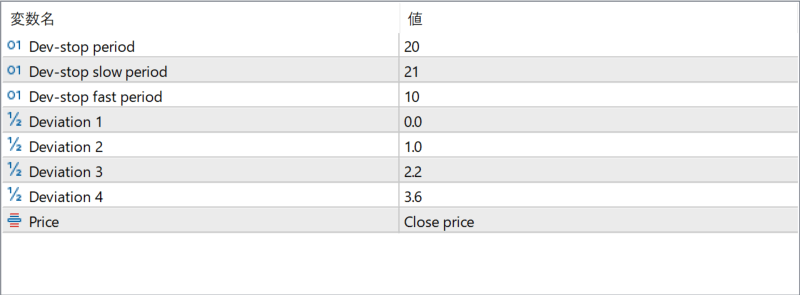
Dev-stop period
Defines the main calculation period used to determine the deviation-based stop levels. This controls the overall responsiveness of the indicator.
Dev-stop slow period
Sets the slower calculation period, producing smoother stop lines that react more gradually to price changes.
Dev-stop fast period
Sets the faster calculation period, allowing the stop line to react more quickly to short-term price movement.
Deviation 1
Specifies the first deviation multiplier used to calculate the nearest stop level relative to price.
Deviation 2
Defines the second deviation multiplier, creating a wider stop level for more conservative trade management.
Deviation 3
Sets an additional deviation level that further expands the stop distance as volatility increases.
Deviation 4
Defines the widest deviation level, often used as a long-term or emergency stop reference.
Price
Specifies which price type is used for calculations, such as close price, ensuring consistency with the trader’s analysis style.