What is MTF Candle Indicator?
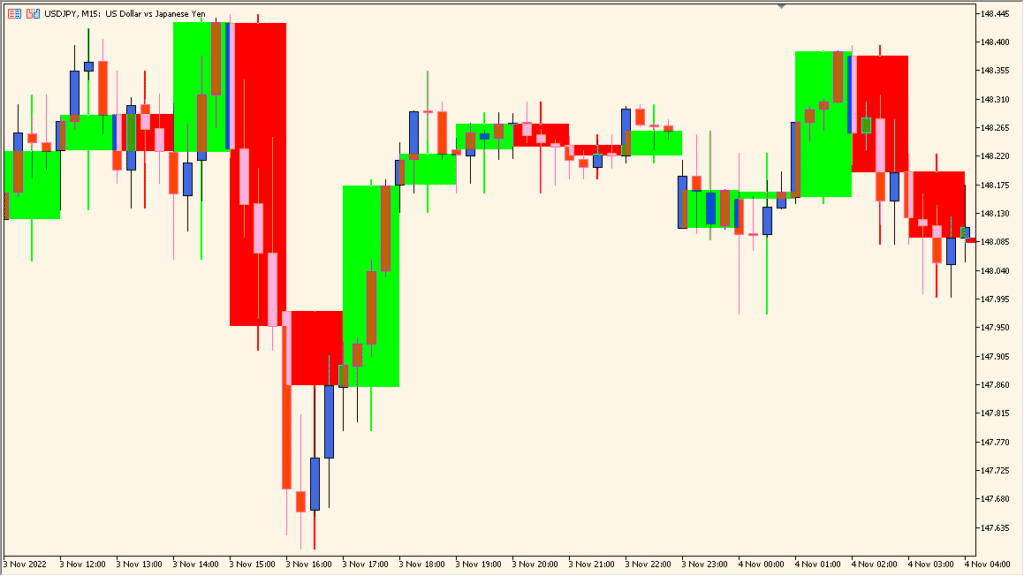
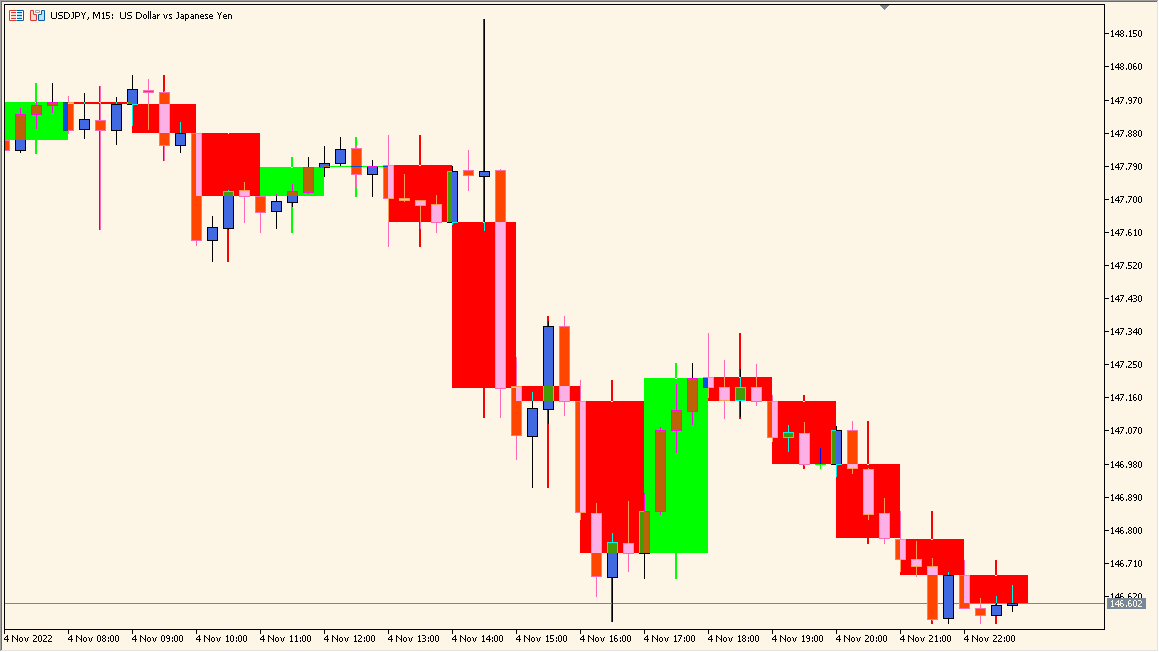
The MTF Candle indicator displays candles from a higher timeframe directly on a lower timeframe chart. For example, when you are on an M15 chart, it can overlay H1 candles on top of it. This helps traders see the broader market structure without switching charts.
It is useful for multi-timeframe analysis, allowing you to align entries with higher timeframe trends or key candlestick formations. The candles can be customized by color, line width, and fill style for better visibility.
How to Use It in Practice
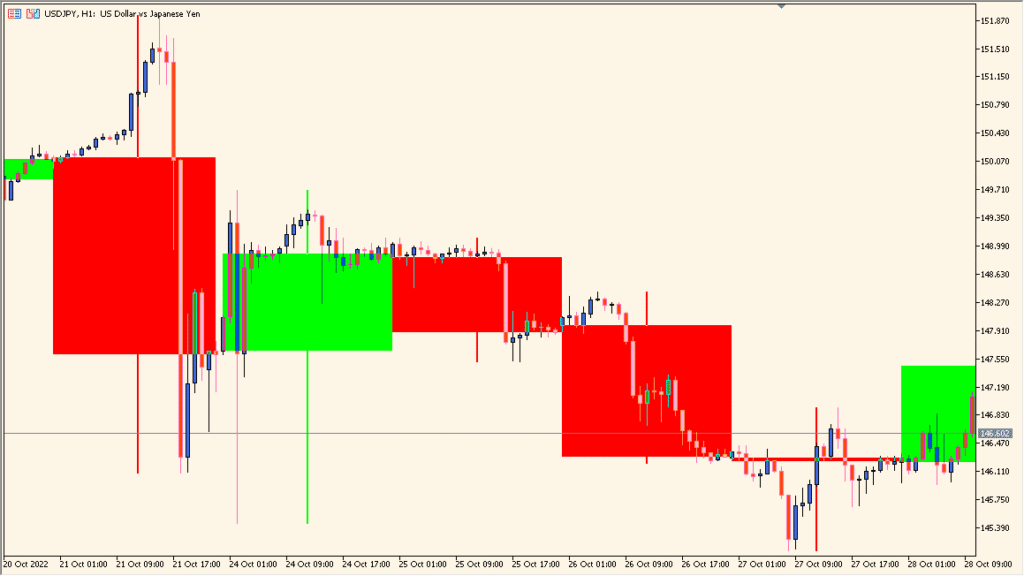
In trading, the MTF Candle indicator helps you:
- Identify higher timeframe trends and major candle patterns while staying on a lower timeframe chart.
- Confirm trade entries by checking how lower timeframe moves fit within larger timeframe candles.
- Improve timing and accuracy by combining higher timeframe direction with lower timeframe signals.
- Avoid frequent chart switching and maintain a clear visual overview of market structure.
This tool is especially helpful for traders who base their decisions on multi-timeframe confluence or structure-based setups.
Best Settings & MT5 Parameters for MTF_Candle
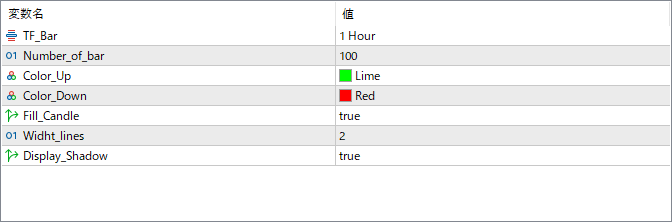
TF_Bar
Selects the timeframe from which the candles will be drawn (for example: 1 Hour, 4 Hours, Daily). This defines which higher timeframe candles are overlaid on your current chart.
Number_of_bar
Specifies how many higher timeframe candles to display on the chart. Increasing the number shows a longer history, while fewer bars focus on recent activity.
Color_Up
Defines the color for bullish (up) candles. Choose a bright or clear color for better contrast on your chart.
Color_Down
Defines the color for bearish (down) candles. Typically, a red tone is used to represent downward movement.
Fill_Candle
Enables or disables filling of the candle bodies. When true, the candles are solid; when false, only the outlines are shown.
Widht_lines
Controls the thickness of the candle outlines. A higher value makes the candle borders more visible.
Display_Shadow
Toggles the display of candle wicks (highs and lows). When true, shadows are shown to reflect full candle range.