What is QQE Indicator?
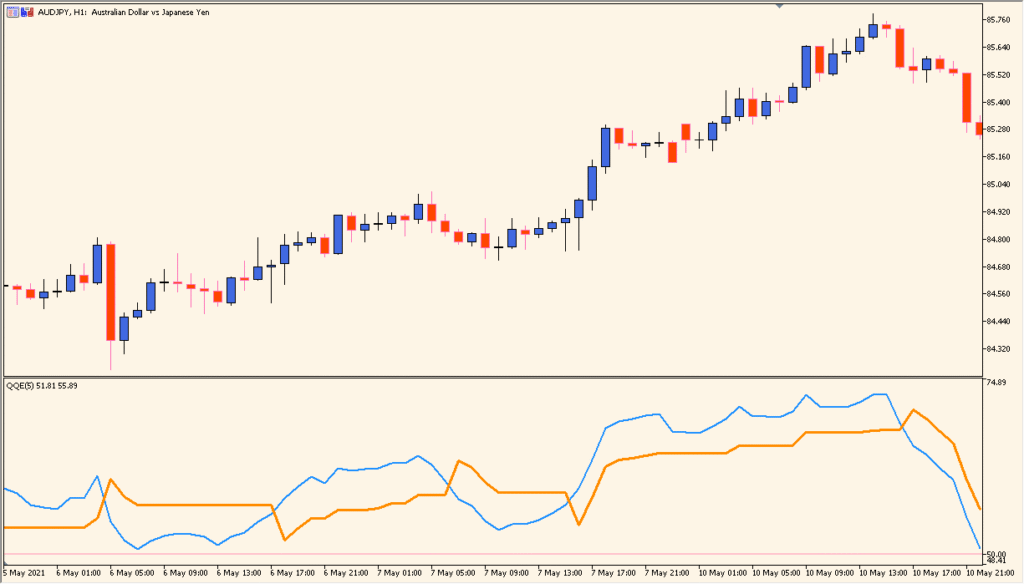
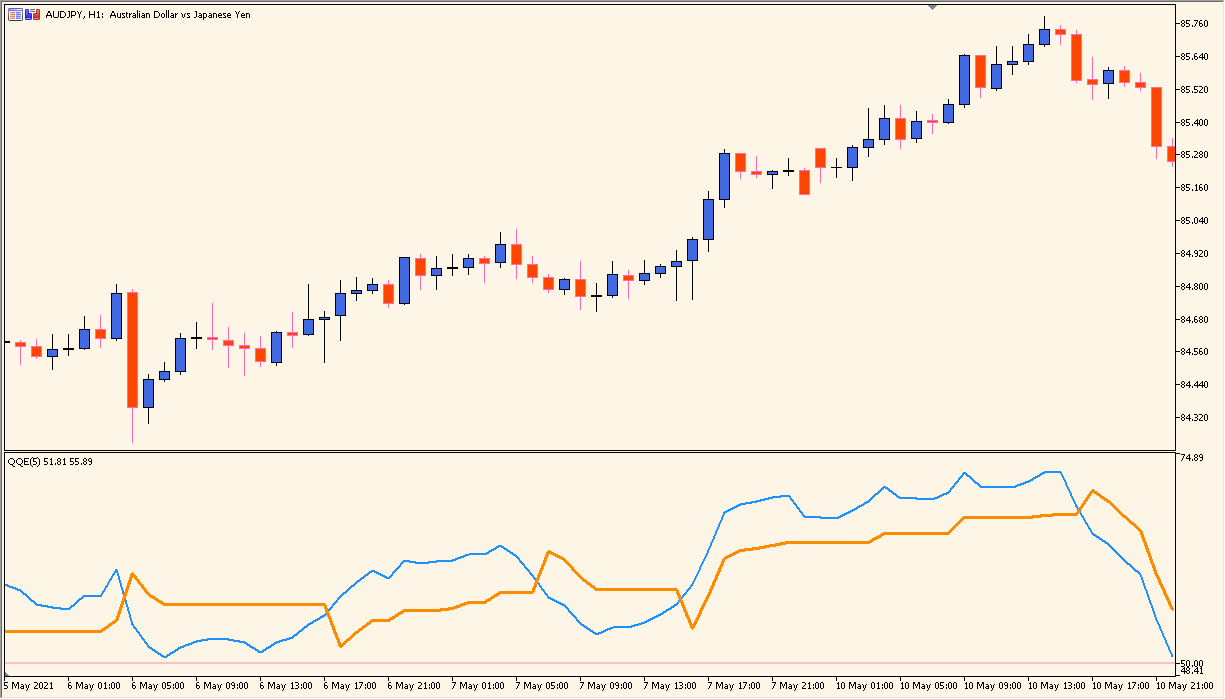
The QQE (Quantitative Qualitative Estimation) indicator is a smoothed RSI-based tool that helps traders identify market momentum, overbought/oversold zones, and potential entry or exit points. It applies a smoothing factor to the RSI to reduce noise and improve signal clarity. Alerts can be triggered when the QQE crosses a predefined level, making it easier to monitor market conditions without constantly watching the chart.
It works by calculating the RSI, applying smoothing, and comparing it to a set alert level. When the QQE value crosses this level, visual, sound, or email alerts can notify the trader.
How to Use It in Practice
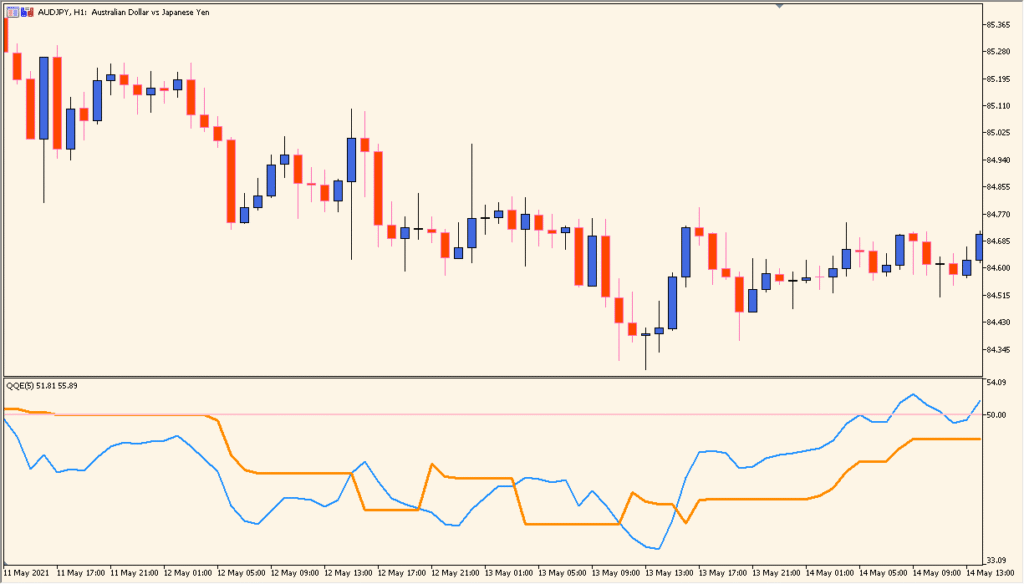
In live trading, you can use the QQE indicator to:
- Identify potential overbought and oversold market conditions.
- Spot momentum shifts when the QQE crosses above or below the alert level.
- Receive alerts via messages, sound, or email for timely decision-making.
- Filter trade entries by confirming with other technical tools.
This makes it a useful tool for both trend-following and reversal strategies, especially for traders who rely on momentum analysis.
Best Settings & MT5 Parameters for QQE
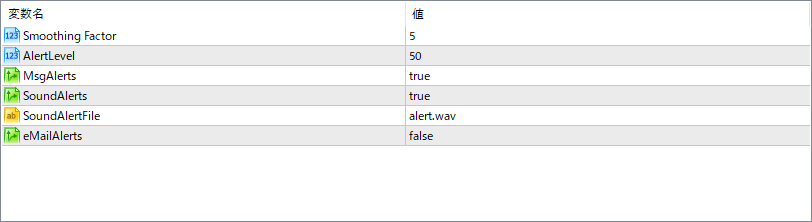
Smoothing Factor
Defines the level of smoothing applied to the RSI calculation to reduce noise and create a cleaner signal line.
AlertLevel
Sets the horizontal threshold line at which alerts are triggered when crossed by the QQE line.
MsgAlerts
Enables or disables pop-up message alerts when the alert condition is met.
SoundAlerts
Enables or disables sound alerts for crossing events.
SoundAlertFile
Specifies the audio file to play when a sound alert is triggered.
eMailAlerts
Enables or disables email alerts when the QQE crosses the defined alert level.