What is Step one more average Indicator?
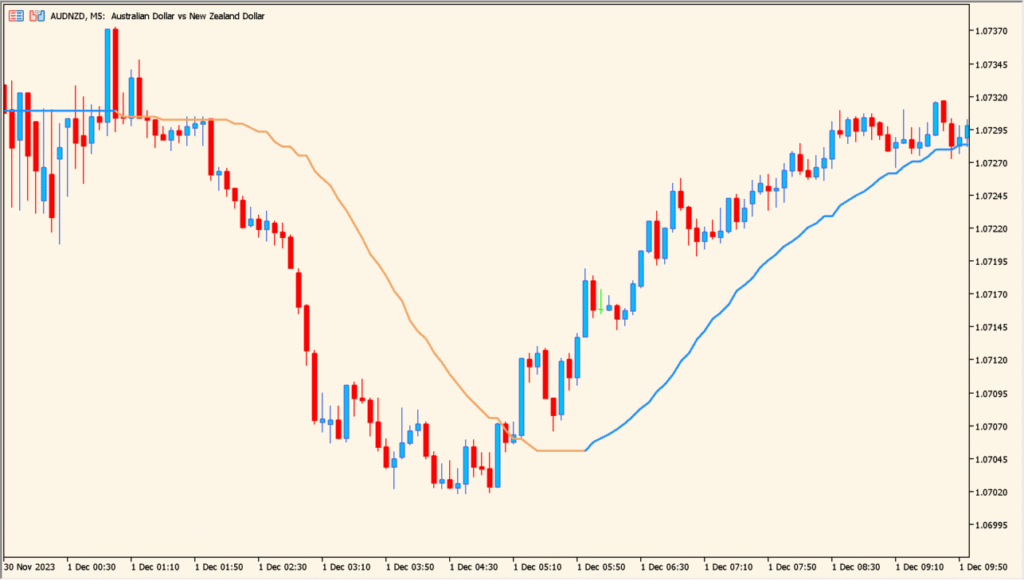
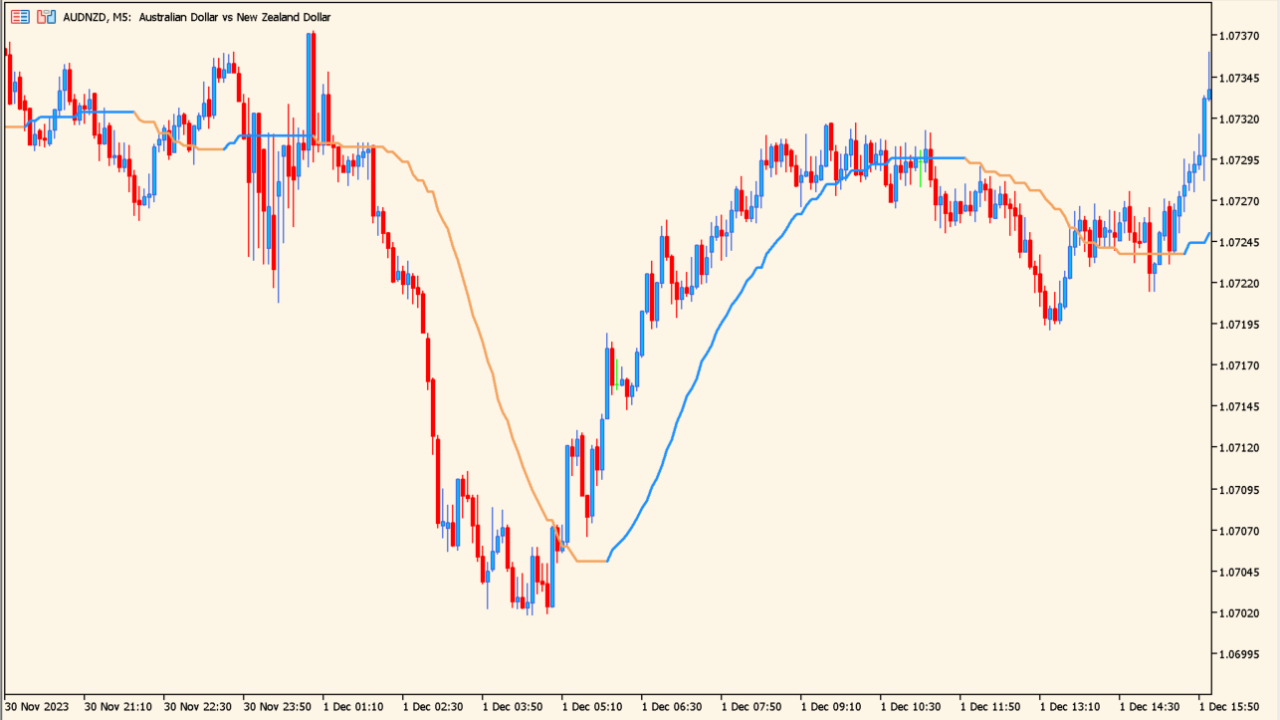
The Step One More Average indicator is an ATR-based adaptive moving average designed to respond smoothly to price changes while filtering out small fluctuations. It adjusts its behavior depending on market volatility, creating a line that can stay close to price during active conditions and remain stable during quieter periods. The indicator can also operate in multi-timeframe mode, allowing you to pull smoothed data from higher timeframes.
Because it uses ATR as a volatility filter, it reacts in structured steps rather than continuous curves. This makes turning points easy to spot and helps traders confirm directional bias with less noise than standard moving averages.
How to Use It in Practice
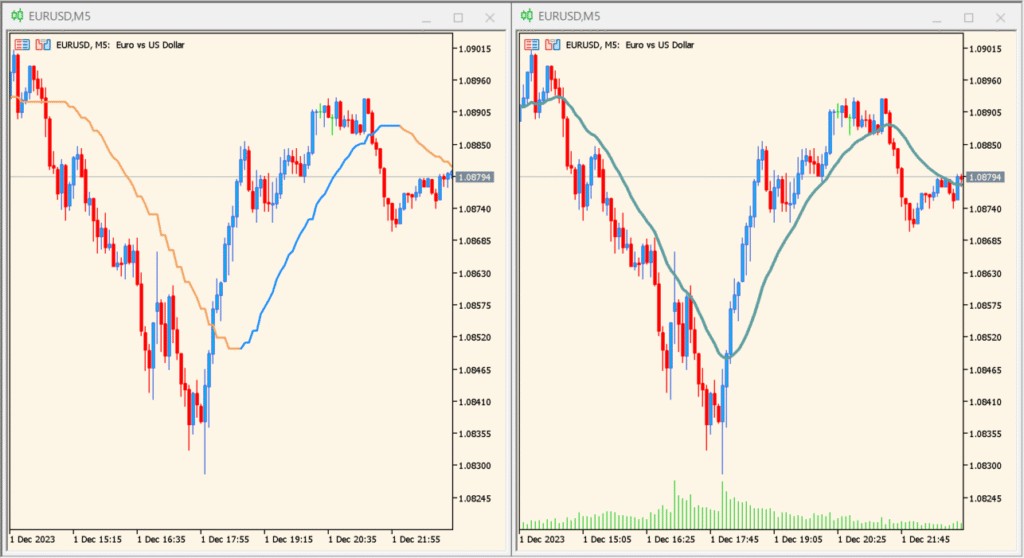
In live trading, the Step One More Average can be used to:
- Identify trend direction with a smoother and more adaptive line than a simple MA.
- Spot potential reversals when the OMA line changes slope or steps in a new direction.
- Use higher-timeframe OMA values to guide lower-timeframe entries.
- Filter trades by avoiding entries when price moves without a clear OMA direction.
- Confirm volatility-based shifts using ATR-adjusted smoothing.
This makes it suitable for both trend-following and mean-reversion styles, especially when the market alternates between high and low volatility.
Best Settings & MT5 Parameters for Step one more average
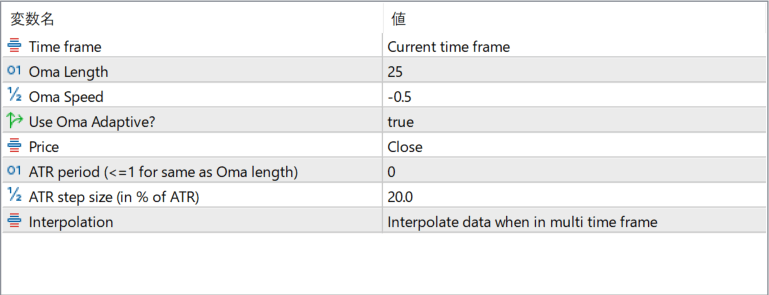
Time frame
Sets the timeframe from which the indicator calculates its values. Selecting a higher timeframe allows for smoother multi-timeframe analysis.
Oma Length
Controls how many bars are used in the base OMA smoothing. Higher values produce slower and smoother responses.
Oma Speed
Adjusts the sensitivity of the OMA calculation. Positive or negative values modify how quickly the line adapts to price movements.
Use Oma Adaptive?
Enables the adaptive behavior that adjusts smoothing according to market volatility. When disabled, the indicator behaves more like a standard moving average.
Price
Specifies the price source used for calculations, such as Close, Open, or typical price variations.
ATR period (<=1 for same as Oma length)
Sets the ATR period used for volatility filtering. If set to 1 or less, it automatically matches the OMA length.
ATR step size (in % of ATR)
Determines the size of each adaptive step. Larger values create wider steps and a less sensitive line.
Interpolation
Controls smoothing behavior when using higher-timeframe data. Interpolation fills gaps so the line displays smoothly on lower timeframes.