What is Trend direction + force_avgs 1.00 Indicator?
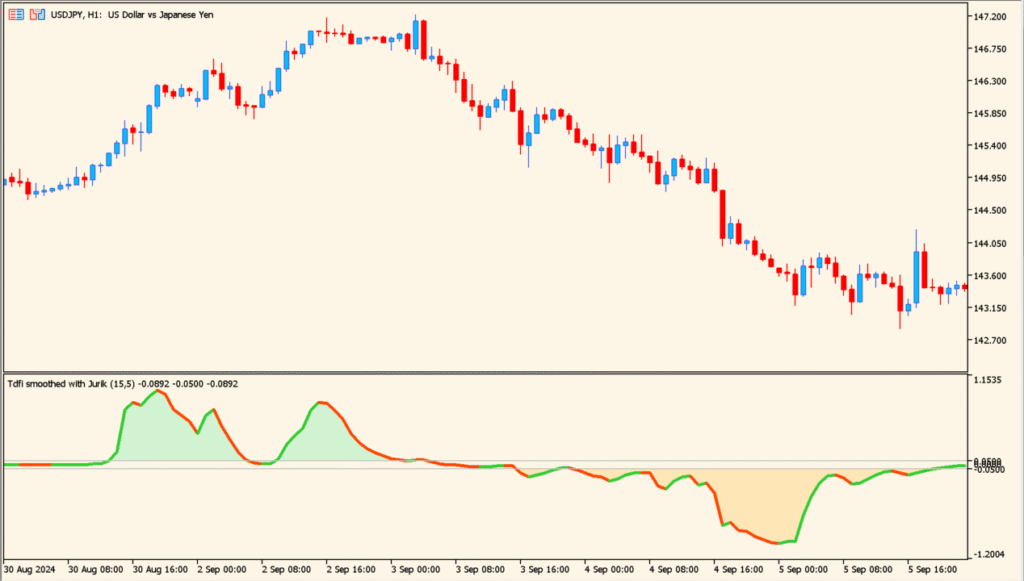
Trend direction + force_avgs 1.00 is a momentum-based oscillator that combines moving average trend logic with force-style momentum calculation. It is designed to show not only whether the market is trending up or down, but also how strong that movement is.
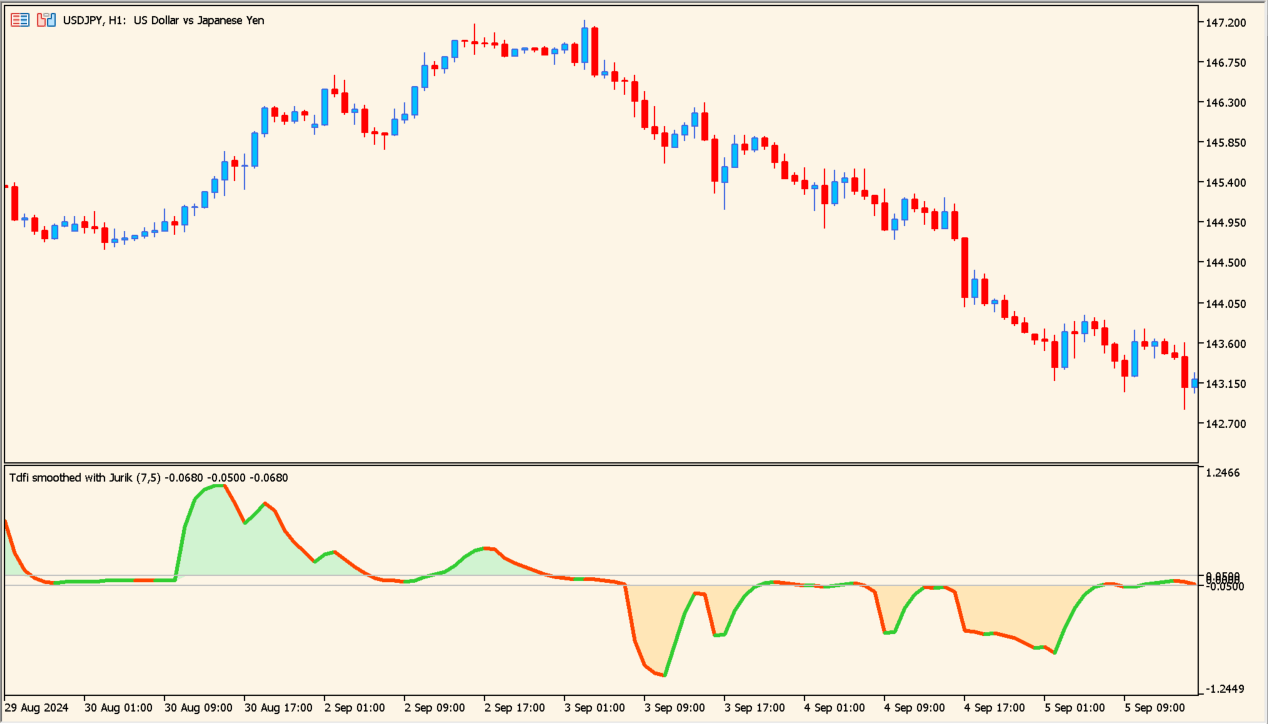
The indicator plots a smoothed line that fluctuates above and below a central level. Color changes reflect directional bias, while the distance from the center helps gauge strength.
How to Use It in Practice
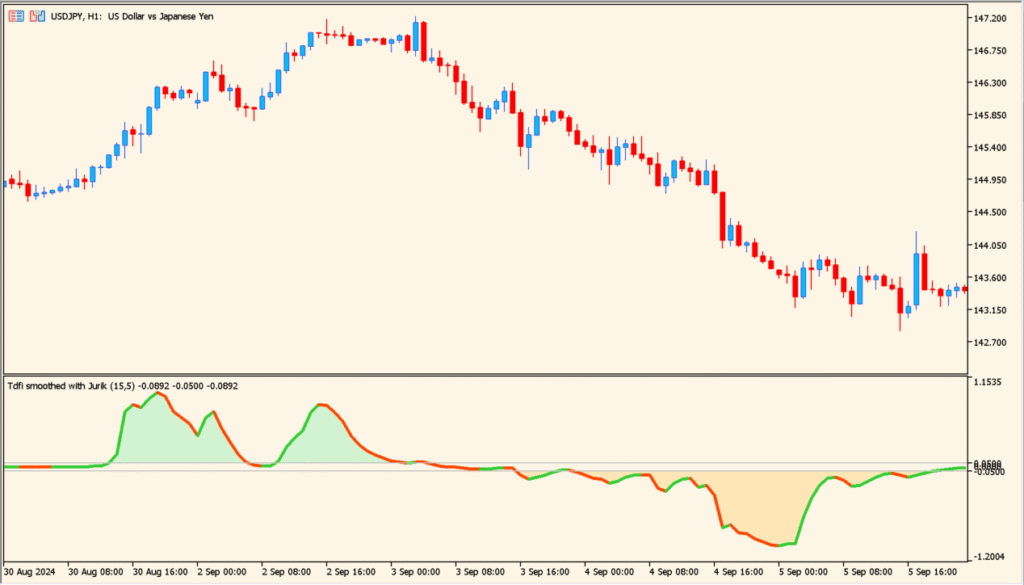
When the line is above the upper trigger level and colored bullish, upward momentum is dominant. When it drops below the lower trigger level and turns bearish, downward pressure is increasing.
Traders can use it to confirm trend continuation, filter trades in the direction of momentum, or detect early weakening when the slope flattens or crosses key levels.
Best Settings & MT5 Parameters for Trend direction + force_avgs 1.00
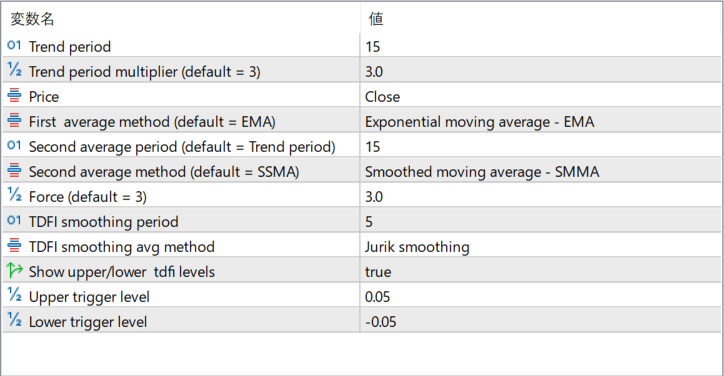
Trend period
Defines the main period used to calculate the base trend component. A shorter period reacts faster, while a longer period smooths the overall direction.
Trend period multiplier (default = 3)
Multiplies the base trend period to create a secondary smoothing effect. Higher values increase smoothing and reduce sensitivity.
Price
Specifies which price type is used for the calculations, such as Close, Open, High, or Low.
First average method (default = EMA)
Selects the moving average method used for the first smoothing stage.
Second average period (default = Trend…)
Defines the period of the second averaging stage, which further smooths the trend calculation.
Second average method (default = SMMA)
Specifies the averaging method applied in the second smoothing stage.
Force (default = 3)
Controls the weight of the momentum component. Higher values increase the impact of price acceleration in the final output.
TDFI smoothing period
Sets the smoothing length applied to the final oscillator line.
TDFI smoothing avg method
Defines the averaging method used to smooth the oscillator output.
Show upper/lower tdfi levels
Enables or disables the display of upper and lower trigger levels on the indicator panel.
Upper trigger level
Sets the threshold above which bullish momentum is considered strong.
Lower trigger level
Sets the threshold below which bearish momentum is considered strong.