What is zig-zag-fibonacci-fan-indicator?
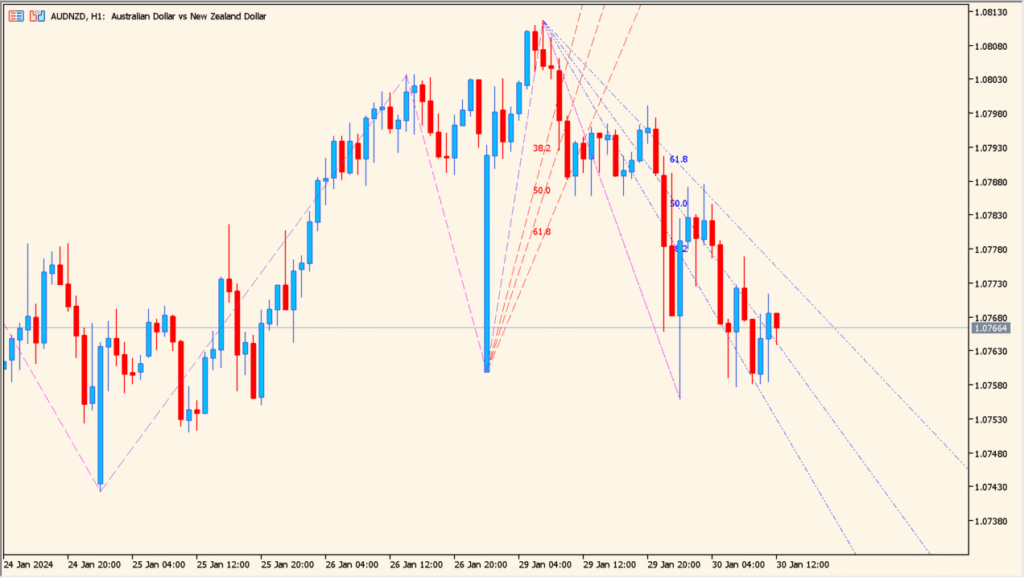
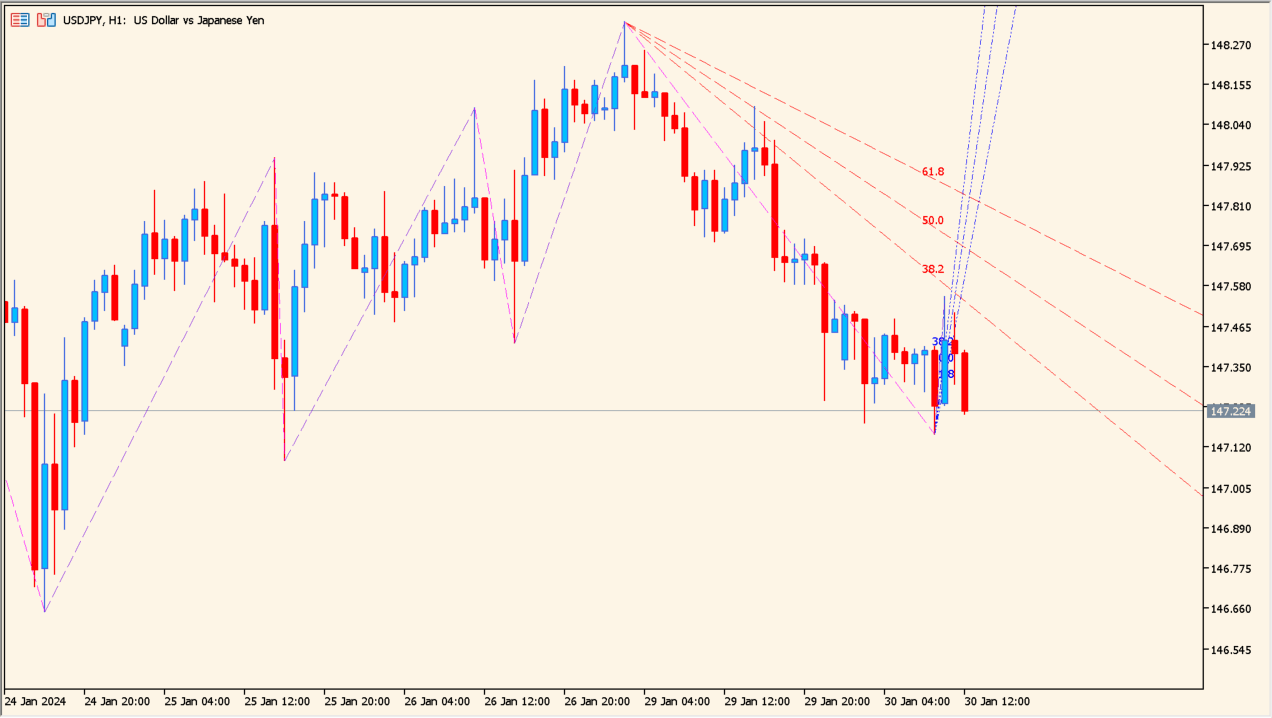
The Zig Zag Fibonacci Fan Indicator automatically draws Fibonacci fan lines based on ZigZag swing points. It detects significant highs and lows, then projects angled Fibonacci levels from those points to visualize potential trend paths, dynamic support, and resistance zones.
By combining ZigZag structure with Fibonacci fan geometry, the indicator helps traders read market direction and price behavior over time rather than focusing on fixed horizontal levels.
How to Use It in Practice
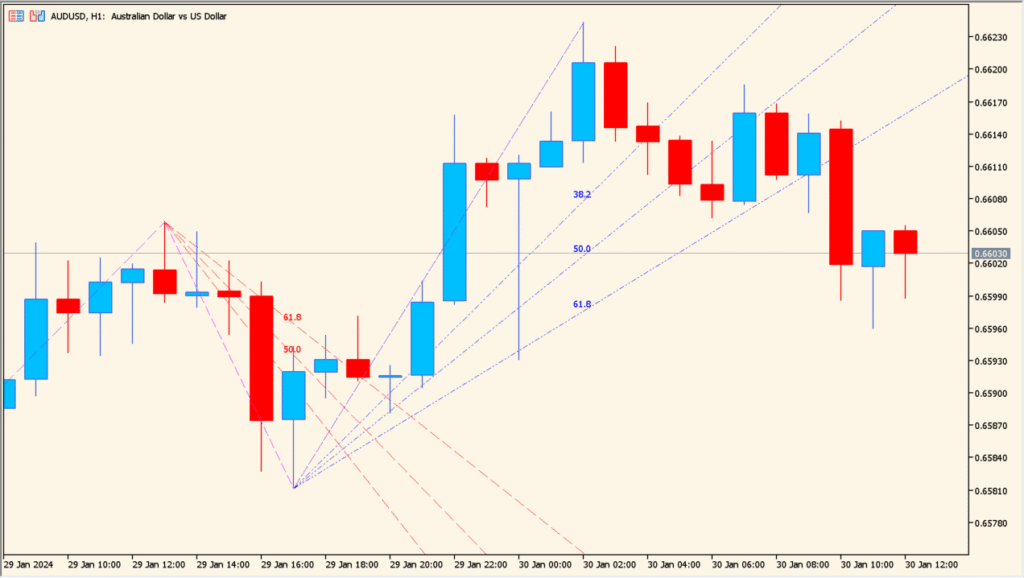
In real trading scenarios, this indicator can be used to:
- Identify dynamic support and resistance along trend angles instead of static price levels.
- Assess trend strength by observing how price reacts to key Fibonacci fan ratios such as 38.2%, 50%, and 61.8%.
- Distinguish between continuation and breakdown when price respects or cuts through fan lines.
- Compare recent dynamic Fibonacci fans with older static ones to understand structural shifts in the market.
This makes the indicator especially useful for trend-following traders and those who analyze price action in relation to time and slope.
Best Settings & MT5 Parameters for zig-zag-fibonacci-fan-indicator
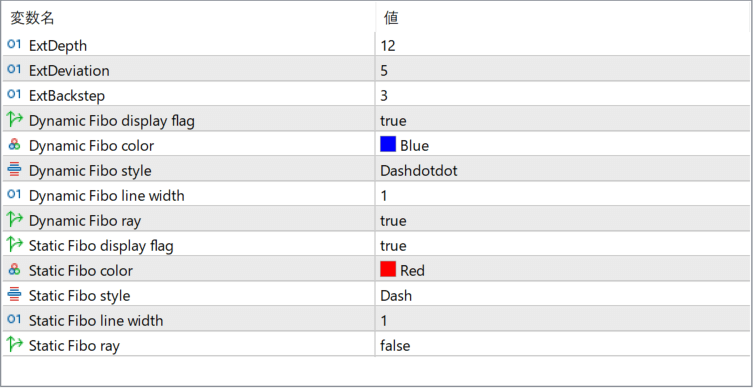
ExtDepth
Controls how many bars are considered when detecting swing highs and lows. Higher values focus on larger, more significant swings.
ExtDeviation
Defines the minimum price deviation required to confirm a ZigZag turning point. Increasing this value filters out smaller fluctuations.
ExtBackstep
Sets the minimum number of bars between consecutive ZigZag points. This helps prevent excessive swing clustering.
Dynamic Fibo display flag
Enables or disables the dynamic Fibonacci fan that updates as new price data forms.
Dynamic Fibo color
Specifies the line color used for the dynamic Fibonacci fan.
Dynamic Fibo style
Defines the line style (solid, dashed, dotted, etc.) for the dynamic Fibonacci fan.
Dynamic Fibo line width
Controls the thickness of the dynamic Fibonacci fan lines.
Dynamic Fibo ray
Determines whether the dynamic Fibonacci fan lines extend infinitely to the right or stop at a fixed length.
Static Fibo display flag
Enables or disables static Fibonacci fans drawn from completed ZigZag swings.
Static Fibo color
Specifies the line color used for static Fibonacci fans.
Static Fibo style
Defines the line style for static Fibonacci fans.
Static Fibo line width
Controls the thickness of static Fibonacci fan lines.
Static Fibo ray
Determines whether static Fibonacci fan lines extend forward as rays or remain limited in length.