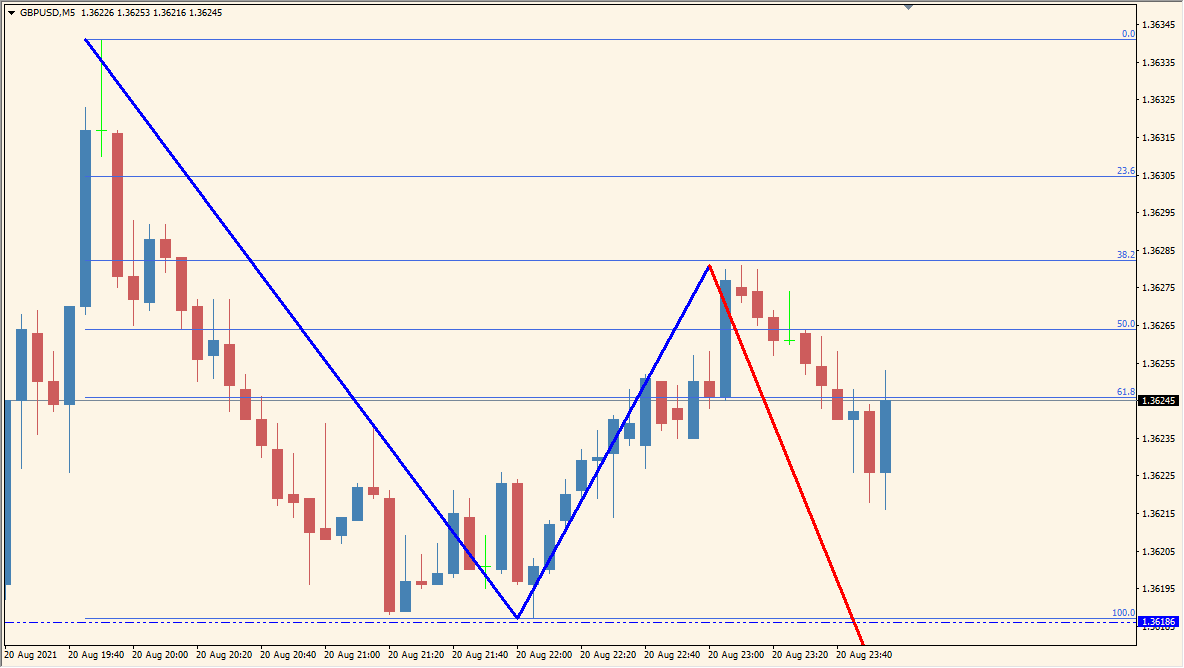
What is 1-2-3 PatternFunyo, MTF v3.1?
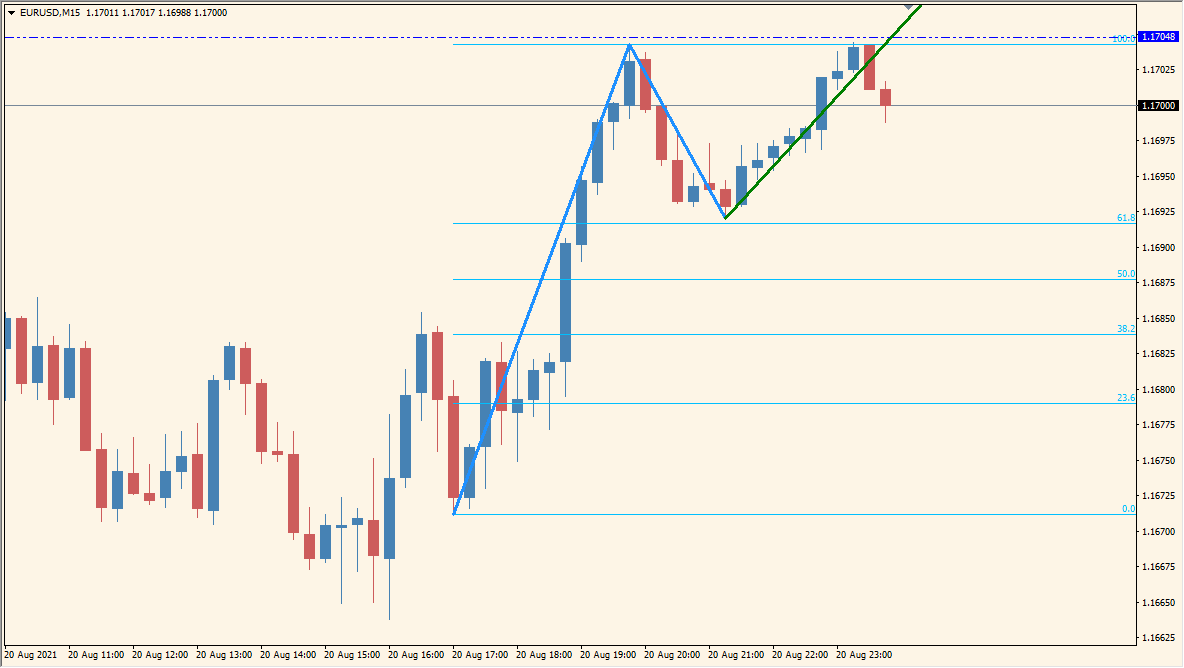
1-2-3 PatternFunyo MTF v3.1 is an MT4 chart indicator that marks displayed 1-2-3 swing structures and can show related lines or Fibonacci-style references. Period, line width, display modes, and timeframe settings control the annotations.
The markings organize swing relationships for visual comparison across chart horizons. They are pattern references and do not establish a trading instruction or future outcome.
How to use 1-2-3 PatternFunyo, MTF v3.1
1-2-3 PatternFunyo MTF v3.1 marks a 1-2-3 structure on the selected timeframe and automatically draws Fibonacci lines on the 1-to-2 wave. A 15-minute pattern can be plotted on a 5-minute chart so that the larger swing stays visible.
Where it helps
Pattern geometry and optional references appear on the chart, while timeframe controls support broader structure comparison.
MT4 Indicator Parameters
The table below lists the available MT4 indicator parameters. You can customize these options in the MetaTrader Inputs dialog to match your trading preferences.
| Parameter | Description |
|---|---|
| period | Sets the calculation period. Default: 0. |
| LineWidth | Sets the line width. Default: 3. |
| Hi_Low_Mode | Sets the high/low display mode. Default: 1. |
| Fibo_Mode | Sets the Fibonacci display mode. Default: 1. |
| Enable_Target | Controls whether this built-in display option is enabled. Default: 1. |
| Fibo_Target | Sets the numerical Fibonacci coefficient used by this option. Default: 1.618. |
| Pattern_High | Sets the pattern-high color. Default: Blue. |
| TradeLine_High | Sets the high trade-line color. Default: Red. |
| Pattern_Low | Sets the pattern-low color. Default: Yellow. |
| TradeLine_Low | Sets the low trade-line color. Default: Green. |
| Fibo | Sets the Fibonacci line color. Default: Black. |
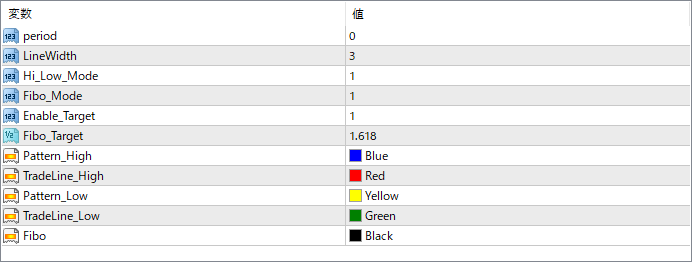
The screenshot above shows the default input parameters in the MT4 settings window.
How to Install .ex4 Indicator in MetaTrader 4
- Download the ZIP file and extract it.
- In MT4, select File → Open Data Folder.
- Open MQL4 → Indicators and copy the EX4 or MQ4 file into it.
- If the package includes library files, copy them to MQL4 → Libraries. Copy TPL files to the top-level templates folder.
- Restart MT4, find the indicator in the Navigator, and drag it onto a chart.
Test the tool on a demo account first. File contents and required folders can vary between packages.


