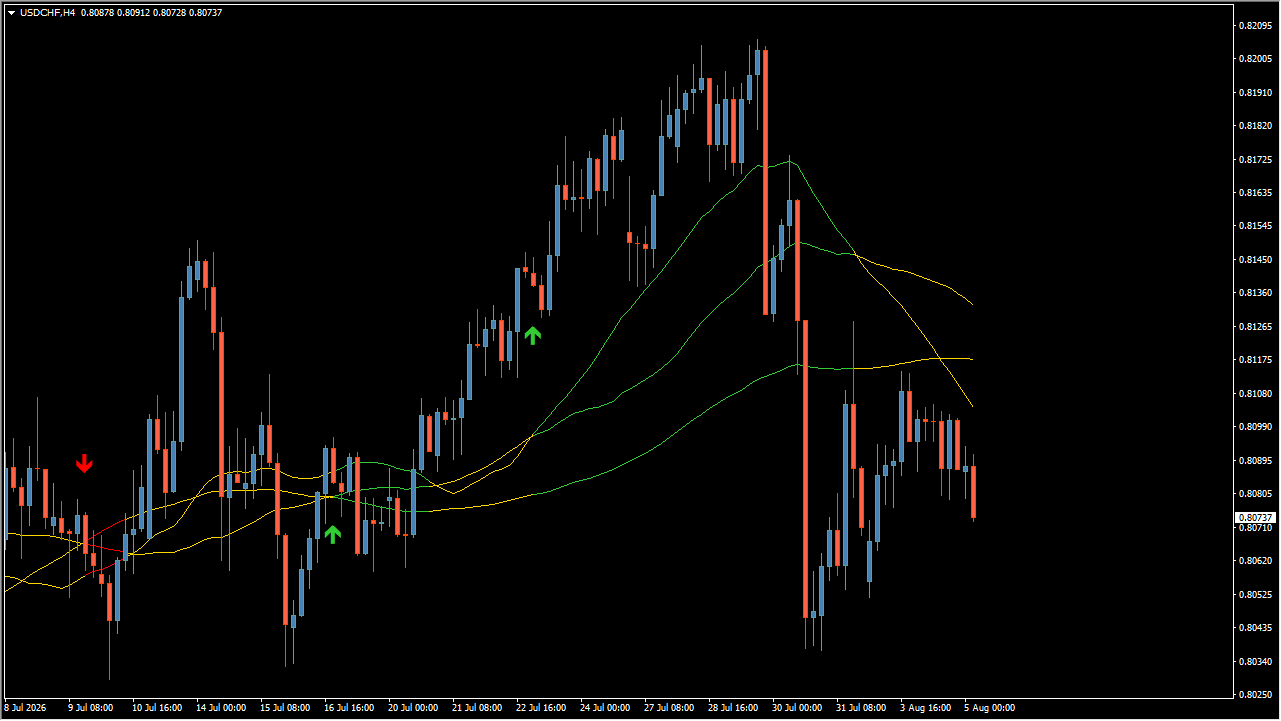
What is Price Action Color Forecast (advanced)?
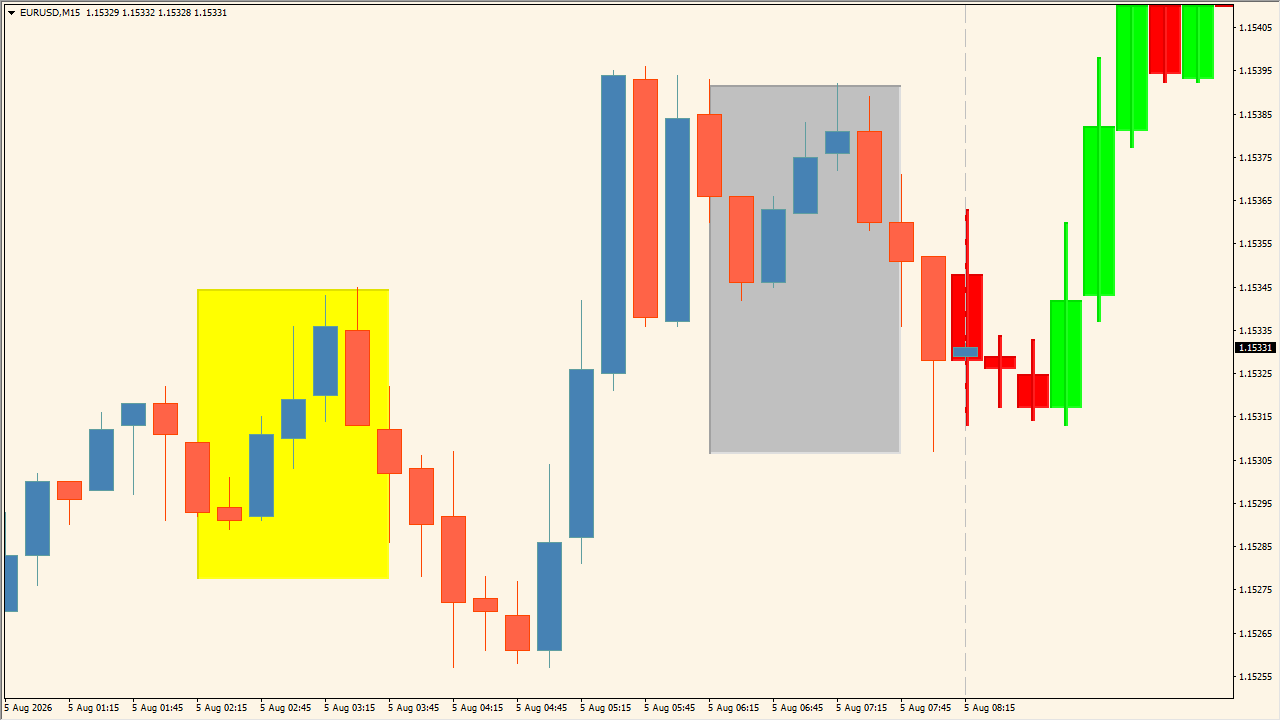
Price Action Color Forecast (advanced) is an MT4 indicator that automatically finds a historical candlestick pattern resembling the recent pattern and draws its later development as a forecast. A Silver box marks the current reference pattern, a Yellow box marks the historical match, and bullish or bearish forecast candles appear beyond a vertical dashed divider.
How to use Price Action Color Forecast (advanced)
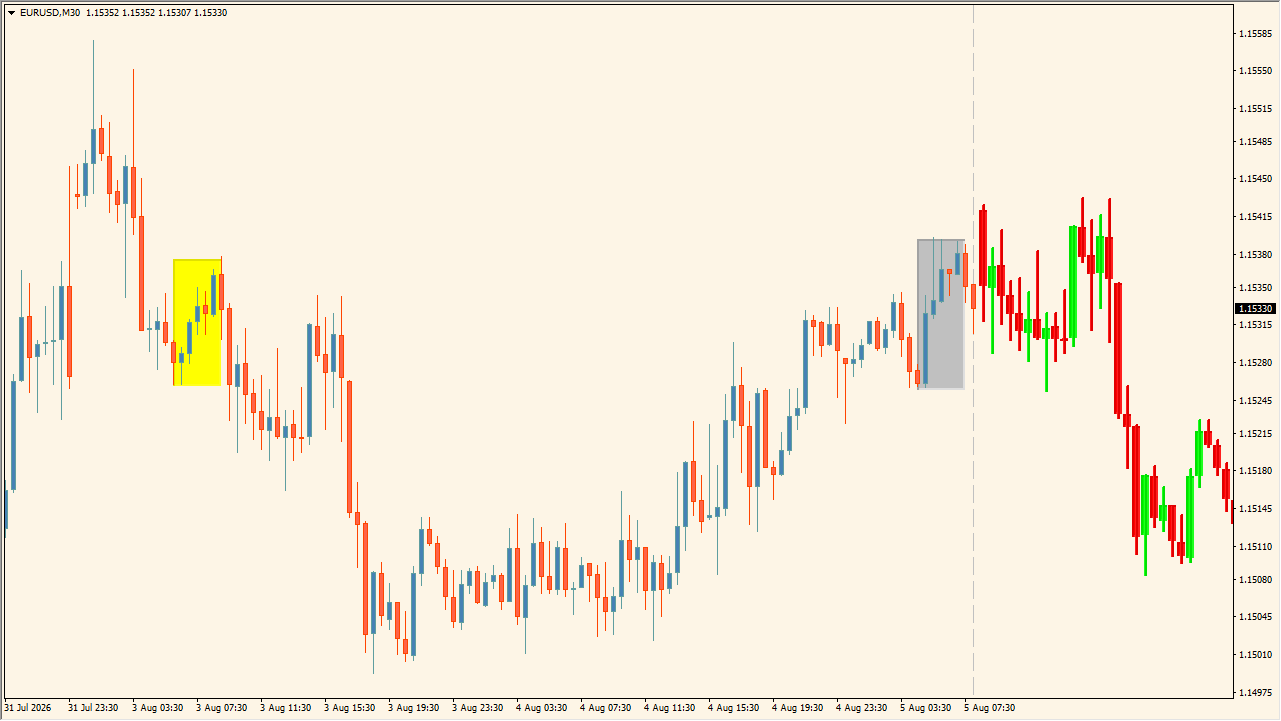
Use the Silver reference and Yellow historical box to compare the two patterns, then read the forecast candles beyond the divider as supplementary chart context.
Where it helps
MT4 Indicator Parameters
The table below lists the available MT4 indicator parameters. You can customize these options in the MetaTrader Inputs dialog to match your trading preferences.
| Parameter | Description |
|---|---|
| How many bars for pattern? | Sets the number of candles used as the similarity reference and the width of the Silver reference box. Default: 7. |
| How many bars for forecast? | Sets how many forecast candles are displayed after the divider. Default: 7. |
| Bullish Candle color | Sets the color used for bullish forecast candles. Default: Lime. |
| Bearish Candle color | Sets the color used for bearish forecast candles. Default: Red. |
| Doji Candle color | Sets the color used for doji forecast candles. Default: Silver. |
| Show pattern boxes? | Shows or hides the Silver and Yellow pattern boxes. Default: true. |
| First pattern box color | Sets the color of the current reference-pattern box. Default: Silver. |
| Historical match pattern box color | Sets the color of the historical-match box. Default: Yellow. |
| Auto scale chart to forecast candles? | Controls whether the chart is automatically scaled to include forecast candles. Default: true. |
| Show divider line? | Shows or hides the vertical divider between the reference and forecast areas. Default: true. |
| Divider color | Sets the divider line color. Default: Silver. |
| Divider style | Sets the divider line style, such as a solid or dashed line. Default: Dash. |
| Divider width | Sets the divider line width. Default: 1. |
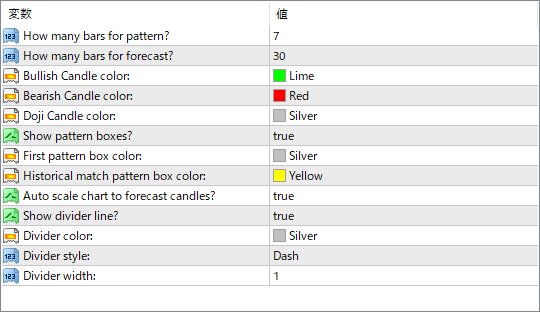
The screenshot above shows the default input parameters in the MT4 settings window.
How to Install .ex4 Indicator in MetaTrader 4
- Download the ZIP file and extract it.
- In MT4, select File → Open Data Folder.
- Open MQL4 → Indicators and copy the EX4 or MQ4 file into it.
- If the package includes library files, copy them to MQL4 → Libraries. Copy TPL files to the top-level templates folder.
- Restart MT4, find the indicator in the Navigator, and drag it onto a chart.
Test the tool on a demo account first. File contents and required folders can vary between packages.