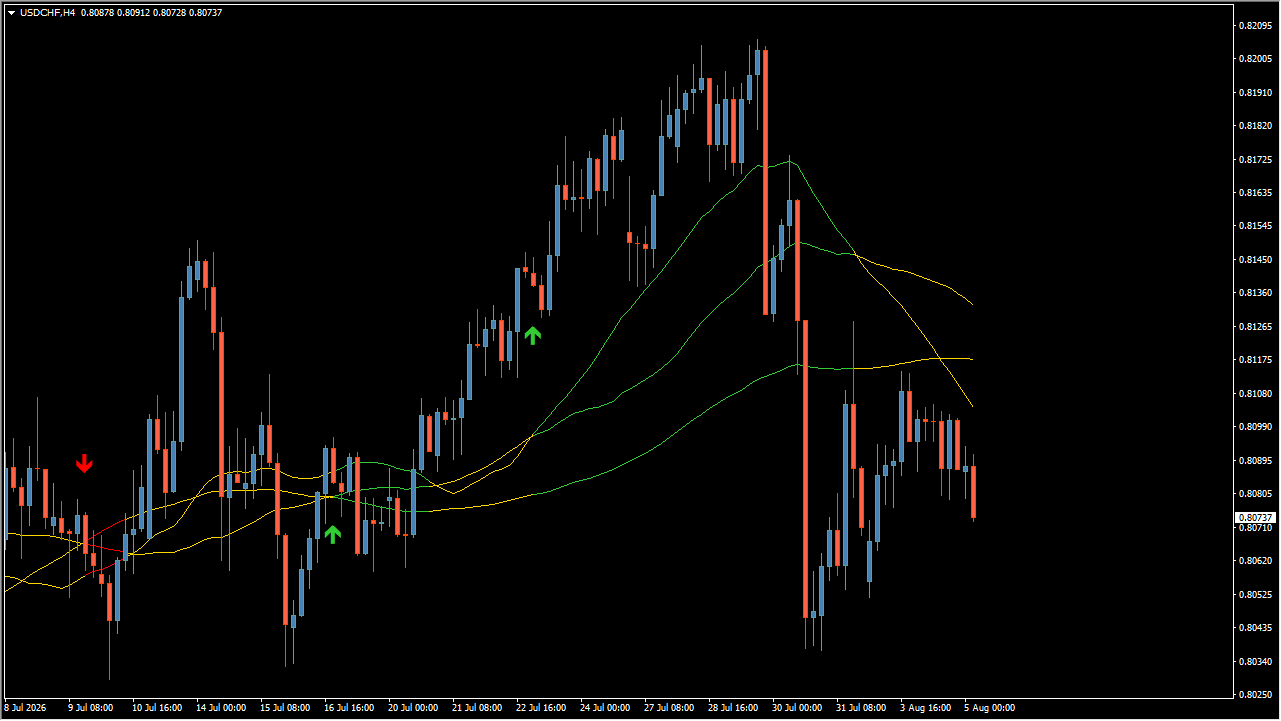
What is Trend Symphony?
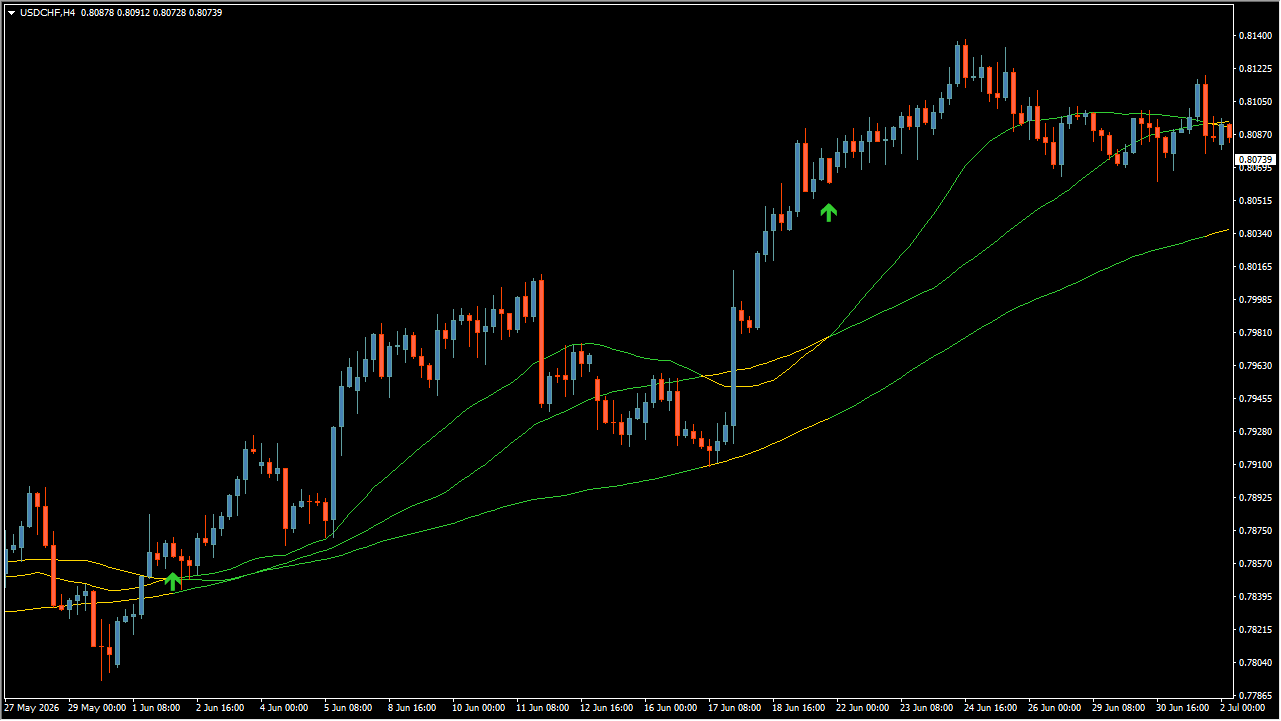
Trend Symphony is an MT4 indicator that draws short, middle, and large moving averages and shows candidate-turning arrows from their colour changes and crosses. Rising lines are green while falling or flat lines are yellow, so the displayed line positions and colours show direction and momentum.
How to use Trend Symphony
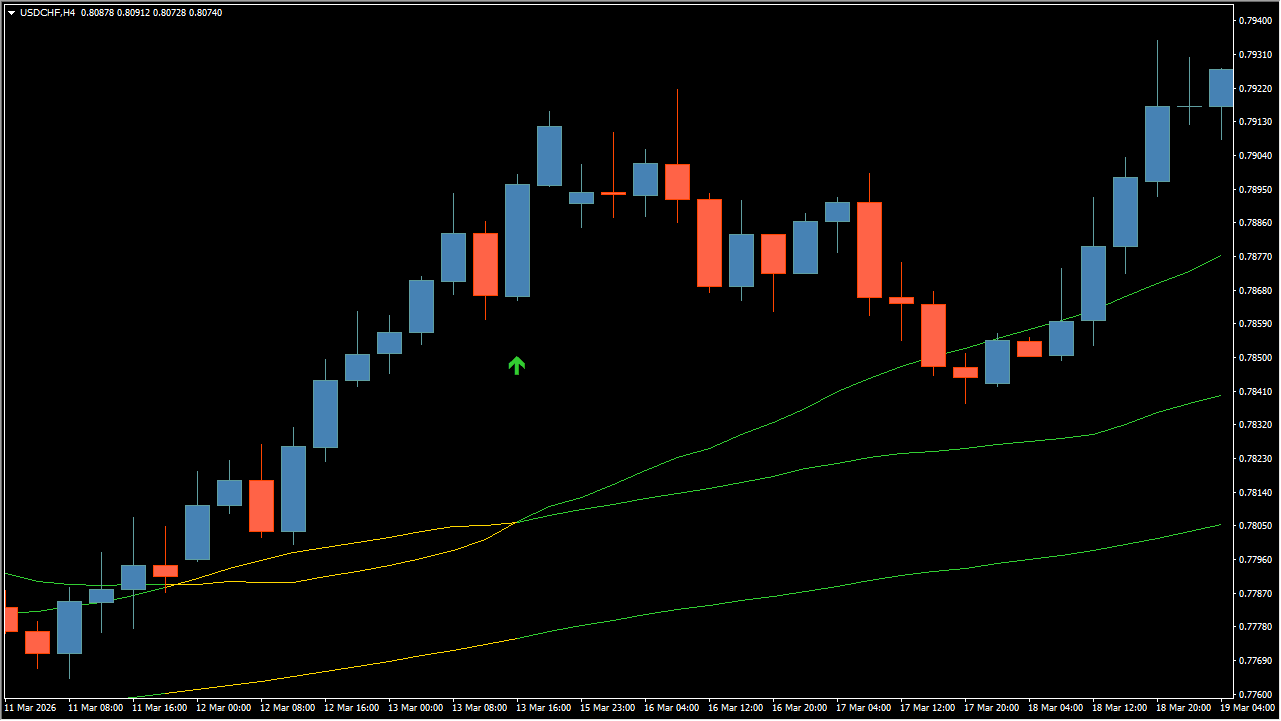
Read the order, colour changes, and arrow positions of the short, middle, and large moving averages. Compare it with whether all three line directions agree. An arrow appears when the short and middle lines cross while the three directions agree.
Where it helps
MT4 Indicator Parameters
The table below lists the available MT4 indicator parameters. You can customize these options in the MetaTrader Inputs dialog to match your trading preferences.
| Parameter | Description |
|---|---|
| MA Type | Selects the moving-average method, including SMA, EMA, SMMA, LWMA, DEMA, TEMA, or KAMA. Default: SMA. |
| Show Alerts | Controls whether an MT4 alert sound and pop-up are shown when a signal appears. Default: true. |
| Send PUSH Notifications | Controls whether a signal notification is sent to mobile MT4. Default: false. |
| Send email Notifications | Controls whether a signal notification is sent by email. Default: false. |
| Use colored MAs | Controls whether moving-average colors change with their slope or state. Default: true. |
| . | Configuration group. |
| SMA Period (Large MA) | Sets the period for the large SMA. Default: 100. |
| SMA applied Price (Large MA) | Selects the calculation price for the large SMA. Default: Close price. |
| SMA Period (Middle MA) | Sets the period for the middle SMA. Default: 50. |
| SMA applied Price (Middle MA) | Selects the calculation price for the middle SMA. Default: Close price. |
| SMA Period (Short MA) | Sets the period for the short SMA. Default: 30. |
| SMA applied Price (Middle MA) | Selects the calculation price for the middle SMA. Default: Close price. |
| . | Configuration group. |
| EMA Period (Large MA) | Sets the period for the large EMA. Default: 100. |
| EMA applied Price (Large MA) | Selects the calculation price for the large EMA. Default: Close price. |
| EMA Period (Middle MA) | Sets the period for the middle EMA. Default: 50. |
| EMA applied Price (Middle MA) | Selects the calculation price for the middle EMA. Default: Close price. |
| EMA Period (Short MA) | Sets the period for the short EMA. Default: 30. |
| EMA applied Price (Middle MA) | Selects the calculation price for the middle EMA. Default: Close price. |
| . | Configuration group. |
| SMMA Period (Large MA) | Sets the period for the large SMMA. Default: 100. |
| SMMA applied Price (Large MA) | Selects the calculation price for the large SMMA. Default: Close price. |
| SMMA Period (Middle MA) | Sets the period for the middle SMMA. Default: 50. |
| SMMA applied Price (Middle MA) | Selects the calculation price for the middle SMMA. Default: Close price. |
| SMMA Period (Short MA) | Sets the period for the short SMMA. Default: 30. |
| SMMA applied Price (Middle MA) | Selects the calculation price for the middle SMMA. Default: Close price. |
| . | Configuration group. |
| LWMA Period (Large MA) | Sets the period for the large LWMA. Default: 100. |
| LWMA applied Price (Large MA) | Selects the calculation price for the large LWMA. Default: Close price. |
| LWMA Period (Middle MA) | Sets the period for the middle LWMA. Default: 50. |
| LWMA applied Price (Middle MA) | Selects the calculation price for the middle LWMA. Default: Close price. |
| LWMA Period (Short MA) | Sets the period for the short LWMA. Default: 30. |
| LWMA applied Price (Middle MA) | Selects the calculation price for the middle LWMA. Default: Close price. |
| . | Configuration group. |
| DEMA Period (Large MA) | Sets the period for the large DEMA. Default: 100. |
| DEMA Period (Middle MA) | Sets the period for the middle DEMA. Default: 50. |
| DEMA Period (Short MA) | Sets the period for the short DEMA. Default: 30. |
| DEMA Bars Count | Sets how many bars are used for the DEMA calculation. Default: 1000. |
| . | Configuration group. |
| TEMA Period (Large MA) | Sets the period for the large TEMA. Default: 100. |
| TEMA Period (Middle MA) | Sets the period for the middle TEMA. Default: 50. |
| TEMA Period (Short MA) | Sets the period for the short TEMA. Default: 30. |
| TEMA Bars Count | Sets how many bars are used for the TEMA calculation. Default: 1000. |
| . | Configuration group. |
| KAMA Period (Large MA) | Sets the period for the large KAMA. Default: 100. |
| KAMA Fast MA Period (Large MA) | Sets the fast moving-average period for the large KAMA. Default: 2.0. |
| KAMA Slow MA Period (Large MA) | Sets the slow moving-average period for the large KAMA. Default: 30.0. |
| KAMA Period (Middle MA) | Sets the period for the middle KAMA. Default: 50. |
| KAMA Fast MA Period (Middle MA) | Sets the fast moving-average period for the middle KAMA. Default: 2.0. |
| KAMA Slow MA Period (Middle MA) | Sets the slow moving-average period for the middle KAMA. Default: 30.0. |
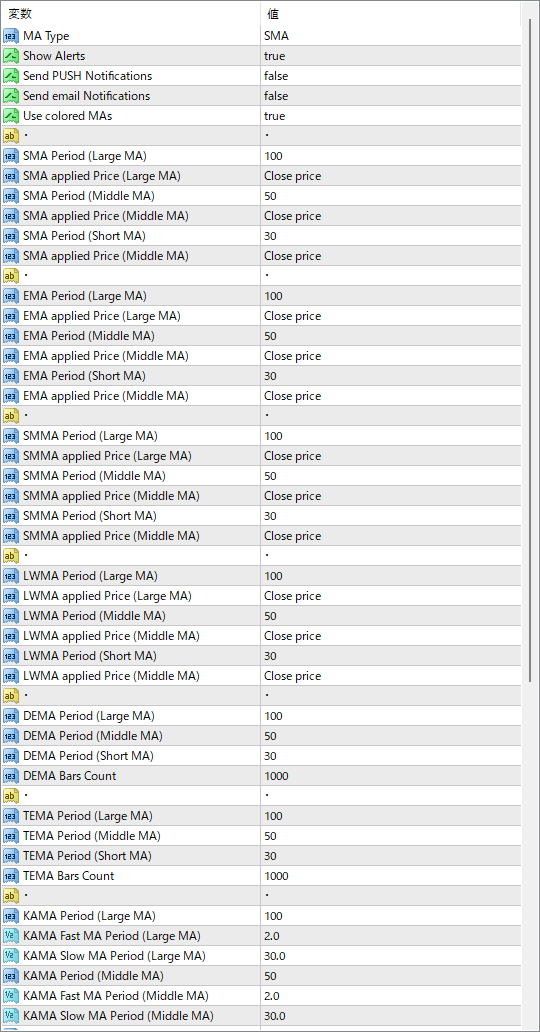
The screenshot above shows the default input parameters in the MT4 settings window.
How to Install .ex4 Indicator in MetaTrader 4
- Download the ZIP file and extract it.
- In MT4, select File → Open Data Folder.
- Open MQL4 → Indicators and copy the EX4 or MQ4 file into it.
- If the package includes library files, copy them to MQL4 → Libraries. Copy TPL files to the top-level templates folder.
- Restart MT4, find the indicator in the Navigator, and drag it onto a chart.
Test the tool on a demo account first. File contents and required folders can vary between packages.


