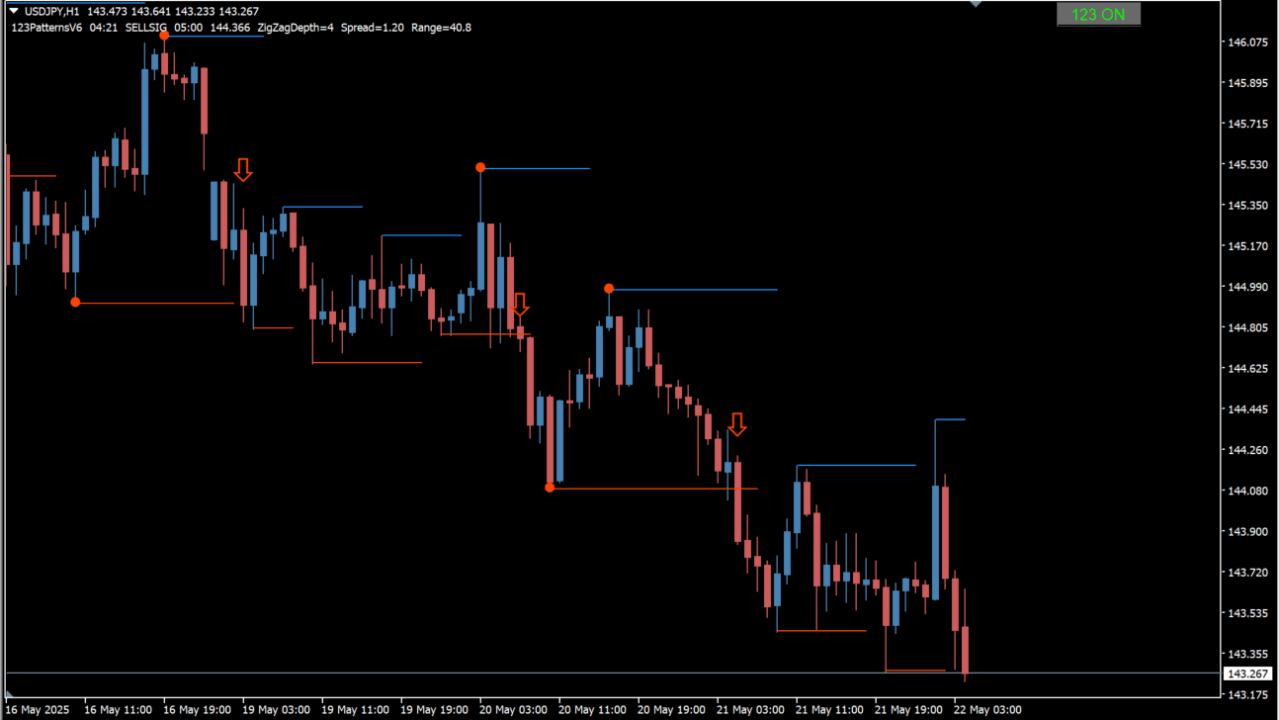
What is 123PatternsV6.03 & mtf nmc alerts bt 1.1?
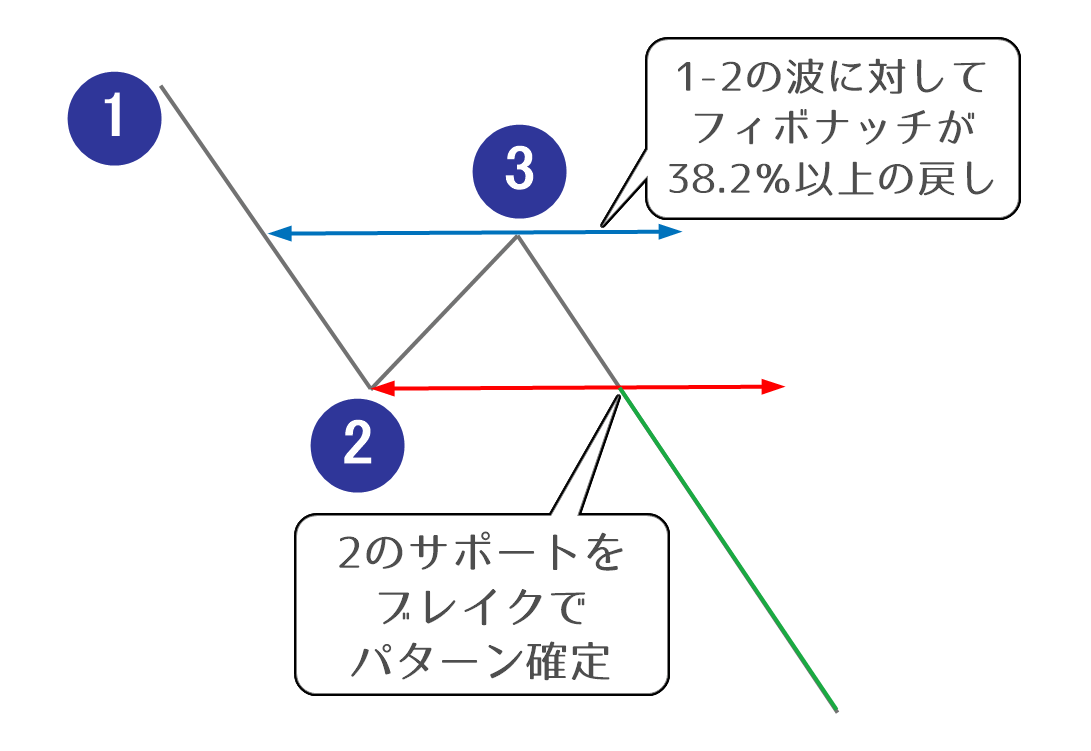
123PatternsV6.03 & mtf nmc alerts bt 1.1 is an MT4 indicator that detects 1-2-3 patterns and marks them on the chart. A support or resistance line is drawn where a pattern completes.
How to use 123PatternsV6.03 & mtf nmc alerts bt 1.1
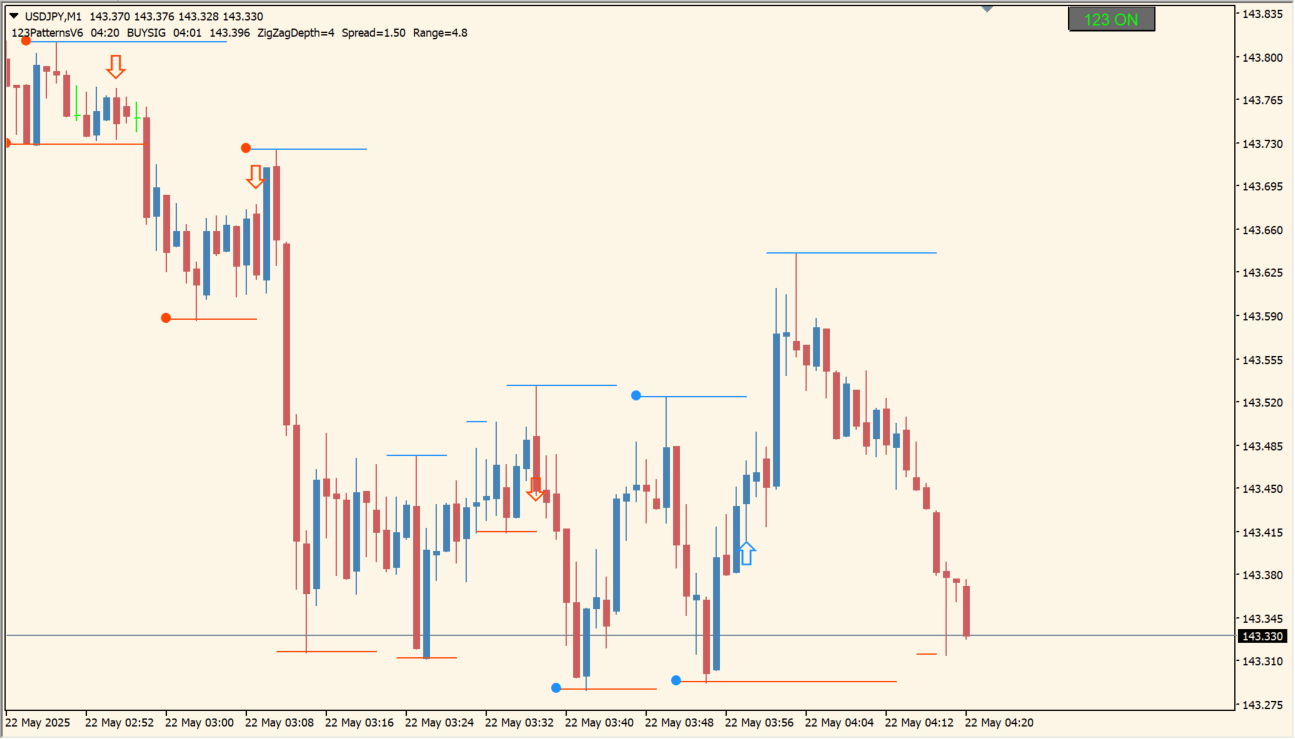
Break signs appear when price breaks the pattern. An alert can be raised at the same moment.
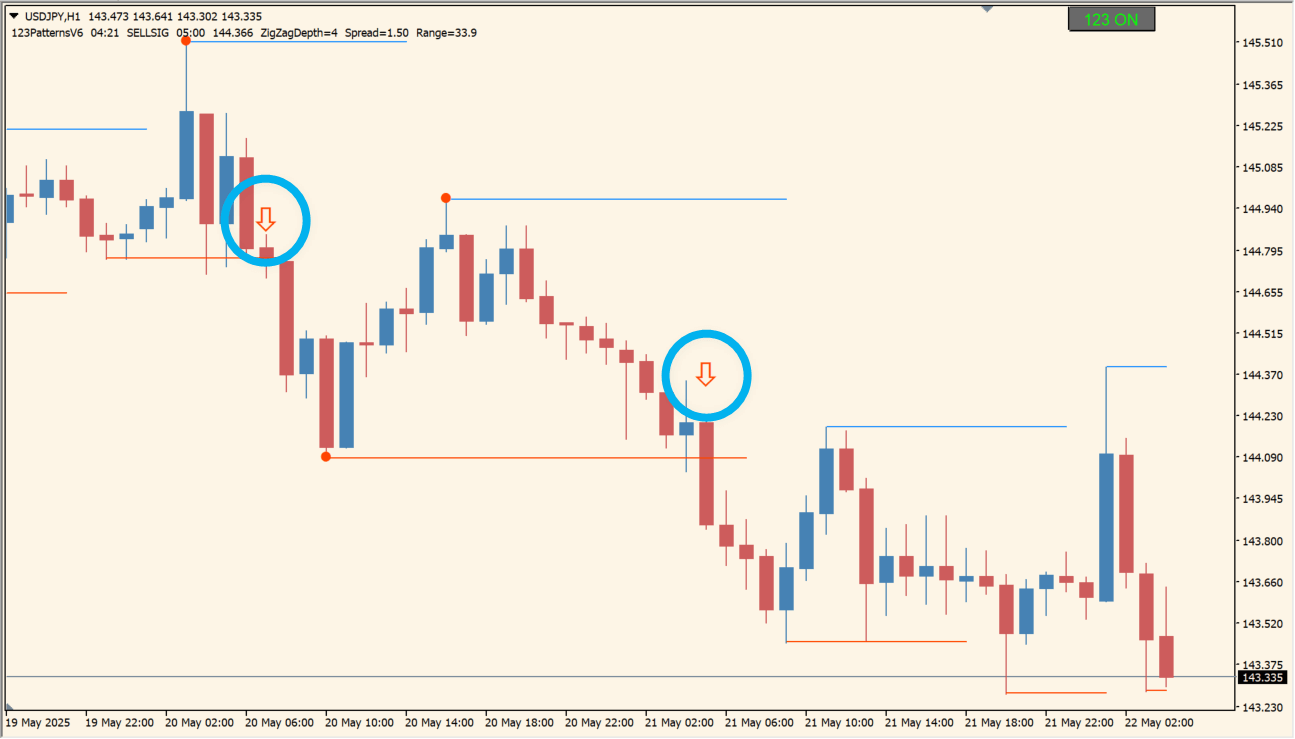
Where it helps
Confirm a break through a pop-up, email or push notification
Organize which pattern lines and targets stay on the chart
Review the same detection on another timeframe
MT4 Indicator Parameters
The table below lists the available MT4 indicator parameters. You can customize these options in the MetaTrader Inputs dialog to match your trading preferences.
| Parameter | Description |
|---|---|
| Notes | — |
| TimeFrame | Sets the timeframe the indicator is based on. |
| barsToDisplay | Sets how many past bars are scanned for patterns; zero covers all bars. |
| ZigZagDepth | Sets the depth of the ZigZag algorithm; a larger value reacts to larger price moves. |
| RetraceDepthMin | Sets the minimum retracement ratio for the 1-2-3 move. |
| RetraceDepthMax | Sets the maximum retracement ratio for the 1-2-3 move. |
| ShowAllLines | Controls whether all of the pattern lines are drawn. |
| ShowAllBreaks | Controls whether the break point lines are always drawn. |
| ShowTargets | Controls whether the target prices are drawn on the chart. |
| Target1Multiply | Sets the multiplier for the first target price. |
| Target2Multiply | Sets the multiplier for the second target price. |
| HideTransitions | Controls whether the temporary lines drawn during a pattern transition are hidden. |
| ahs | — |
| AlertsOnBearSignals | Controls whether an alert is raised on a bearish pattern. |
| AlertsOnBullSignals | Controls whether an alert is raised on a bullish pattern. |
| Point2BreakAlerts | — |
| BreakUpperLineAlerts | Controls whether an alert is raised when the upper break line is crossed. |
| BreakLowerLineAlerts | Controls whether an alert is raised when the lower break line is crossed. |
| PopupAlerts | Controls whether the alert is shown as a pop-up in MT4. |
| EmailAlerts | Controls whether the alert is sent by email. |
| PushNotificationAlerts | Controls whether a push notification is sent. |
| SoundAlerts | Controls whether a sound alert is enabled. |
| SoundFileBull | Sets the sound file played on a bullish pattern. |
| SoundFileBear | Sets the sound file played on a bearish pattern. |
| ShowScreenComment | Controls whether the current settings are shown as a comment on screen. |
| UniqueID | Sets the identifier used to avoid clashes between multiple instances. |
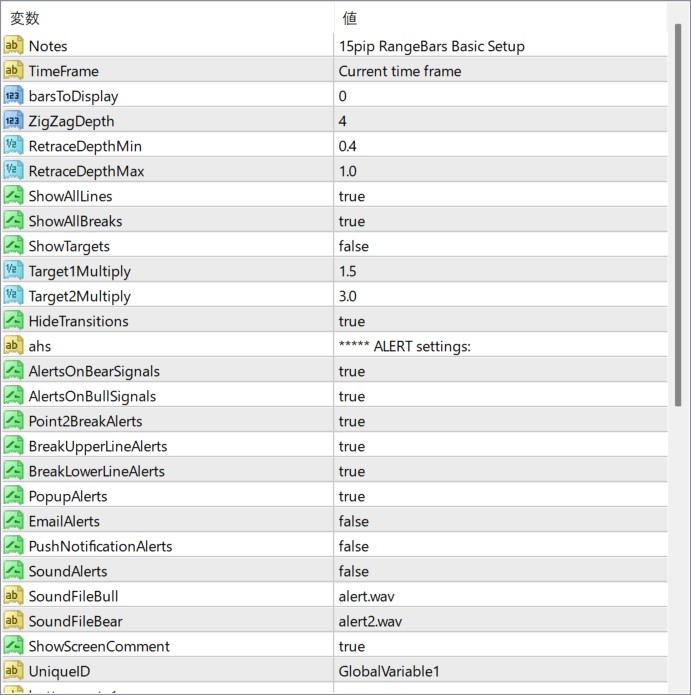
The screenshot above shows the default input parameters in the MT4 settings window.
How to Install .ex4 Indicator in MetaTrader 4
- Download the ZIP file and extract it.
- In MT4, select File → Open Data Folder.
- Open MQL4 → Indicators and copy the EX4 or MQ4 file into it.
- If the package includes library files, copy them to MQL4 → Libraries. Copy TPL files to the top-level templates folder.
- Restart MT4, find the indicator in the Navigator, and drag it onto a chart.
Test the tool on a demo account first. File contents and required folders can vary between packages.


