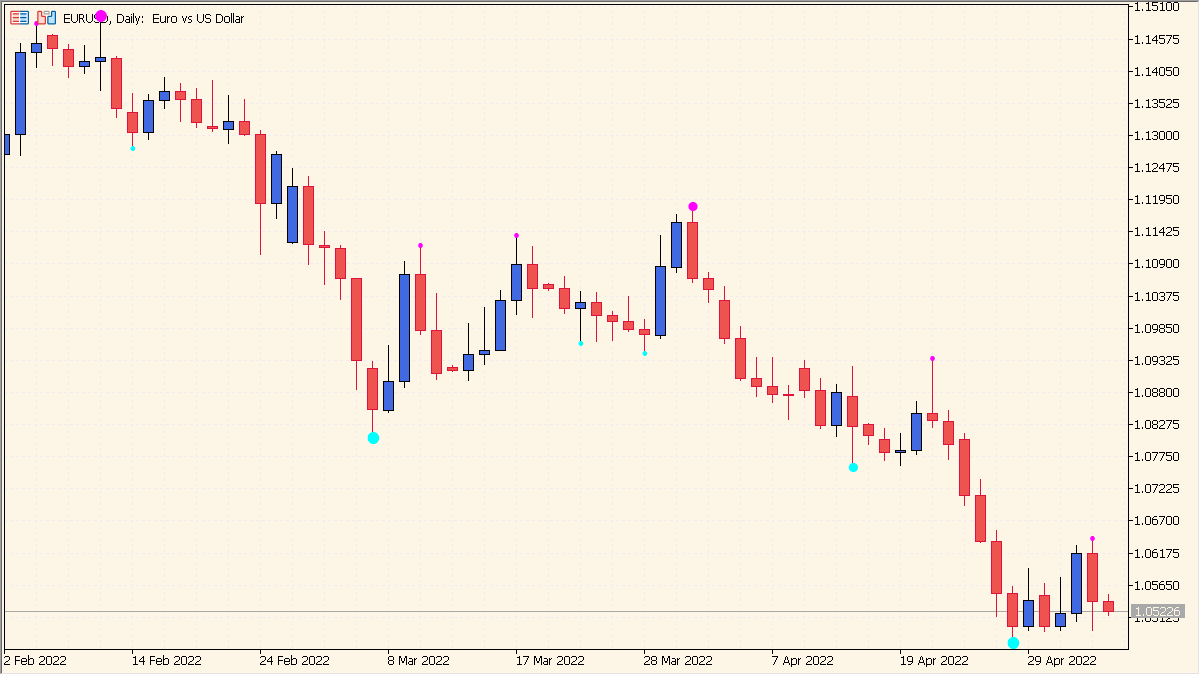
What is 3 Level ZZ Semafor?
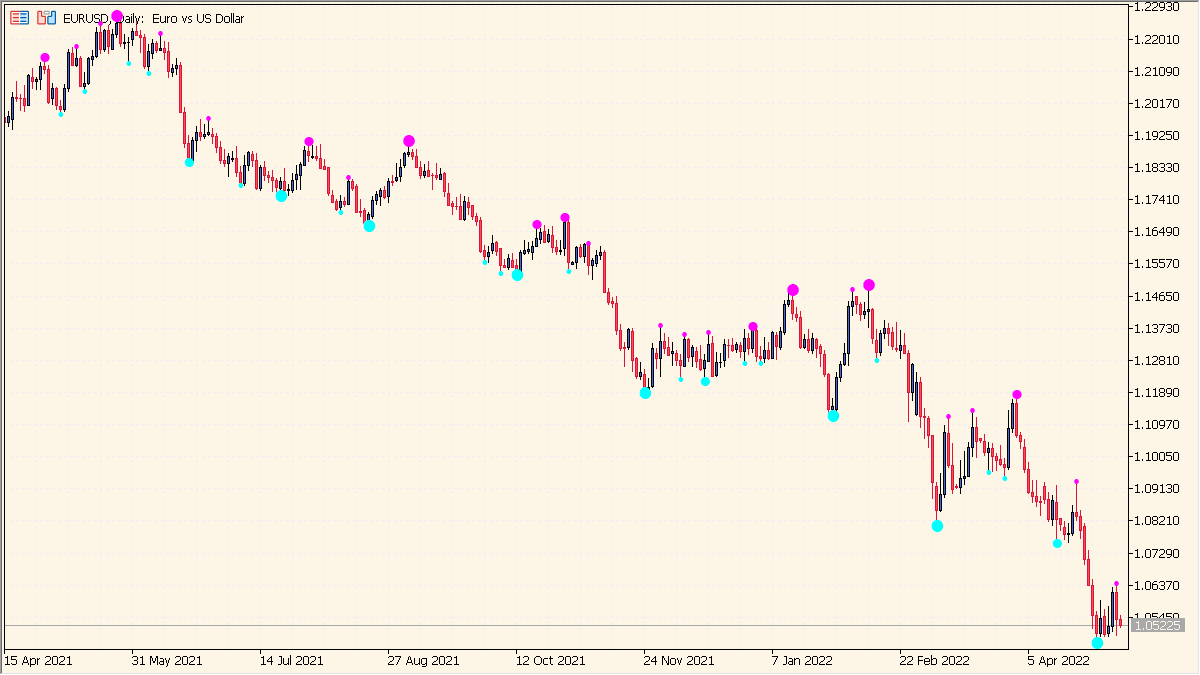
3 Level ZZ Semafor is an MT5 indicator that plots colored dot markers at swing highs and lows using three ZigZag periods. Level 1, Level 2, and Level 3 represent short-term, medium-term, and long-term swing changes, respectively.
The markers create a visual hierarchy for comparing local movement with broader swing structure. A Level 3 dot below a candle is a bullish reference, while a dot above a candle is a bearish reference. Because ZigZag markers can redraw when new highs or lows form, recent dots need confirmation rather than immediate entry.
How to use 3 Level ZZ Semafor
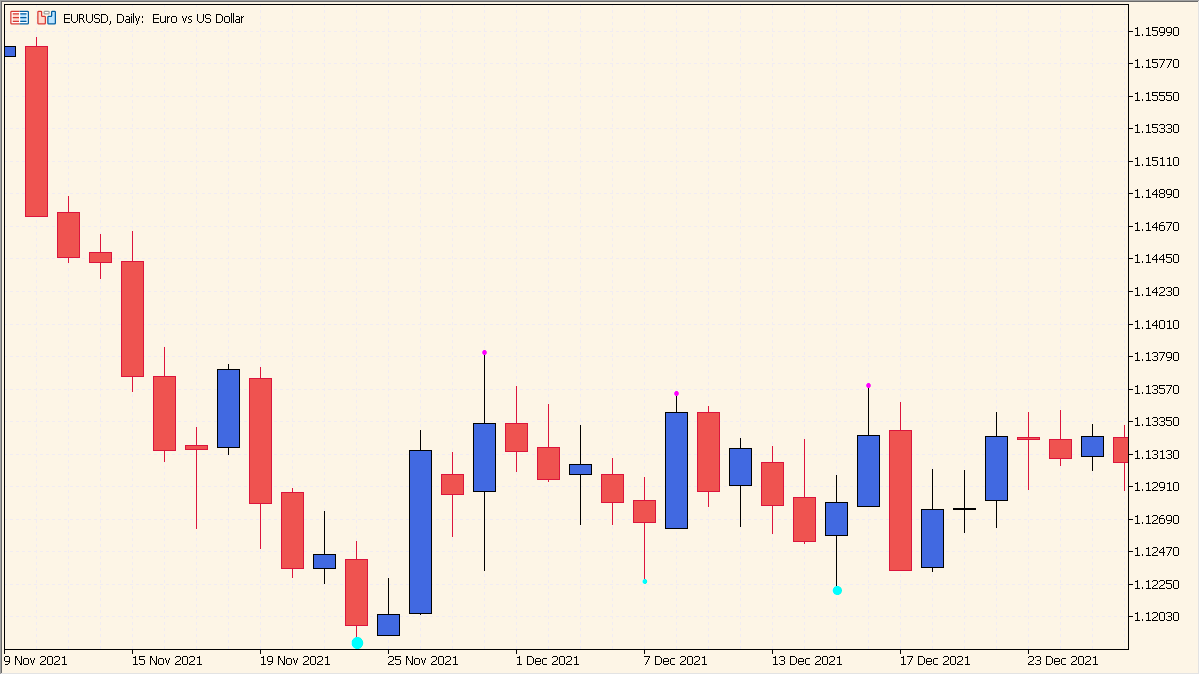
Compare the three dot sizes to separate shorter and longer ZigZag swing points:
- Use the dot colors to distinguish the displayed support-side and resistance-side swing points.
- Compare the small, medium, and large dots to see the three ZigZag periods represented on the chart.
- Adjust each Period setting to change the three swing samples and each Symbol setting to change the marker shape.
- The ZigZag basis can redraw, so the newest dot positions may still change.
Where it helps
Three ZigZag levels make short-, medium-, and long-term swing structure easier to compare, while colors, dot sizes, and marker settings distinguish the displayed groups.
MT5 Indicator Parameters
The table below lists the available MT5 indicator parameters. You can customize these options in the MetaTrader Inputs dialog to match your trading preferences.
| Parameter | Description |
|---|---|
| Period1 | Sets the first ZigZag period. Default: 5. |
| Deviation1 | Sets the first ZigZag deviation. Default: 1. |
| Backstep1 | Sets the first ZigZag backstep. Default: 3. |
| HighSymbol1 | Sets the first high marker symbol. Default: 159. |
| LowSymbol1 | Sets the first low marker symbol. Default: 159. |
| Period2 | Sets the second ZigZag period. Default: 13. |
| Deviation2 | Sets the second ZigZag deviation. Default: 8. |
| Backstep2 | Sets the second ZigZag backstep. Default: 5. |
| HighSymbol2 | Sets the second high marker symbol. Default: 108. |
| LowSymbol2 | Sets the second low marker symbol. Default: 108. |
| Period3 | Sets the third ZigZag period. Default: 34. |
| Deviation3 | Sets the third ZigZag deviation. Default: 21. |
| Backstep3 | Sets the third ZigZag backstep. Default: 12. |
| HighSymbol3 | Sets the third high marker symbol. Default: 163. |
| LowSymbol3 | Sets the third low marker symbol. Default: 163. |
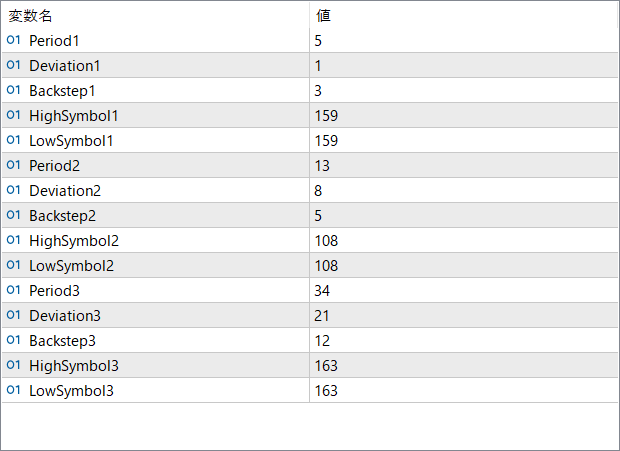
The screenshot above shows the default input parameters in the MT5 settings window.
How to Install .ex5 Indicator in MetaTrader 5
- Download the ZIP file and extract it.
- In MT5, select File → Open Data Folder.
- Open MQL5 → Indicators and copy the EX5 or MQ5 file into it.
- If the package includes library files, copy them to MQL5 → Libraries. Copy TPL files to the top-level templates folder.
- Restart MT5, find the indicator in the Navigator, and drag it onto a chart.
Test the tool on a demo account first. File contents and required folders can vary between packages.


