What is headley-acceleration-bands?
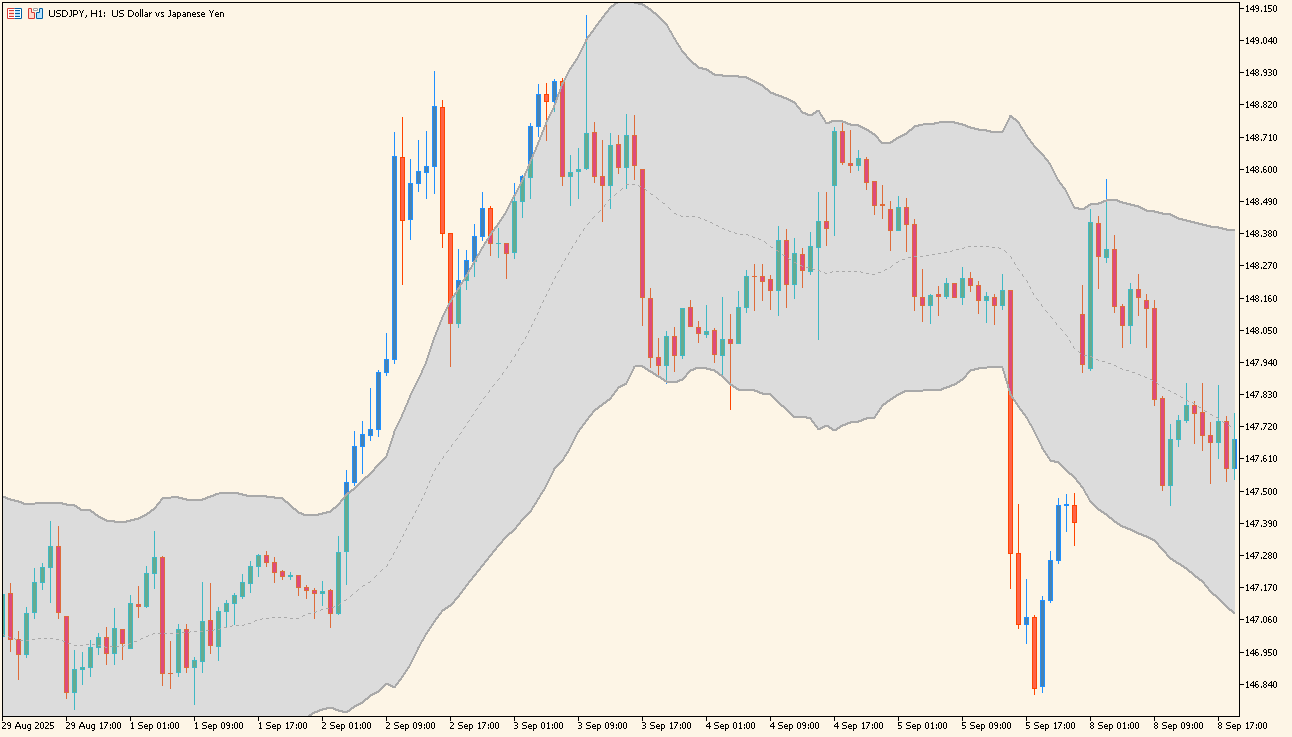
The shaded channel follows price on a USDJPY H1 chart.
headley-acceleration-bands draws an upper and a lower band around price on an MT5 chart, with the area between them shaded so the channel stands out against the candles.
The channel widens and narrows as price moves. Period is the only input, and it sets the calculation length behind the bands.
How to use headley-acceleration-bands
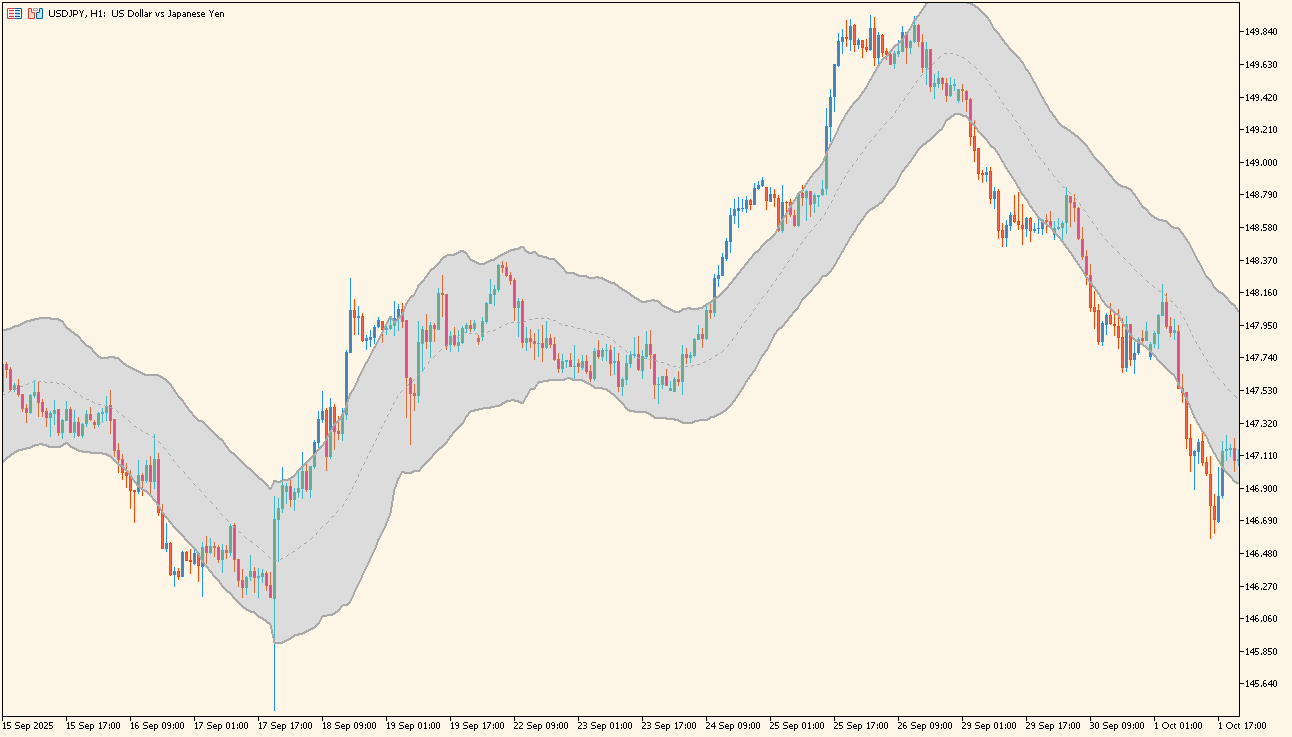
Price moves outside the shaded channel and then returns inside it.
Add the indicator to an MT5 chart and watch where price sits inside the shaded channel. Look at the points where price moves outside a band and where it comes back inside.
Compare the width of the channel across quiet and active stretches of the chart. Raising or lowering Period changes the calculation length behind the bands.
Where it helps
The shaded interior makes the area between the two bands easy to read without following each band separately.
Period is the only input, so there is one value to change when the channel needs to be wider or narrower.
MT5 Indicator Parameters
The table below lists the available MT5 indicator parameters. You can customize these options in the MetaTrader Inputs dialog to match your trading preferences.
| Parameter | Description |
|---|---|
| Period | Sets the calculation period. |
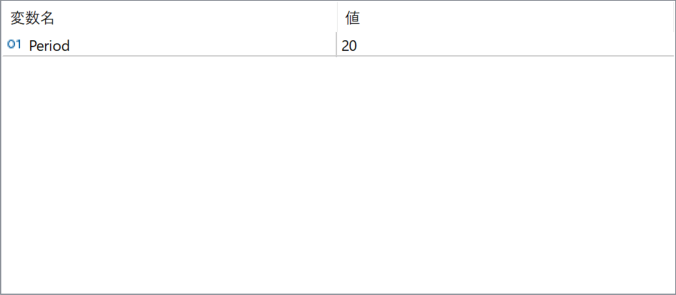
The screenshot above shows the default input parameters in the MT5 settings window.
How to Install .ex5 Indicator in MetaTrader 5
- Download the ZIP file and extract it.
- In MT5, select File → Open Data Folder.
- Open MQL5 → Indicators and copy the EX5 or MQ5 file into it.
- If the package includes library files, copy them to MQL5 → Libraries. Copy TPL files to the top-level templates folder.
- Restart MT5, find the indicator in the Navigator, and drag it onto a chart.
Test the tool on a demo account first. File contents and required folders can vary between packages.