What is candle-ratio-indicator?
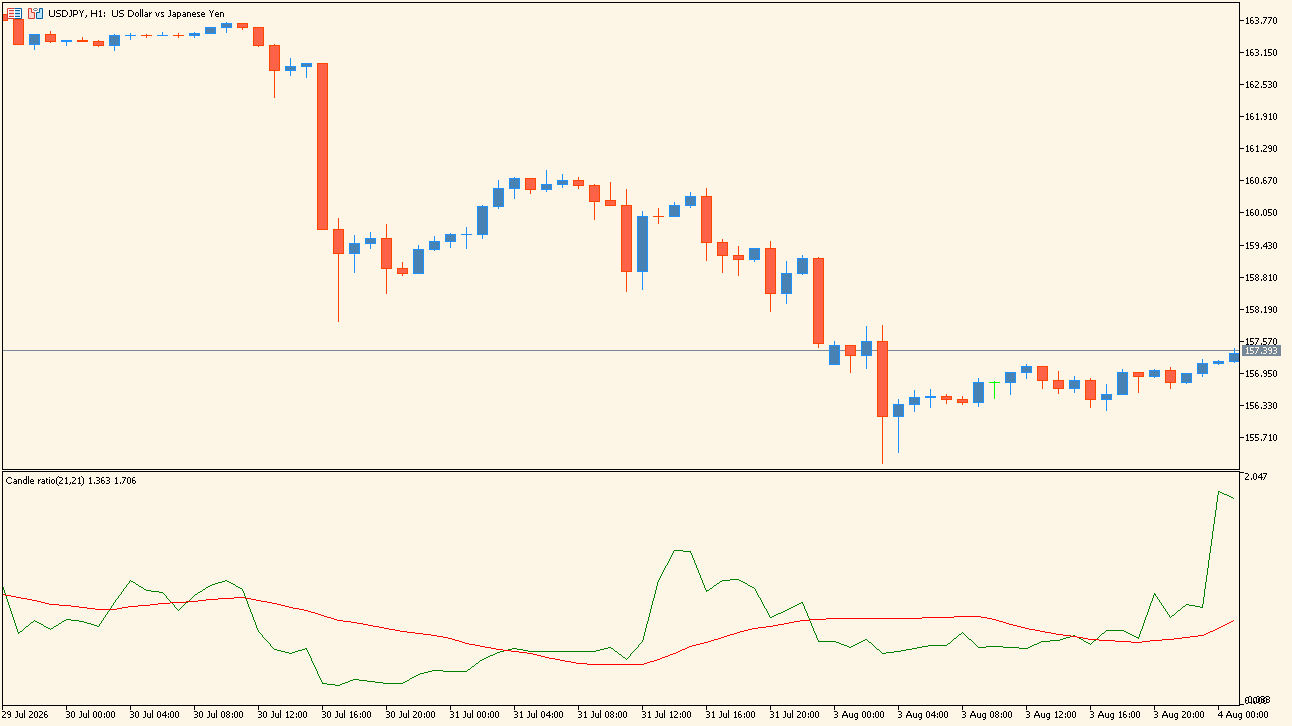
candle-ratio-indicator is an MT5 indicator that measures the movement ratio of the candles and plots it as a line graph in a sub-window.
How to use candle-ratio-indicator
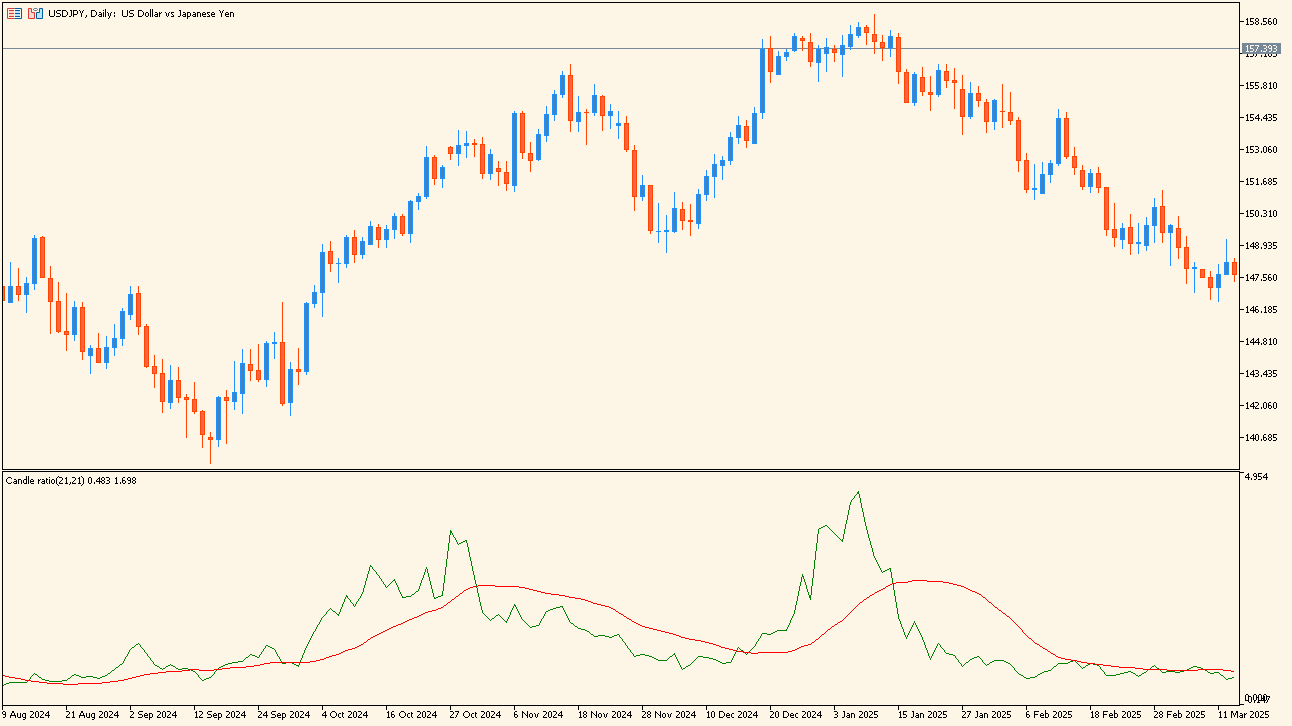
Read the green ratio line and the red smoothing line in the sub-window. The green line spikes upward on a large candle, rises above the red line as the recent ratio passes its average, and sinks below it while price stalls in a narrow band.
Where it helps
Assess momentum that the chart alone does not make obvious
Compare volatility shifts against trend strength in a single panel
Separate calm stretches from periods when activity accelerates
MT5 Indicator Parameters
The table below lists the available MT5 indicator parameters. You can customize these options in the MetaTrader Inputs dialog to match your trading preferences.
| Parameter | Description |
|---|---|
| Period | Sets the period used to calculate the candle ratio. |
| Smoothing period | Sets the period used to calculate the red smoothing line. |
| Method | Selects the type of moving average used for the smoothing. |
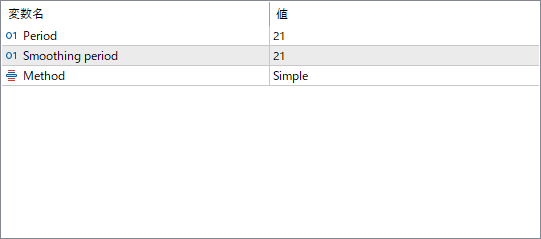
The screenshot above shows the default input parameters in the MT5 settings window.
How to Install .ex5 Indicator in MetaTrader 5
- Download the ZIP file and extract it.
- In MT5, select File → Open Data Folder.
- Open MQL5 → Indicators and copy the EX5 or MQ5 file into it.
- If the package includes library files, copy them to MQL5 → Libraries. Copy TPL files to the top-level templates folder.
- Restart MT5, find the indicator in the Navigator, and drag it onto a chart.
Test the tool on a demo account first. File contents and required folders can vary between packages.