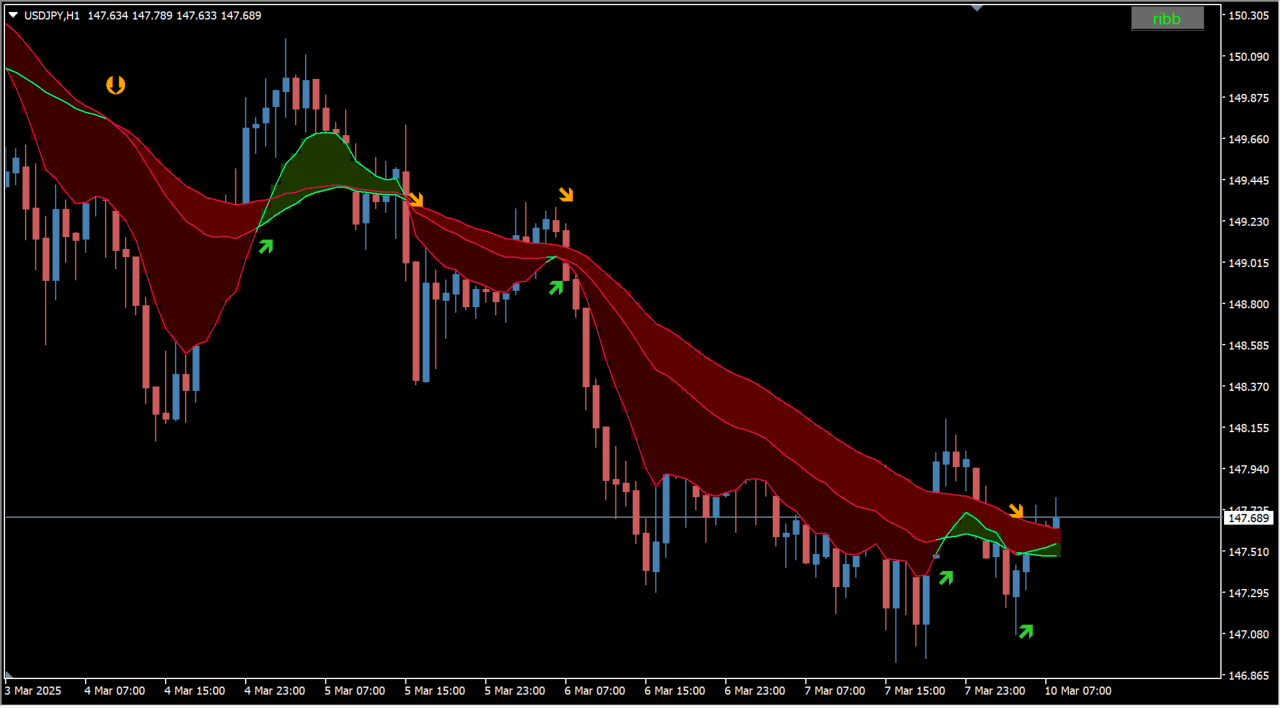
What is 3x ma (cross+3dma)?
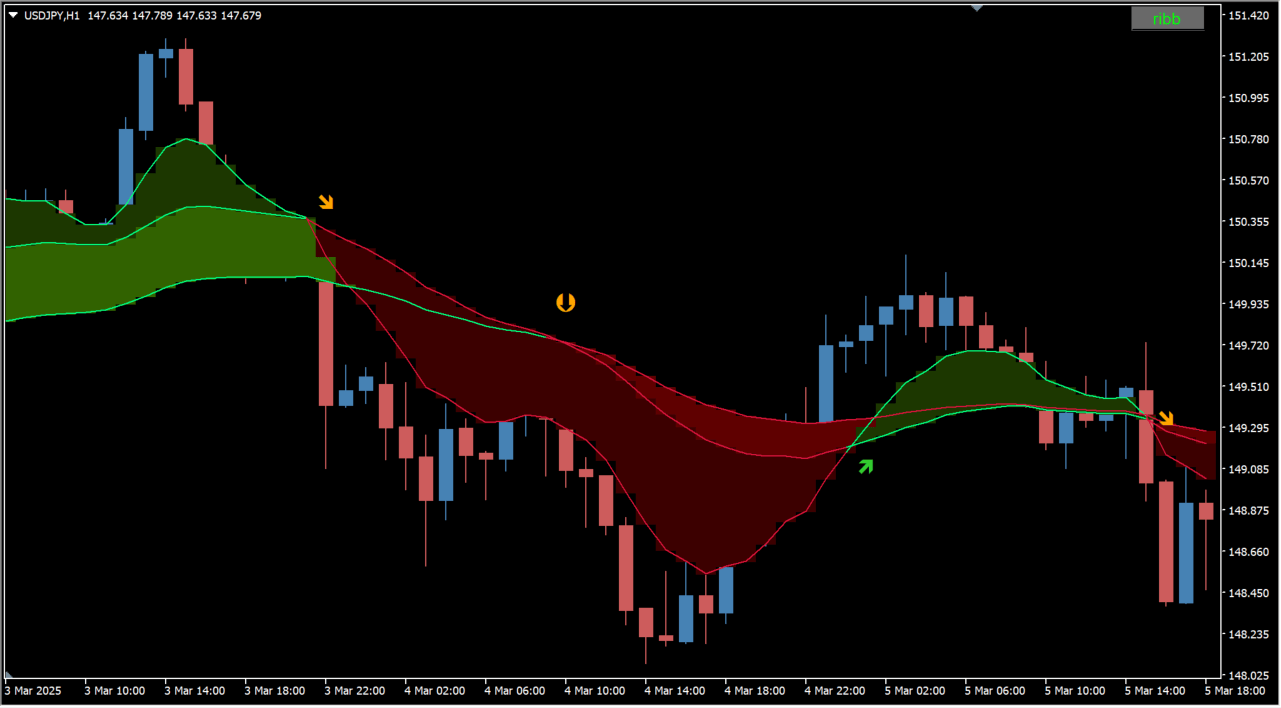
3x ma (cross+3dma) is an MT4 indicator that draws three moving averages with less lag than an EMA. The area between the three averages is filled as a band.
How to use 3x ma (cross+3dma)
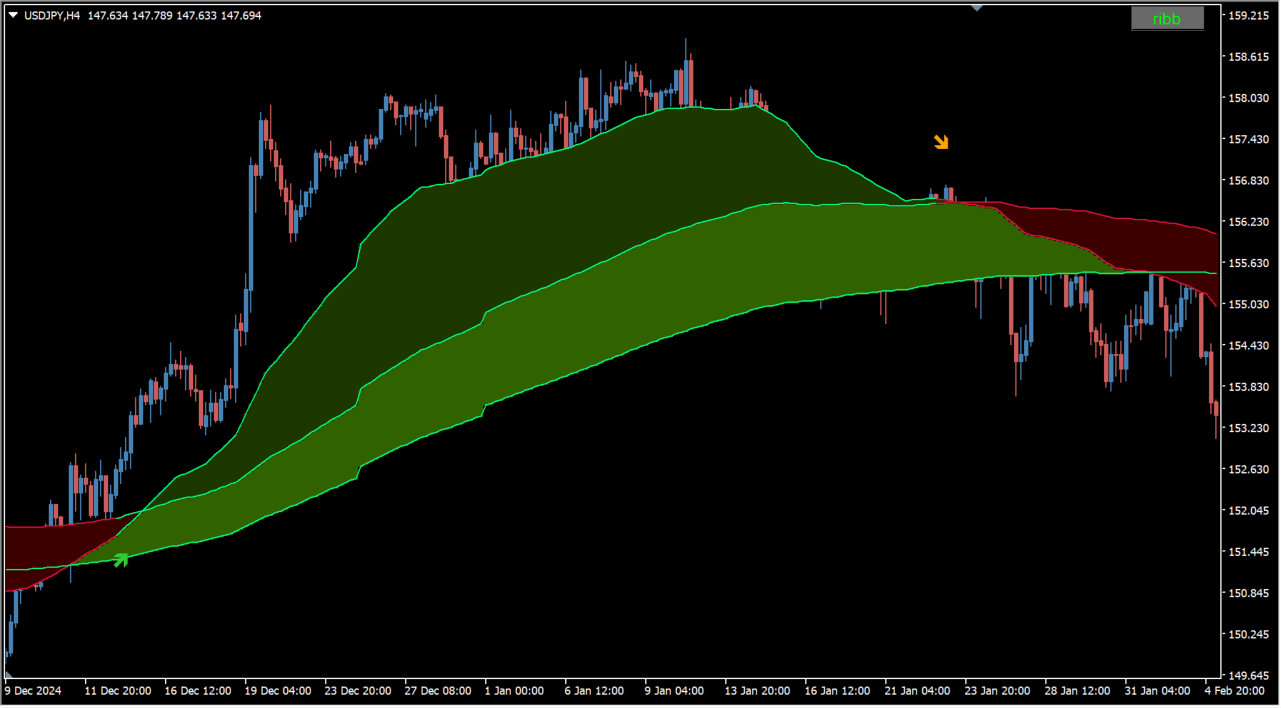
Cross arrows appear when the averages produce a golden cross or a dead cross. A different arrow marks each pair of lines that crossed.
Where it helps
Compare three trend lengths inside one filled band
Separate a widening band from a narrowing one
Review the same reading from a higher timeframe on one chart
MT4 Indicator Parameters
The table below lists the available MT4 indicator parameters. You can customize these options in the MetaTrader Inputs dialog to match your trading preferences.
| Parameter | Description |
|---|---|
| Time frame | — |
| note1 | — |
| Fast Ma period | Sets the period of the fast moving average. |
| Fast Sampling Period | Sets the sampling period for the fast average, which has only a small effect on the display. |
| price to use ( for all) | Selects which price type all three averages use. |
| note2 | — |
| Medium Ma period | Sets the period of the medium moving average. |
| Medium Sampling Period | Sets the sampling period for the medium average, which has only a small effect on the display. |
| note3 | — |
| Long Ma period | Sets the period of the long moving average. |
| Long Sampling Period | Sets the sampling period for the long average, which has only a small effect on the display. |
| note4 | — |
| Show ribbon? | Controls whether the band is drawn. |
| If false then use this for ribbon width | Sets the band width used when the automatic width adjustment is turned off. |
| Auto adjust Ribbon width | Controls whether the band width is adjusted automatically. |
| Bullish ribbon color | Sets the band color used while the trend is rising. |
| Bearish ribbon color | Sets the band color used while the trend is falling. |
| Show ribbon? | — |
| Bullish ribbon color | Sets the alternate band color used while the trend is rising. |
| Bearish ribbon color | Sets the alternate band color used while the trend is falling. |
| note5 | — |
| Arrows Fast-Medium visible? | Controls whether an arrow is drawn when the fast and medium averages cross. |
| Arrows Medium-Long visible? | Controls whether an arrow is drawn when the medium and long averages cross. |
| Arrow on first bars true/false | Controls whether arrows are drawn on the first bars. |
| Fast-Medium Arrow size | Sets the size of the fast and medium cross arrow. |
| Medium-Long Arrow size | Sets the size of the medium and long cross arrow. |
| Up Arrow code | — |
| Down arrow code | — |
| Up Arrow gap | — |
| Dn Arrow gap | — |
| Up Arrow Color | Sets the color of the up arrow. |
| Down Arrow Color | Sets the color of the down arrow. |
| Up Arrow code | — |
| Down arrow code | — |
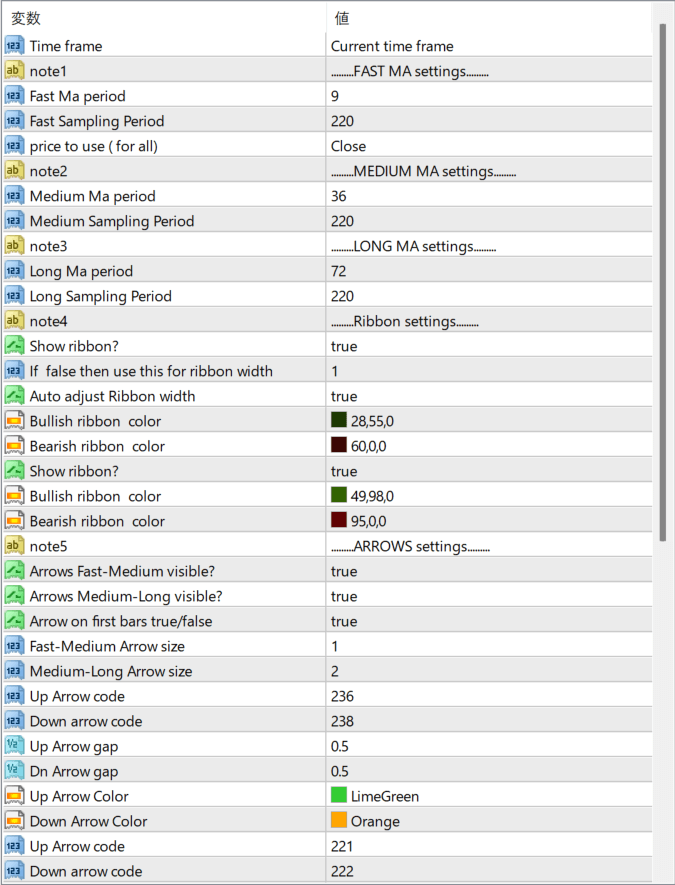
The screenshot above shows the default input parameters in the MT4 settings window.
How to Install .ex4 Indicator in MetaTrader 4
- Download the ZIP file and extract it.
- In MT4, select File → Open Data Folder.
- Open MQL4 → Indicators and copy the EX4 or MQ4 file into it.
- If the package includes library files, copy them to MQL4 → Libraries. Copy TPL files to the top-level templates folder.
- Restart MT4, find the indicator in the Navigator, and drag it onto a chart.
Test the tool on a demo account first. File contents and required folders can vary between packages.


