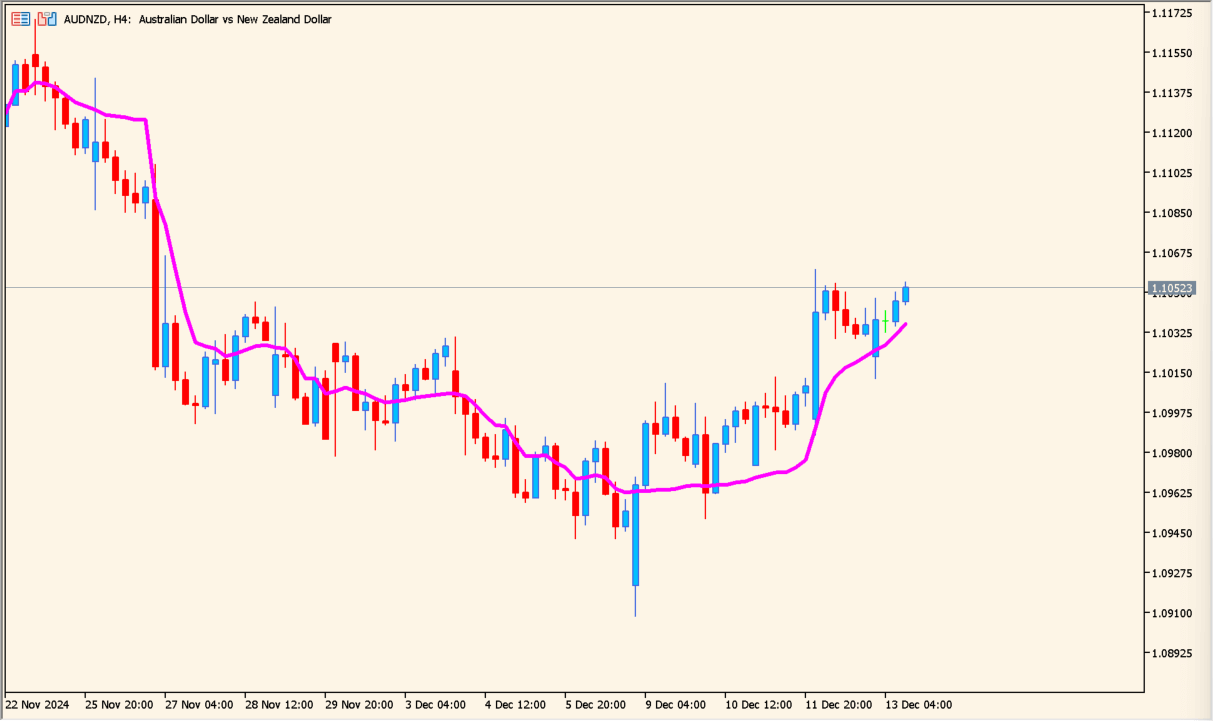
What is Adaptive Relative Strength Index (ARSI)?
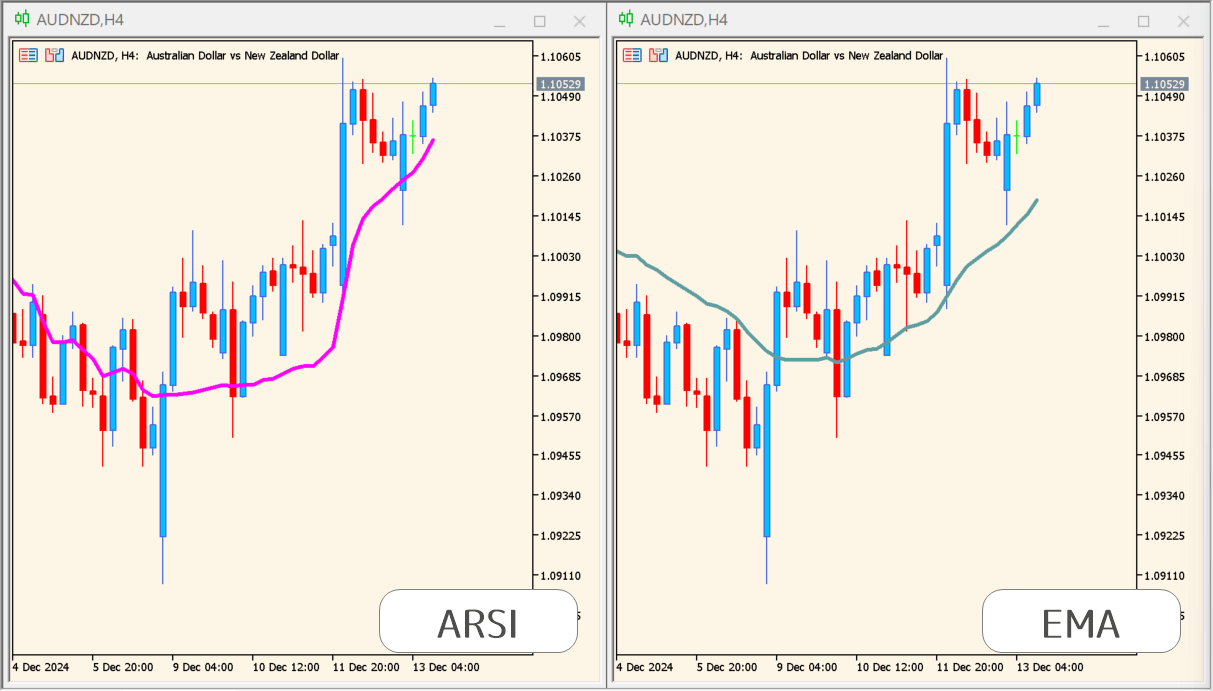
Adaptive Relative Strength Index (ARSI) adapts the logic of RSI to a moving-average display. It follows price closely and reacts quickly when a larger move develops.
That responsiveness can also produce more false crosses. ARSI is therefore more useful for examining short-term movement and momentum than for reading an isolated signal.
How to use Adaptive Relative Strength Index (ARSI)
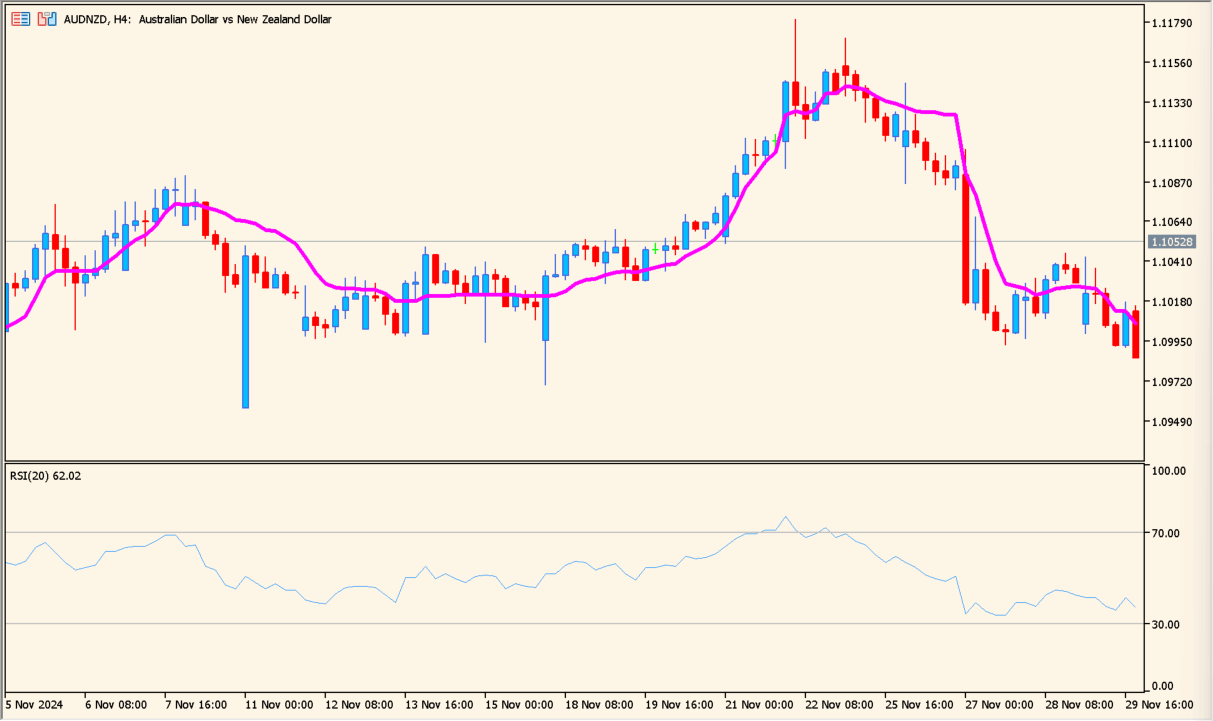
Place ARSI on an MT5 chart and compare its line with an EMA or standard RSI to see how closely the adaptive calculation follows price.
Use inp_rsi_period to change the period, inp_rates to choose the applied price, and inp_shift to move the display to the right for visual comparison.
Where it helps
Responds quickly to large price movement through an RSI-derived calculation.
Can be examined beside EMA or standard RSI to show the difference in smoothing and response.
The copy records the higher false-cross risk instead of overstating the indicator.
MT5 Indicator Parameters
The table below lists the available MT5 indicator parameters. You can customize these options in the MetaTrader Inputs dialog to match your trading preferences.
| Parameter | Description |
|---|---|
| inp_rsi_period | Sets this calculation or display option. Default: 20. |
| inp_rates | Controls this indicator option. Default: pr_close. |
| inp_shift | Sets this calculation or display option. Default: 0. |
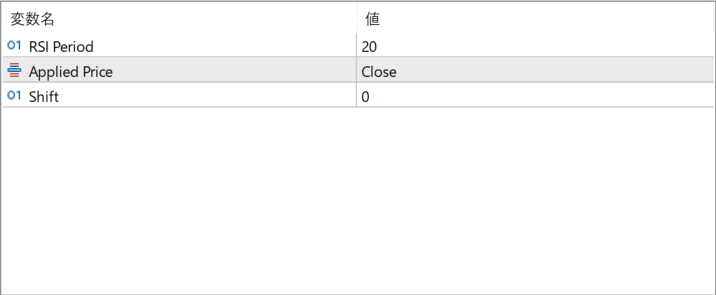
The screenshot above shows the default input parameters in the MT5 settings window.
How to Install .ex5 Indicator in MetaTrader 5
- Download the ZIP file and extract it.
- In MT5, select File → Open Data Folder.
- Open MQL5 → Indicators and copy the EX5 or MQ5 file into it.
- If the package includes library files, copy them to MQL5 → Libraries. Copy TPL files to the top-level templates folder.
- Restart MT5, find the indicator in the Navigator, and drag it onto a chart.
Test the tool on a demo account first. File contents and required folders can vary between packages.


