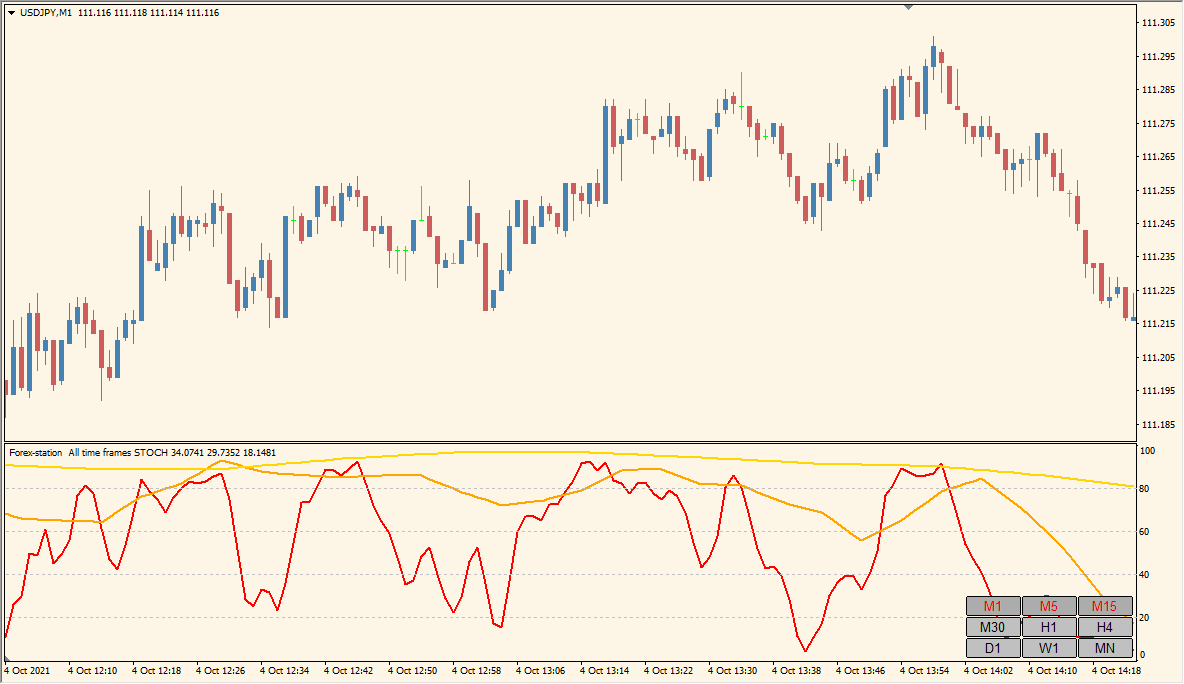
What is All Time Frame Stochastic Indicator?
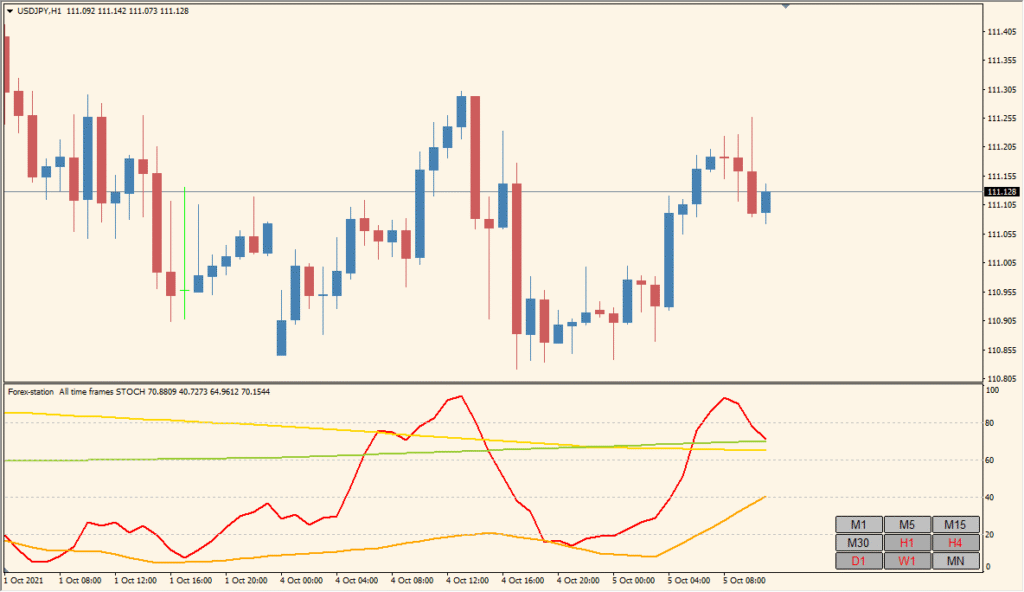
All Time Frame Stochastic 1.4 for MT4 displays Stochastic readings from several timeframes in one panel. The multi-period layout makes it easier to compare oscillator direction and level position without switching charts.
The existing settings control the Stochastic periods, timeframe selection, colors, levels, panel location, and text presentation. The display is a compact reference for reviewing momentum context across the chart hierarchy.
How to Use It in Practice
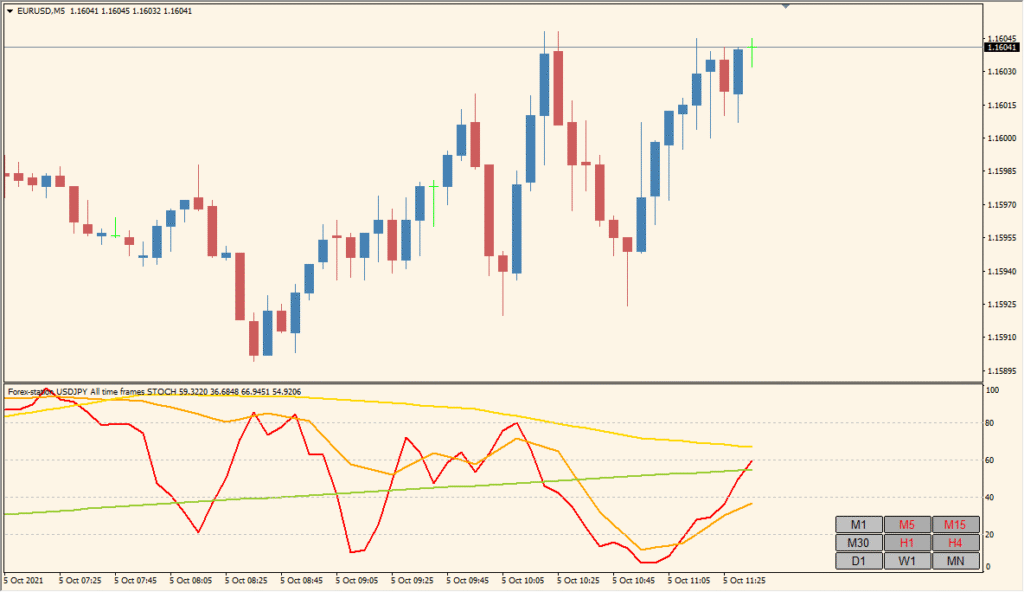
Compare the Stochastic readings from the active chart and two or three higher timeframes in the same panel. This is a state-comparison tool rather than an arrow or alert system: it makes it possible to see when a short timeframe looks extended while the higher-timeframe reading still points elsewhere.
- Start with the current timeframe and one or two higher timeframes; adding too many readings can obscure their relationship.
- Read the lines near their upper or lower areas together, then compare whether the displayed timeframes are turning in the same or different directions.
- The display accepts the active timeframe or higher timeframes; use the timeframe, period, level, color, text, and panel-position Inputs to keep that comparison readable.
- Use For symbol only when a separate-symbol comparison is specifically needed.
Multi-timeframe Stochastic readings are visible together, the timeframe and calculation inputs can be adjusted, and a compact panel reduces repeated chart switching.
MT4 Indicator Parameters
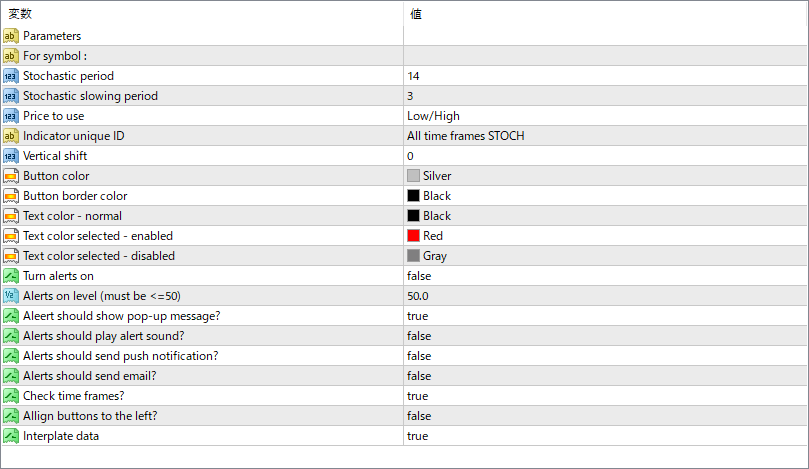
The screenshot above shows the default input parameters in the MT4 settings window.
| Parameter | Description |
|---|---|
| For symbol : | Defines which symbol the indicator should track. Usually left blank to default to the current chart. |
| Stochastic period | Number of bars used to calculate the Stochastic %K value. |
| Stochastic slowing period | Smoothing factor applied to the %K line to reduce noise. |
| Price to use | Sets the type of price applied to the calculation, typically Low/High. |
| Indicator unique ID | Used to differentiate this instance if running multiple copies on the same chart. |
| Vertical shift | Moves the panel up or down vertically on the chart. |
| Button color | Color of the buttons when not selected. |
| Button border color | Color of the button border. |
| Text color – normal | Color of the text on inactive buttons. |
| Text color selected – enabled | Text color when a button is selected and active. |
| Text color selected – disabled | Text color when a button is selected but not active. |
| Turn alerts on | Enables or disables all alert features. |
| Alerts on level (must be <=50) | Set the threshold level for triggering alerts. Commonly used with 50 for neutral line crossing. |
| Alert should show pop-up message? | Displays a message window when alert conditions are met. |
| Alerts should play alert sound? | Plays a sound when an alert triggers. |
| Alerts should send push notification? | Sends a push notification to your device via MetaTrader app. |
| Alerts should send email? | Sends alert information to your registered email address. |
| Check time frames? | Ensures buttons represent the correct current values from each timeframe. |
| Allign buttons to the left? | Aligns the panel buttons to the left side of the chart instead of right. |
| Interplate data | Interpolates data to make the Stochastic smoother between candles. |


