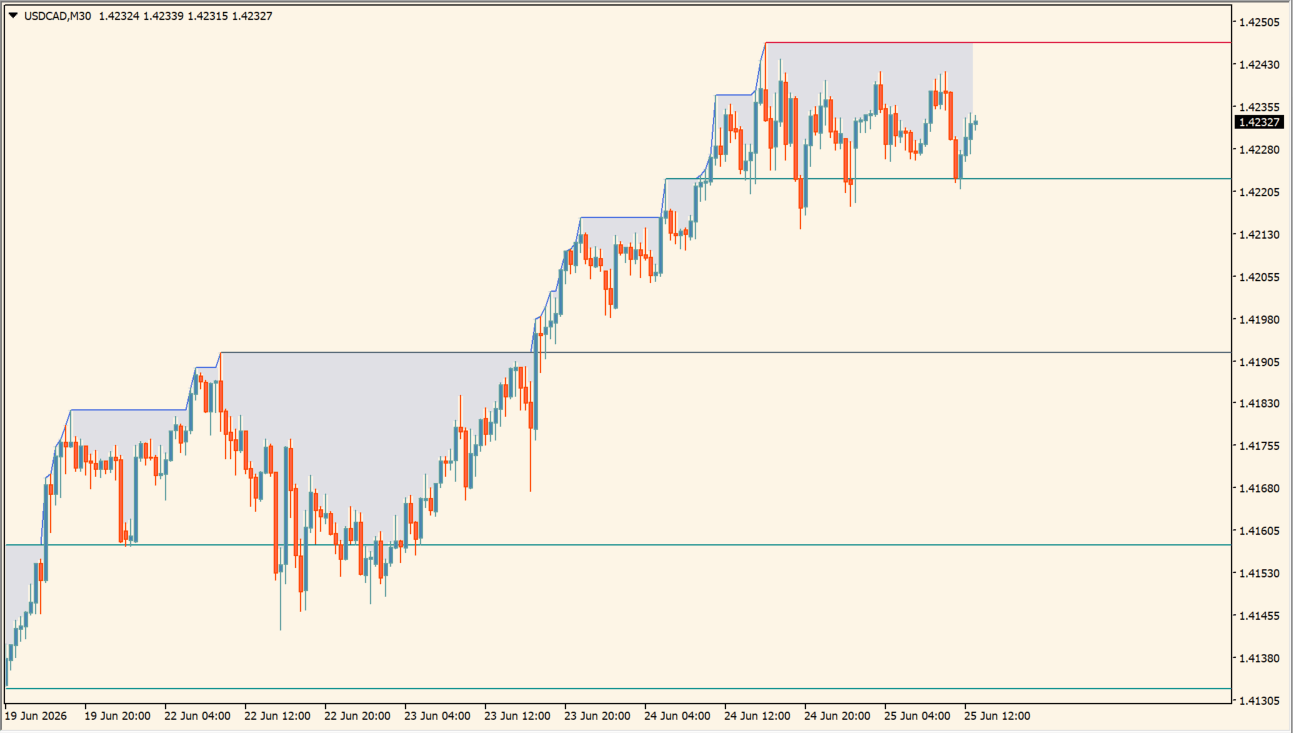
What is All Time High (ATH) Levels?
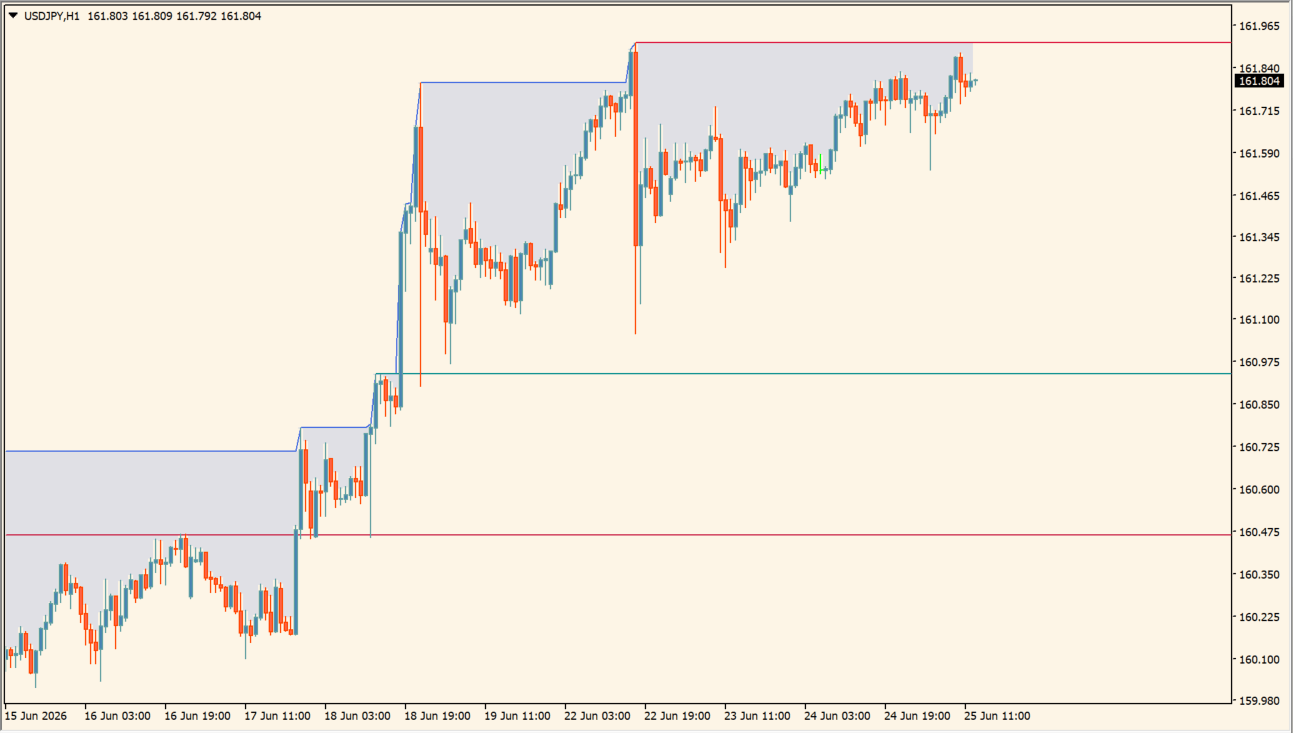
All Time High (ATH) Levels marks levels tied to record highs together with support and resistance candidates. A blue stepped line and a shaded band follow the record high, teal lines sit on the downside, and crimson lines sit on the upside.
The indicator does not print buy or sell arrows. It is used to see where an advance tends to stall and how far a pullback has travelled before the move is worth reassessing.
How to use All Time High (ATH) Levels
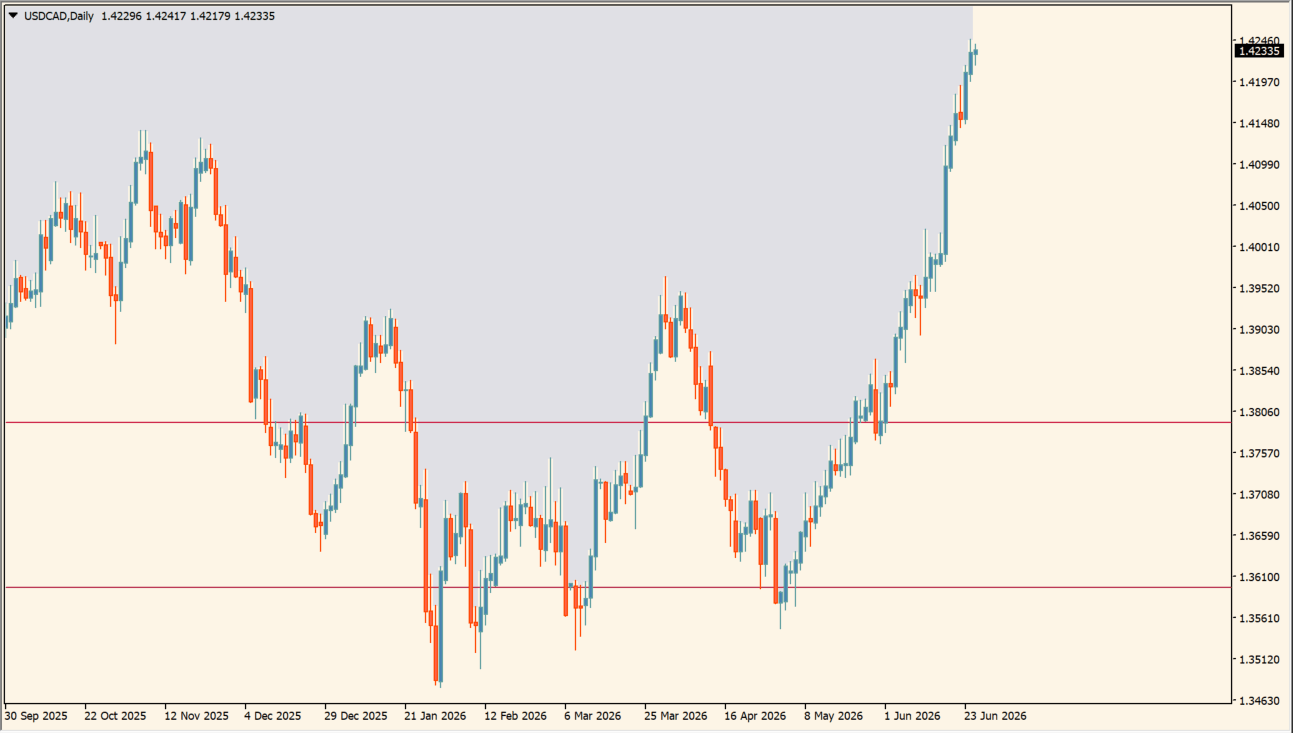
Read the lines as a map of how far price has travelled from its record high:
- While an advance continues, watch how far price pulls back after each new high.
- When price reaches the teal lines, check whether it steadies there or cuts straight through.
- When price approaches the crimson lines, watch whether the upside becomes heavy or a new high follows, without assuming a touch must reverse.
- Use Show Last ATH, ATH Minimum Duration, and Minimum Distance Between ATH to control how much record-high history stays visible, and the Style Inputs for the line colors.
Where it helps
The plotted lines show how far price has retraced after a new high instead of leaving it to feel, teal and crimson lines separate the downside and upside candidates without drawing every level by hand, and watching an approach to an upper line makes it easier to plan a target before a position is open.
MT4 Indicator Parameters
The table below lists the available MT4 indicator parameters. You can customize these options in the MetaTrader Inputs dialog to match your trading preferences.
| Parameter | Description |
|---|---|
| Parameters Section | Labels the main input section. |
| ATH History Count | Sets how many recent all-time-high structures are displayed. Default: 50. |
| Minimum ATH Duration | Sets the minimum duration required for an ATH structure. Default: 3. |
| Minimum ATH Distance | Sets the minimum separation between ATH events. Default: 3.0. |
| S/R Classification Section | Labels the support/resistance classification section inputs. |
| Show S/R Percentage | Shows or hides the S/R percentage classification. Default: true. |
| Minimum S/R Percentage | Sets the minimum percentage used by the S/R filter. Default: 0.0. |
| Style Section | Labels the display-style section inputs. |
| Support Color | Sets the support-line color. Default: 0,139,139. |
| Resistance Color | Sets the resistance-line color. Default: Crimson. |
| ATH Line and Fill Color | Sets the ATH line and shaded-area color. Default: RoyalBlue. |
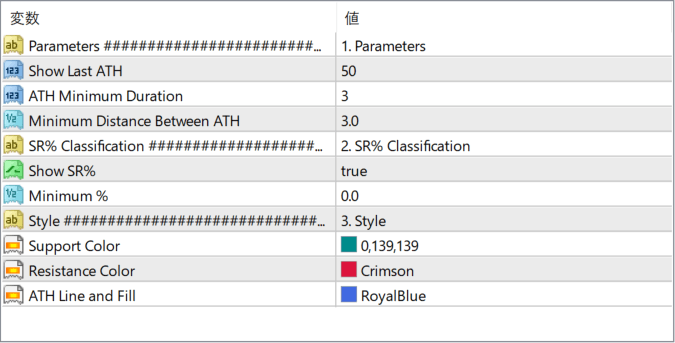
The screenshot above shows the default input parameters in the MT4 settings window.
How to Install .ex4 Indicator in MetaTrader 4
- Download the ZIP file and extract it.
- In MT4, select File → Open Data Folder.
- Open MQL4 → Indicators and copy the EX4 or MQ4 file into it.
- If the package includes library files, copy them to MQL4 → Libraries. Copy TPL files to the top-level templates folder.
- Restart MT4, find the indicator in the Navigator, and drag it onto a chart.
Test the tool on a demo account first. File contents and required folders can vary between packages.


