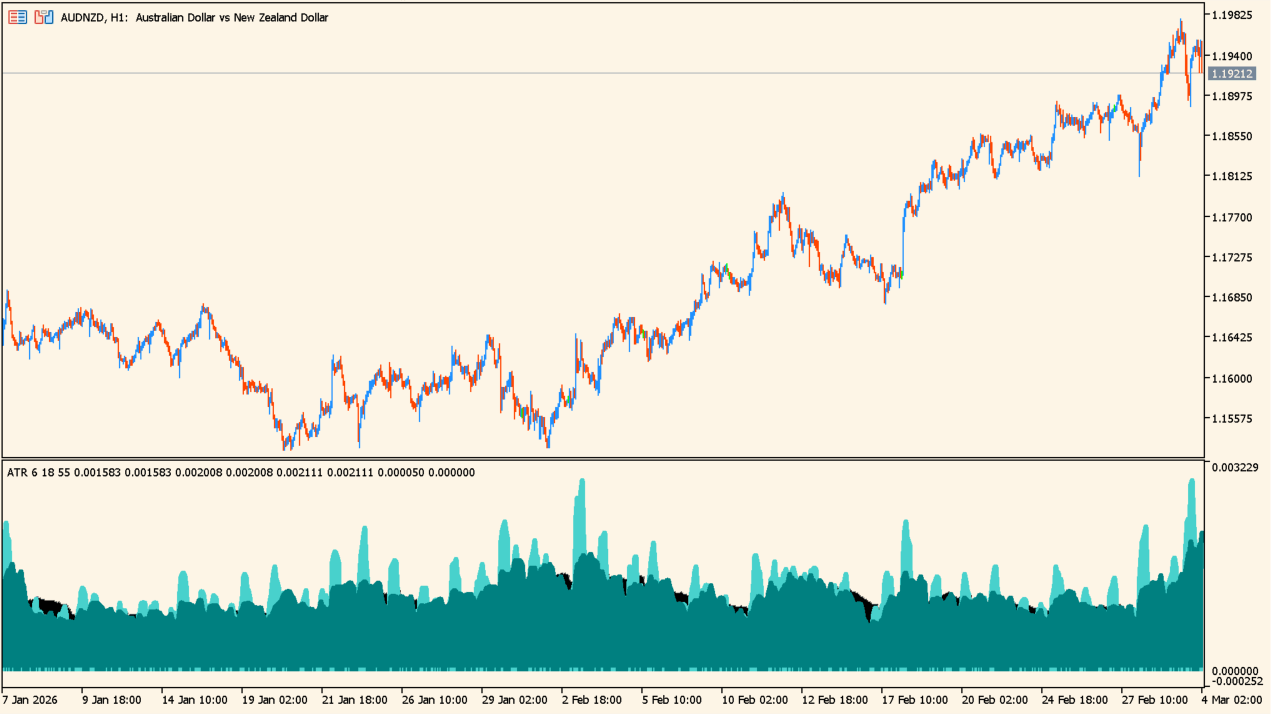
What is ATR_Cycles?
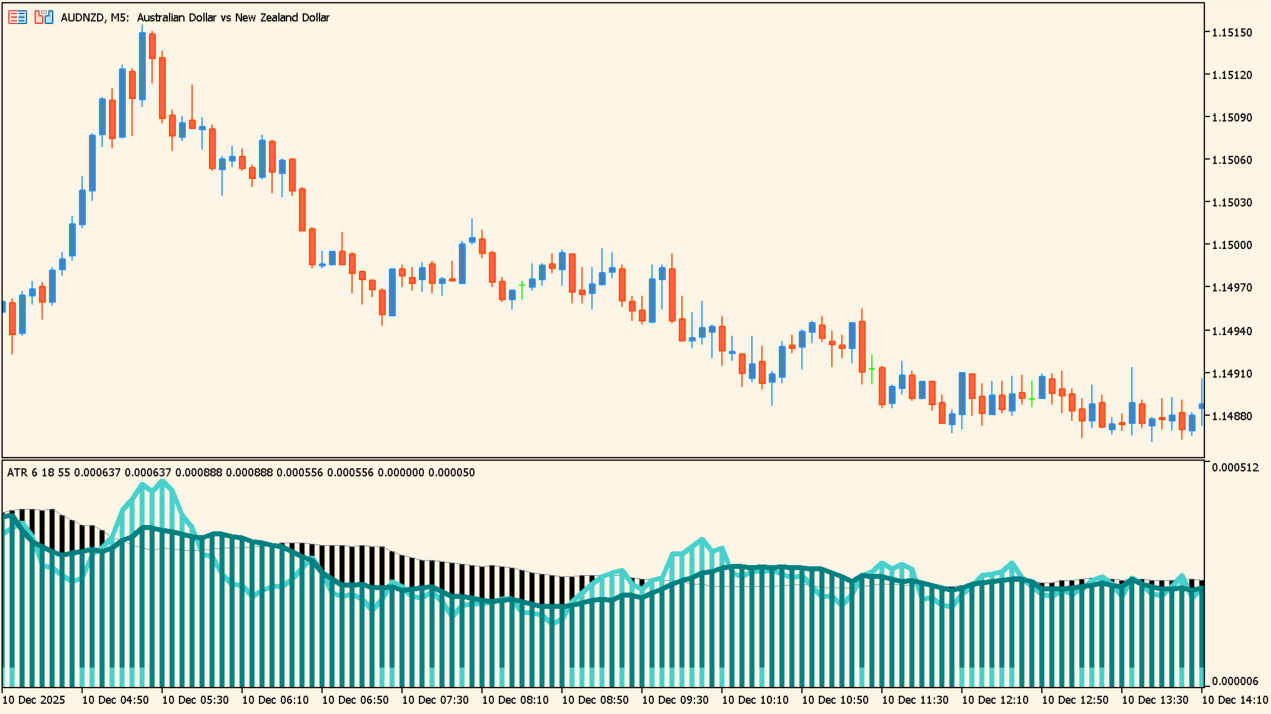
ATR Cycles plots three ATR calculations at the same time, using 6, 18, and 55 periods by default. The histograms show short-, medium-, and longer-range changes in price movement.
When all three readings rise, volatility is expanding; when they remain low and flat, the phase is quieter and may precede a larger move. The display is for comparing conditions, not forecasting a guaranteed breakout.
How to use ATR_Cycles
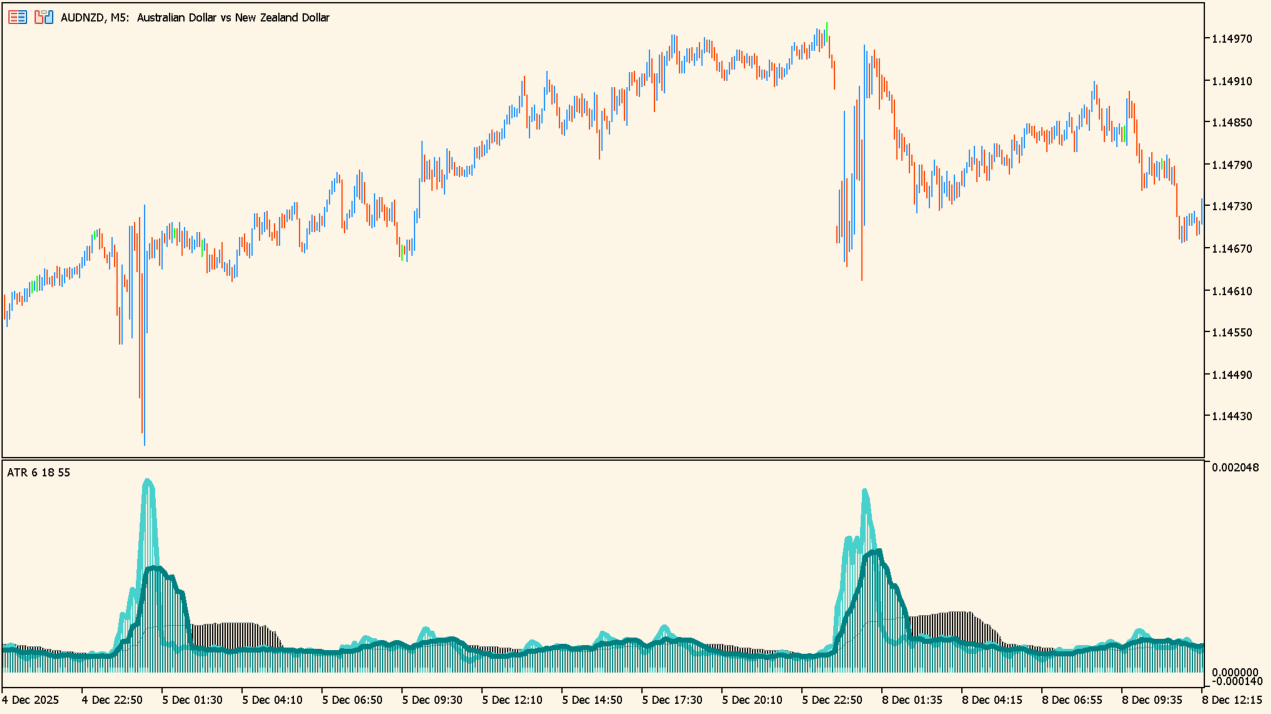
Add ATR_Cycles to an MT5 chart and compare the three histogram levels before and after a change in market movement.
Adjust Period_Fast, Period_Mid, and Period_Slow for the three windows, then use Bar_Size to make the histogram easier to read.
Where it helps
Shows short-, medium-, and long-range ATR behavior in one subwindow.
Makes rising volatility and quiet flat conditions visually distinct.
Provides a width control for the plotted bars.
MT5 Indicator Parameters
The table below lists the available MT5 indicator parameters. You can customize these options in the MetaTrader Inputs dialog to match your trading preferences.
| Parameter | Description |
|---|---|
| Period_Fast | Sets this calculation or display option. Default: 6. |
| Period_Mid | Sets this calculation or display option. Default: 18. |
| Period_Slow | Sets this calculation or display option. Default: 55. |
| Bar_Size | Sets the display width or text size. Default: 5. |
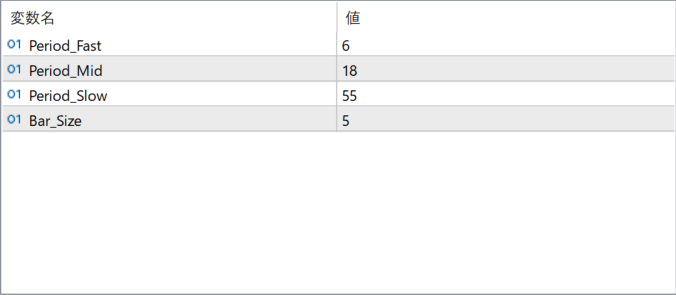
The screenshot above shows the default input parameters in the MT5 settings window.
How to Install .ex5 Indicator in MetaTrader 5
- Download the ZIP file and extract it.
- In MT5, select File → Open Data Folder.
- Open MQL5 → Indicators and copy the EX5 or MQ5 file into it.
- If the package includes library files, copy them to MQL5 → Libraries. Copy TPL files to the top-level templates folder.
- Restart MT5, find the indicator in the Navigator, and drag it onto a chart.
Test the tool on a demo account first. File contents and required folders can vary between packages.


