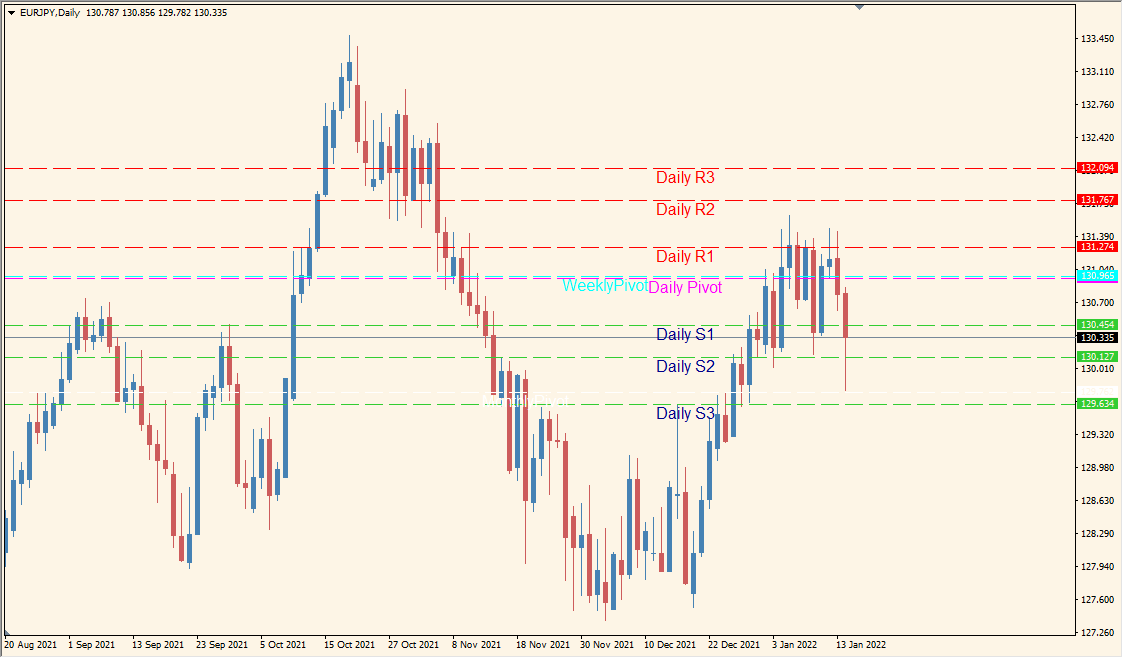
What is auto-pivot Indicator?
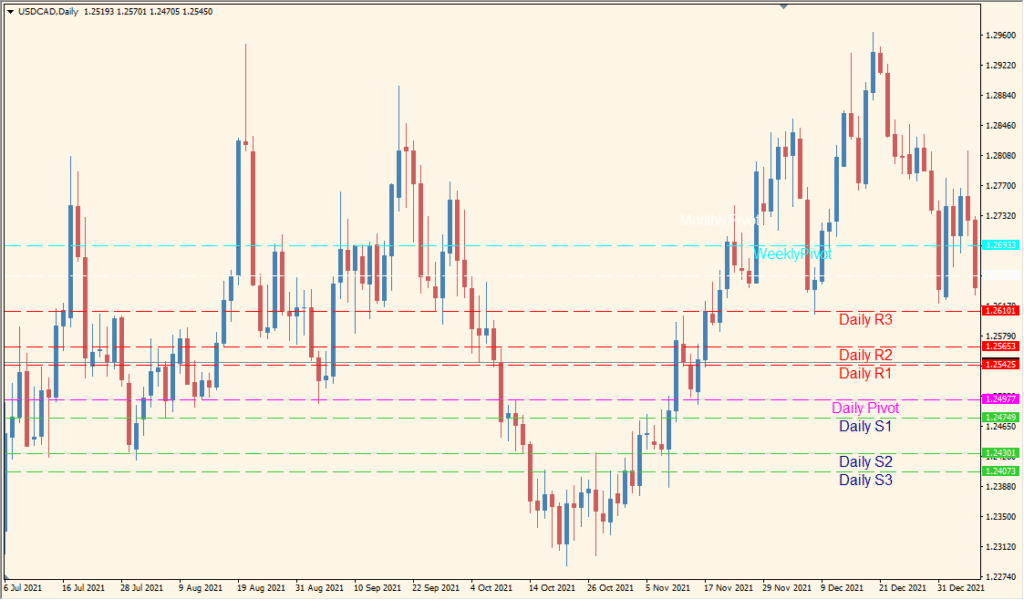
Auto Pivot for MT4 plots pivot references for daily, weekly, and monthly periods. Separate settings control whether each period and its related support and resistance levels are displayed.
The level groups provide a consistent visual framework for comparing current price with prior-period calculations. Colors, line styles, labels, and visibility options can be adjusted in the existing settings.
How to Use It in Practice
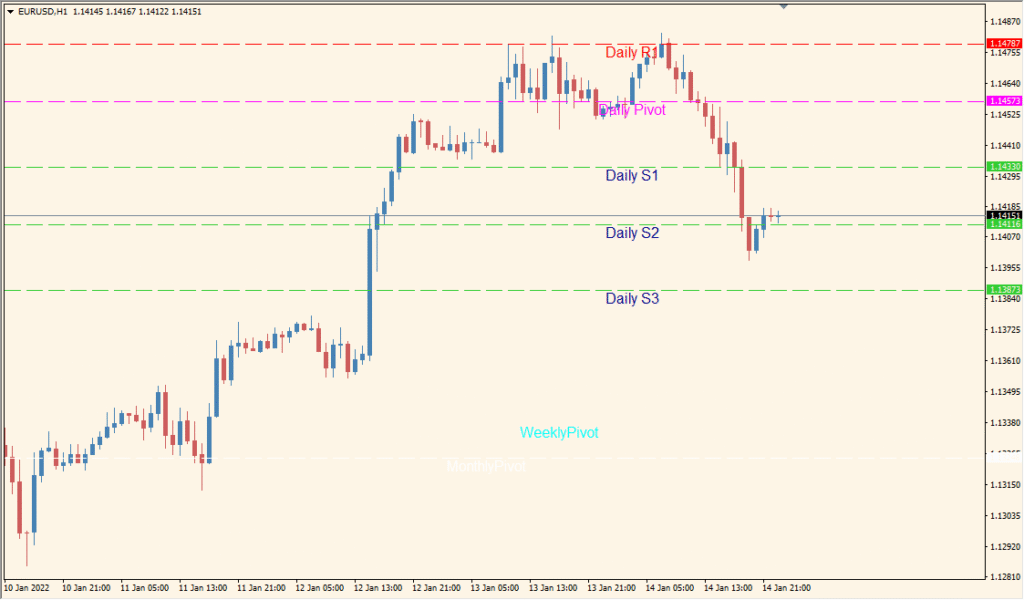
Use the indicator to review prior-period pivot references:
- Add Auto Pivot and review the visible daily, weekly, and monthly lines.
- Enable or disable each period and its support/resistance group in the Inputs.
- Adjust the existing colors, labels, and line styles for a clearer chart layout.
- Compare current price with the displayed levels and nearby price structure.
Several pivot periods can be viewed together, support and resistance groups are optional, and the display settings help separate the level families on the chart.
MT4 Indicator Parameters
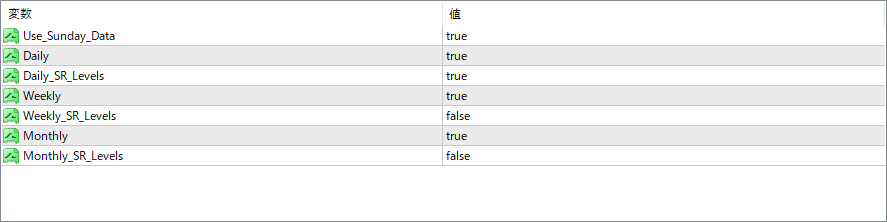
The screenshot above shows the default input parameters in the MT4 settings window.
| Parameter | Description |
|---|---|
| Use_Sunday_Data | Includes or excludes Sunday candles when calculating pivot levels. Useful for brokers with Sunday data that could distort levels. |
| Daily | Enables or disables display of daily pivot levels on the chart. |
| Daily_SR_Levels | If enabled, shows daily support and resistance levels (S1, R1, etc.) along with the daily pivot point. |
| Weekly | Enables or disables display of weekly pivot levels on the chart. |
| Weekly_SR_Levels | If enabled, shows weekly support and resistance levels (S1, R1, etc.) along with the weekly pivot point. |
| Monthly | Enables or disables display of monthly pivot levels on the chart. |
| Monthly_SR_Levels | If enabled, shows monthly support and resistance levels (S1, R1, etc.) along with the monthly pivot point. |


