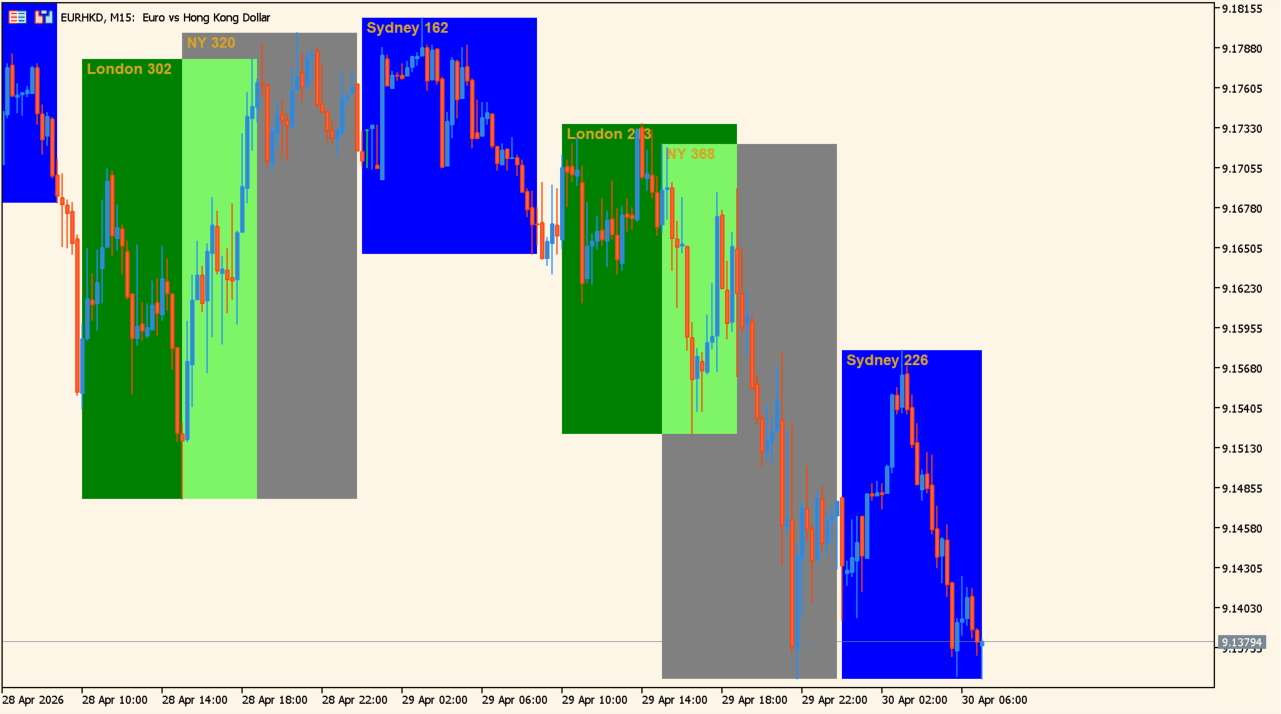
What is Auto Sessions?
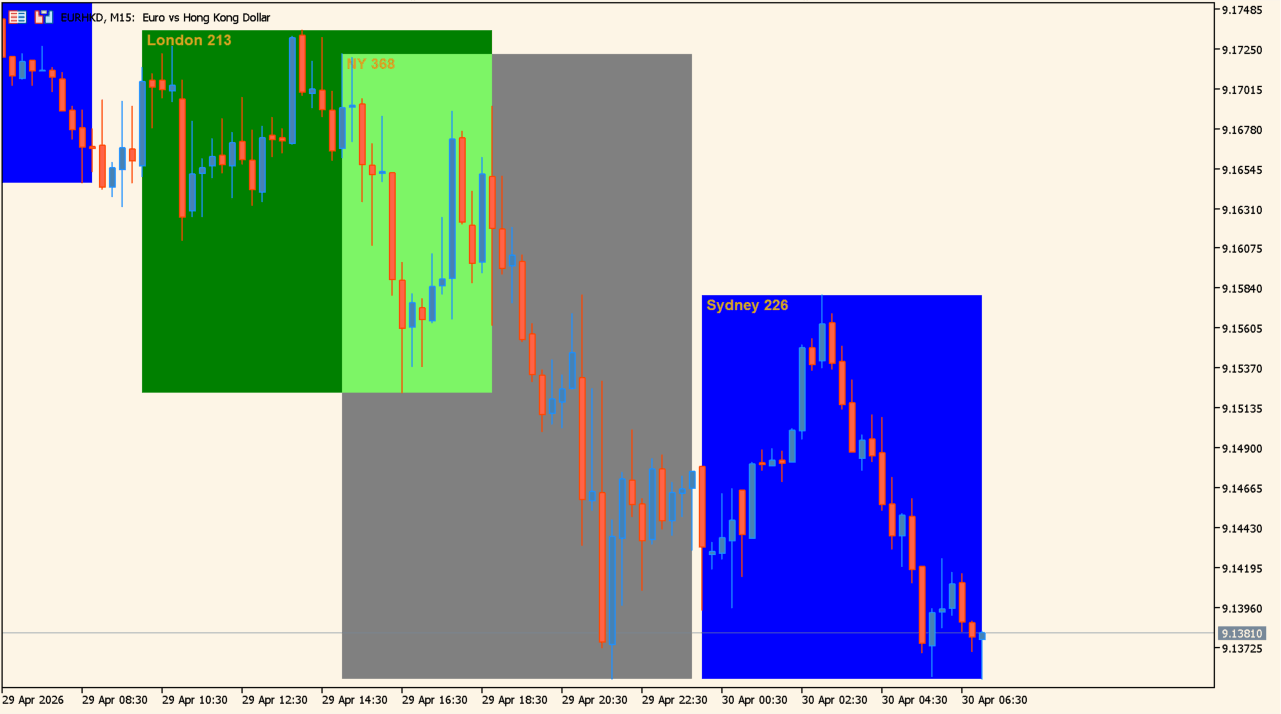
Auto Sessions is an MT5 indicator that marks the Sydney, Tokyo, Frankfurt, London, and New York trading sessions with colored boxes on the chart.
How to use Auto Sessions
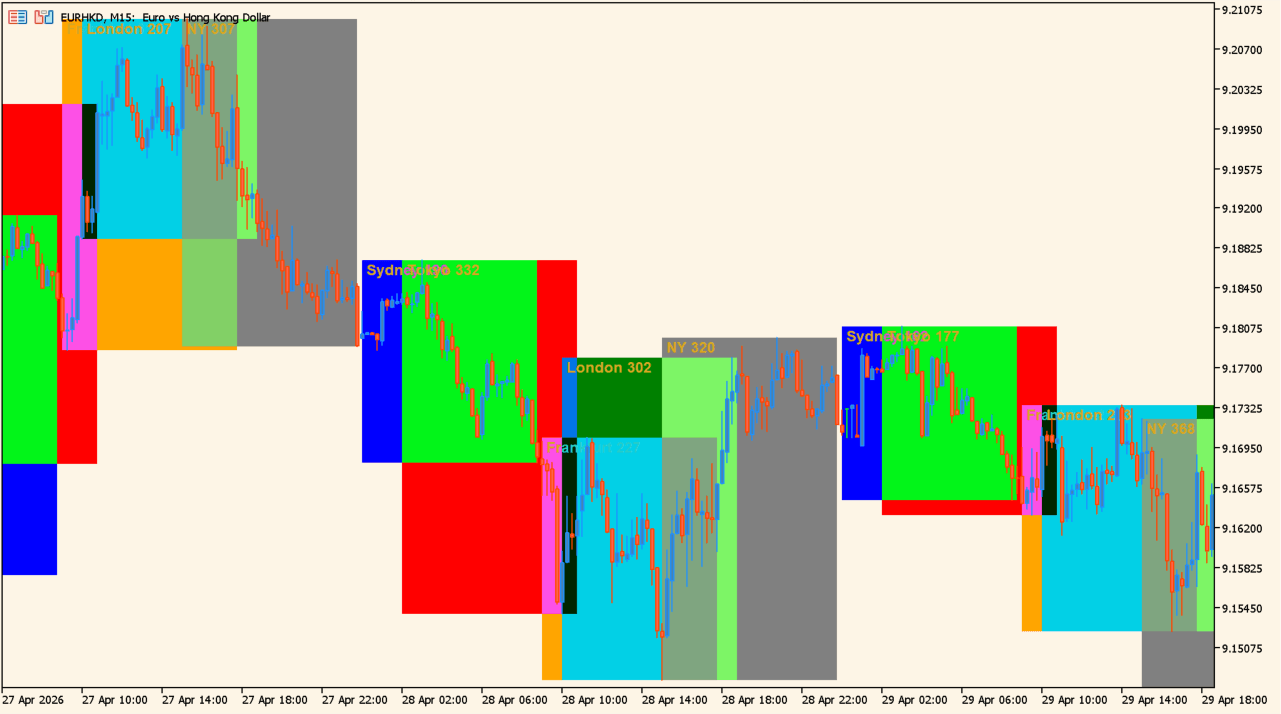
Apply Auto Sessions to an MT5 chart to review the five session windows and their price ranges:
Where it helps
Colored boxes make the five market periods easy to distinguish, pip ranges provide a compact view of each session’s movement, and the Inputs allow the session names, visibility, colors, timing, and display limits to be adjusted.
MT5 Indicator Parameters
The table below lists the available MT5 indicator parameters. You can customize these options in the MetaTrader Inputs dialog to match your trading preferences.
| Parameter | Description |
|---|---|
| Session Names | Sets the market names displayed for the session boxes. |
| Show Sessions | Shows or hides the session boxes. |
| Show Session Names | Shows or hides the market name labels. |
| Show Session Pips | Shows or hides the pip-range text for each session. |
| Time Method | Selects the time reference used for session calculations. |
| Note: If Using Eastern Time Zone Offset... | Informational note for the five session settings. |
| Broker Eastern Time Zone Offset | Sets the offset between broker time and Eastern Time. |
| Manual Session Begin Times | Sets the start time for each session. |
| Manual Session End Times | Sets the end time for each session. |
| Individual Session Options | Section label. |
| Session 1 Color | Sets the display color for session 1. |
| Session 1 Style | Sets the box style for session 1. |
| Session 2 Color | Sets the display color for session 2. |
| Session 2 Style | Sets the box style for session 2. |
| Session 3 Color | Sets the display color for session 3. |
| Session 3 Style | Sets the box style for session 3. |
| Session 4 Color | Sets the display color for session 4. |
| Session 4 Style | Sets the box style for session 4. |
| Session 5 Color | Sets the display color for session 5. |
| Session 5 Style | Sets the box style for session 5. |
| Common Session Options | Section label. |
| Line Width | Sets the border line width. |
| Line Style | Sets the border line style. |
| Session Name/Pip Text Color | Sets the color of the session-name and pip-range text. |
| Session Name/Pip Text Font | Sets the font used for the displayed text. |
| Session Name/Pip Text Font Size | Sets the font size used for the displayed text. |
| Session Name/Pip Text Base Corner | Sets the chart corner used as the text-position reference. |
| Session Name/Pip Text Anchor Point | Sets the anchor point for the displayed text. |
| Round Off Pip Values? | Rounds the displayed pip values when enabled. |
| Display " pips" After Pip Value? | Adds the pips label after the displayed pip value when enabled. |
| Indicator Options | Section label. |
| Minimum Timeframe to Display Sessions | Sets the minimum timeframe on which sessions are displayed. |
| Maximum Timeframe to Display Sessions | Sets the maximum timeframe on which sessions are displayed. |
| Max Bars to Use | Sets the maximum number of bars used to draw the sessions. |
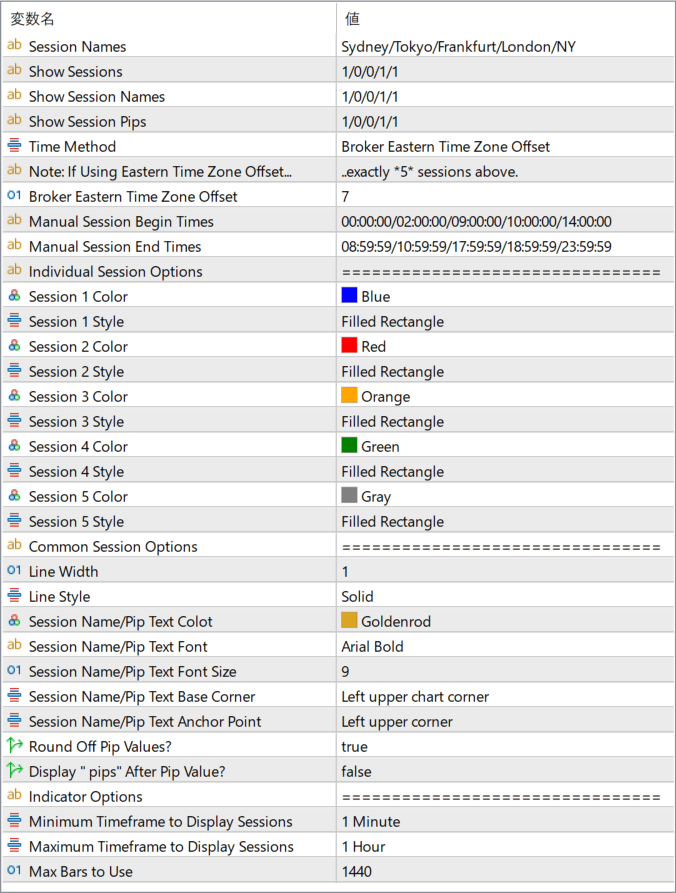
The screenshot above shows the default input parameters in the MT5 settings window.
How to Install .ex5 Indicator in MetaTrader 5
- Download the ZIP file and extract it.
- In MT5, select File → Open Data Folder.
- Open MQL5 → Indicators and copy the EX5 or MQ5 file into it.
- If the package includes library files, copy them to MQL5 → Libraries. Copy TPL files to the top-level templates folder.
- Restart MT5, find the indicator in the Navigator, and drag it onto a chart.
Test the tool on a demo account first. File contents and required folders can vary between packages.


