What is AverageRangeLines_v1.6 Indicator?
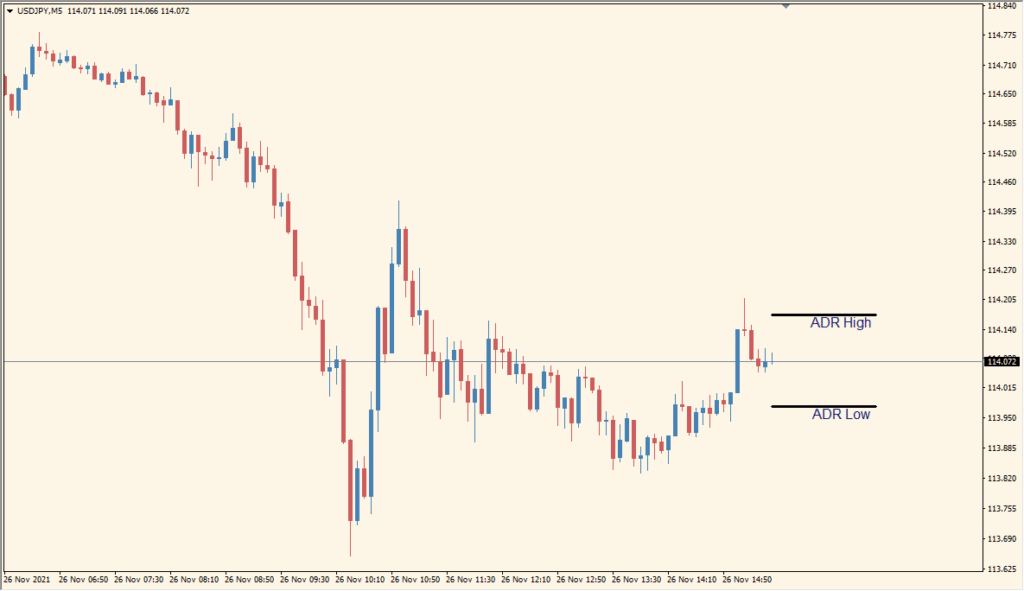
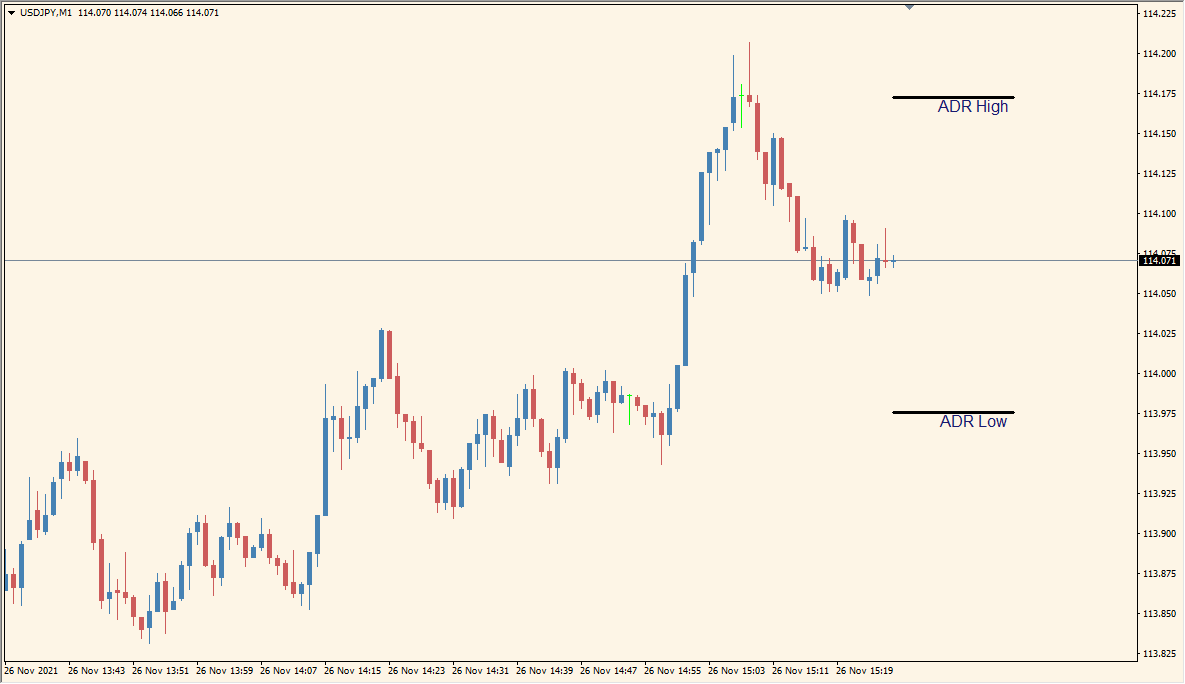
AverageRangeLines v1.6 for MT4 calculates an average daily range and plots upper and lower reference lines around the current price. The display provides a compact view of the selected daily movement range.
TimeFrame, Period, line length, label text, font, offset, colors, and line style settings control the calculation and presentation. Short-line mode can keep the references focused around the current chart area.
How to Use It in Practice
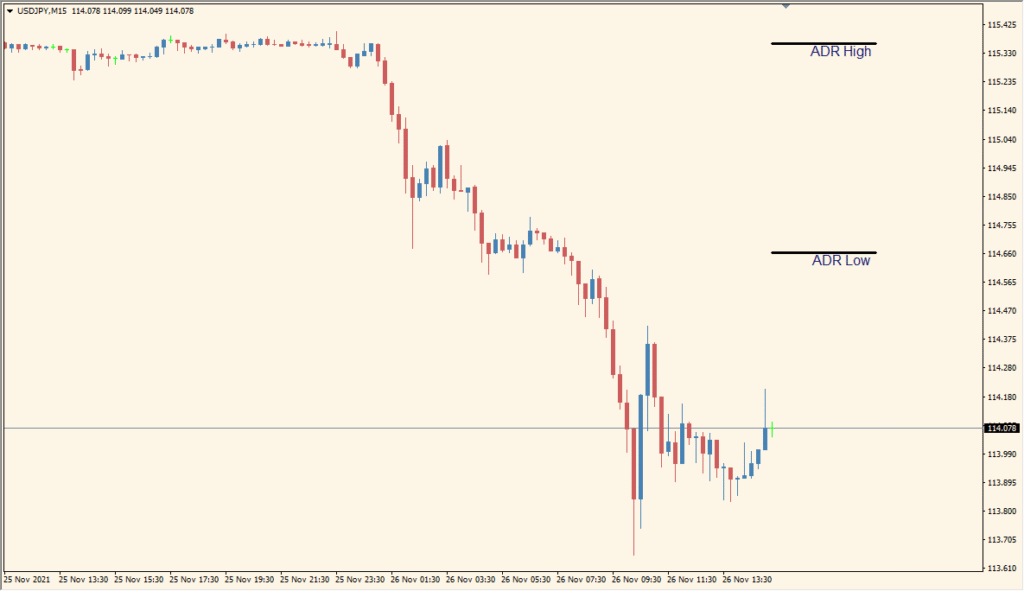
AverageRangeLines places daily ADR upper and lower boundaries on the main chart, including when the active chart is a lower timeframe.
- Read the two boundaries as the average of the preceding daily ranges, not as fixed limits; major news can move price beyond them.
- Set Timerframe for the displayed range timeframe and Period for the number of prior ranges included in the average.
- Use the short-line, line-length, label, font, and offset settings to keep the upper and lower labels near the desired part of the chart.
- A large gap between current price and the ADR lines after attaching the indicator is not an error; it results from plotting the daily calculation on the current chart.
Average daily range references are displayed directly on the chart, the calculation window is configurable, and label and line options support different layouts.
MT4 Indicator Parameters
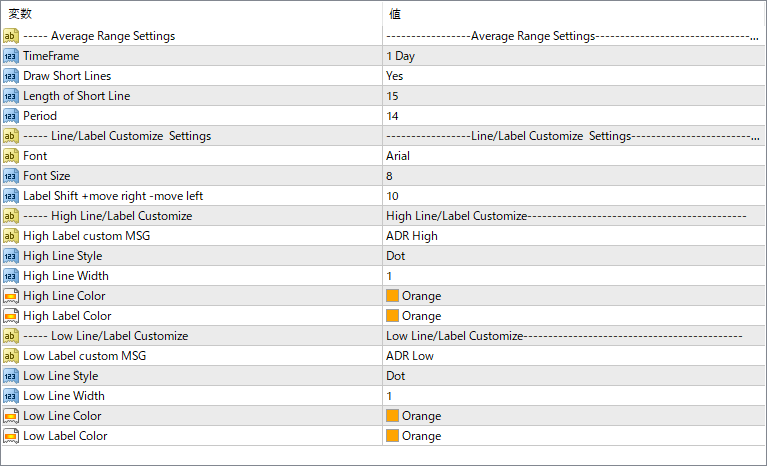
The screenshot above shows the default input parameters in the MT4 settings window.
| Parameter | Description |
|---|---|
| TimeFrame | Defines the timeframe used for ADR calculation (e.g., 1 Day). |
| Draw Short Lines | Chooses whether the high/low lines are drawn as short segments or extended across the chart. |
| Length of Short Line | Specifies how far the short lines extend if short line mode is enabled (measured in candles). |
| Period | Sets the number of past candles used to calculate the average range. |
| Font | Selects the font used for labels displayed next to ADR lines. |
| Font Size | Controls the size of the ADR label text on the chart. |
| Label Shift +move right -move left | Adjusts the horizontal offset of the text labels relative to the lines. |
| High Label custom MSG | Sets the custom message for the upper ADR line label (e.g., “ADR High”). |
| High Line Style | Chooses the style of the upper line (e.g., solid, dotted). |
| High Line Width | Defines the thickness of the upper ADR line. |
| High Line Color | Sets the color of the upper line marking the ADR high. |
| High Label Color | Sets the text color of the upper ADR label. |
| Low Label custom MSG | Sets the custom message for the lower ADR line label (e.g., “ADR Low”). |
| Low Line Style | Chooses the style of the lower line (e.g., dot, dash). |
| Low Line Width | Defines the thickness of the lower ADR line. |
| Low Line Color | Sets the color of the lower ADR line. |
| Low Label Color | Sets the text color of the lower ADR label. |


