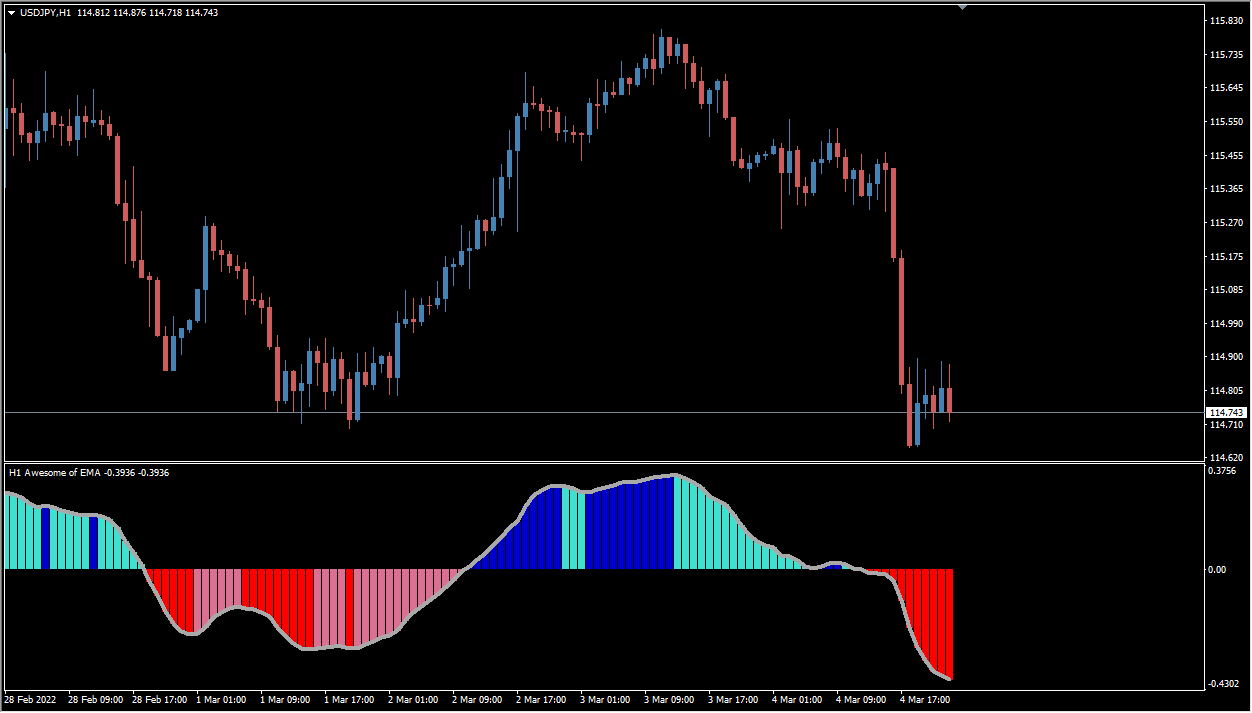
What is Awesome Averages Oscillator?
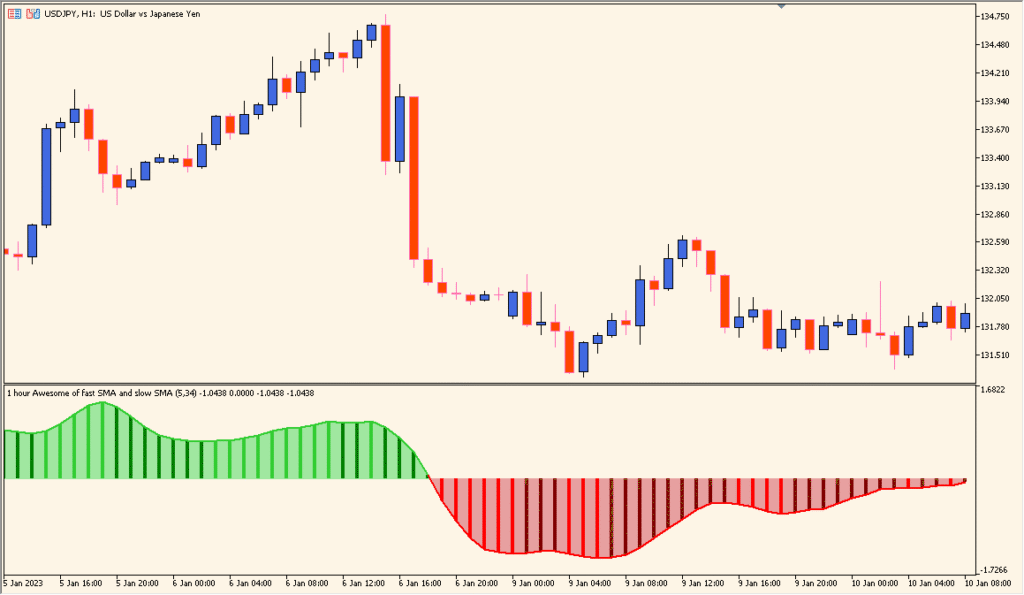
Awesome Averages Oscillator is an MT5 subwindow indicator that compares two moving averages and displays their difference as a colored histogram. Average methods, periods, timeframe, price source, and level settings control the output.
Bar height and color provide visual context for comparing changing momentum across the selected window. The histogram is a review aid and does not define a fixed direction.
How to use Awesome Averages Oscillator
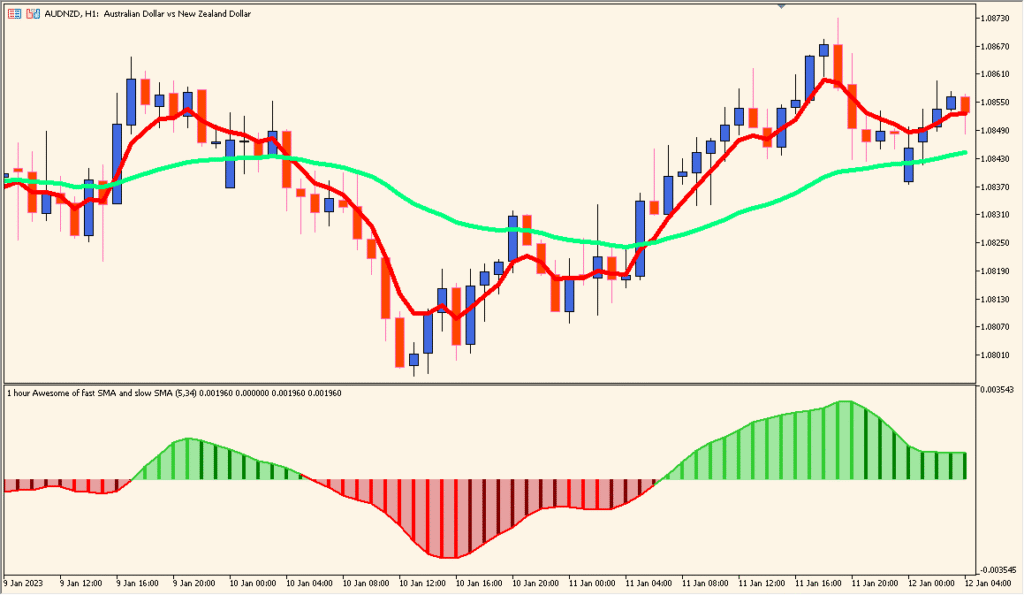
Read the Awesome Oscillator-style histogram together with its two moving-average periods, then compare the color and height of the bars with the candle sequence:
Where it helps
Averages-based momentum is condensed into one readable histogram, while method and source options support different review styles.
MT5 Indicator Parameters
The table below lists the available MT5 indicator parameters. You can customize these options in the MetaTrader Inputs dialog to match your trading preferences.
| Parameter | Description |
|---|---|
| Time frame | Selects the chart timeframe used for calculations, enabling multi-timeframe review. Default: current. |
| Fast average method | Defines the type of moving average used for the fast line, such as SMA or EMA. Default: SMA. |
| Fast average period | Sets the number of bars used to calculate the fast moving average. Default: 5. |
| Fast average price | Specifies the price source used for the fast moving average calculation. Default: Median. |
| Slow average method | Defines the moving average type used for the slow line. Default: SMA. |
| Slow average period | Sets how many bars are included in the slow moving average calculation. Default: 34. |
| Slow average price | Specifies the price source used for the slow moving average. Default: Median. |
| Turn alerts on? | Enables or disables alert notifications when zero-line crossovers or color changes occur. Default: false. |
| Alert on current bar? | Determines whether alerts trigger on the open candle or only after bar close. Default: true. |
| Display messages on alerts? | Shows on-screen pop-up alert messages when enabled. Default: false. |
| Play sound on alerts? | Plays a sound notification when an alert condition occurs. Default: false. |
| Send email on alerts? | Sends an email notification when an alert condition triggers. Default: false. |
| Send push notification on alerts? | Sends push notifications to mobile devices connected to MetaTrader. Default: false. |
| Interpolate in multi time frame mode? | Controls how values are interpolated when displaying higher-timeframe data on a lower-timeframe chart. Default: true. |
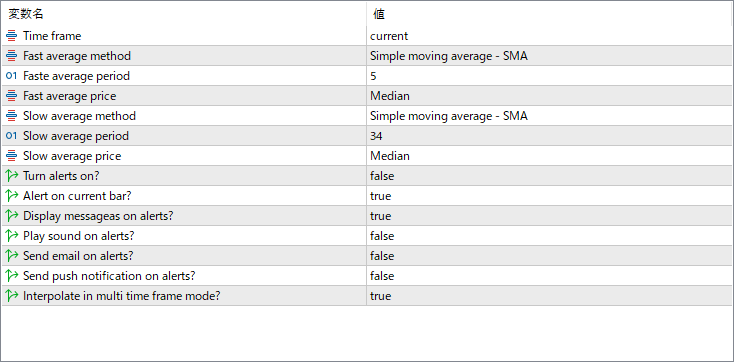
The screenshot above shows the default input parameters in the MT5 settings window.
How to Install .ex5 Indicator in MetaTrader 5
- Download the ZIP file and extract it.
- In MT5, select File → Open Data Folder.
- Open MQL5 → Indicators and copy the EX5 or MQ5 file into it.
- If the package includes library files, copy them to MQL5 → Libraries. Copy TPL files to the top-level templates folder.
- Restart MT5, find the indicator in the Navigator, and drag it onto a chart.
Test the tool on a demo account first. File contents and required folders can vary between packages.


