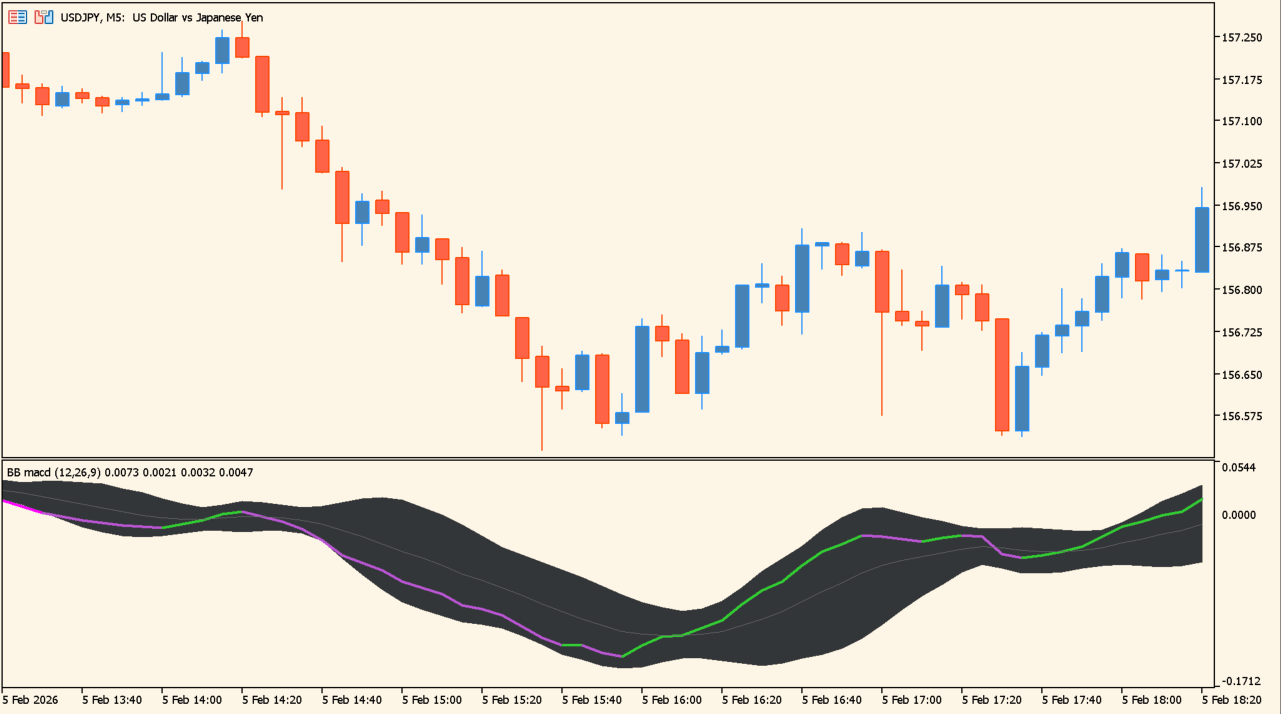
What is BB MACD?
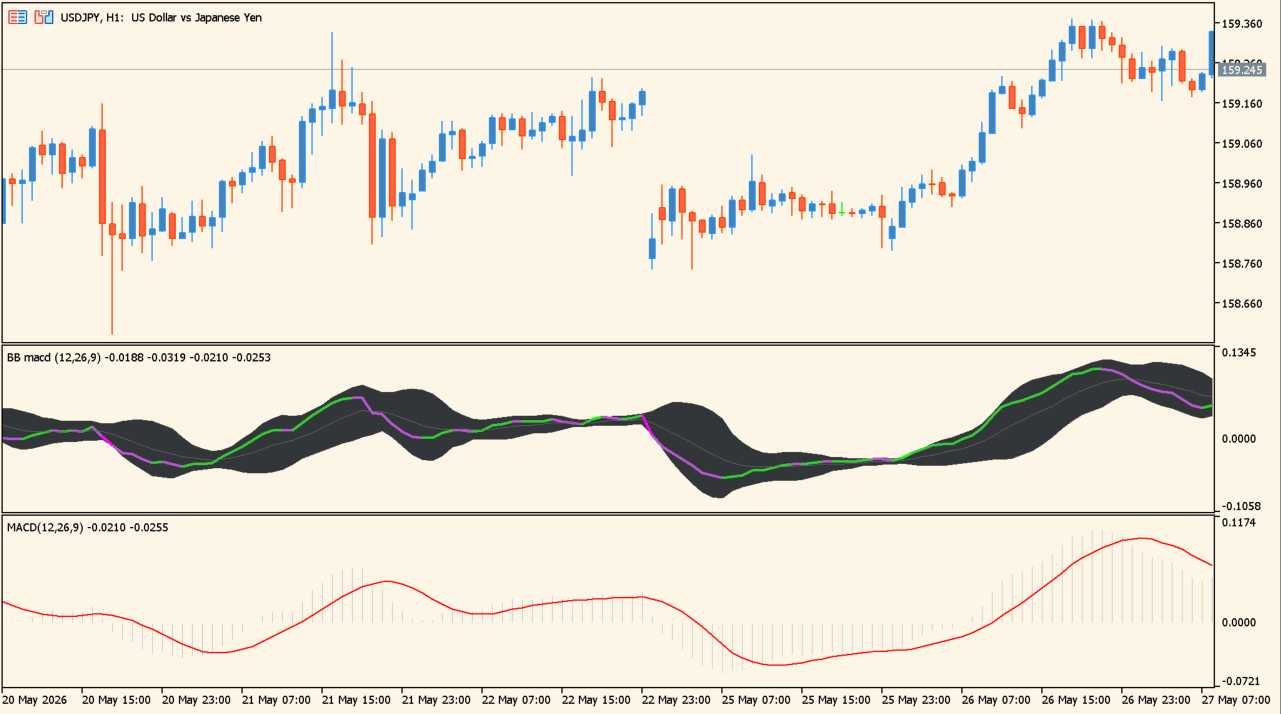
BB MACD displays fast and slow MACD calculations with a signal line and an enveloping band in a separate MT5 pane. The pane label carries the periods and the deviation multiplier currently in use.
The pane describes the configured calculation. Crosses, slope, and band position should be reviewed with price behavior and are not fixed trading instructions.
How to use BB MACD
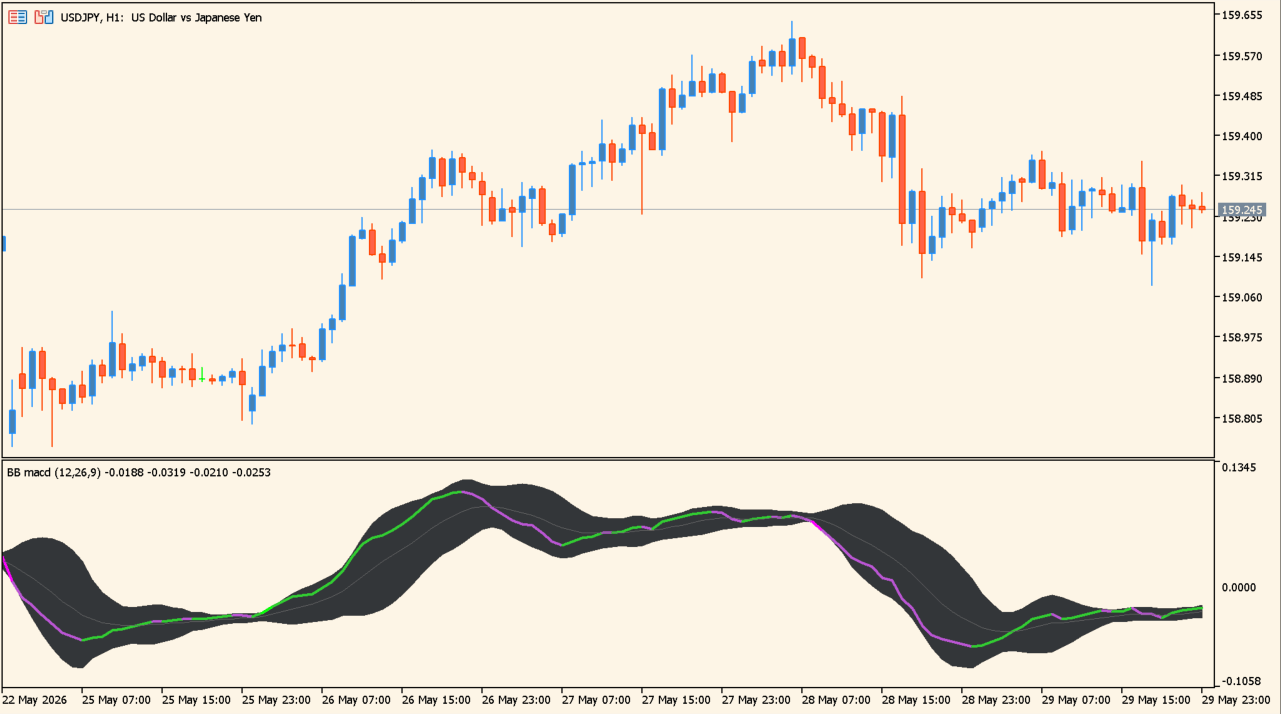
Compare the two MACD lines, their spacing, and the band width over several completed bars. Use the price chart to provide context for any changing oscillator shape.
The fast, slow, and signal EMA periods set the calculation. Applied price and the deviation multiplier control the source and band width.
Where it helps
Fast, slow, and signal EMA periods are independent Inputs.
The Inputs window chooses the price used in the calculation.
The deviation multiplier changes the displayed band width.
MT5 Indicator Parameters
The table below lists the available MT5 indicator parameters. You can customize these options in the MetaTrader Inputs dialog to match your trading preferences.
| Parameter | Description |
|---|---|
| MACD fast EMA period | Sets the fast EMA period used by the MACD calculation. |
| MACD slow EMA period | Sets the slow EMA period used by the MACD calculation. |
| Signal EMA period | Sets the EMA period used for the signal line. |
| Applied price | Selects the price source used by the calculation. |
| Bands deviation multiplier | Sets the deviation multiplier used for the band width. |
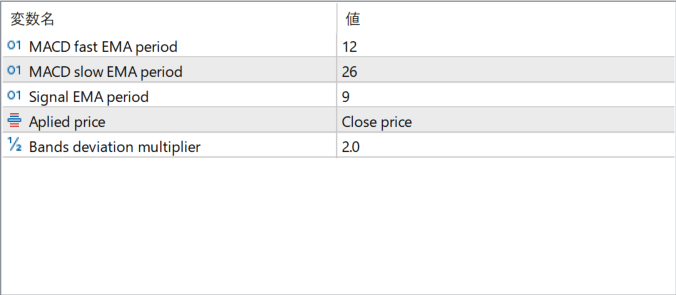
The screenshot above shows the default input parameters in the MT5 settings window.
How to Install .ex5 Indicator in MetaTrader 5
- Download the ZIP file and extract it.
- In MT5, select File → Open Data Folder.
- Open MQL5 → Indicators and copy the EX5 or MQ5 file into it.
- If the package includes library files, copy them to MQL5 → Libraries. Copy TPL files to the top-level templates folder.
- Restart MT5, find the indicator in the Navigator, and drag it onto a chart.
Test the tool on a demo account first. File contents and required folders can vary between packages.


