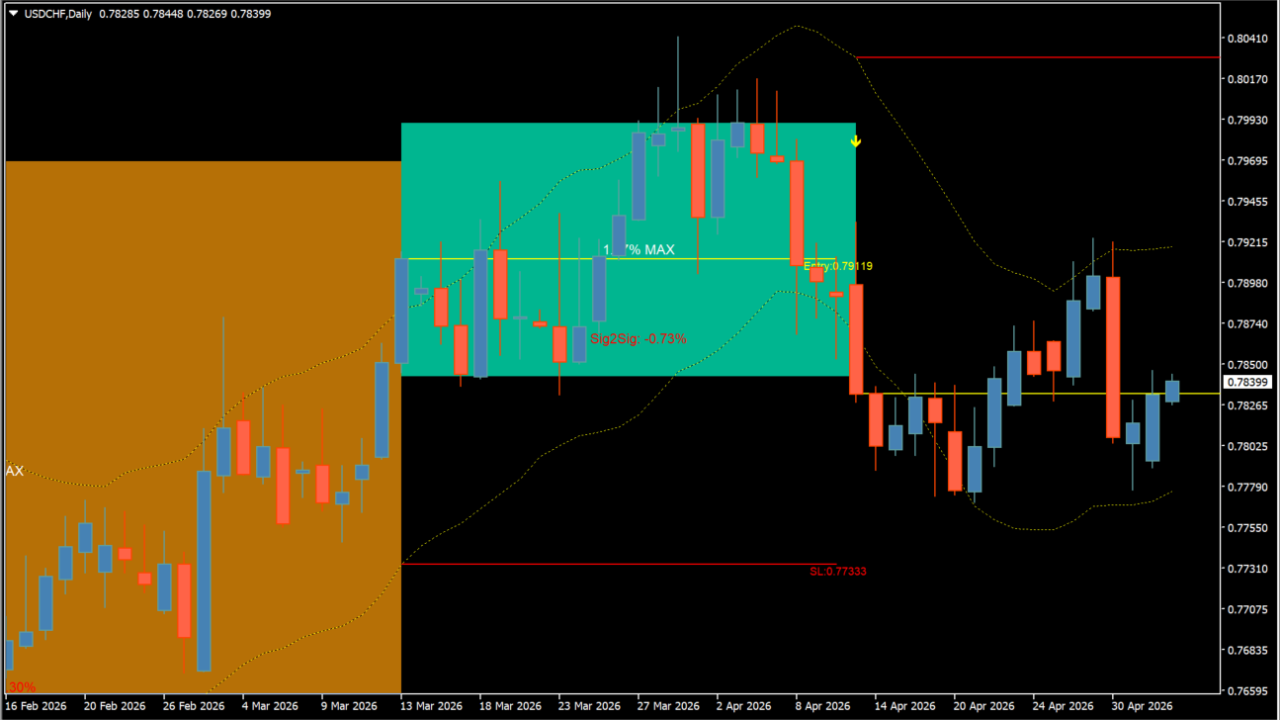
What is beluga_tt_boxes?
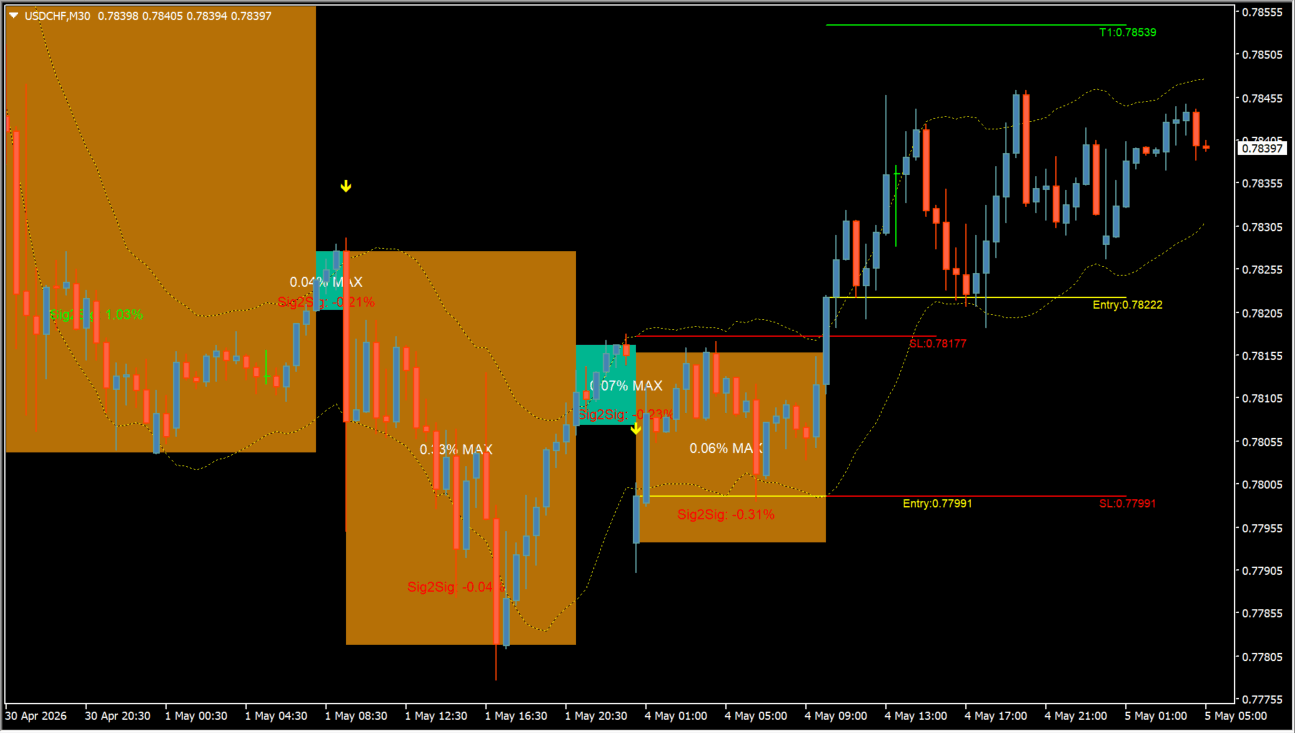
beluga_tt_boxes draws colored boxes based on its configured trend calculation. The Inputs dialog separates trend length, target display, retained-box count, active-box visibility, and the number of bars processed.
Boxes mark the indicator’s current and historical output. Their boundaries are chart context.
How to use beluga_tt_boxes
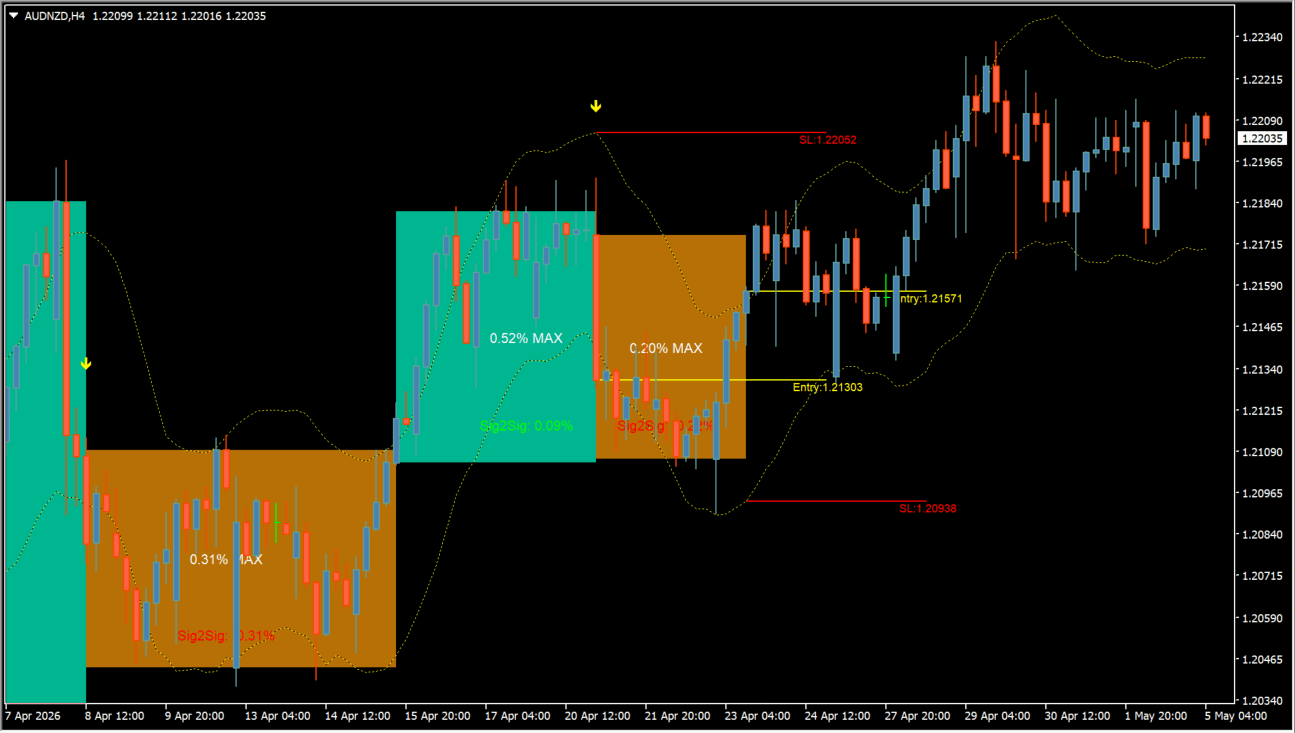
Review a box together with the candles that created it and the boxes left over from earlier calculations. Keep the active box distinct from historical boxes when comparing price behavior.
Trend Length adjusts the calculation window. Max boxes to keep and Bars to process control history, while Show active box and Set Targets control visible elements.
Where it helps
The maximum-box setting limits the archived display.
Bars to process can use all available bars or a fixed count.
The current box can be shown or hidden independently.
MT4 Indicator Parameters
The table below lists the available MT4 indicator parameters. You can customize these options in the MetaTrader Inputs dialog to match your trading preferences.
| Parameter | Description |
|---|---|
| Trend Length | Sets the period used by the trend calculation. Default: 10. |
| Set Targets | Configures the target display. Default: 0. |
| Max boxes to keep | Sets the maximum number of retained boxes. Default: 200. |
| Show active box | Shows or hides the currently active box. Default: true. |
| Bars to process (0 = all available) | Sets the number of bars processed. Default: 5000. |
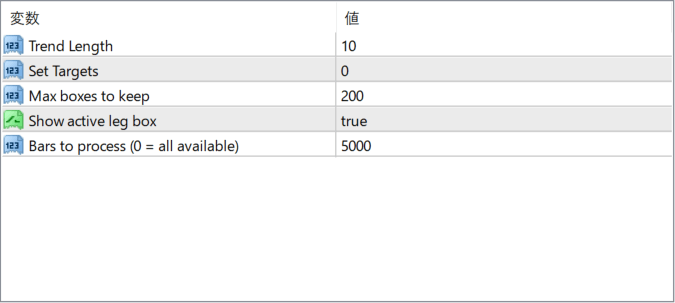
The screenshot above shows the default input parameters in the MT4 settings window.
How to Install .ex4 Indicator in MetaTrader 4
- Download the ZIP file and extract it.
- In MT4, select File → Open Data Folder.
- Open MQL4 → Indicators and copy the EX4 or MQ4 file into it.
- If the package includes library files, copy them to MQL4 → Libraries. Copy TPL files to the top-level templates folder.
- Restart MT4, find the indicator in the Navigator, and drag it onto a chart.
Test the tool on a demo account first. File contents and required folders can vary between packages.


