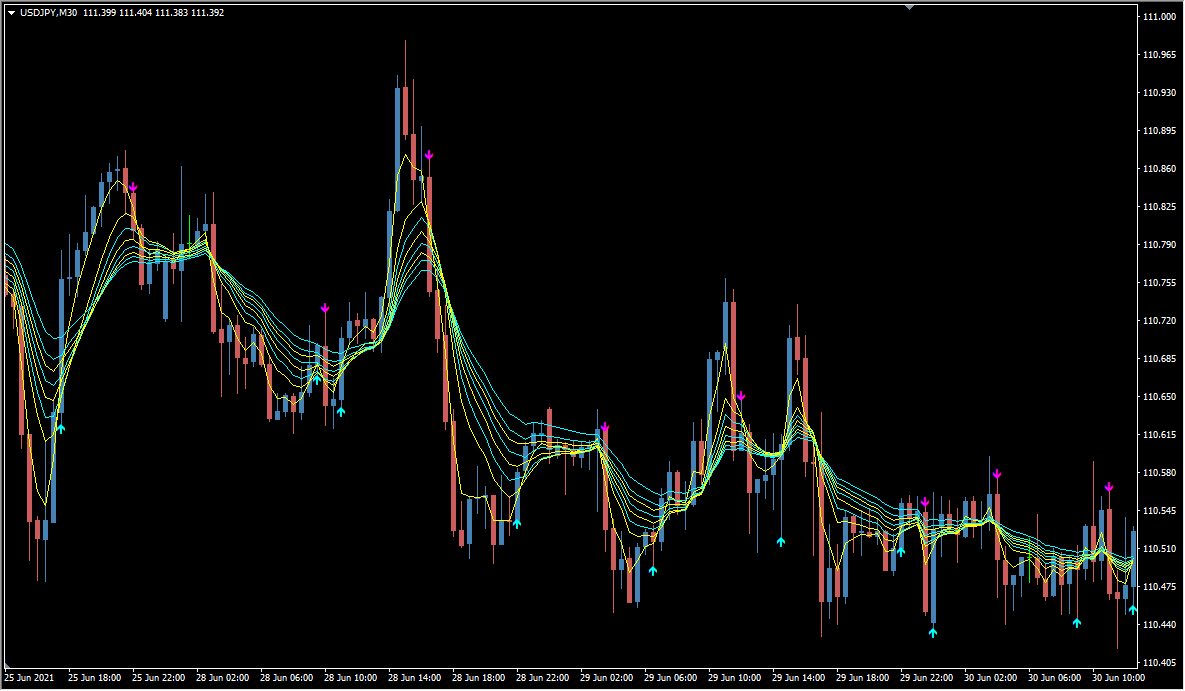
What is BGStar?
BGStar lines up several moving averages in parallel on MT4 and watches for pullbacks that form while they sit in a perfect order. It produces signals relatively often and blends trend-following with counter-trend behavior.
How to use BGStar
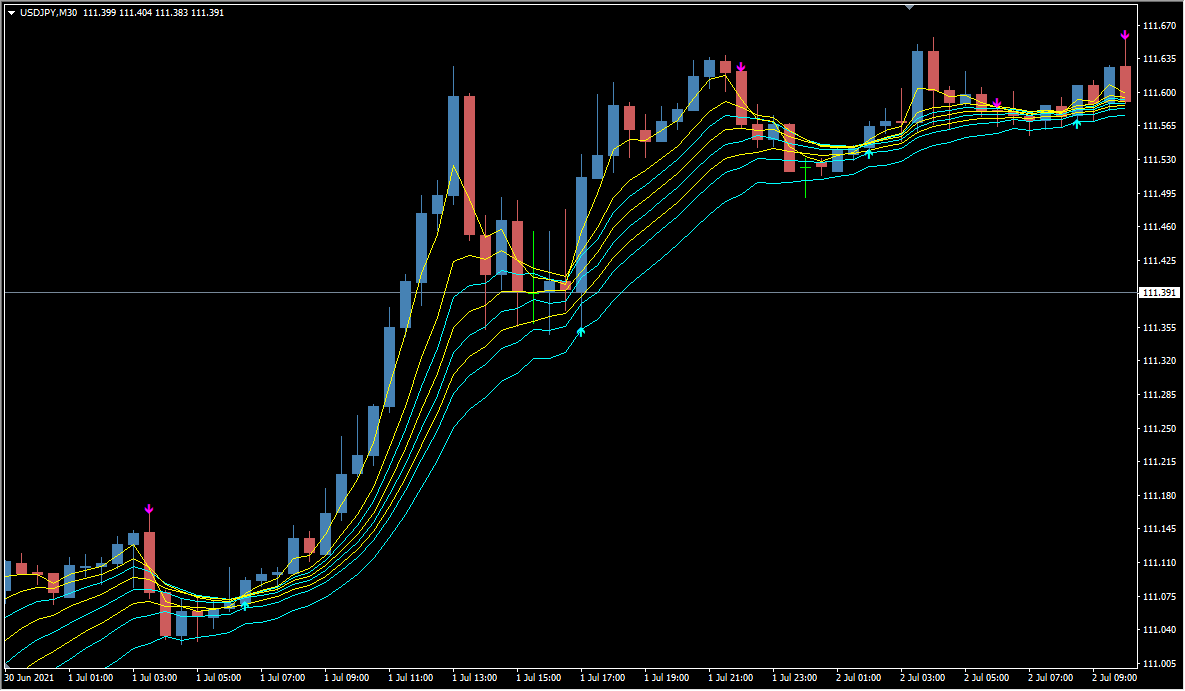
When a trend is under way, signals appear at pullbacks.
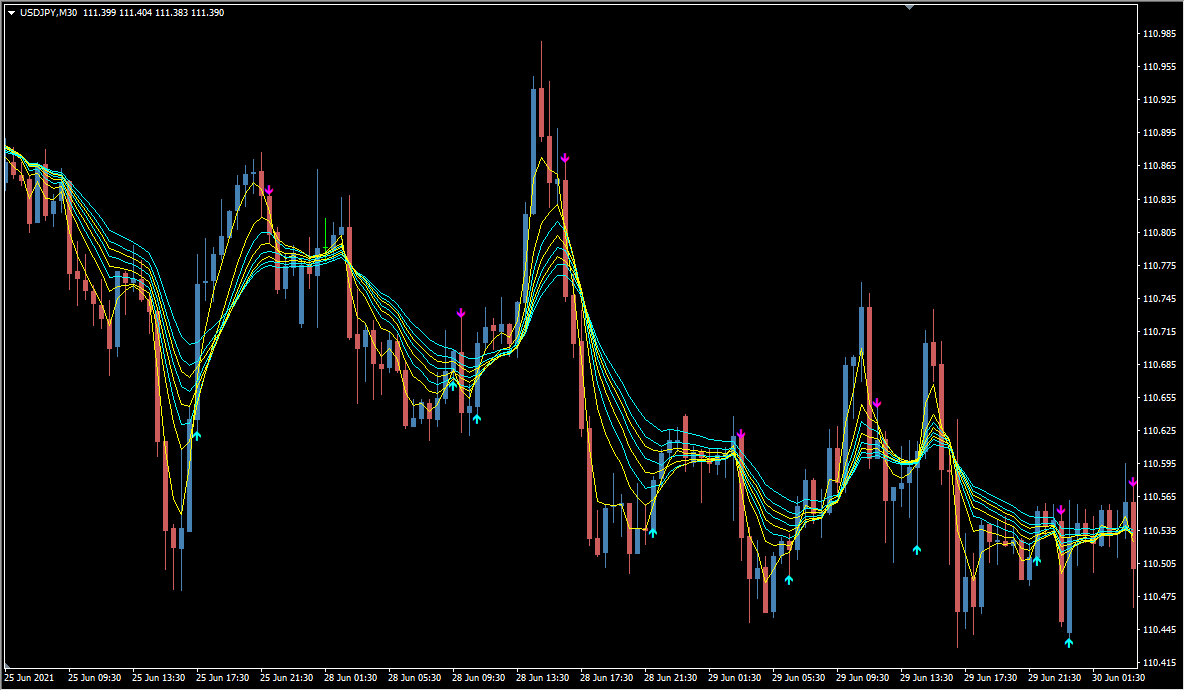
In a ranging market, it is best to cut the signals down with your own judgment.
BGStar carries several logics at once: counter-trend signals inside a range, trend-following signals at pullbacks while a trend is running, and counter-trend signals when price stretches far away from the moving averages.
Since the logic is built mainly on moving averages, the indicator also looks usable for shorter-term trading if you add another filter of your own.
MT4 Indicator Parameters
The table below lists the available MT4 indicator parameters. You can customize these options in the MetaTrader Inputs dialog to match your trading preferences.
The moving-average positions can be adjusted, but the signal positions do not change — a pattern occasionally seen in indicators from overseas developers.
| Parameter | Description |
|---|---|
| StartFast | — |
| EndFast | — |
| StartSlow | — |
| EndSlow | — |
| StepPeriod | — |
| StartRisk | — |
| EndRisk | — |
| StepRisk | — |
| AllBars | — |
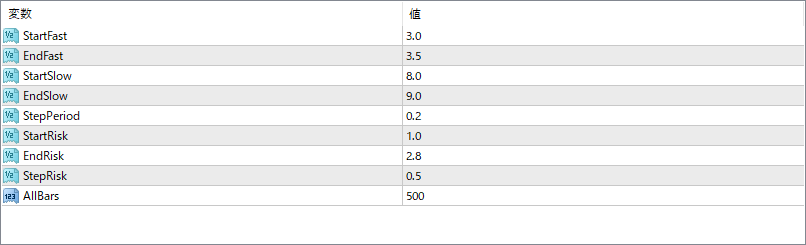
The screenshot above shows the default input parameters in the MT4 settings window.
How to Install .ex4 Indicator in MetaTrader 4
- Download the ZIP file and extract it.
- In MT4, select File → Open Data Folder.
- Open MQL4 → Indicators and copy the EX4 or MQ4 file into it.
- If the package includes library files, copy them to MQL4 → Libraries. Copy TPL files to the top-level templates folder.
- Restart MT4, find the indicator in the Navigator, and drag it onto a chart.
Test the tool on a demo account first. File contents and required folders can vary between packages.


