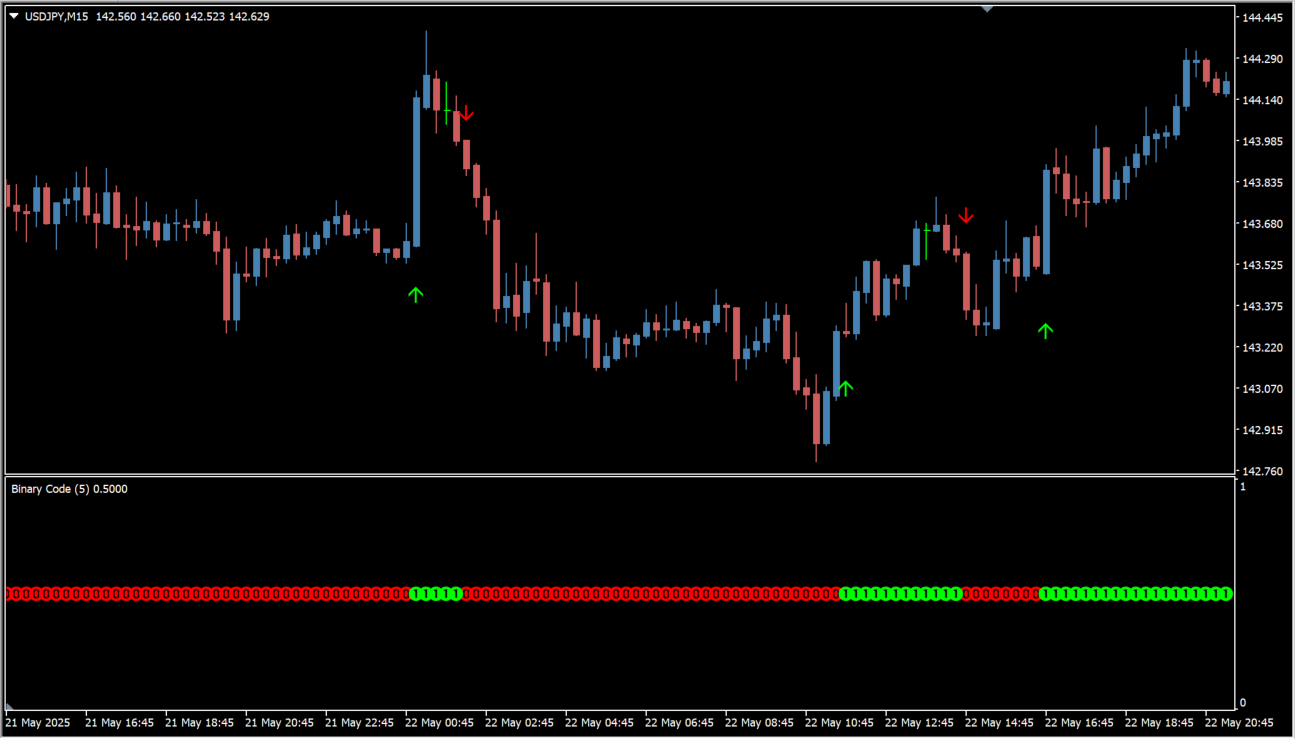
What is Binary Code Indicator?
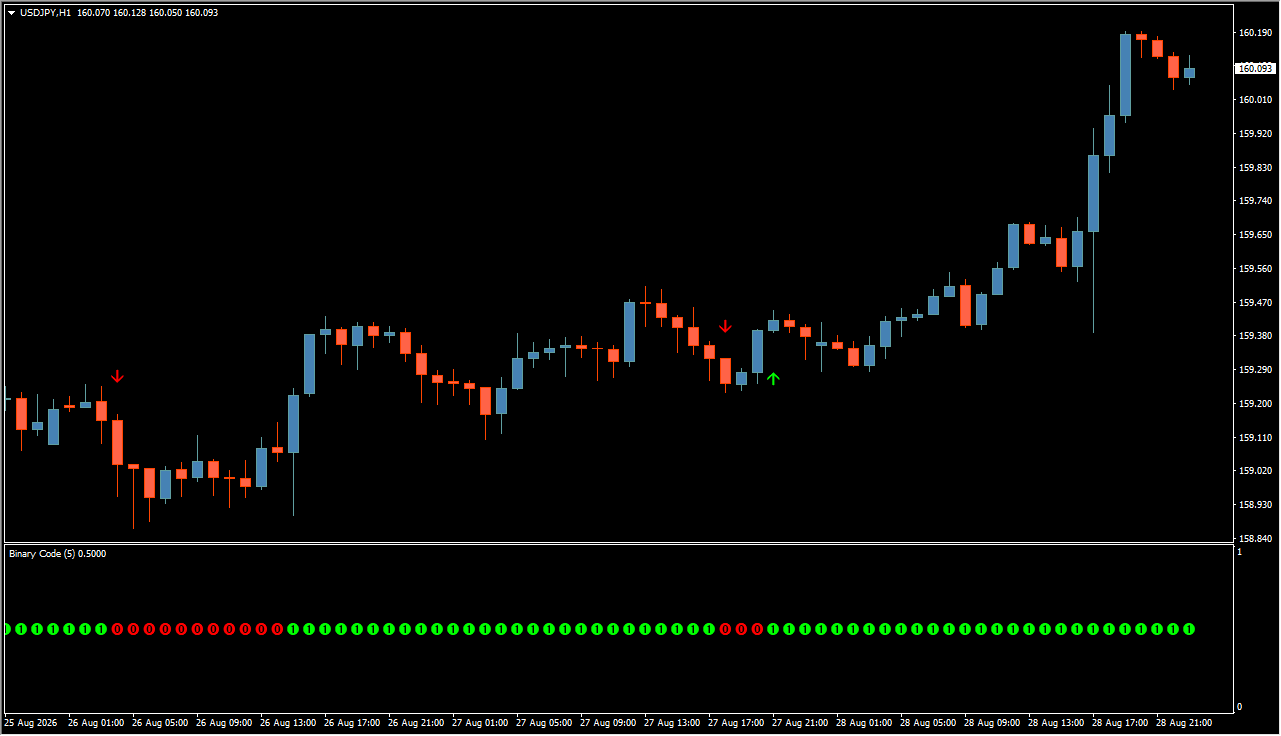
Binary Code is an MT4 indicator that displays green and red trend-state bars in a subwindow and can place colored arrow markers on the chart. The display includes options for arrow colors, visibility, labels, alerts, and bar offset.
Because the calculation logic is not exposed in the Inputs, the bars and arrows are chart markers rather than explanations of future price behavior. Review them together with current price action and surrounding market structure.
How to Use It in Practice
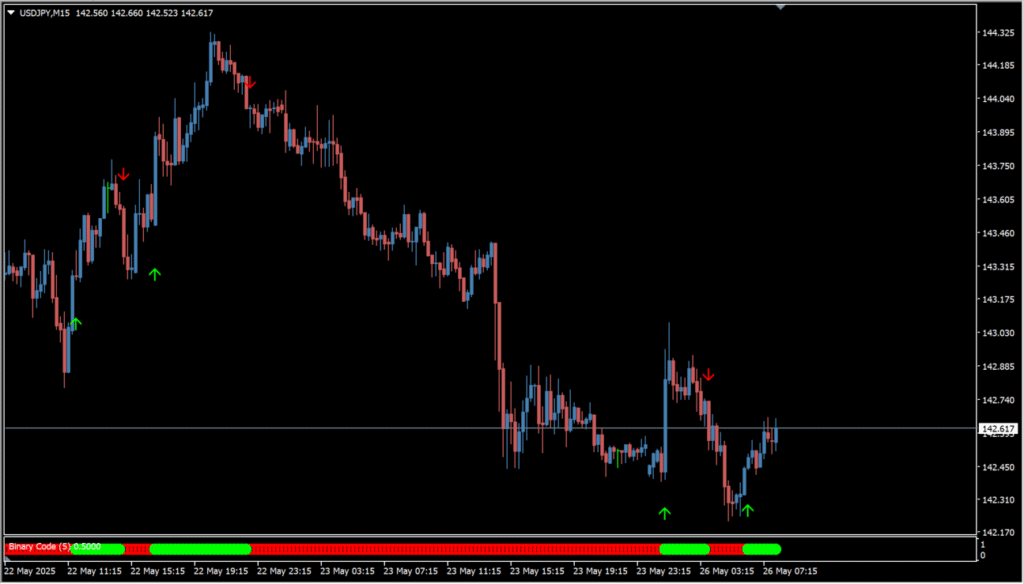
Read the subwindow as a change-of-state display: green bars denote the indicator's displayed upward state and red bars its displayed downward state. These changes can appear before candle highs or lows have formed, so inspect the bars against the candle sequence rather than treating them as a complete explanation of a turn.
Arrow markers make the indicator’s displayed conditions easy to locate, color settings support visual distinction, and optional alerts can draw attention to new chart annotations.
MT4 Indicator Parameters
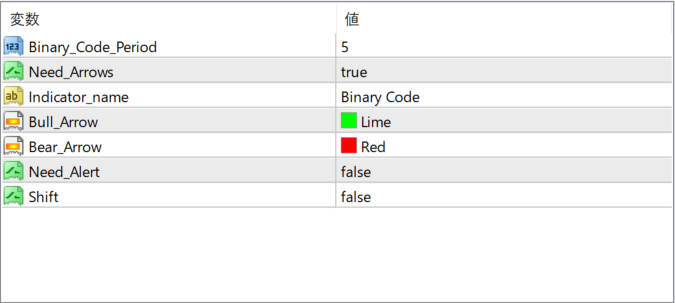
The screenshot above shows the default input parameters in the MT4 settings window.
| Parameter | Description |
|---|---|
| Binary_Code_Period | Defines the calculation period used for internal logic. This affects how often arrows are generated. |
| Need_Arrows | Enables or disables the display of arrows on the chart. |
| Indicator_name | Label used to display the indicator’s name on the chart. |
| Bull_Arrow | Sets the color for bullish arrows (typically green). |
| Bear_Arrow | Sets the color for bearish arrows (typically red). |
| Need_Alert | Controls whether an alert is triggered when a signal appears. |
| Shift | Controls how many bars back the arrows are drawn. When false, the signal is shown on the current bar. |


