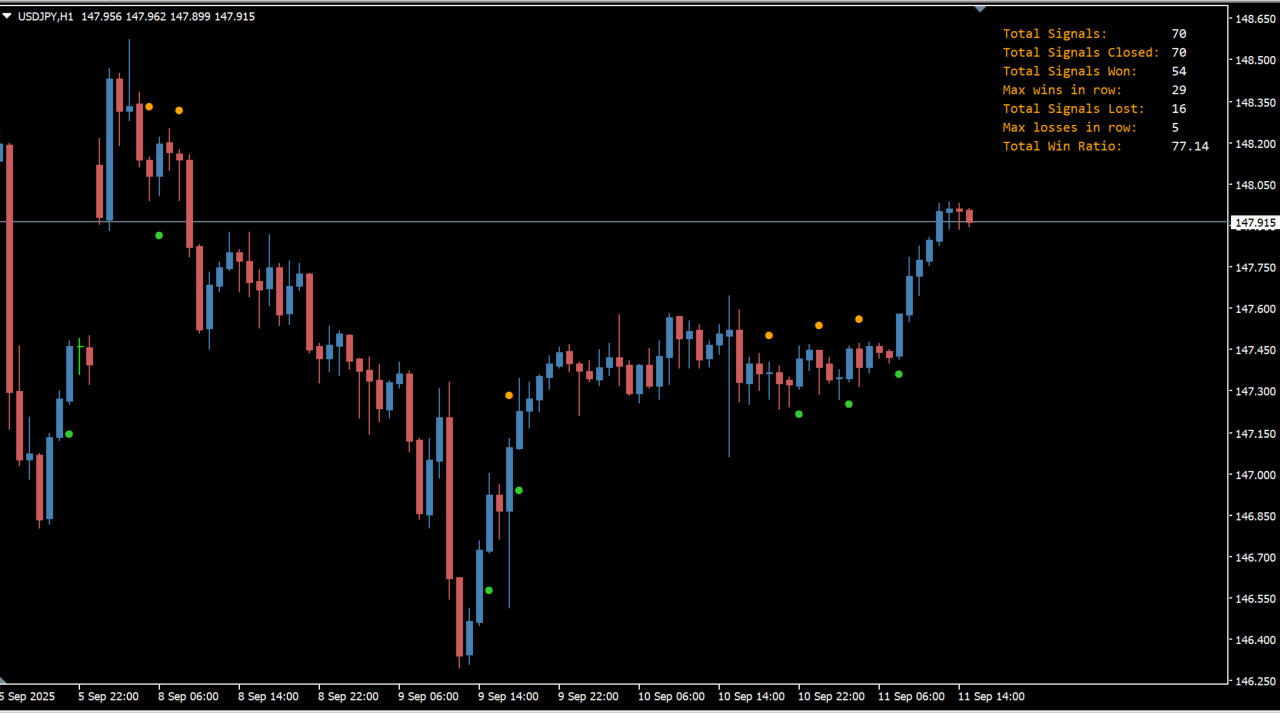
What is Binary Stalker?
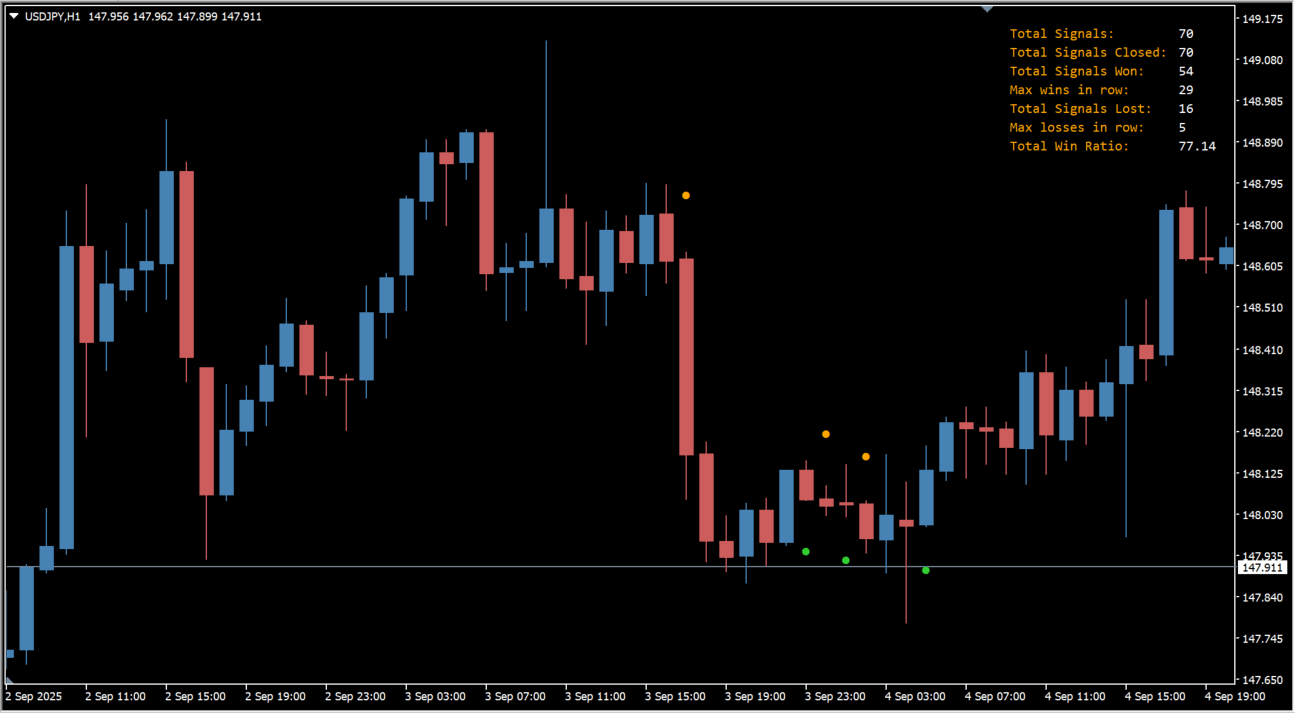
Binary Stalker is an MT4 indicator based on ADX that displays green and orange dots as call/put signals. Green dots mark call signals and orange dots mark put signals.
How to use Binary Stalker
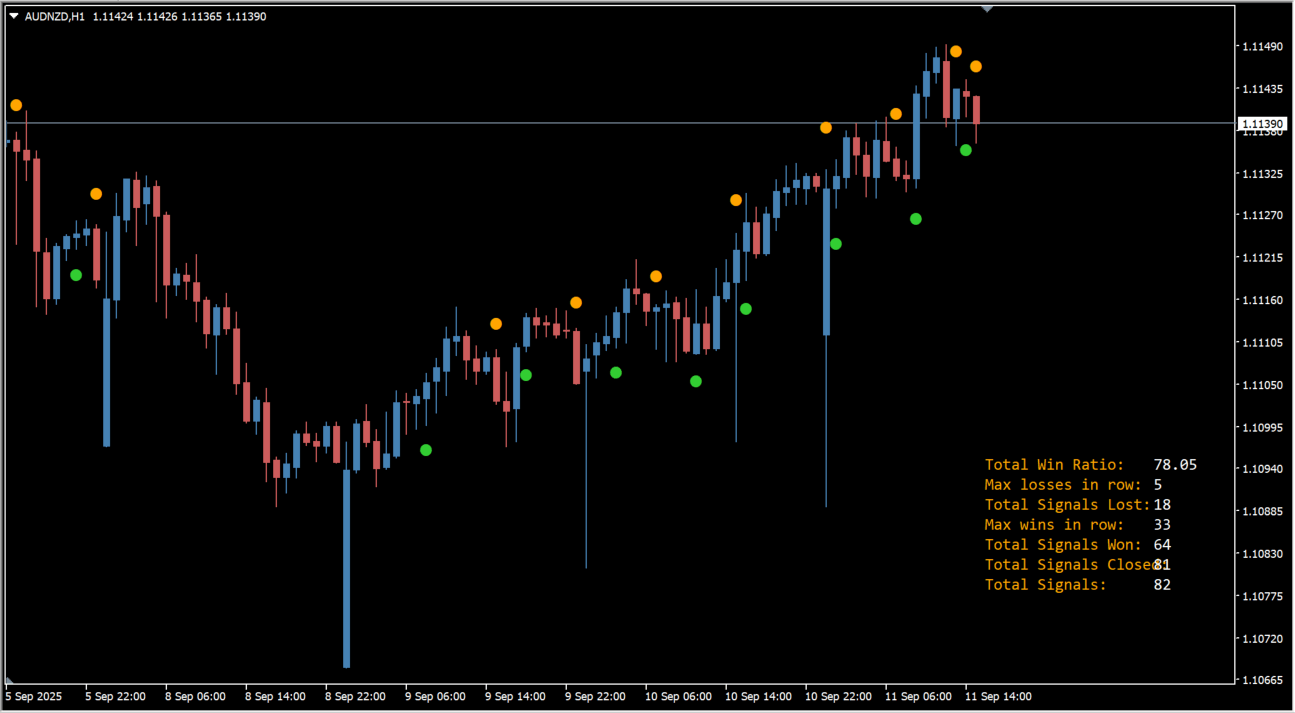
Green and orange signal dots with a dashboard panel appear when the indicator detects a signal. The dashboard reports total win ratio, won and lost signals, consecutive wins and losses, and total signals..
Where it helps
Audit dashboard totals
Read color-coded outcomes
Filter timing conditions
MT4 Indicator Parameters
The table below lists the available MT4 indicator parameters. You can customize these options in the MetaTrader Inputs dialog to match your trading preferences.
| Parameter | Description |
|---|---|
| -- Visual settings | Configuration group. |
| Corner where the dashboard will get anchored | Sets the chart corner where the dashboard is anchored. Default: Right upper chart corner. |
| Color for the dashboard text | Sets the dashboard text color. Default: Orange. |
| Color for the dashboard values | Sets the dashboard value color. Default: White. |
| Dashboard font | Selects the dashboard font. Default: Consolas. |
| Dashboard font size | Sets the dashboard text size. Default: 8. |
| Space level percentage between rows | Adjusts the spacing percentage between dashboard rows. Default: 100. |
| Dashboard Y Offset | Adjusts the dashboard vertical position. Default: 15. |
| Dashboard X Offset | Adjusts the dashboard horizontal position. Default: 180. |
| -- Calculation Settings | Configuration group. |
| Name of the ADX indicator | Sets the ADX indicator name used for signal calculations. Default: adx-cross-arrows-alerts. |
| How many bars to lookback for the signals | Sets how many historical bars are checked for signals. Default: 500. |
| -- ADX settings | Configuration group. |
| AdxPeriod | Sets the ADX calculation period. Default: 14. |
| Turn alerts on? | Enables or disables alerts. Default: false. |
| Alerts on still opened bar? | Enables or disables alerts on an unconfirmed bar. Default: false. |
| Alerts should display message? | Enables or disables pop-up alert messages. Default: true. |
| Alerts should play a sound? | Enables or disables sound alerts. Default: false. |
| Alerts should send a notification? | Enables or disables mobile notifications. Default: false. |
| Alerts should send an email? | Enables or disables email alerts. Default: false. |
| Sound file | Sets the alert sound filename. Default: alert2.wav. |
| Up Arrow size | Sets the size of upward signal arrows. Default: 2. |
| Down Arrow size | Sets the size of downward signal arrows. Default: 2. |
| Up Arrow code | Sets the code number for upward arrows. Default: 159. |
| Down arrow code | Sets the code number for downward arrows. Default: 159. |
| Up Arrow gap | Sets the gap between upward arrows and candles. Default: 0.5. |
| Dn Arrow gap | Sets the gap between downward arrows and candles. Default: 0.5. |
| Up Arrow Color | Sets the color of upward signal arrows. Default: LimeGreen. |
| Down Arrow Color | Sets the color of downward signal arrows. Default: Orange. |
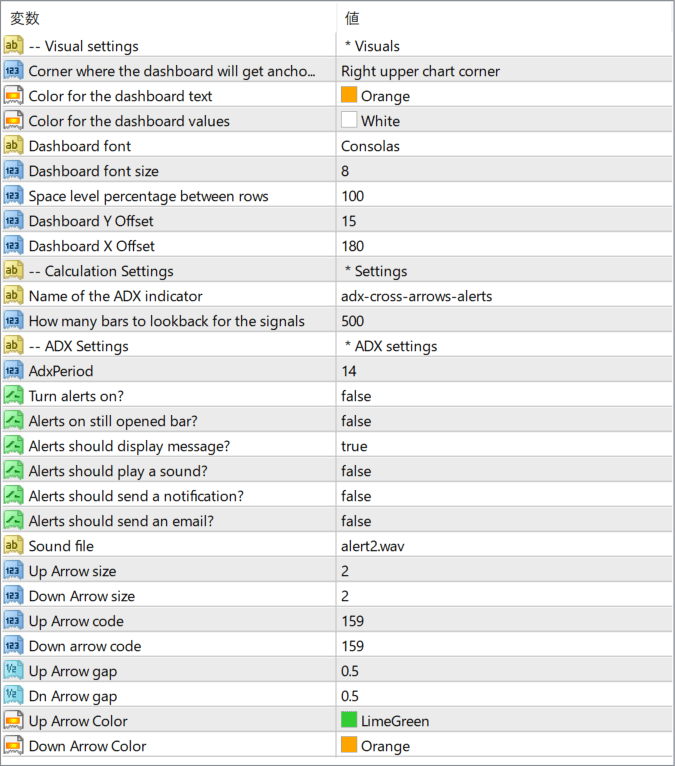
The screenshot above shows the default input parameters in the MT4 settings window.
How to Install .ex4 Indicator in MetaTrader 4
- Download the ZIP file and extract it.
- In MT4, select File → Open Data Folder.
- Open MQL4 → Indicators and copy the EX4 or MQ4 file into it.
- If the package includes library files, copy them to MQL4 → Libraries. Copy TPL files to the top-level templates folder.
- Restart MT4, find the indicator in the Navigator, and drag it onto a chart.
Test the tool on a demo account first. File contents and required folders can vary between packages.


