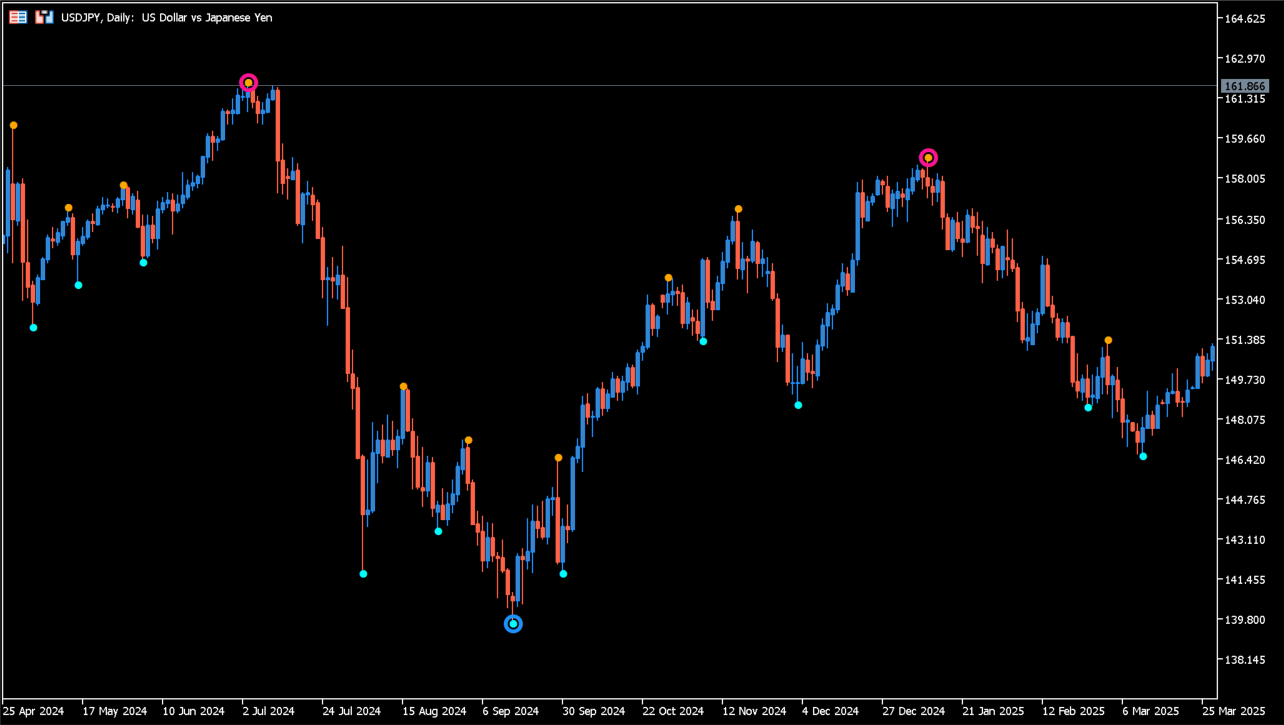
What is Boa ZigZag Arrows Duplex?
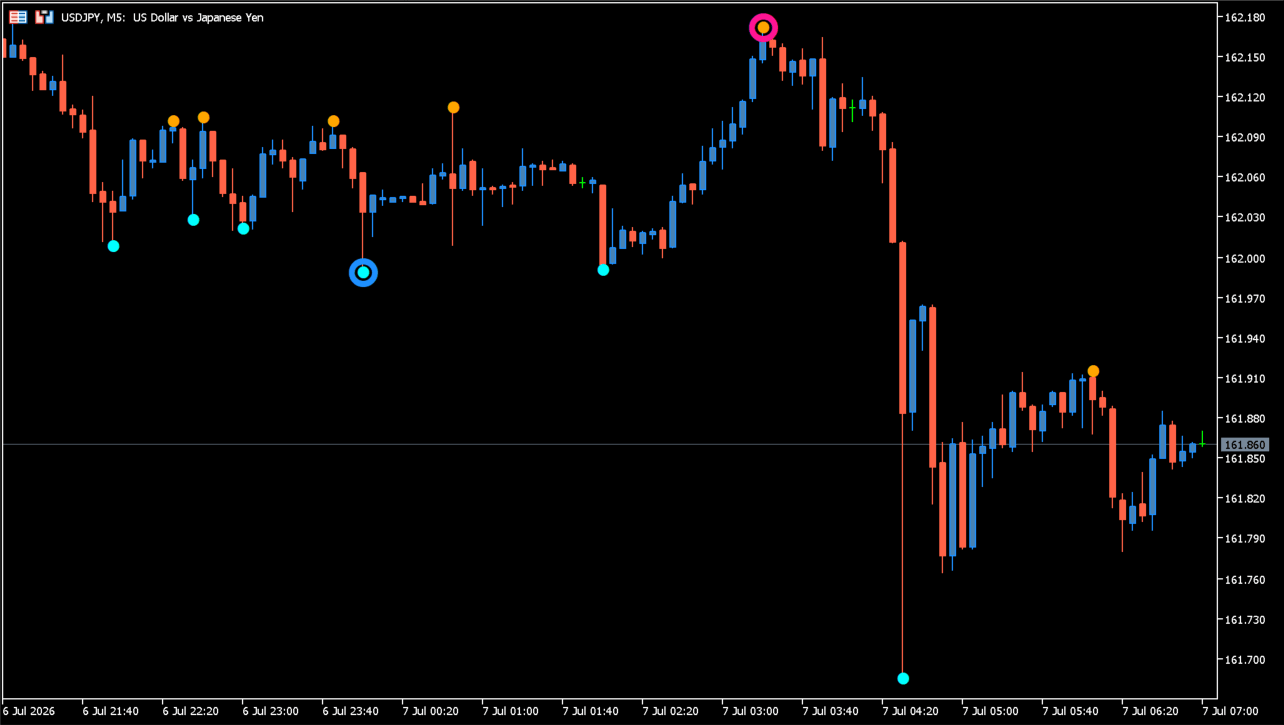
Boa ZigZag Arrows Duplex marks two calculated swing scales on an MT5 chart. Smaller orange and cyan dots show the faster scale, while larger pink and blue circles mark the slower scale.
Keeping the two scales visible together helps separate smaller turning points from broader swings. Developing ZigZag points can change as new price data arrives.
How to use Boa ZigZag Arrows Duplex
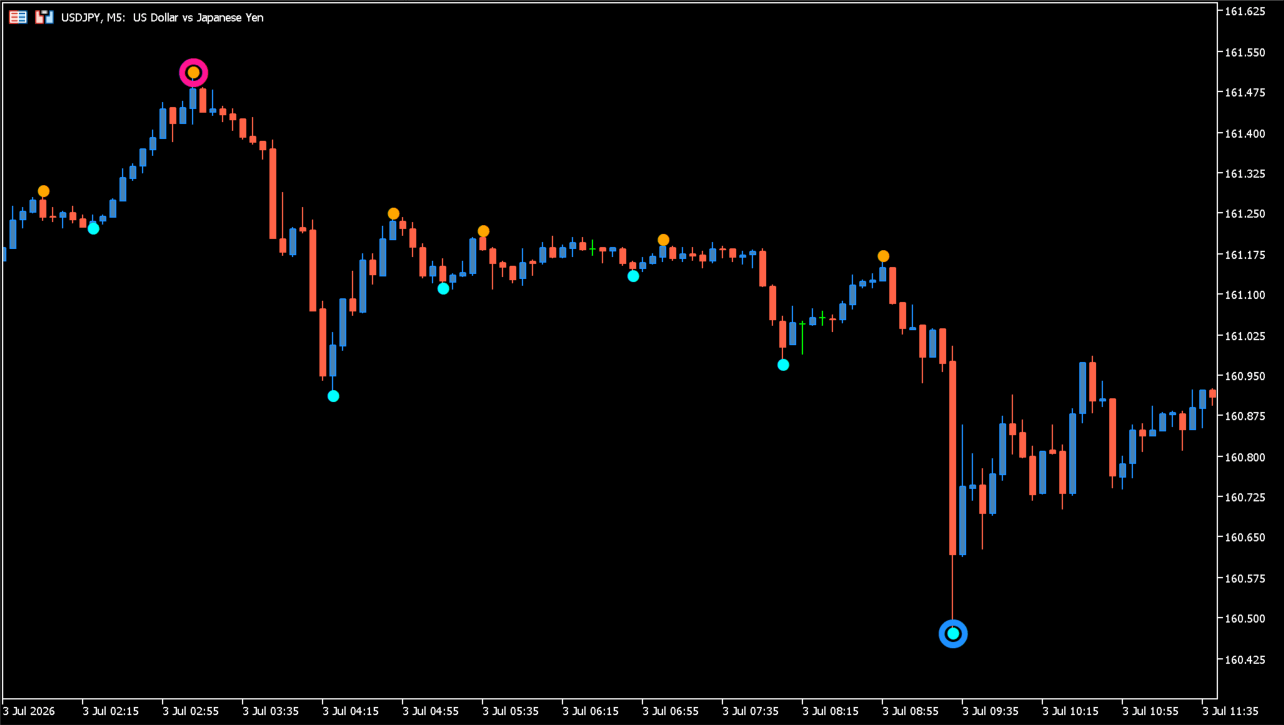
Review the fast dots and slow circles alongside visible highs, lows, and the surrounding candle structure. Treat each mark as a calculated pivot display rather than a fixed trading instruction.
Slow zigzag period changes the broader swing sensitivity, and fast zigzag period changes the smaller swing sensitivity.
Where it helps
Fast and slow ZigZag calculations are displayed together.
Dots and larger circles separate the two calculated outputs.
Each ZigZag scale has its own period input.
MT5 Indicator Parameters
The table below lists the available MT5 indicator parameters. You can customize these options in the MetaTrader Inputs dialog to match your trading preferences.
| Parameter | Description |
|---|---|
| slow zigzag period | Sets the period used for the slower ZigZag scale. Default: 42. |
| fast zigzag period | Sets the period used for the faster ZigZag scale. Default: 6. |
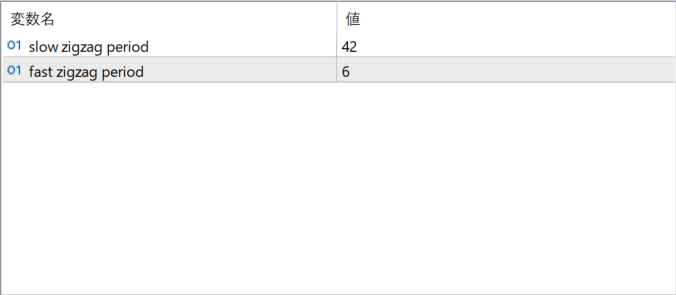
The screenshot above shows the default input parameters in the MT5 settings window.
How to Install .ex5 Indicator in MetaTrader 5
- Download the ZIP file and extract it.
- In MT5, select File → Open Data Folder.
- Open MQL5 → Indicators and copy the EX5 or MQ5 file into it.
- If the package includes library files, copy them to MQL5 → Libraries. Copy TPL files to the top-level templates folder.
- Restart MT5, find the indicator in the Navigator, and drag it onto a chart.
Test the tool on a demo account first. File contents and required folders can vary between packages.


