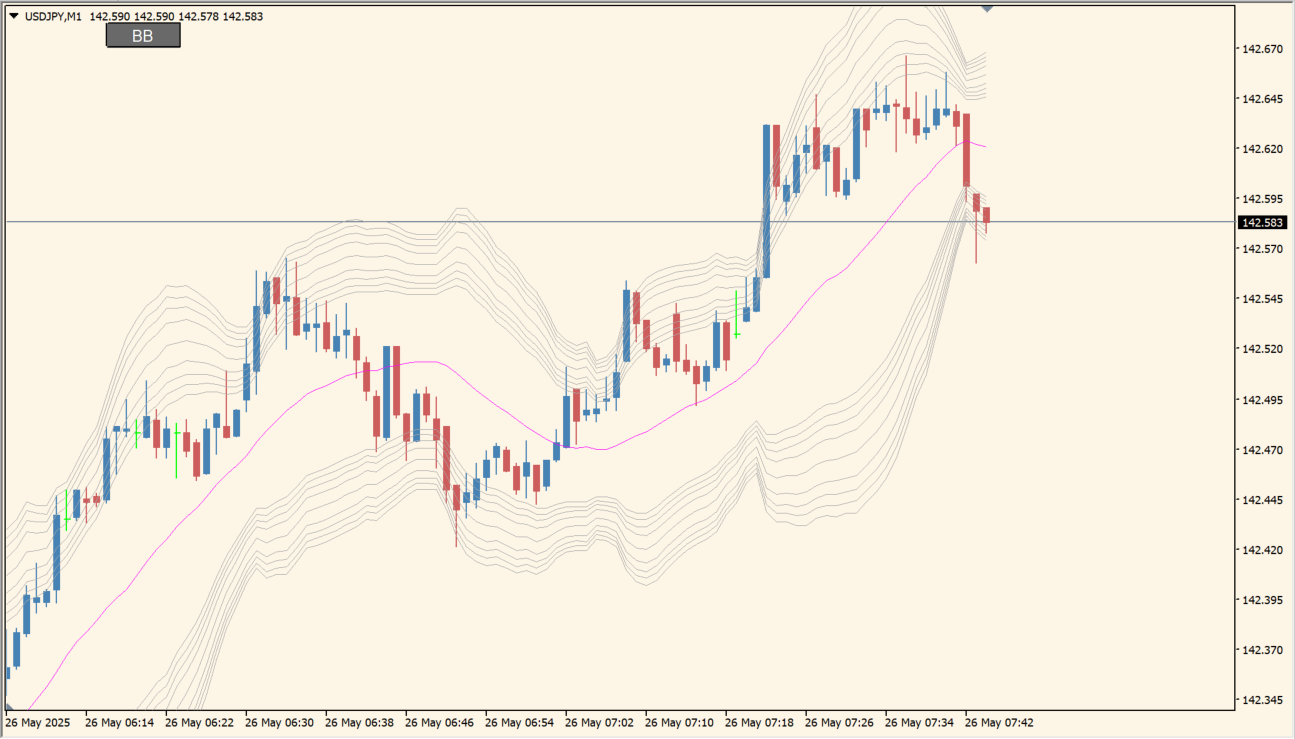
Overview of the Bollinger Band button
Bollinger Band button is an MT4 indicator that places multiple Bollinger Band layers on a chart. The bands are arranged as multiple reference layers, and the on-chart button lets you show or hide the display.
With several layers visible, you can review the distance of price from the displayed bands and changes in their spacing. The indicator provides chart context; it does not forecast price behavior.
How to Use It in Practice
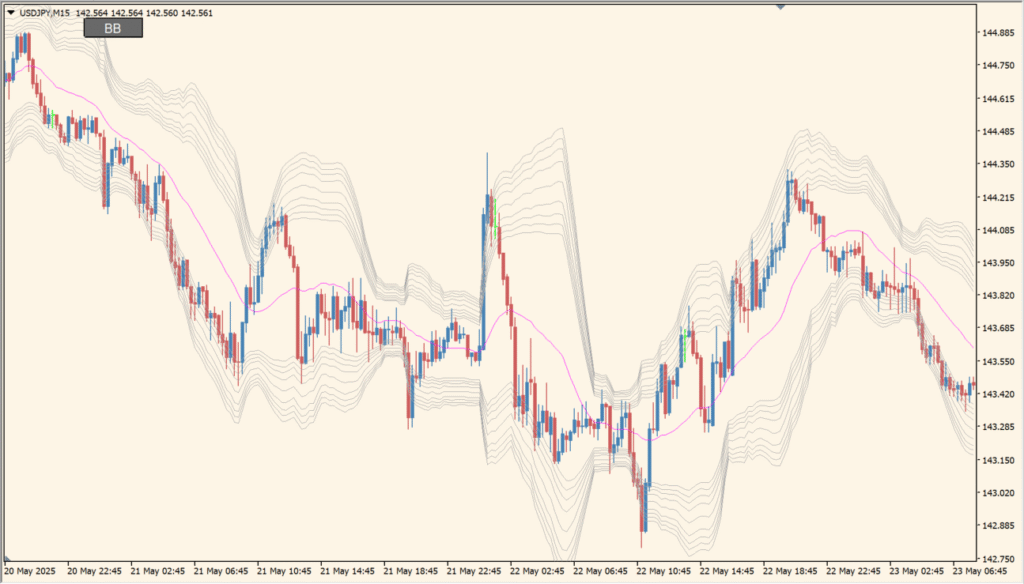
Fibonacci-spaced bands are the starting layout, and the deviation settings can instead be arranged as familiar 2-, 3-, or 4-standard-deviation layers. Keep the visible band set focused on the spacing you want to compare, and use the on-chart BB button when the layers are not needed.
- Compare the distance and spacing of the displayed band layers with the current candles.
- Use the BB button to hide all the layers together when viewing an uncluttered price chart is more useful.
- Adjust the deviation settings to inspect Fibonacci-spaced layers or a chosen set such as 2, 3, and 4 standard deviations.
- Keep extreme outer bands as display references rather than treating a touch as a standalone conclusion.
Several band layers are available in one chart view, the visibility button can reduce chart clutter, and the existing display options allow the layout to be adjusted for readability.
MT4 Indicator Parameters
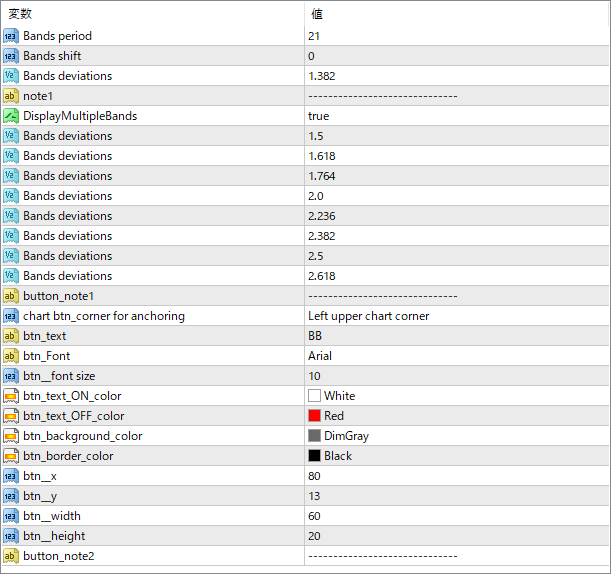
The screenshot above shows the default input parameters in the MT4 settings window.
| Parameter | Description |
|---|---|
| Bands period | Sets the period for calculating the moving average used in the Bollinger Bands. |
| Bands shift | Shifts the Bollinger Bands forward or backward in time. |
| Bands deviations | Standard deviation value for the base Bollinger Band layer. |
| DisplayMultipleBands | Set to true to show multiple Bollinger Band layers with different deviation levels. |
| Bands deviations 1〜9 | Additional standard deviation values for drawing extra layers of Bollinger Bands. Each level provides a different range of volatility coverage. |
| chart_btn_corner for anchoring | Sets the screen corner where the toggle button appears (e.g., left upper corner). |
| btn_text | Text label shown on the toggle button. |
| btn_Font | Font type used for the button label. |
| btn_font size | Font size of the button text. |
| btn_text_ON_color | Text color when the Bollinger Bands are displayed. |
| btn_text_OFF_color | Text color when the Bollinger Bands are hidden. |
| btn_background_color | Background color of the toggle button. |
| btn_border_color | Border color of the toggle button. |
| btn_x / btn_y | Pixel offsets for fine-tuning the button’s screen position. |
| btn_width / btn_height | Dimensions of the toggle button in pixels. |


