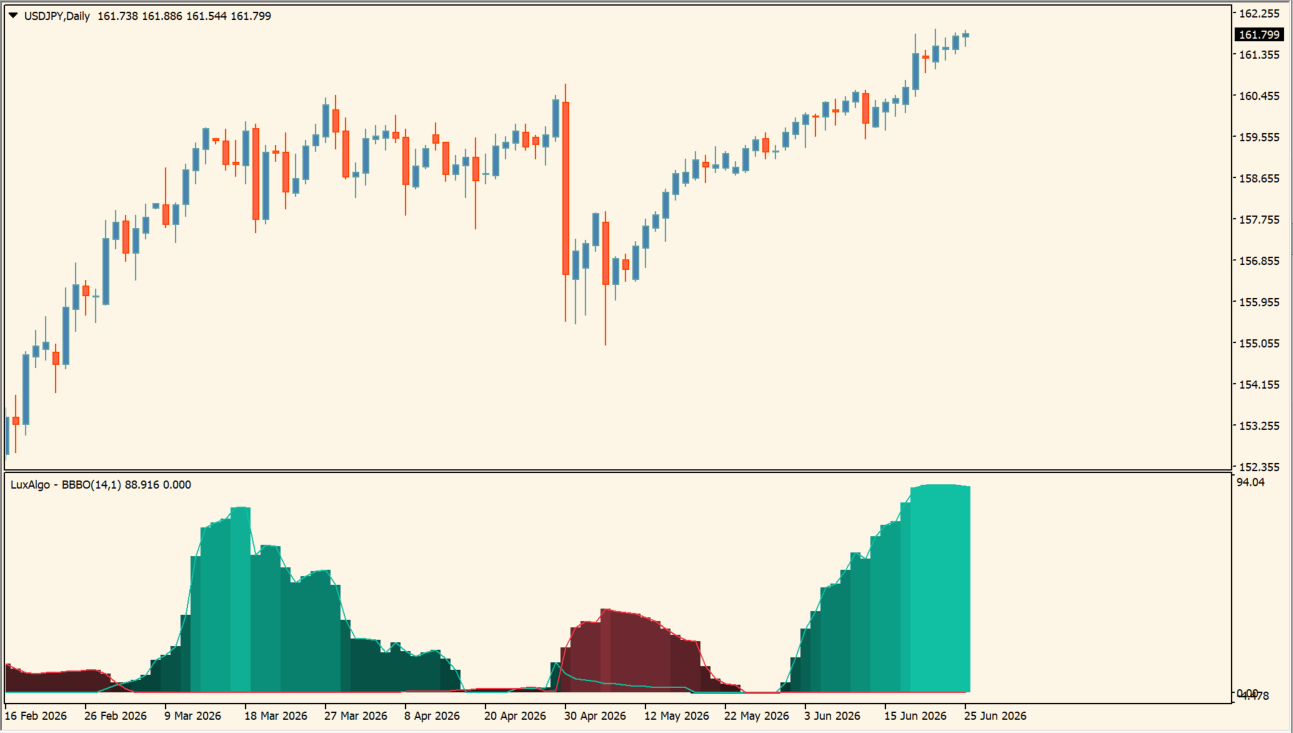
What is Bollinger Bands Breakout Oscillator?
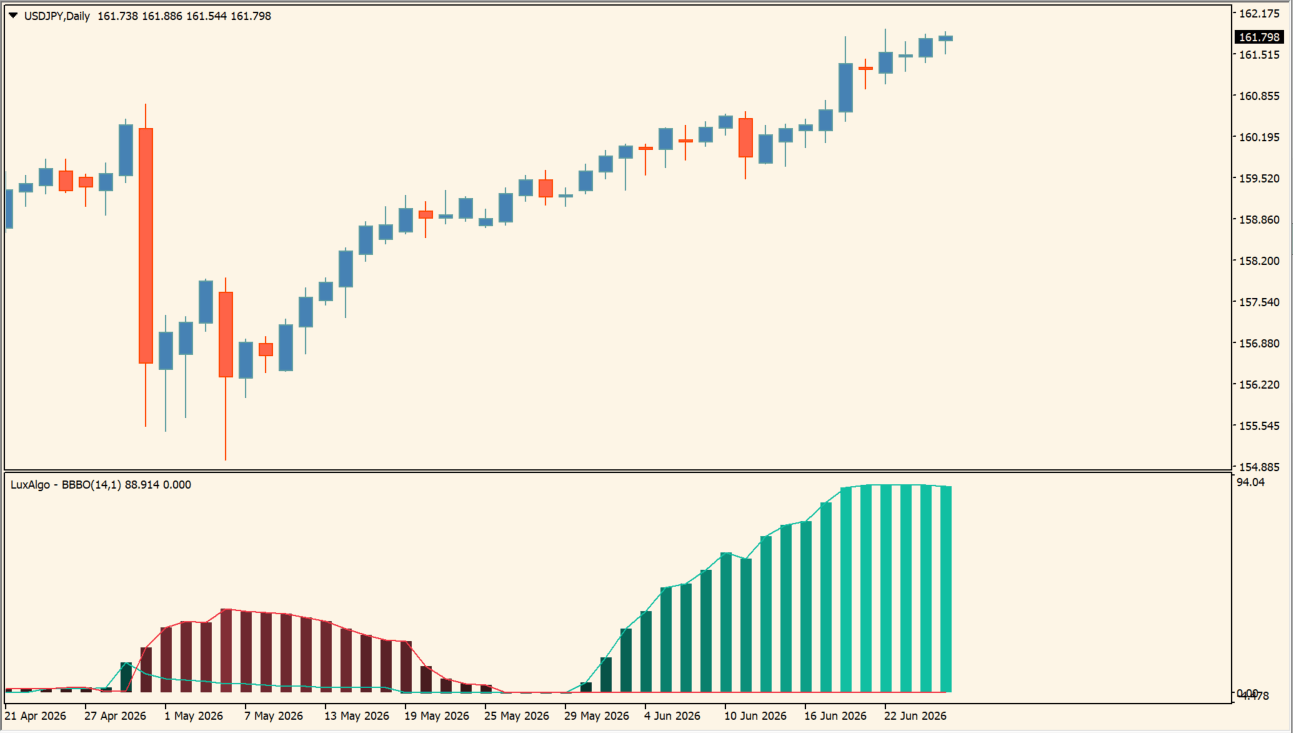
Bollinger Bands Breakout Oscillator is an MT4 sub-window oscillator that shows breakout strength as a green and red mountain-shaped histogram instead of chart arrows.
Bar size matters as much as bar color. The green histogram grows while an advance is strengthening and shrinks as that push fades, and the display switches to red when the move changes character and buying pressure weakens.
How to use Bollinger Bands Breakout Oscillator
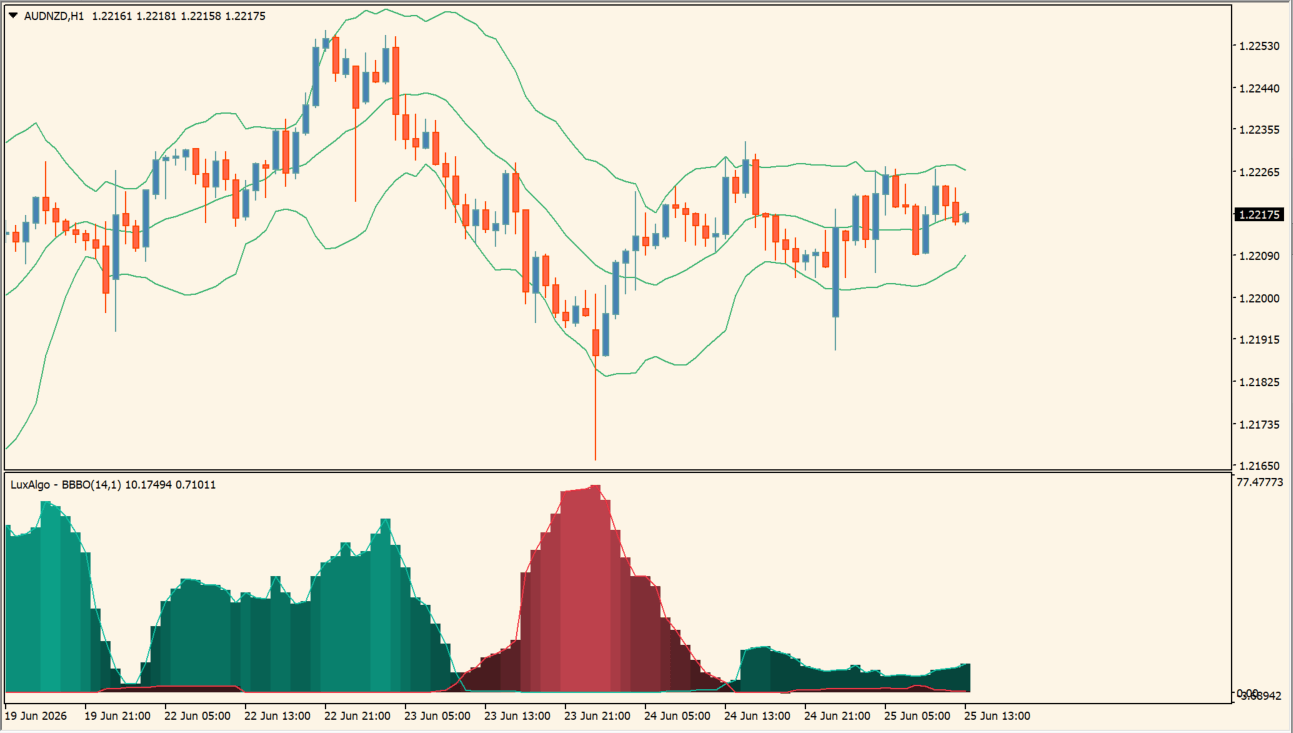
Read the histogram alongside the price chart to judge whether a breakout still has force behind it:
- When price posts a new high, check whether the histogram is extending at the same time.
- If price keeps rising while the bars are already contracting, treat it as fading momentum and a reason not to chase the move.
- Read a switch to red as a point where buying pressure has weakened or a correction may be starting.
- Adjust Length, Multiplier, and Source in the Inputs, and use the Trend Change alert with Wait for candle close when you would rather be notified than watch the pane.
Where it helps
The pane shows whether force continues after price leaves the band instead of only whether the band was crossed, shrinking bars can flag a stalling trend while price is still near its highs, and a contracting histogram after a large move gives a checkpoint before entering late.
MT4 Indicator Parameters
The table below lists the available MT4 indicator parameters. You can customize these options in the MetaTrader Inputs dialog to match your trading preferences.
| Parameter | Description |
|---|---|
| Calculation Length | Sets the lookback period used by the oscillator. Default: 14. |
| Band Multiplier | Sets the multiplier applied to the Bollinger Band calculation width. Default: 1.0. |
| Price Source | Selects the price field used in the calculation. Default: Close. |
| Alert Settings Section | Labels the alert-delivery input section. |
| Enable Popup Alerts | Turns MT4 popup alerts on or off. Default: false. |
| Enable Sound Alerts | Turns sound alerts on or off. Default: false. |
| Enable Email Alerts | Turns email alerts on or off. Default: false. |
| Enable Push Notifications | Turns mobile push notifications on or off. Default: false. |
| Wait for Candle Close | Waits for a completed candle before evaluating an alert. Default: true. |
| Alerts Section | Labels the final alert input section. |
| Alert on Trend Change | Alerts when the oscillator detects a direction change. Default: false. |
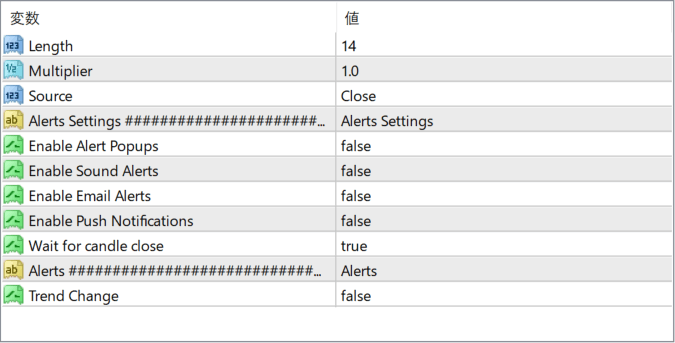
The screenshot above shows the default input parameters in the MT4 settings window.
How to Install .ex4 Indicator in MetaTrader 4
- Download the ZIP file and extract it.
- In MT4, select File → Open Data Folder.
- Open MQL4 → Indicators and copy the EX4 or MQ4 file into it.
- If the package includes library files, copy them to MQL4 → Libraries. Copy TPL files to the top-level templates folder.
- Restart MT4, find the indicator in the Navigator, and drag it onto a chart.
Test the tool on a demo account first. File contents and required folders can vary between packages.


