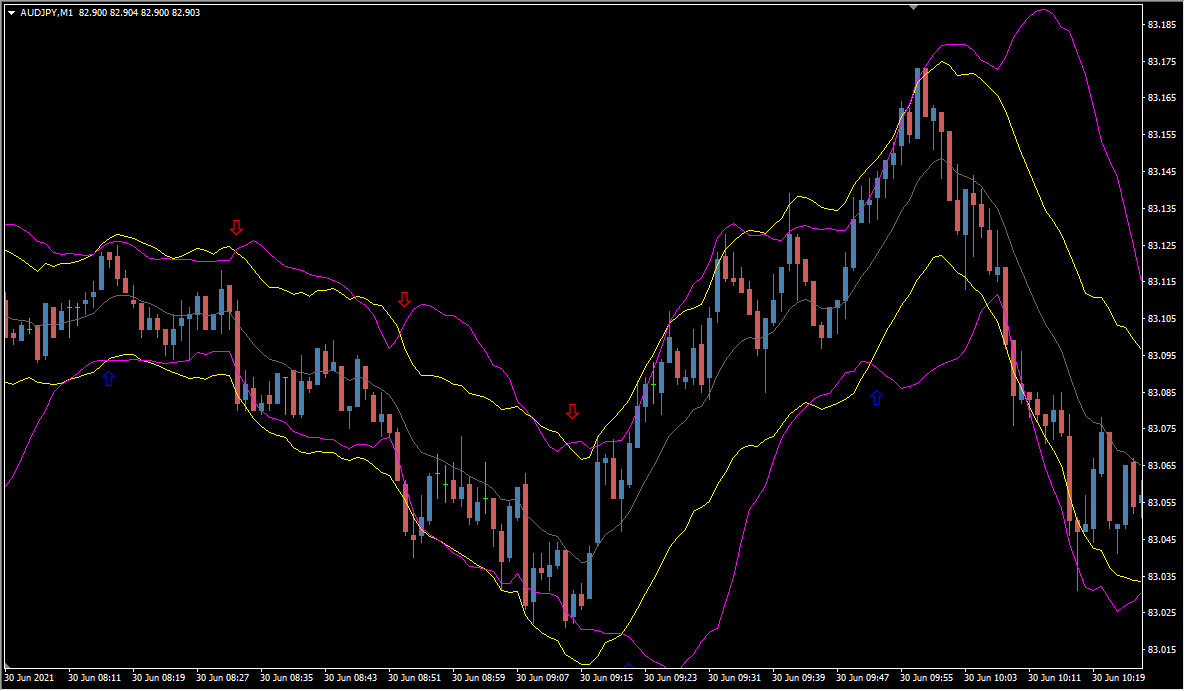
What is Bollinstar?
Bollinstar prints a signal on MT4 when the envelope crosses the Bollinger Band (the STARC band). It fires relatively often and is an all-round type.
How to use Bollinstar
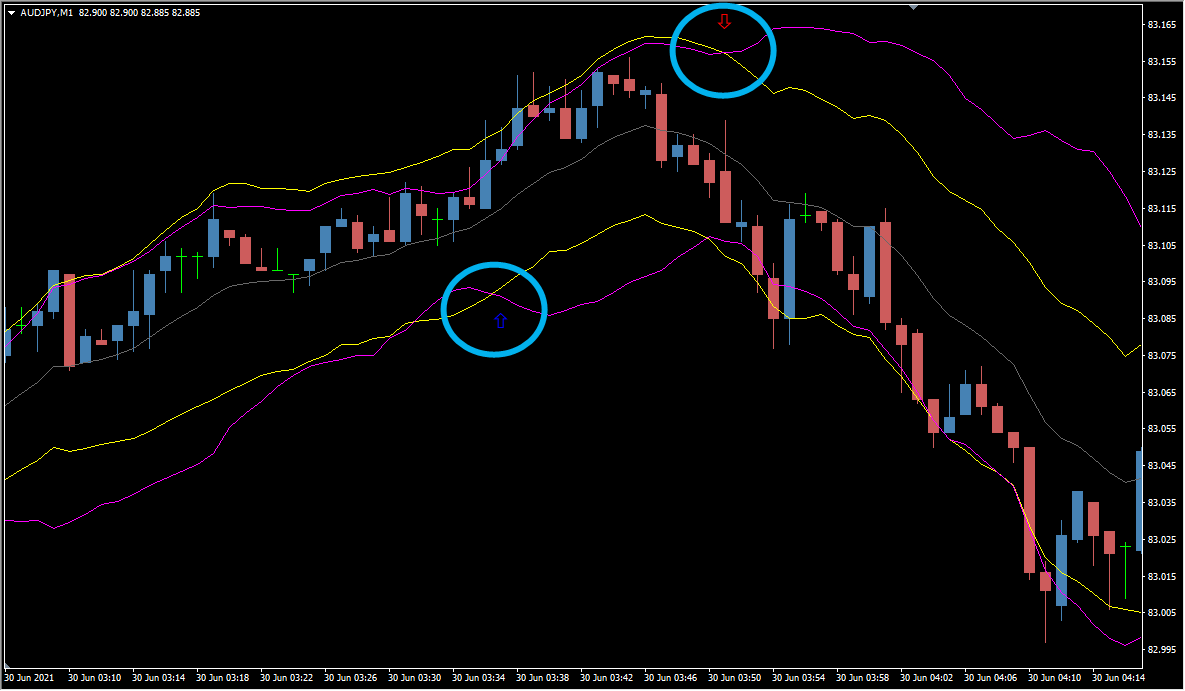
A signal appears when the envelope crosses the Bollinger Band from the outside back to the inside.
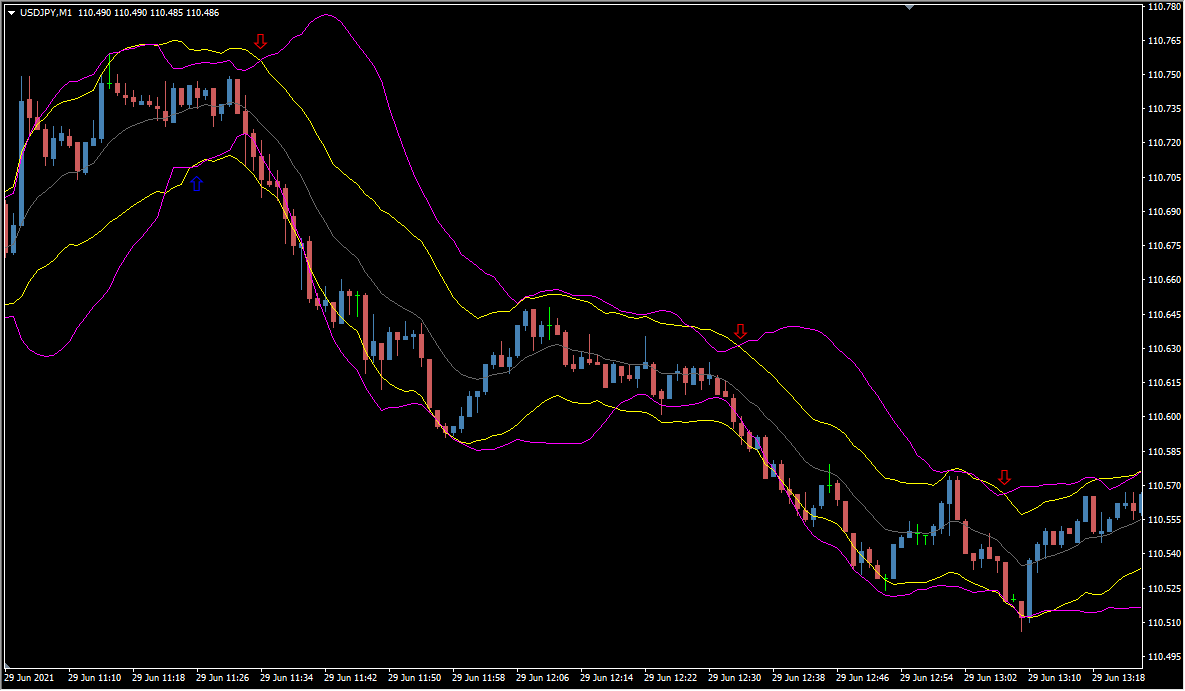
Bollinstar is fundamentally a counter-trend tool.
It combines a STARC band — whose logic takes ATR into account — with a Bollinger Band.
According to the developer, the recommended timeframes are M5 through H1, and when adjusting where the arrows appear, moving the Bollinger Band period works better than moving the envelope period.
MT4 Indicator Parameters
The table below lists the available MT4 indicator parameters. You can customize these options in the MetaTrader Inputs dialog to match your trading preferences.
| Parameter | Description |
|---|---|
| BB_Period | — |
| BB_Deviations | Adjusts the width of the bands. |
| MA_Period | Changes the envelope. |
| ATR_Period | — |
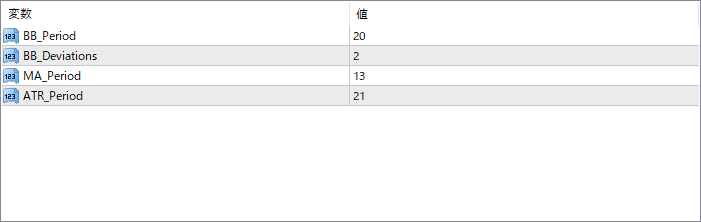
The screenshot above shows the default input parameters in the MT4 settings window.
How to Install .ex4 Indicator in MetaTrader 4
- Download the ZIP file and extract it.
- In MT4, select File → Open Data Folder.
- Open MQL4 → Indicators and copy the EX4 or MQ4 file into it.
- If the package includes library files, copy them to MQL4 → Libraries. Copy TPL files to the top-level templates folder.
- Restart MT4, find the indicator in the Navigator, and drag it onto a chart.
Test the tool on a demo account first. File contents and required folders can vary between packages.


