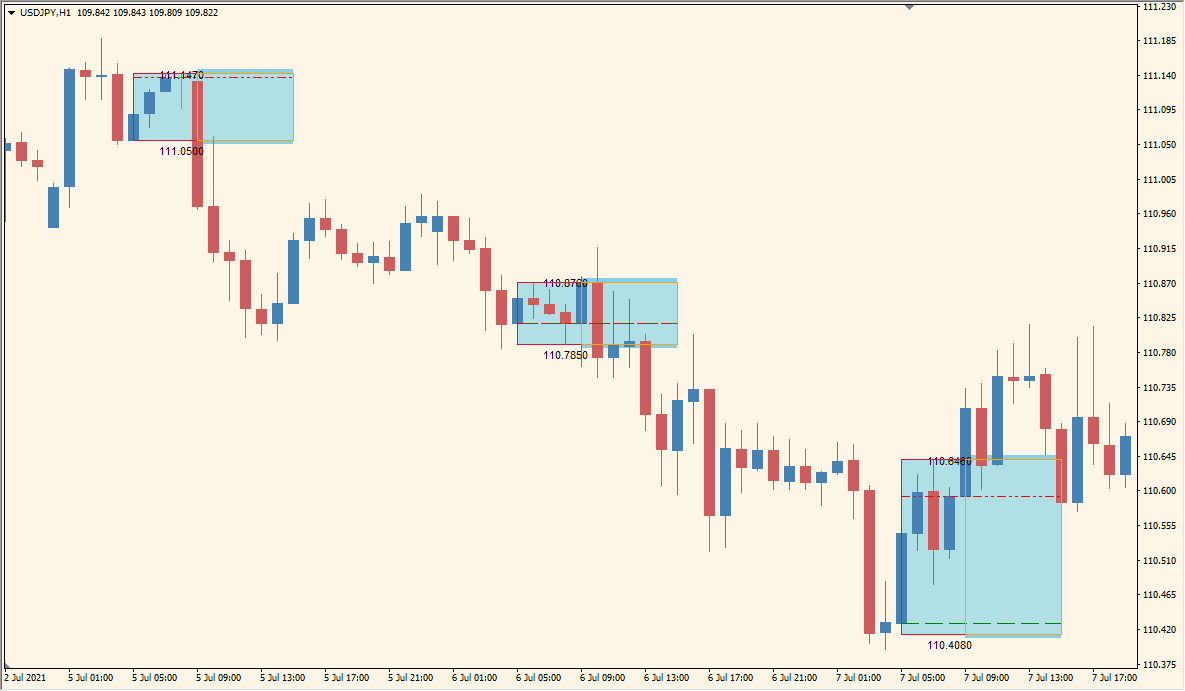
What is BreakOut BOX 5 Asian Session Indicator?
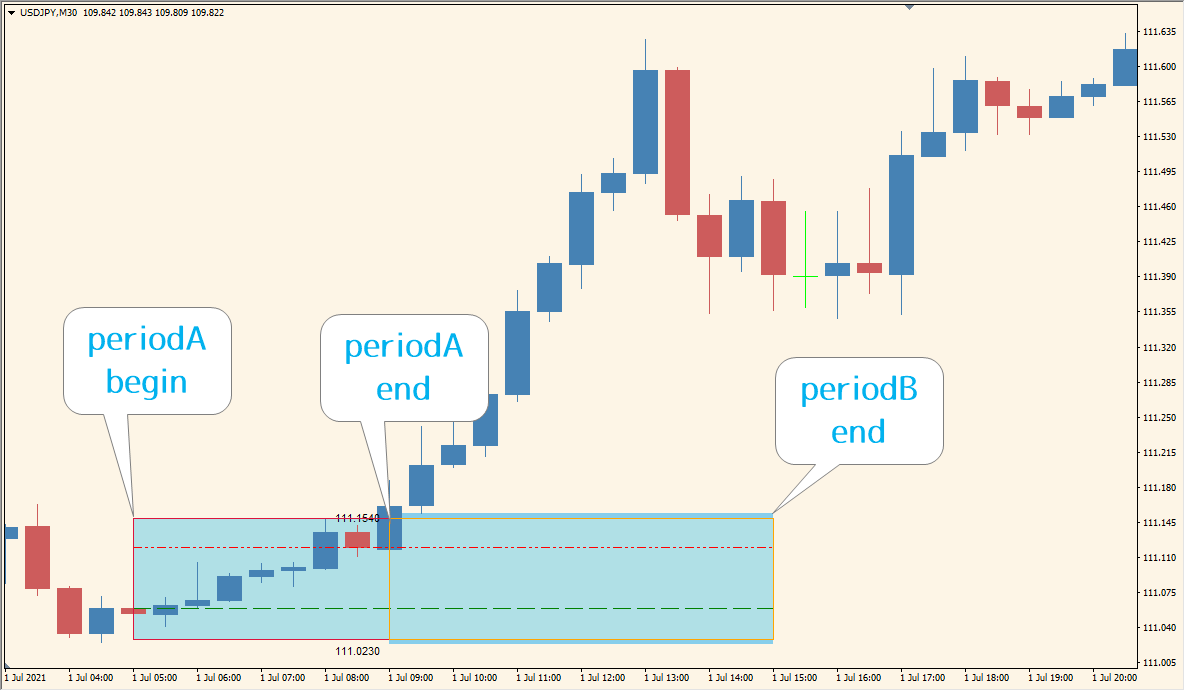
BreakOut BOX 5 is an MT4 indicator that marks the high and low of configured time windows with colored boxes and chart text. Up to three periods can be defined, with separate settings for their start and end times, colors, and background display.
The boxes organize session ranges and make their boundaries easier to compare with later price behavior. They are visual references for chart context rather than instructions about what should happen after a range is formed.
How to Use It in Practice
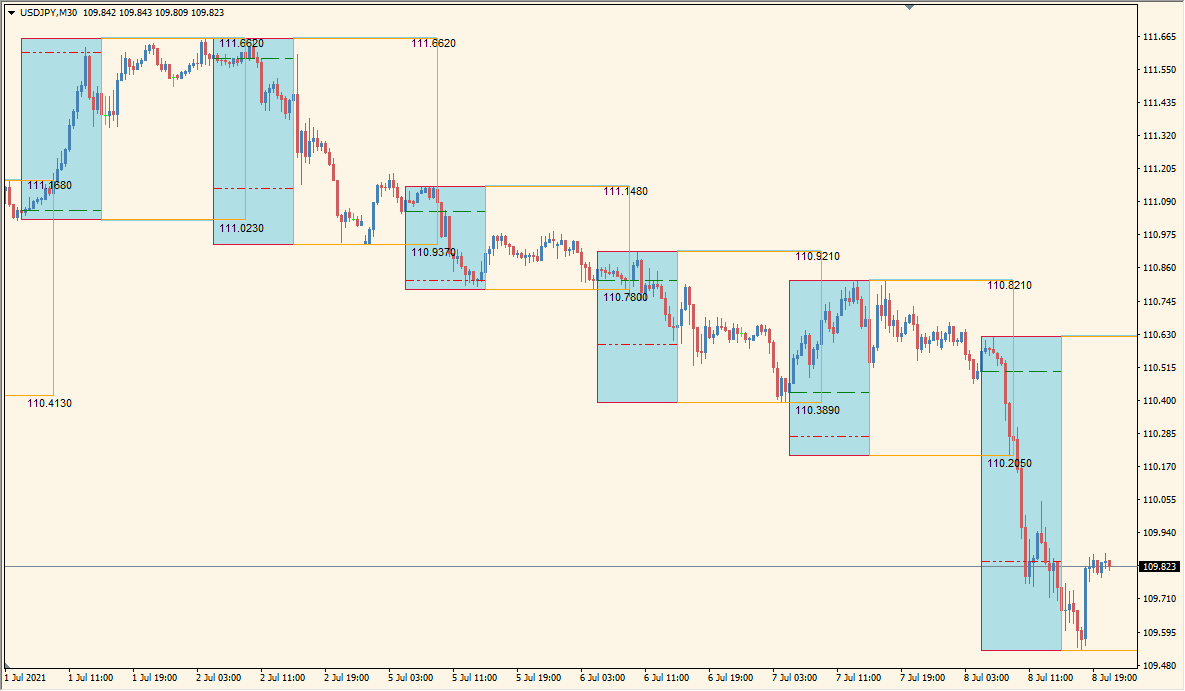
Configure the time windows first, then inspect the high-low box created for each one. For example, Period A begins at 05:00, its high and low are marked at 09:00, and the box remains open until the 15:00 Period B end; these times are adjustable chart-time settings, not fixed universal session labels.
- Set PeriodA_begin, PeriodA_end, and PeriodB_end to the chart-time interval whose high and low you want to retain.
- Review the box edges with candles that form before, during, and after the selected interval.
- Use NumberOfDays and the next-day options to control how much of the completed range history is shown.
- Adjust rectangle colors, background settings, and screen text options so the range boundaries remain readable.
Several configurable time windows can be reviewed on one chart, colored boxes make session boundaries easy to locate, and display settings help organize historical range context.
MT4 Indicator Parameters
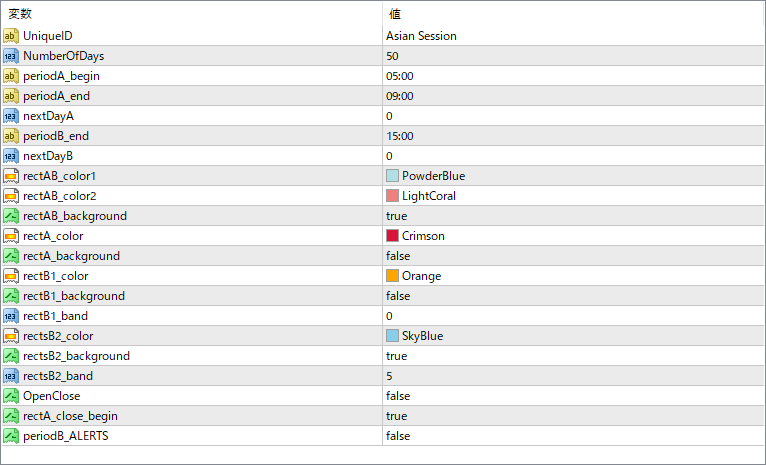
The screenshot above shows the default input parameters in the MT4 settings window.
| Parameter | Description |
|---|---|
| UniqueID | A label to distinguish multiple instances of the indicator on the same chart. Useful when monitoring multiple sessions separately. |
| NumberOfDays | Defines how many past days the session boxes should be displayed on the chart. |
| periodA0_begin / periodA0_end | Sets the start and end times for the first session (e.g., Asian session). |
| nextDayA | If set to true, the session will be drawn on the following day. Useful for overnight sessions crossing midnight. |
| periodB1_begin / periodB1_end | Sets the time range for the second session (e.g., London session). |
| nextDayB | Similar to nextDayA, applies to the second session for handling cross-day timing. |
| rectAB_color / rectAB_background | Defines the color and fill background for the full session A+B range box. |
| rectA_color / rectA_background | Defines the color and fill background for session A’s box only. |
| rectB1_color / rectB1_background | Defines the color and background for session B1 (second time block). |
| rectB1_band | Sets an offset in pips above and below the box for B1, useful for setting breakout buffer zones. |
| rectsB2_color / rectsB2_background | Defines the color and fill setting for the third session box. |
| rectsB2_band | Like rectB1_band, sets breakout buffer for the third session box. |
| OpenClose | If enabled, shows open-close price lines within the boxes. |
| rectA_close_begin | If true, the box closes at the session’s starting candle’s close rather than high/low. |
| periodB_ALERTS | Enables alerts for breakout or session activity for session B. Useful for active monitoring. |


