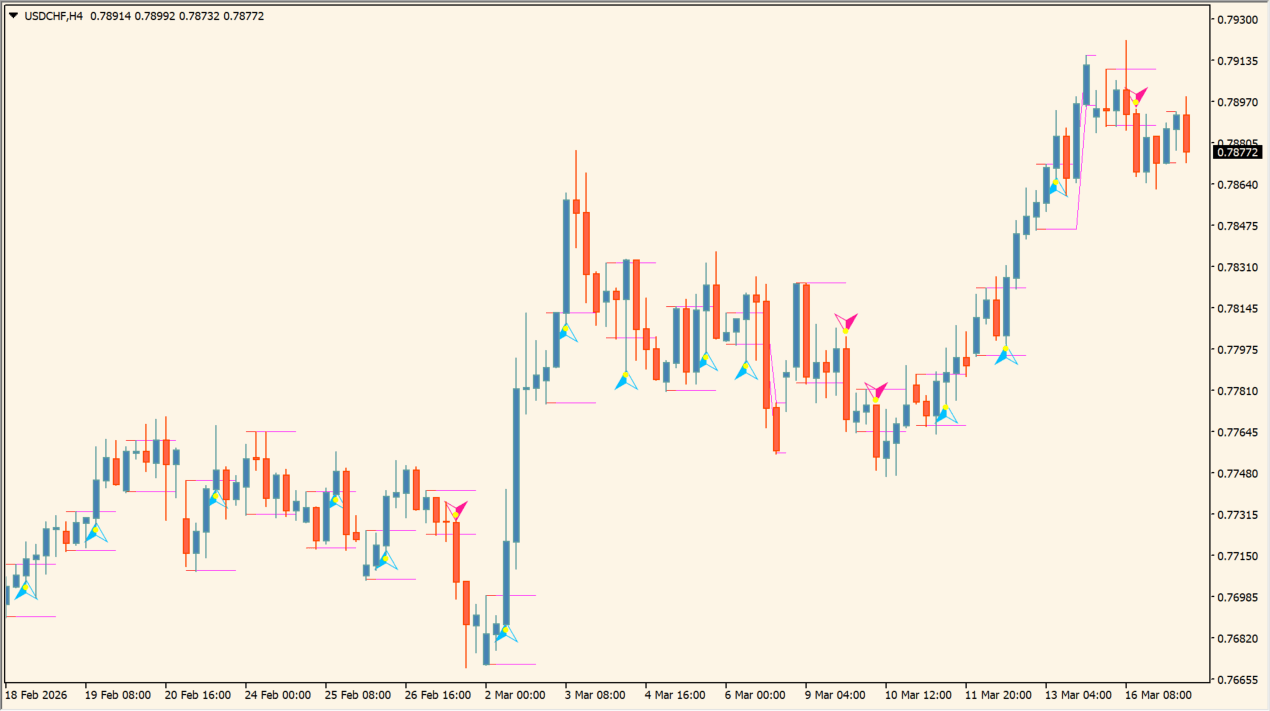
What is Breakout_v3.0?
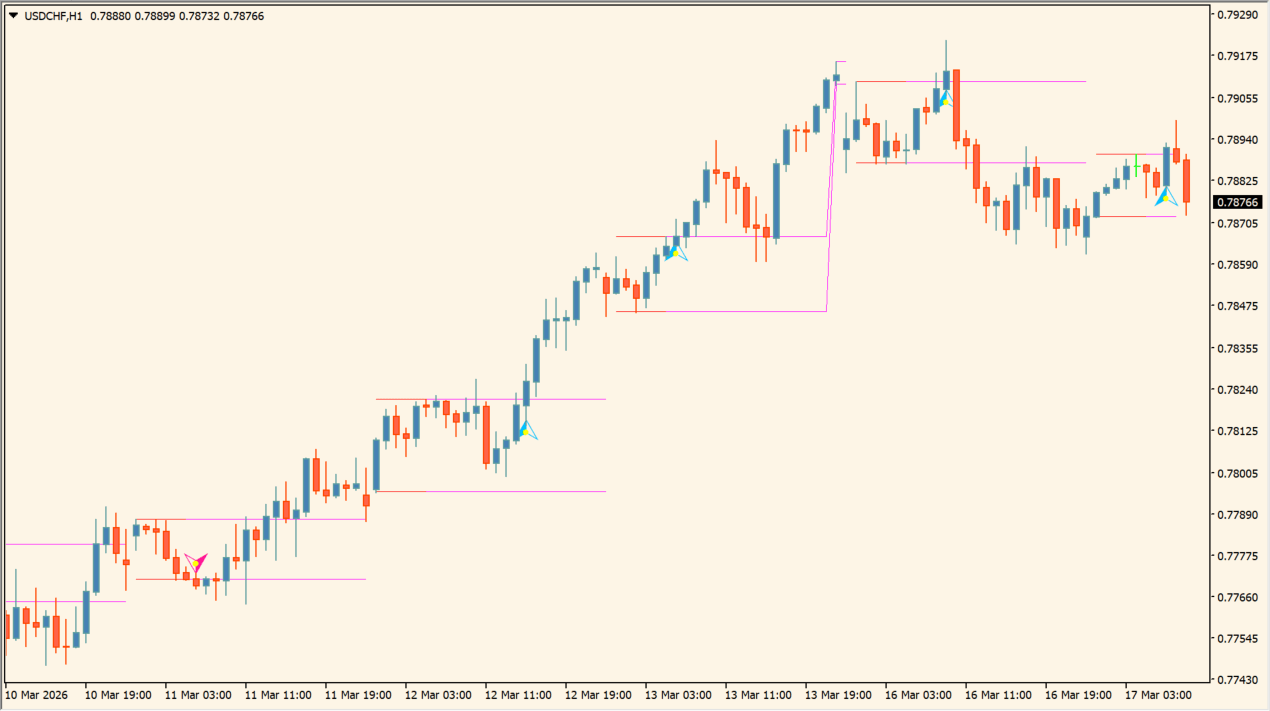
Breakout_v3.0 is an MT4 breakout indicator designed to calculate high and low price boundaries during specific custom session hours and plot breakout target lines on chart.
How to use Breakout_v3.0
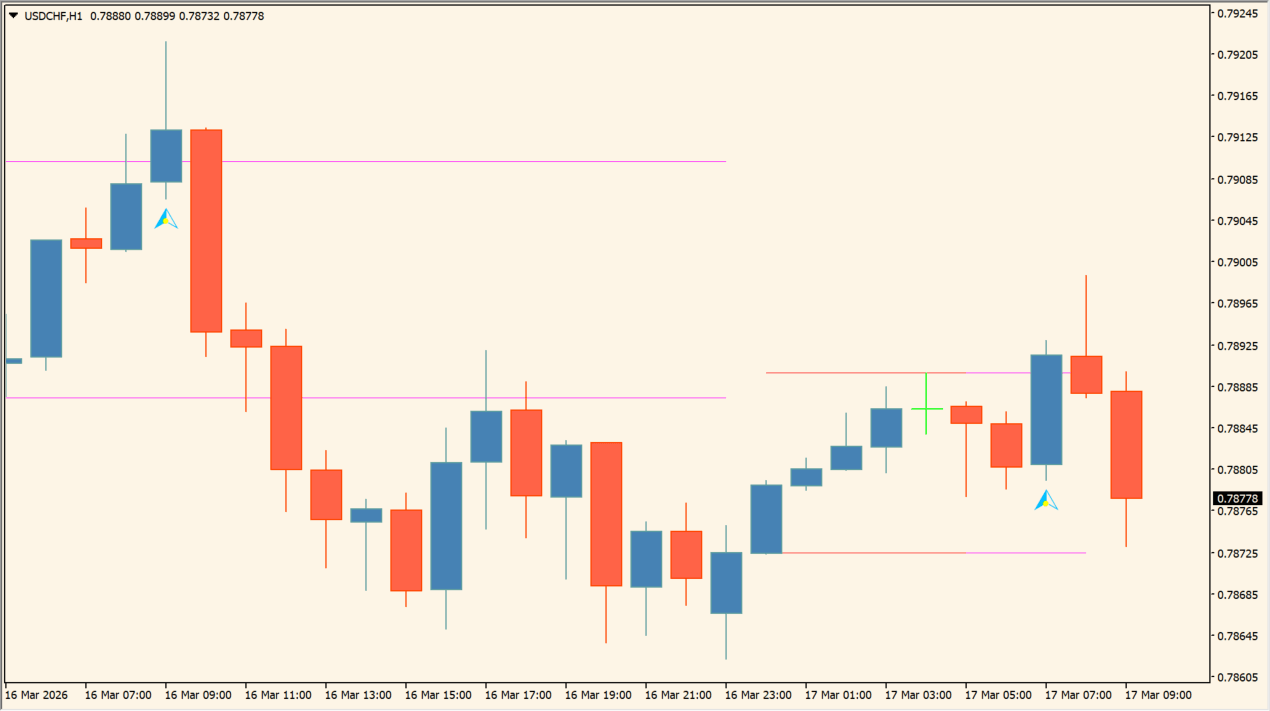
Configure session start and end times in inputs to display high/low breakout boxes. Observe price movement relative to upper and lower session bounds as price leaves the range.
Where it helps
Displays high and low price range boxes for custom session hours on chart.
Configures custom session start, end, and box extension times.
Optionally restricts maximum breakout signal arrows plotted per trading day.
MT4 Indicator Parameters
The table below lists the available MT4 indicator parameters. You can customize these options in the MetaTrader Inputs dialog to match your trading preferences.
| Parameter | Description |
|---|---|
| PeriodBegin | Sets the start time for the breakout box calculation. Default: 00:00. |
| PeriodEnd | Sets the end time for the breakout box calculation. Default: 05:00. |
| BoxEnd | Sets the end time for extending the breakout box display. Default: 23:00. |
| MaxSignalsPerDay | Sets maximum breakout signals permitted per day. Default: 1. |
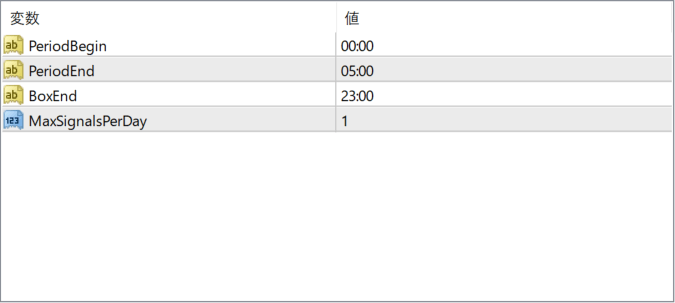
The screenshot above shows the default input parameters in the MT4 settings window.
How to Install .ex4 Indicator in MetaTrader 4
- Download the ZIP file and extract it.
- In MT4, select File → Open Data Folder.
- Open MQL4 → Indicators and copy the EX4 or MQ4 file into it.
- If the package includes library files, copy them to MQL4 → Libraries. Copy TPL files to the top-level templates folder.
- Restart MT4, find the indicator in the Navigator, and drag it onto a chart.
Test the tool on a demo account first. File contents and required folders can vary between packages.


