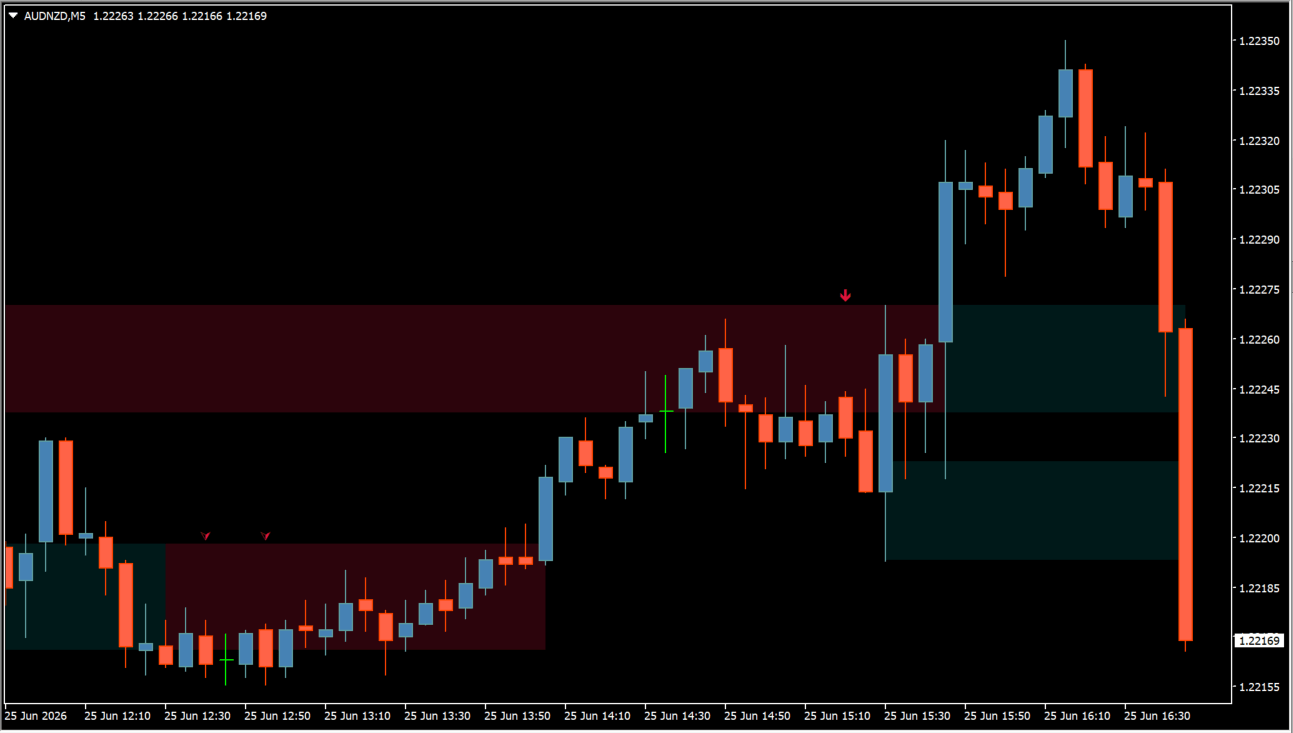
What is Breakouts Tests & Retests?
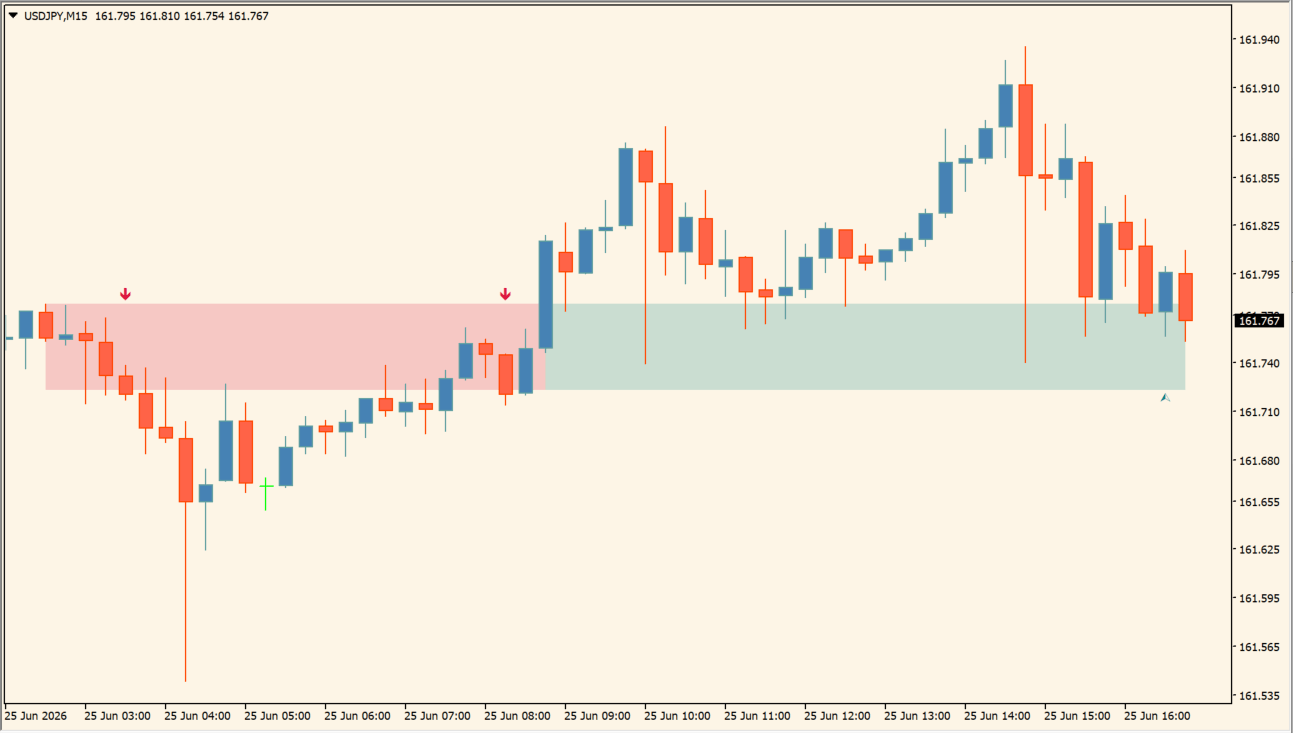
Breakouts Tests & Retests plots colored zones around previously broken levels where price later returns. Teal and crimson areas distinguish the displayed sides, while markers identify detected test or retest activity around those areas.
The zones preserve a reaction area rather than one exact price line. Use them to compare post-breakout price behavior with nearby structure and chart context.
How to use Breakouts Tests & Retests
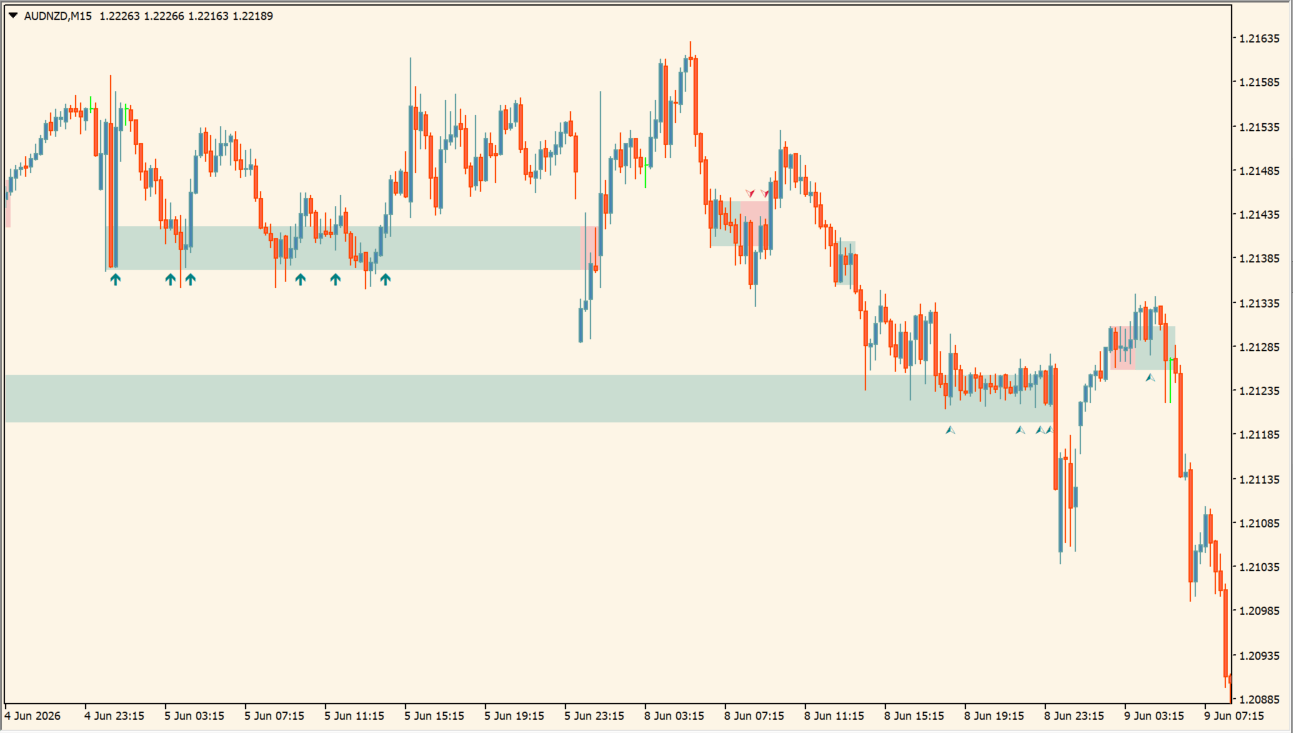
Read the colored areas as the post-breakout return zones shown by the indicator, not as single horizontal prices. Compare the marker and the candles that revisit a former level with the nearby swing structure; if price moves beyond the displayed zone, re-evaluate the marked context rather than retaining the earlier interpretation.
Where it helps
Former breakout areas remain visible as zones, markers add context around detected tests or retests, and display controls help keep the review focused.
MT4 Indicator Parameters
The table below lists the available MT4 indicator parameters. You can customize these options in the MetaTrader Inputs dialog to match your trading preferences.
| Parameter | Description |
|---|---|
| Parameters Section | Labels the main input section; it does not change the calculation. |
| Display Direction | Chooses whether bullish, bearish, or both zone types are shown. Default: Both. |
| Zone or Line Width | Controls the width used by the plotted test and retest display. Default: 1.0. |
| Maximum Bars | Limits the number of historical bars used for calculation and display. Default: 500. |
| Test/Retest Labels | Selects which test and retest labels are displayed. Default: All. |
| Minimum Bars | Sets the minimum bar requirement used by the detection logic. Default: 0. |
| Return to Last Retest | Keeps the display referenced to the most recent retest when enabled. Default: true. |
| Swings Section | Labels the swing-detection section; it does not change the calculation. |
| Left Swing Bars | Sets the number of bars checked to the left of a swing point. Default: 10. |
| Right Swing Bars | Sets the number of bars checked to the right of a swing point. Default: 1. |
| Style Section | Labels the display section; it does not change the calculation. |
| Bullish Color | Sets the primary bullish zone and marker color. Default: Teal. |
| Secondary Bullish Color | Sets the secondary color used by the bullish display. Default: Crimson. |
| Bearish Color | Sets the primary bearish zone and marker color. Default: Crimson. |
| Secondary Bearish Color | Sets the secondary color used by the bearish display. Default: Teal. |
| Label Size | Sets the size of the test and retest labels or markers. Default: 8. |
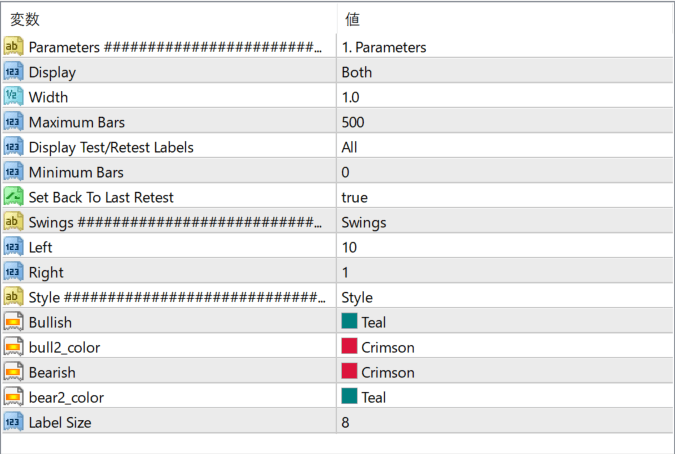
The screenshot above shows the default input parameters in the MT4 settings window.
How to Install .ex4 Indicator in MetaTrader 4
- Download the ZIP file and extract it.
- In MT4, select File → Open Data Folder.
- Open MQL4 → Indicators and copy the EX4 or MQ4 file into it.
- If the package includes library files, copy them to MQL4 → Libraries. Copy TPL files to the top-level templates folder.
- Restart MT4, find the indicator in the Navigator, and drag it onto a chart.
Test the tool on a demo account first. File contents and required folders can vary between packages.


