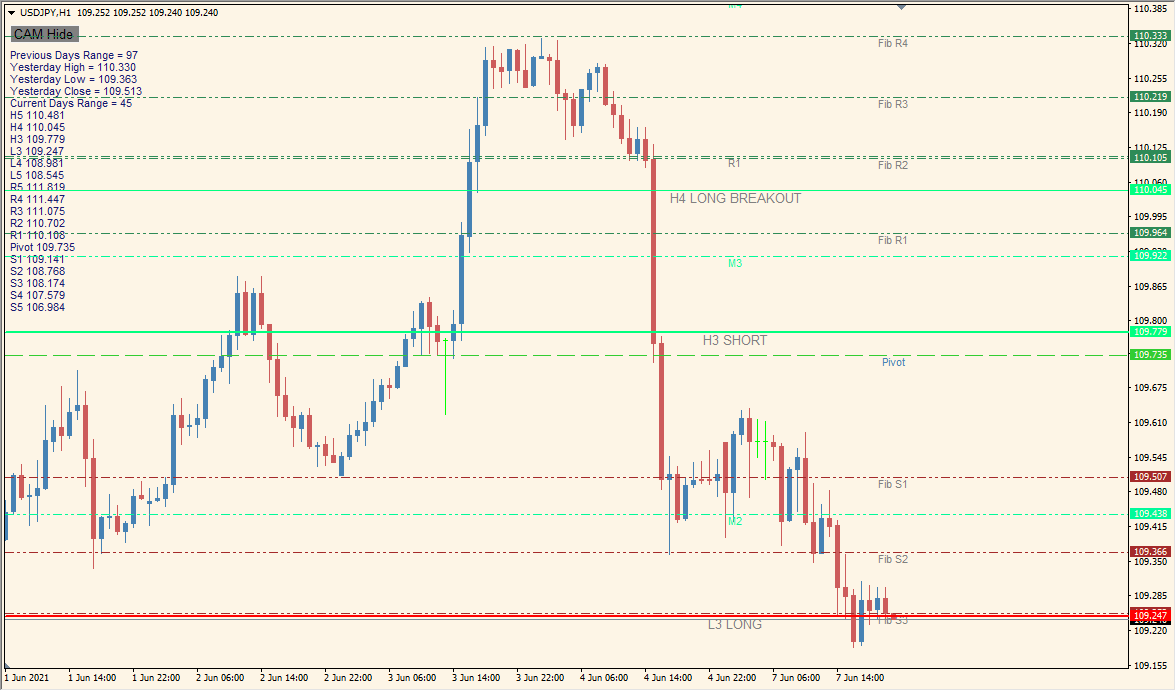
What is camarilladt_w_toggle Indicator?
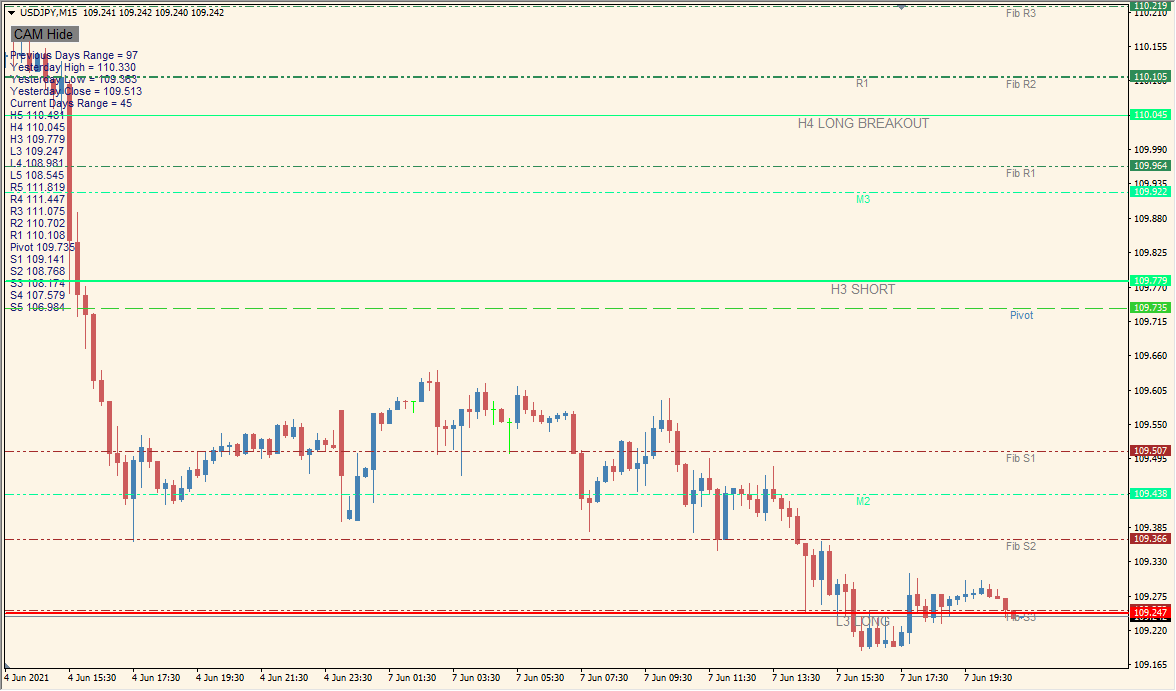
camarilladt_w_toggle combines Camarilla levels, a central pivot line, and optional Fibonacci levels in one MT4 display. The available settings cover line visibility, labels, colors, and level configuration.
The displayed levels provide visual reference points for chart review. They describe chart context rather than a fixed outcome or prediction.
How to Use It in Practice
Use the indicator to review the displayed level references:
- Add the indicator and review the Camarilla and pivot references displayed on the chart.
- Use the on-chart control to show or hide the level display as needed.
- Enable the optional Fibonacci display in the existing Inputs when those references are needed.
- Compare price behavior around the displayed lines with the broader chart context.
Camarilla, pivot, and optional Fibonacci references appear in one display, visibility controls can keep the chart easier to review, and existing settings provide control over labels, colors, and displayed levels.
MT4 Indicator Parameters
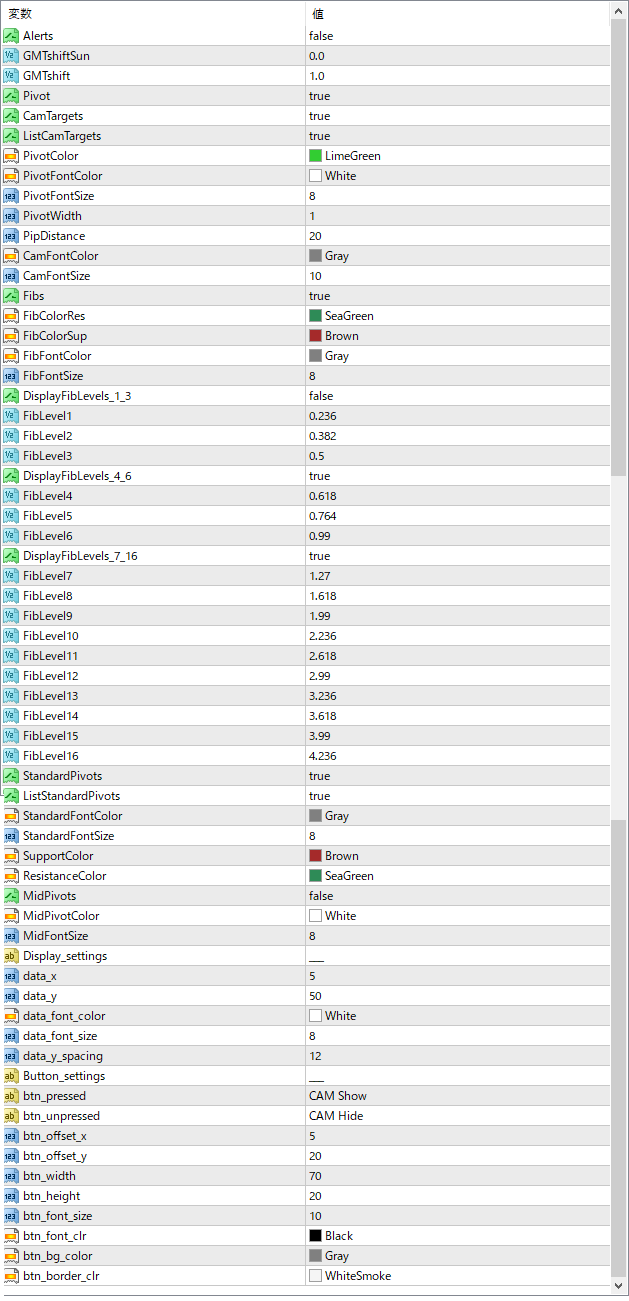
The screenshot above shows the default input parameters in the MT4 settings window.
| Parameter | Description |
|---|---|
| Alerts | Enables or disables alert notifications when price reaches key levels. |
| GMTshiftSun | Applies a GMT time shift specifically for Sunday candles. |
| GMTshift | Sets the general GMT time shift to align levels with your broker’s server time. |
| Pivot | Turns the central pivot point display on or off. |
| CamTargets | Shows or hides Camarilla target labels. |
| ListCamTargets | Enables a list display of Camarilla targets on the chart. |
| PivotColor | Sets the color of the central pivot line. |
| PivotFontColor | Defines the text color for the pivot line label. |
| PivotFontSize | Controls the font size of the pivot label. |
| PivotWidth | Adjusts the thickness of the pivot line. |
| PipDistance | Sets vertical spacing (in pips) between labels and price levels. |
| CamFontColor | Changes the color of Camarilla level text labels. |
| CamFontSize | Sets the font size for Camarilla level labels. |
| Fibs | Turns Fibonacci retracement levels on or off. |
| FibColorRes | Color for Fibonacci resistance levels. |
| FibColorSup | Color for Fibonacci support levels. |
| FibFontColor | Text color for Fibonacci labels. |
| FibFontSize | Font size of Fibonacci level labels. |
| DisplayFibLevels1_3 | Show or hide the first three Fibonacci levels (Level1 to Level3). |
| FibLevel1 | Defines the ratio used for the first Fibonacci level. |
| FibLevel2 | Defines the ratio for the second Fibonacci level. |
| FibLevel3 | Defines the ratio for the third Fibonacci level. |
| DisplayFibLevels4_6 | Show or hide Fibonacci levels 4 through 6. |
| FibLevel4 | Ratio for the fourth Fibonacci level. |
| FibLevel5 | Ratio for the fifth Fibonacci level. |
| FibLevel6 | Ratio for the sixth Fibonacci level. |
| DisplayFibLevels7_16 | Enable or disable the display of extended Fibonacci levels (7 to 13). |
| FibLevel7 to FibLevel13 | Set the ratios for additional Fibonacci extensions from level 7 to 13. |


