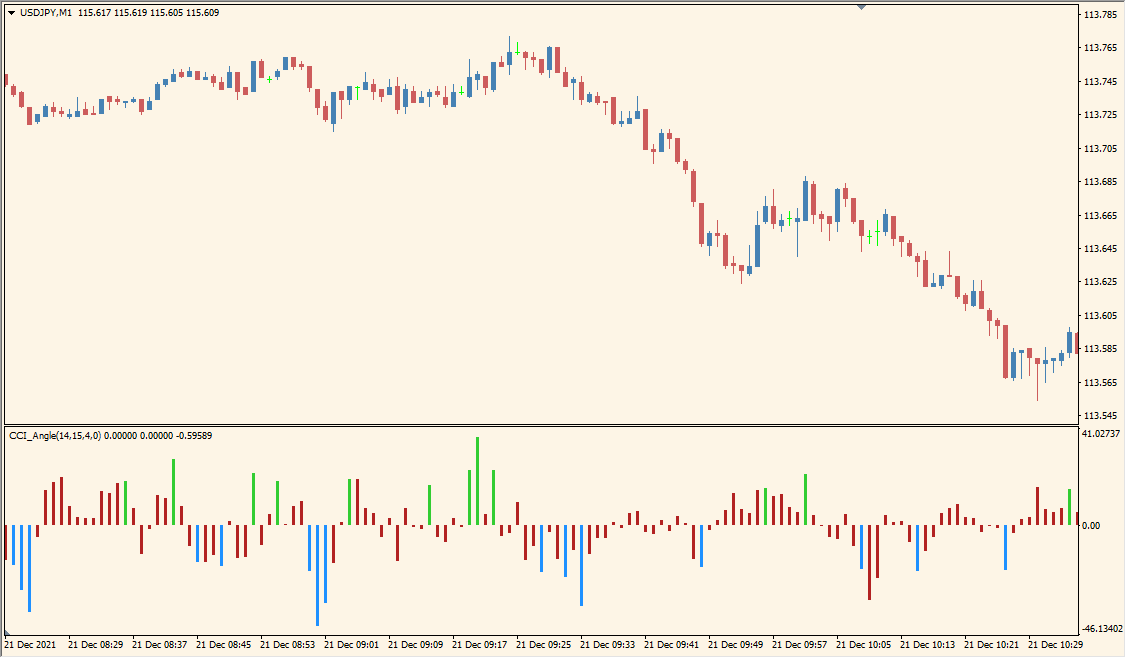
What is CCI Angle Indicator?
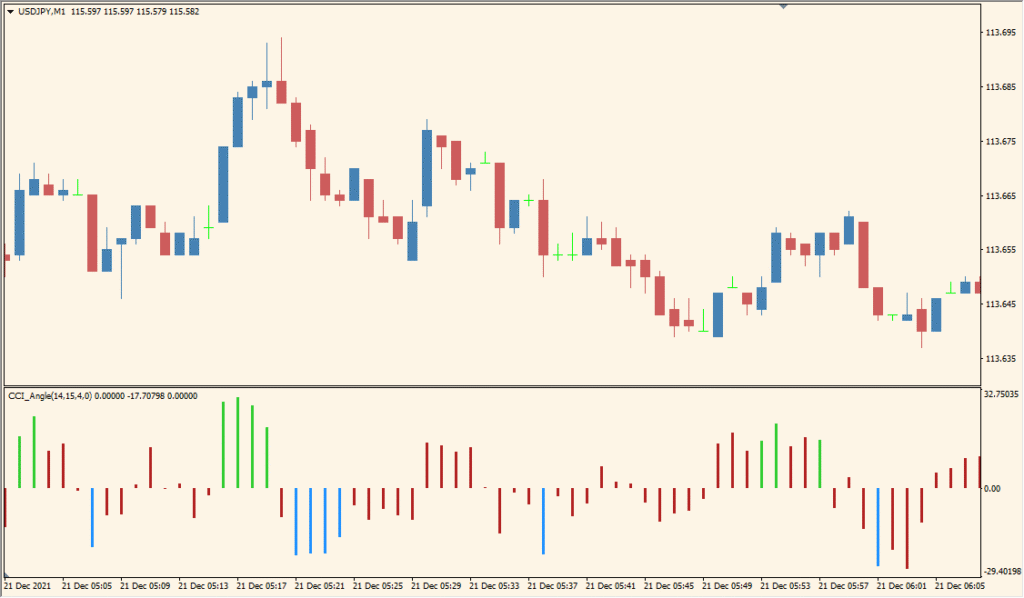
CCI Angle for MT4 focuses on the slope of the Commodity Channel Index rather than only its absolute value. It displays the result as a histogram with colors for stronger, weaker, and changing directional movement.
CCIPeriod and AngleTreshold control the calculation and the point at which the bar color changes. The histogram and zero reference can be compared with the price chart for additional momentum context.
How to Use It in Practice
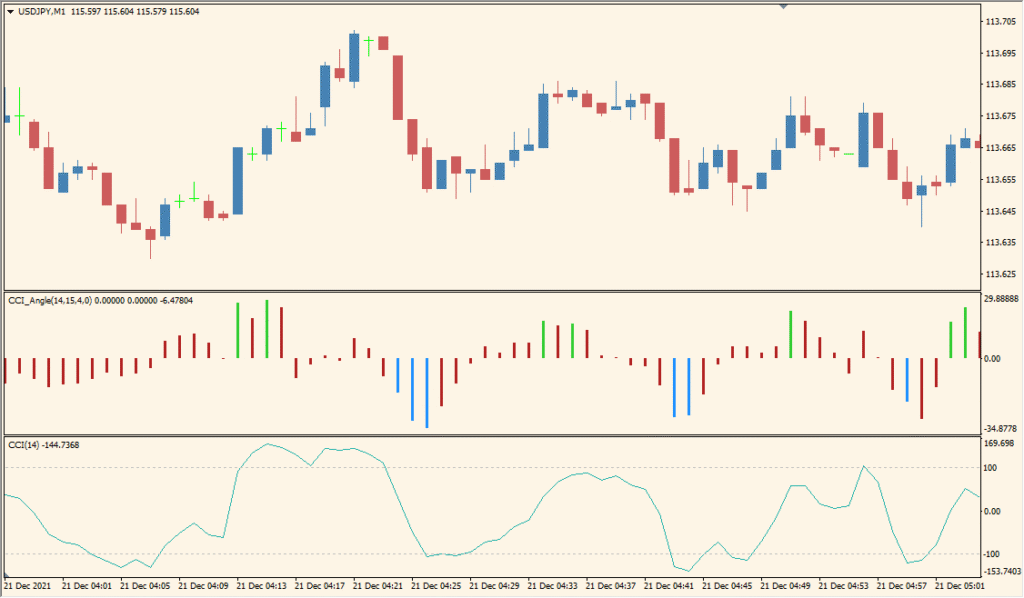
CCI Angle turns CCI into a subwindow histogram. Its bars extend where candles are long, and the histogram uses a green rising state plus a blue state shown as yellow in the default color scheme.
- Compare the height and color of the histogram bars with the length of the corresponding candles and with a standard CCI pane if one is displayed.
- Set CCI Period to change the CCI lookback length.
- Lower AngleTreshold to make repeated same-color bars appear more readily, while also increasing noisy changes.
CCI slope is shown directly as a histogram, color changes provide a quick directional cue, and the period and angle threshold are configurable.
MT4 Indicator Parameters
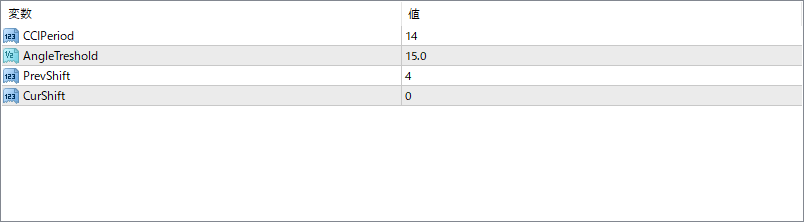
The screenshot above shows the default input parameters in the MT4 settings window.
| Parameter | Description |
|---|---|
| CCIPeriod | Sets the number of periods used to calculate the base CCI. A shorter period makes the angle more responsive but also more sensitive to noise. |
| AngleTreshold | Defines the minimum angle value needed to highlight significant momentum. Bars only change color when the CCI angle exceeds this threshold. |
| PrevShift | Determines how many bars back are used as a reference point to calculate the angle. A larger value smooths the signal but introduces more lag. |
| CurShift | Controls the current bar offset used in the calculation. Usually set to 0 to use the latest bar, but can be shifted to analyze past data points. |


