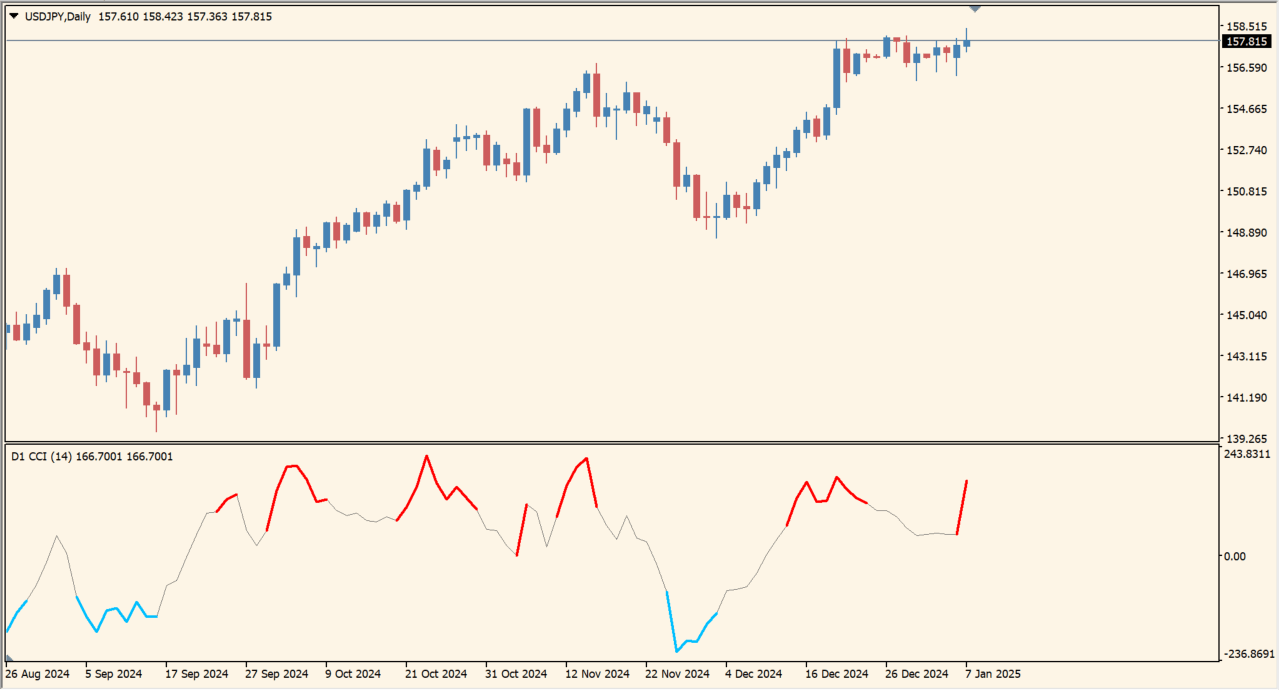
What is cci-nrp-mtf?
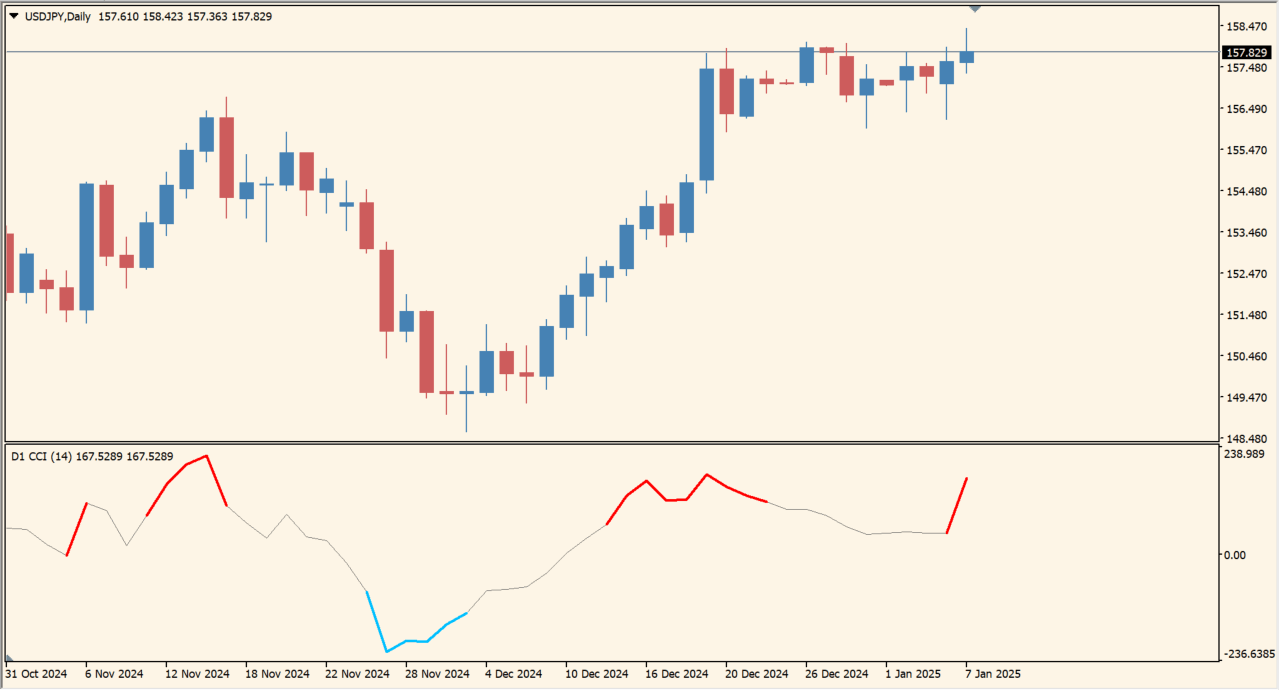
CCI NRP MTF plots the Commodity Channel Index and changes its line color when the reading moves beyond the default plus or minus 100 areas. The horizontal levels themselves are not drawn.
Because the tool includes a multi-timeframe option, a higher-timeframe CCI can be compared with the current chart. The color is a condition marker, not a standalone signal.
How to use cci-nrp-mtf
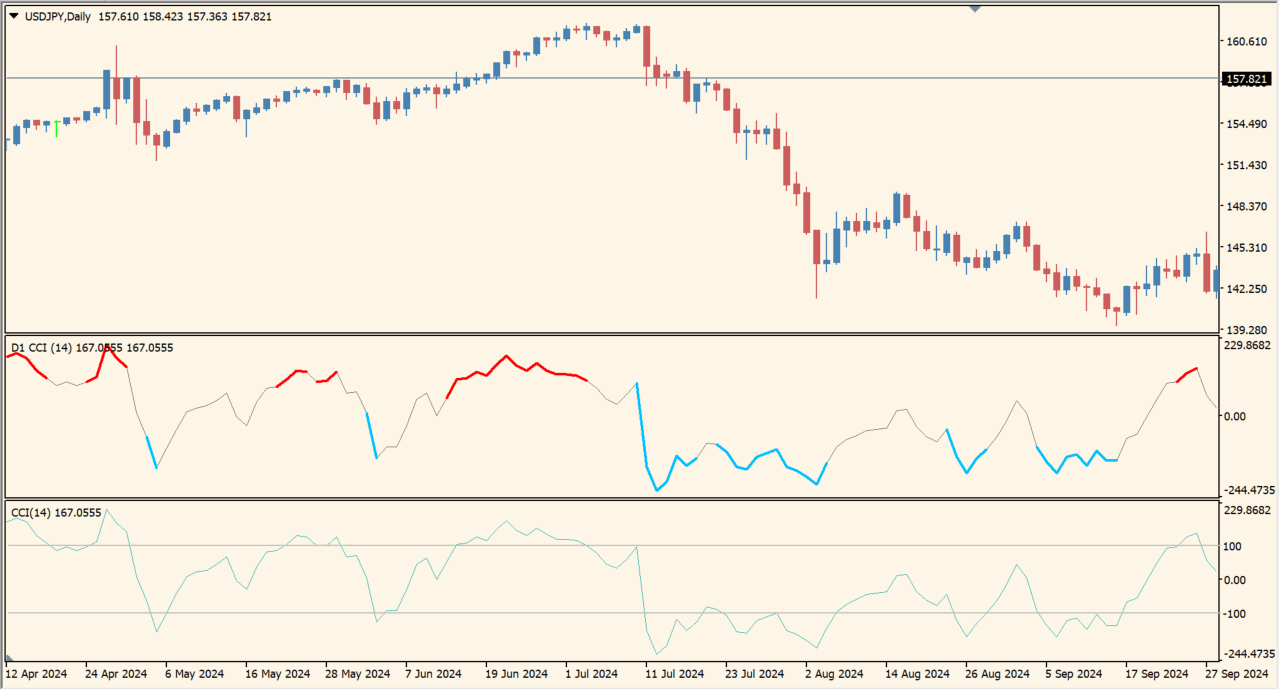
Add CCI NRP MTF to an MT4 chart and observe the line color as it moves through the plus or minus 100 reference areas.
Choose the source timeframe and CCI calculation settings from the Inputs dialog, then compare the colored reading with the current price movement.
Where it helps
Makes CCI movement beyond the plus or minus 100 areas visible through line color.
Allows the CCI source timeframe to be reviewed from another chart timeframe.
Keeps the familiar CCI line while adding a visual state cue.
MT4 Indicator Parameters
The table below lists the available MT4 indicator parameters. You can customize these options in the MetaTrader Inputs dialog to match your trading preferences.
| Parameter | Description |
|---|---|
| TimeFrame | Sets this calculation or display option. Default: "current time frame". |
| CCIPeriod | Sets this calculation or display option. Default: 14. |
| CCIPrice | Sets this calculation or display option. Default: PRICE_TYPICAL. |
| OverSold | Controls this indicator option. Default: -100. |
| OverBought | Controls this indicator option. Default: 100. |
| OverSoldColor | Sets the display color for this option. Default: Red. |
| OverBoughtColor | Sets the display color for this option. Default: DeepSkyBlue. |
| Interpolate | Enables or disables this display option. Default: true. |
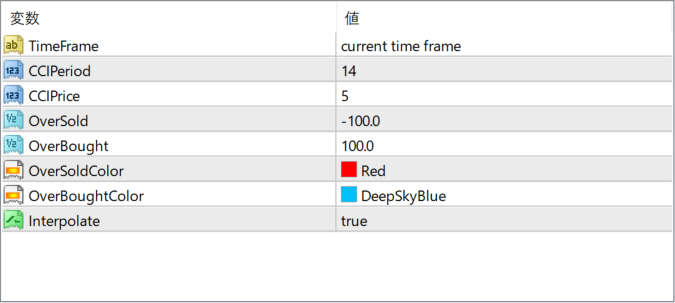
The screenshot above shows the default input parameters in the MT4 settings window.
How to Install .ex4 Indicator in MetaTrader 4
- Download the ZIP file and extract it.
- In MT4, select File → Open Data Folder.
- Open MQL4 → Indicators and copy the EX4 or MQ4 file into it.
- If the package includes library files, copy them to MQL4 → Libraries. Copy TPL files to the top-level templates folder.
- Restart MT4, find the indicator in the Navigator, and drag it onto a chart.
Test the tool on a demo account first. File contents and required folders can vary between packages.


