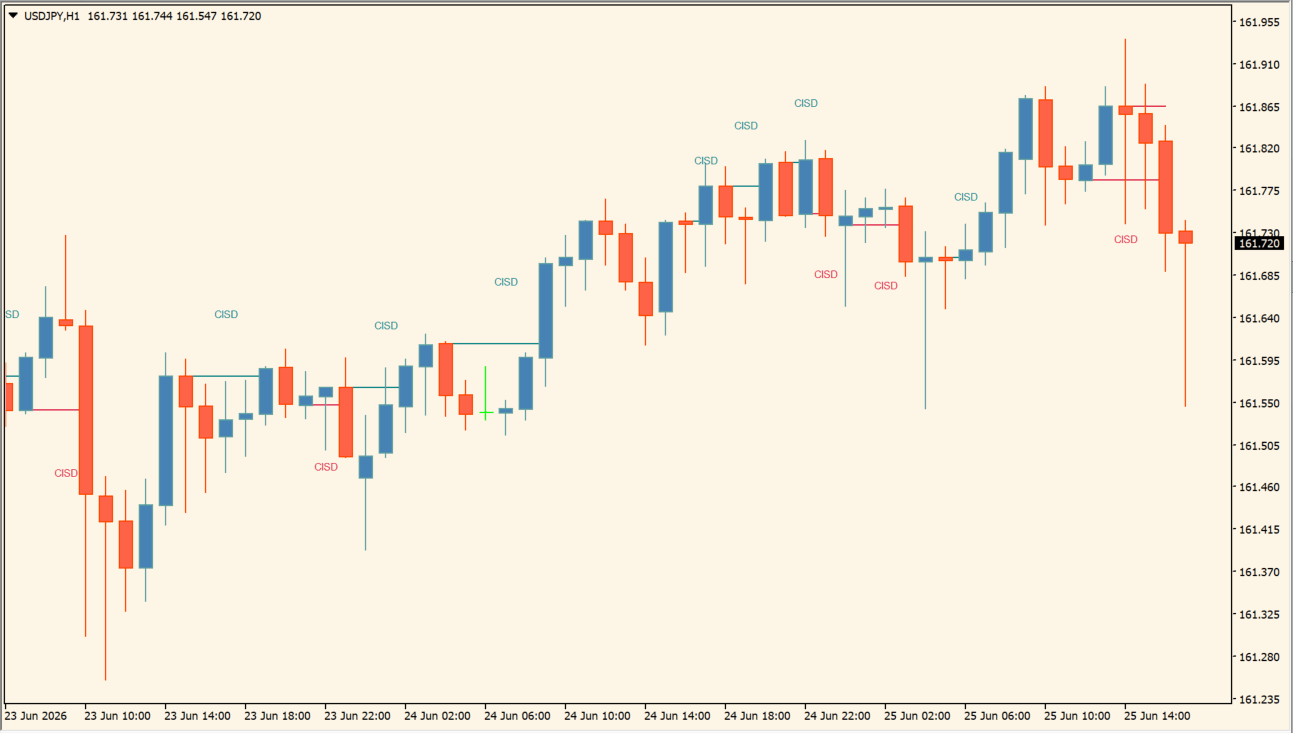
What is Change in State of Delivery (CISD)?
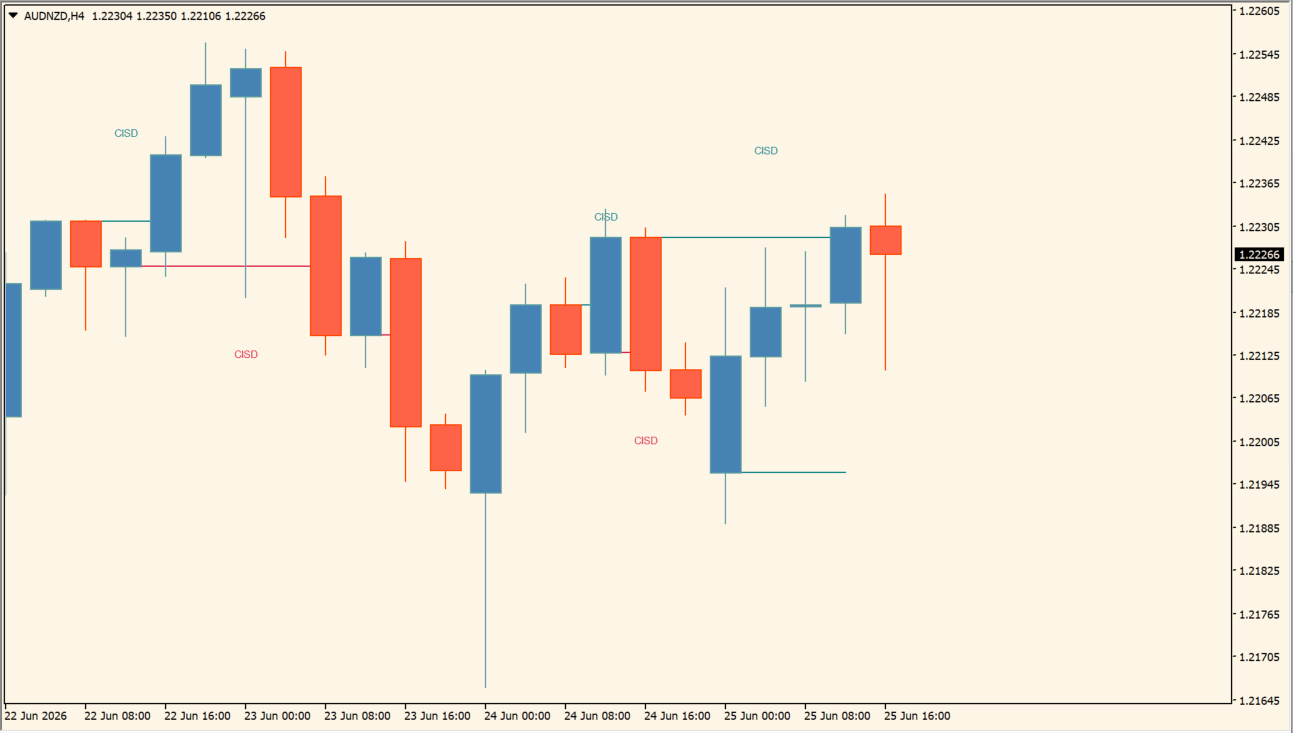
Change in State of Delivery (CISD) is an MT4 indicator that marks detected changes in a short-term swing sequence. Teal and crimson labels distinguish the two displayed directions, and a horizontal reference level can be added for each marked event.
The labels and levels organize recent chart structure for visual review. Compare each marker with nearby swings and price behavior rather than treating it as a standalone instruction.
How to use Change in State of Delivery (CISD)
Read the plotted CISD lines and labels as changes in the displayed delivery state:
- Add the indicator and locate the marked state-change lines or labels on the price chart.
- Compare each mark with the nearby swing structure and the preceding price movement rather than treating it as a standalone instruction.
- Use the existing display, color, and alert options to keep the state-change annotations readable.
- Review the marked changes on the timeframe selected in the indicator inputs, since the visible structure depends on that sample.
Where it helps
Color-coded labels make detected changes easy to locate, while short reference levels keep the related chart area visible without large zones.
MT4 Indicator Parameters
The table below lists the available MT4 indicator parameters. You can customize these options in the MetaTrader Inputs dialog to match your trading preferences.
| Parameter | Description |
|---|---|
| Parameters ######################## | Labels the main input section; it does not change the calculation. |
| Detection Method | Selects the CISD detection method. Default: Classic. |
| Swing Length | Sets the period used to identify the relevant swing structure. Default: 10. |
| Minimum CISD Duration | Sets the minimum duration required for a detected CISD event. Default: 0. |
| Maximum Swing Validity | Limits how long a prior swing remains valid for the calculation. Default: 100. |
| Style ########################### | Labels the display section; it does not change the calculation. |
| Label/Text Size | Sets the size of CISD labels and related text. Default: Tiny. |
| Bullish | Sets the color of bullish CISD labels and levels. Default: Teal. |
| Bearish | Sets the color of bearish CISD labels and levels. Default: Crimson. |
| Sweeps | Sets the color of sweep-related markings. Default: DimGray. |
| cSweepL | Sets the color of the sweep line display. Default: DimGray. |
| Label Distance | Controls the distance between a CISD label and the candle. Default: 0.5. |
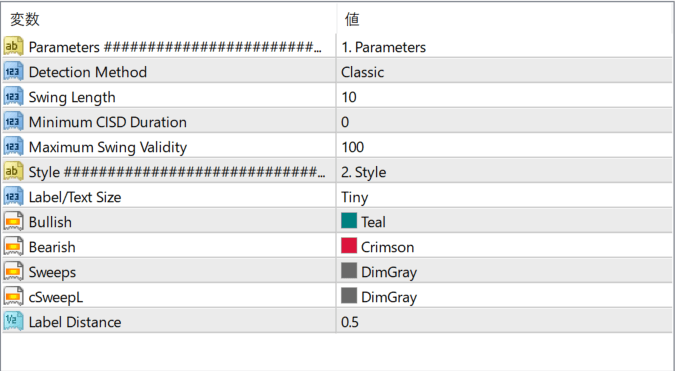
The screenshot above shows the default input parameters in the MT4 settings window.
How to Install .ex4 Indicator in MetaTrader 4
- Download the ZIP file and extract it.
- In MT4, select File → Open Data Folder.
- Open MQL4 → Indicators and copy the EX4 or MQ4 file into it.
- If the package includes library files, copy them to MQL4 → Libraries. Copy TPL files to the top-level templates folder.
- Restart MT4, find the indicator in the Navigator, and drag it onto a chart.
Test the tool on a demo account first. File contents and required folders can vary between packages.


