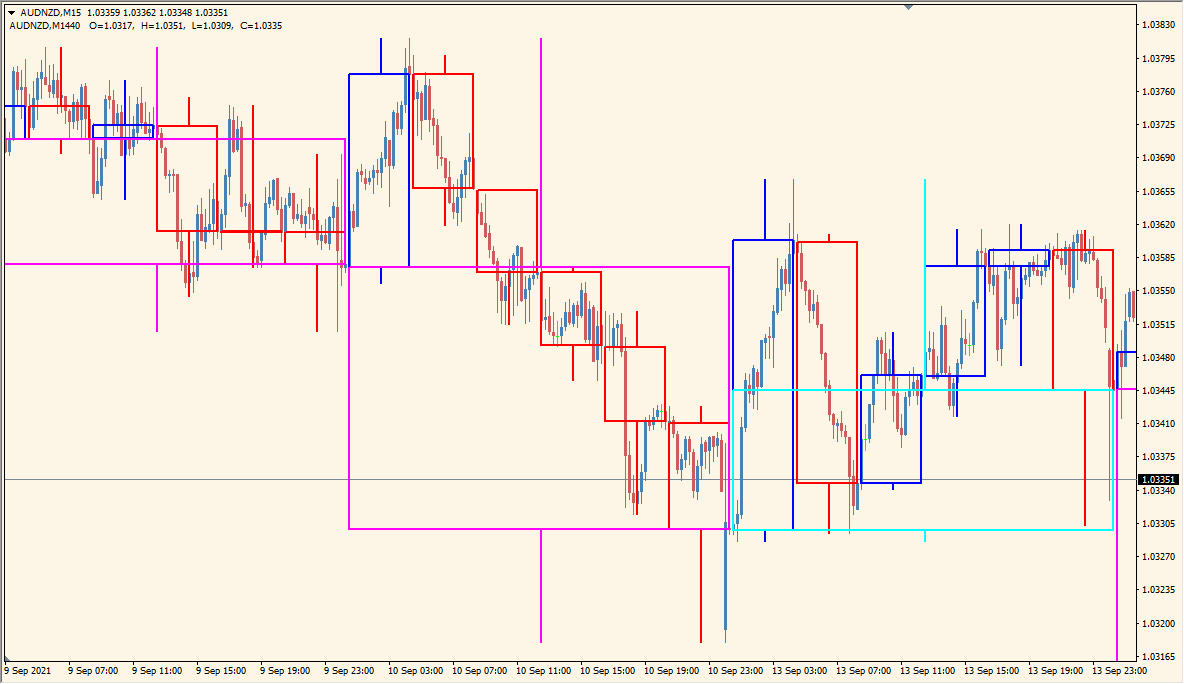
What is CustomCandle6 Indicator?
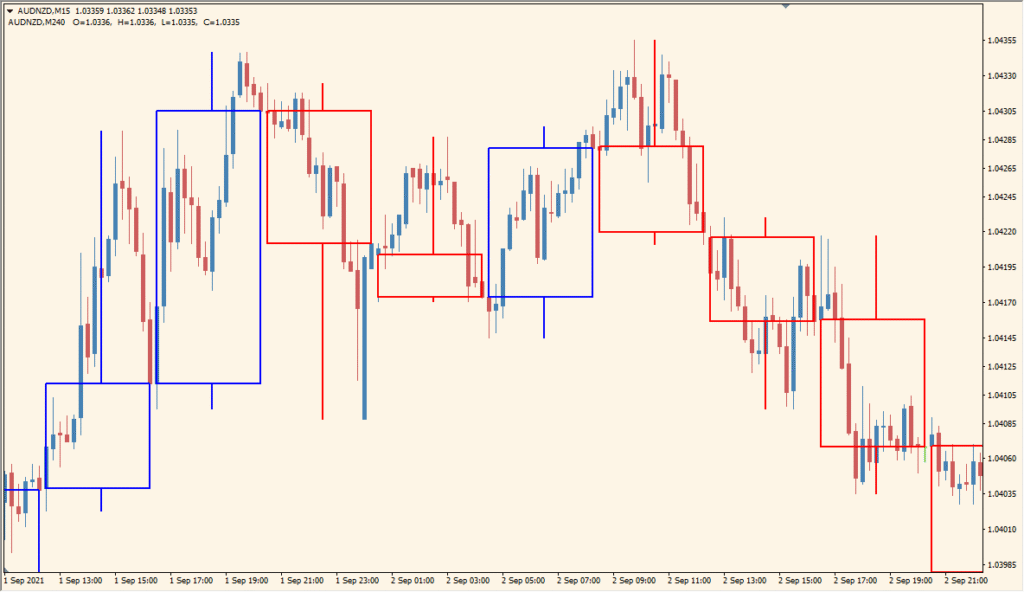
CustomCandle6 for MT4 overlays candles from a selected higher timeframe on the active chart. Bullish, bearish, and doji candles use separate colors, and the boxes can be outlined or filled.
TimeFrame, UpCandle, DnCandle, DojiColor, Width, CustomCandleTimeShift, and BGCandle control the source period and visual layout. The overlay keeps broader candle structure visible alongside the active timeframe.
How to Use It in Practice
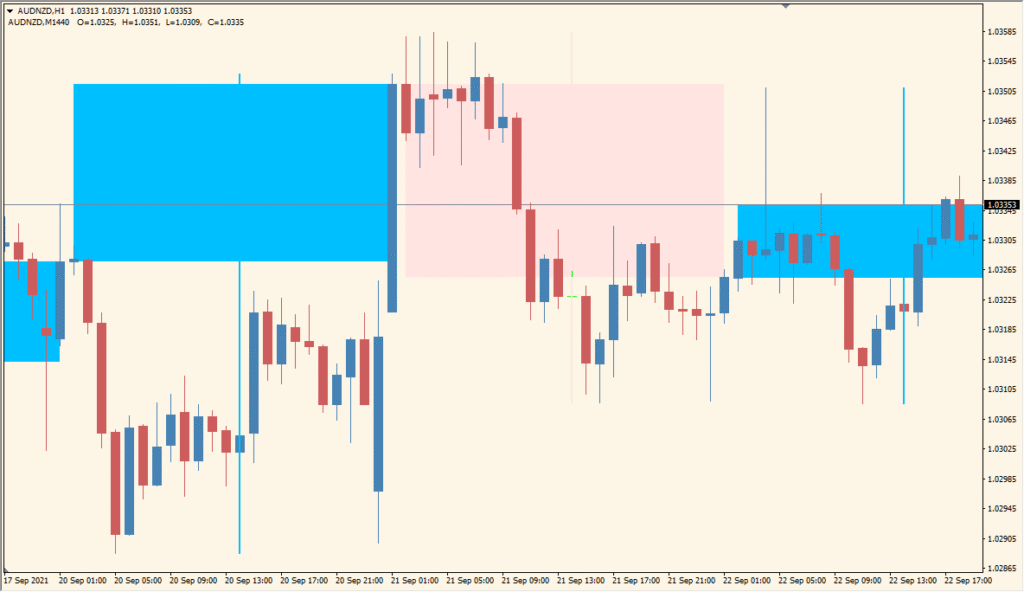
CustomCandle6 overlays the open, high, low, and close of a selected higher timeframe on the active chart, using separate candle colors and optional filled bodies.
- Enter TimeFrame in minutes: 60 for H1, 240 for H4, or 1440 for D1, then identify the higher-timeframe candle bodies and wicks over the active candles.
- Apply separate instances when more than one higher timeframe is required; H4 and D1 can be shown together on an M15 chart.
- Use the fill option and line-width settings to distinguish the overlaid candle bodies without obscuring the active chart.
- Match TimeShift to the chart’s GMT setting. Changing TimeShift can alter the daily-candle colouring even on the same chart.
MT4 Indicator Parameters
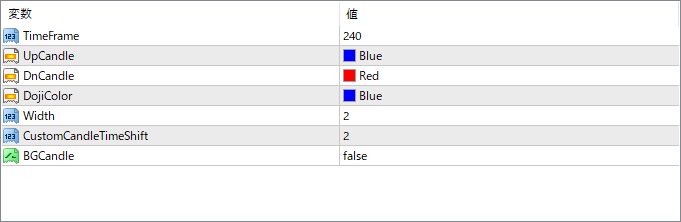
The screenshot above shows the default input parameters in the MT4 settings window.
| Parameter | Description |
|---|---|
| TimeFrame | Sets the timeframe from which to draw the candles (e.g. 240 for H4). This is the source of the overlayed candles. |
| UpCandle | Defines the color of bullish candles from the selected timeframe. |
| DnCandle | Defines the color of bearish candles from the selected timeframe. |
| DojiColor | Sets the color used for doji candles, where open and close prices are almost equal. |
| Width | Controls the thickness of the outline for each candle box. |
| CustomCandleTimeShift | Applies a horizontal shift to the overlayed candles, useful to offset them visually from current bars. |
| BGCandle | If set to true, fills the inside of the overlayed candles instead of just showing their outline. |


