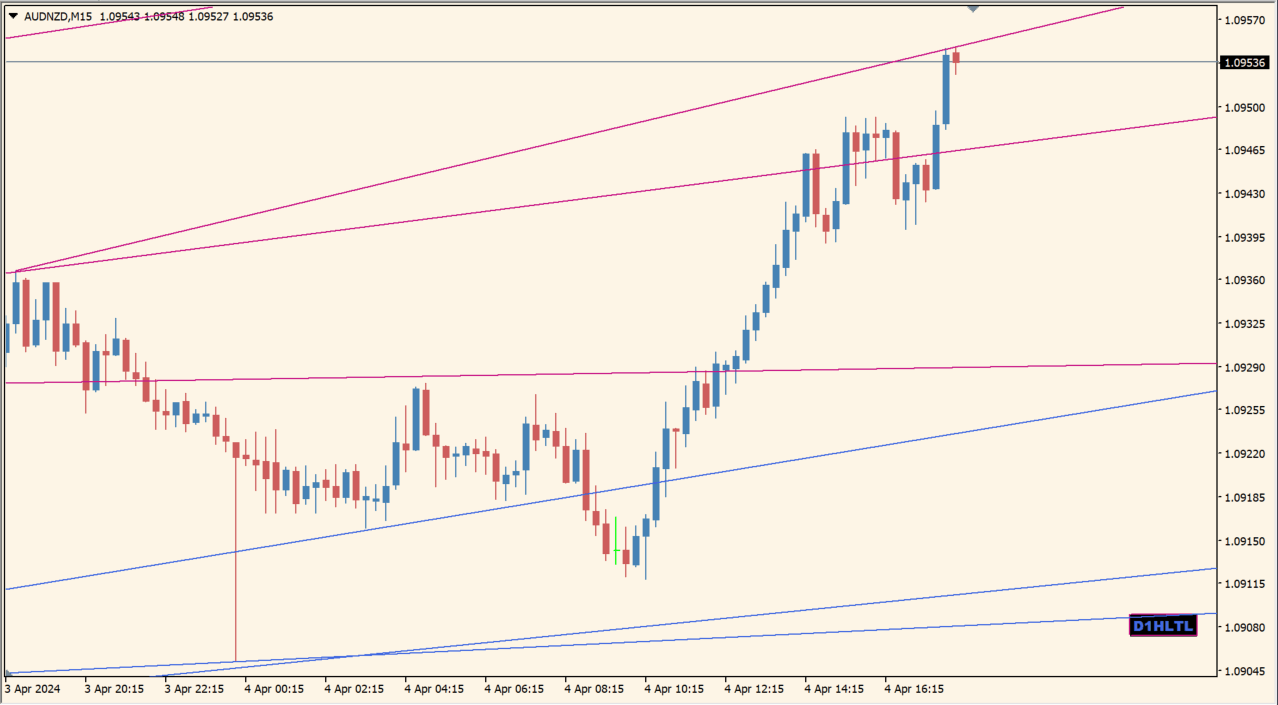
What is D1_x10_HiLo_TrendLines?
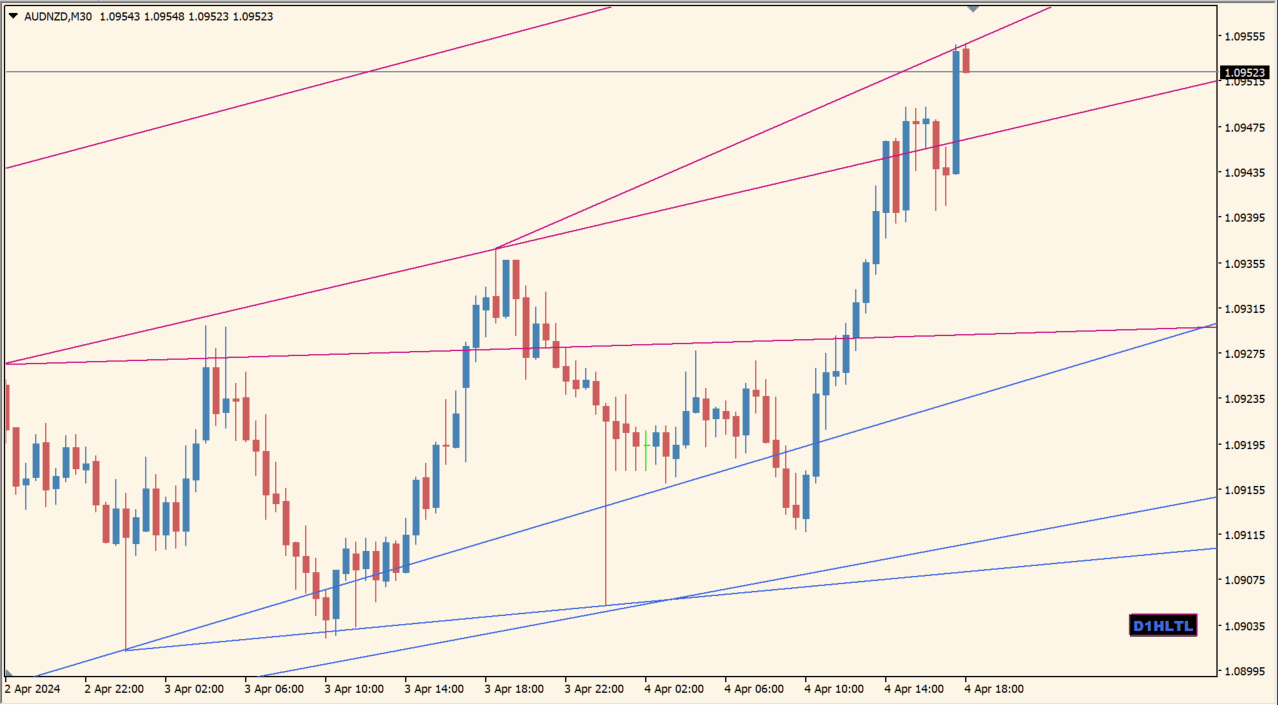
D1_x10_HiLo_TrendLines connects daily highs and lows to display higher-timeframe reference lines on an MT4 chart. The lines bring daily structure into the active timeframe without requiring manual drawing.
The display is based on historical daily high-low points and is intended for chart context. The package includes an .ex4 file.
How to use D1_x10_HiLo_TrendLines
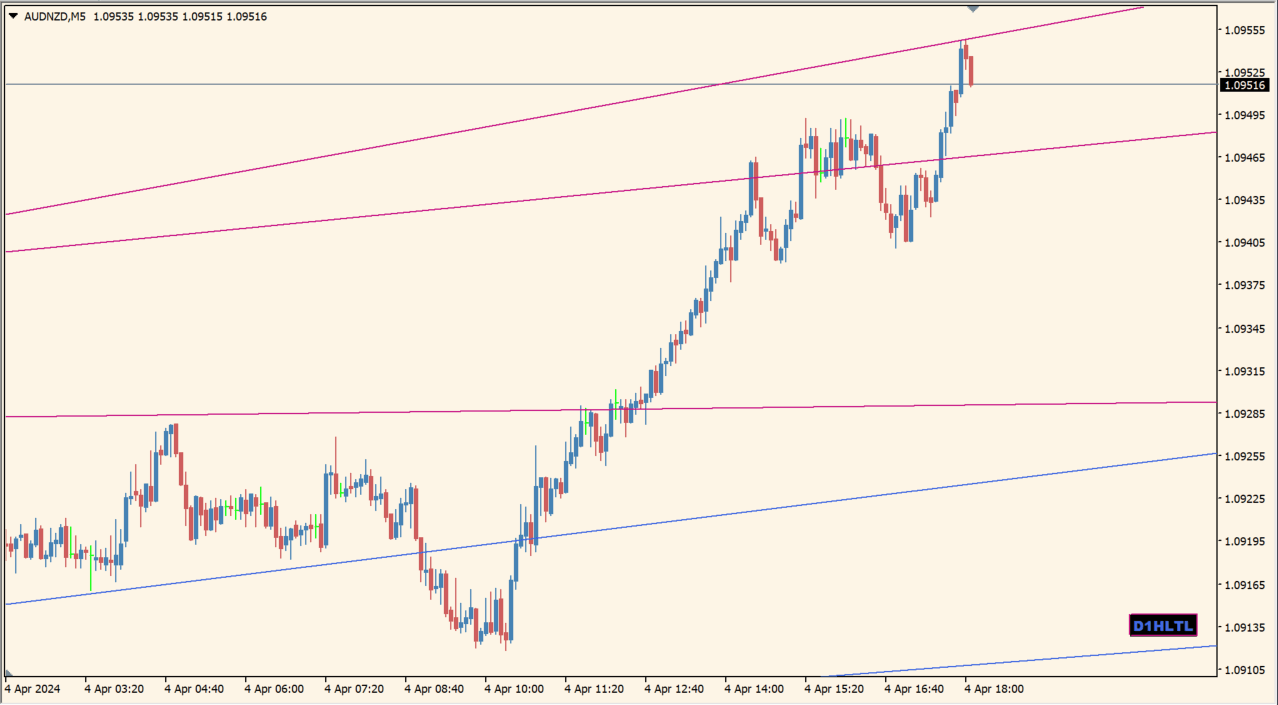
Compare the daily high and low lines with the active candles and nearby chart structure. The display can be useful when a lower timeframe needs a compact view of daily references.
Days_1_10 controls the number of days shown and MaxTimeFrame limits the display to the selected timeframe. The Inputs dialog also shows line, button, and current-day presentation settings.
Where it helps
Daily high-low references remain visible on the active chart.
The indicator connects the selected historical points automatically.
Days_1_10 and MaxTimeFrame limit the displayed reference set.
MT4 Indicator Parameters
The table below lists the available MT4 indicator parameters. You can customize these options in the MetaTrader Inputs dialog to match your trading preferences.
| Parameter | Description |
|---|---|
| Days_1_10 | Sets the number of daily high-low reference sets displayed. Default: 5. |
| Show_CurrentDay | Shows or hides the current-day reference. Default: true. |
| MaxTimeFrame | Limits the chart timeframes where the lines are displayed. Default: 1 Hour. |
| TLColorHi | Sets the color of the high-side lines. Default: MediumVioletRed. |
| TLColorLo | Sets the color of the low-side lines. Default: RoyalBlue. |
| TLWidth | Sets the width of the displayed lines. Default: 1. |
| TLStyle | Sets the style of the displayed lines. Default: Solid. |
| CurrentDayTLColorHi | Sets the current-day high-line color. Default: MediumVioletRed. |
| CurrentDayTLColorLo | Sets the current-day low-line color. Default: RoyalBlue. |
| CurrentDayTLStyle | Sets the current-day line style. Default: Dot. |
| TLSelectable | Controls whether trend lines can be selected. Default: false. |
| btn_Subwindow | Sets the button subwindow. Default: 0. |
| btn_corner | Selects the button corner. Default: Right lower chart corner. |
| btn_text | Sets the button text. Default: D1HLTL. |
| btn_Font | Sets the button font. Default: Arial Black. |
| btn_FontSize | Sets the button text size. Default: 8. |
| btn_text_ON_color | Sets the button text color when on. Default: RoyalBlue. |
| btn_text_OFF_color | Sets the button text color when off. Default: DimGray. |
| btn_background_color | Sets the button background color. Default: Black. |
| btn_border_color | Sets the button border color. Default: MediumVioletRed. |
| button_x | Sets the horizontal button position. Default: 70. |
| button_y | Sets the vertical button position. Default: 50. |
| btn_Width | Sets the button width. Default: 55. |
| btn_Height | Sets the button height. Default: 18. |
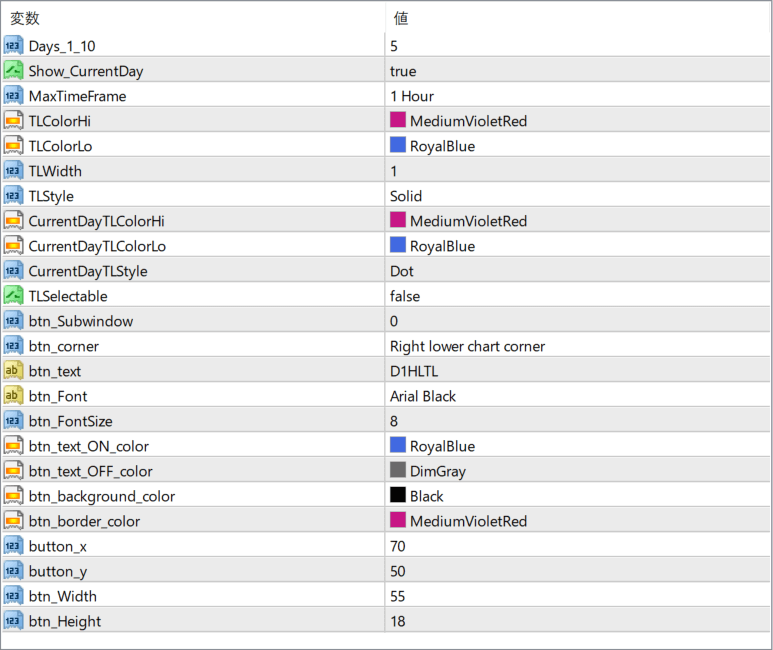
The screenshot above shows the default input parameters in the MT4 settings window.
How to Install .ex4 Indicator in MetaTrader 4
- Download the ZIP file and extract it.
- In MT4, select File → Open Data Folder.
- Open MQL4 → Indicators and copy the EX4 or MQ4 file into it.
- If the package includes library files, copy them to MQL4 → Libraries. Copy TPL files to the top-level templates folder.
- Restart MT4, find the indicator in the Navigator, and drag it onto a chart.
Test the tool on a demo account first. File contents and required folders can vary between packages.


