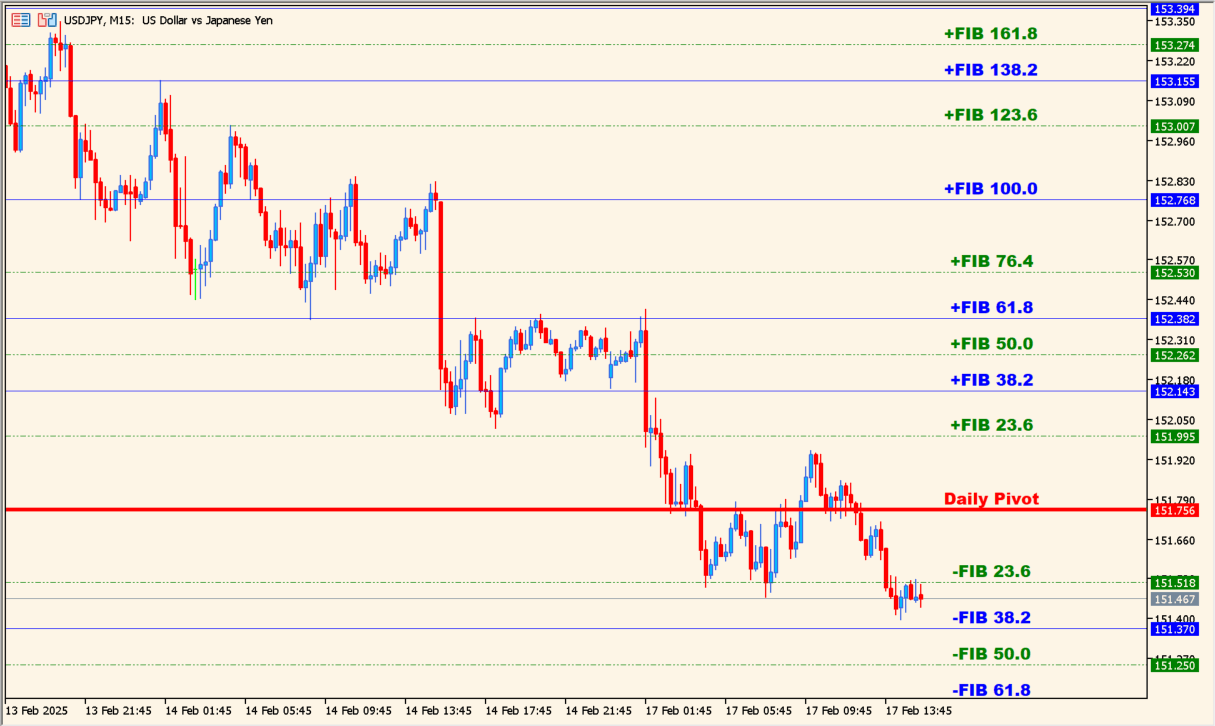
What is daily-fibo-piv-dk-indicator?
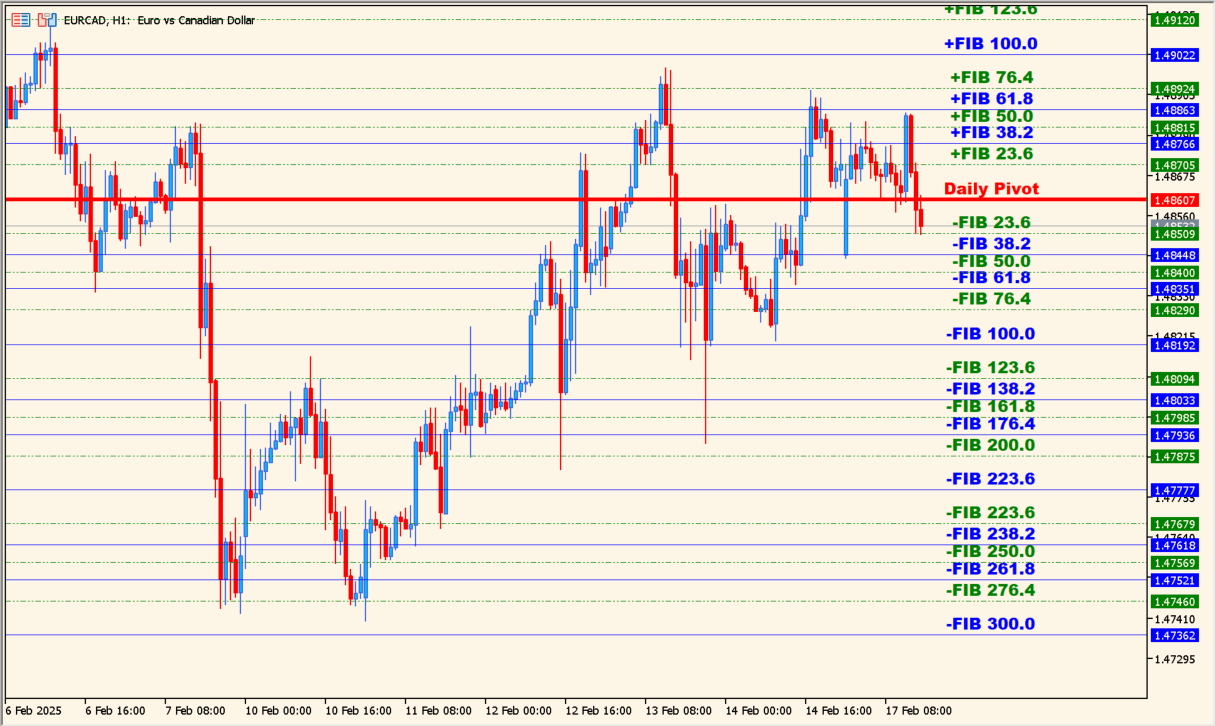
daily-fibo-piv-dk-indicator places a red daily pivot at the center and expands blue and green levels around it using Fibonacci spacing. The lines are based on the daily range, so they remain relatively wide on small intraday charts.
The levels mark areas that may attract attention rather than guaranteed support or resistance. The daily basis makes the display more suitable for day-trade and swing context than for very short scalping alone.
How to use daily-fibo-piv-dk-indicator
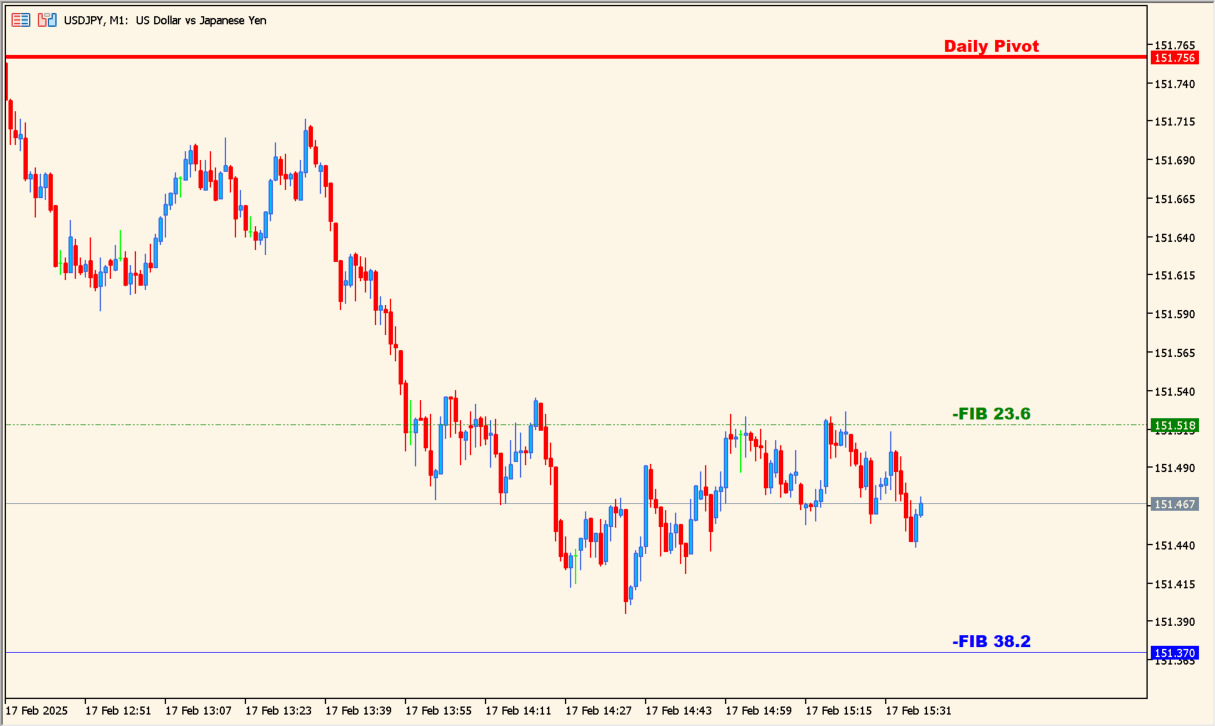
Add daily-fibo-piv-dk-indicator to an MT5 chart and use the central daily pivot to orient the surrounding Fibonacci levels.
Set the color, style, and width for odd and even levels, then adjust pivot styling and text size to keep the daily map readable.
Where it helps
Uses a daily pivot as a stable center for the surrounding levels.
Places multiple support and resistance references above and below the pivot.
Provides separate style, color, width, and text settings for the plotted levels.
MT5 Indicator Parameters
The table below lists the available MT5 indicator parameters. You can customize these options in the MetaTrader Inputs dialog to match your trading preferences.
| Parameter | Description |
|---|---|
| NotEven_levels_color | Sets the display color for this option. Default: clrGreen. |
| NotEven_levels_style | Sets this calculation or display option. Default: DASHDOTDOT_. |
| NotEven_levels_width | Sets the display width or text size. Default: w_1. |
| Even_levels_color | Sets the display color for this option. Default: clrBlue. |
| Even_levels_style | Sets this calculation or display option. Default: STYLE_SOLID. |
| Even_levels_width | Sets the display width or text size. Default: w_1. |
| Pivot_levels_color | Sets the display color for this option. Default: clrRed. |
| Pivot_levels_style | Sets this calculation or display option. Default: STYLE_SOLID. |
| Pivot_levels_width | Sets the display width or text size. Default: w_3. |
| FontSize | Sets the display width or text size. Default: 10. |
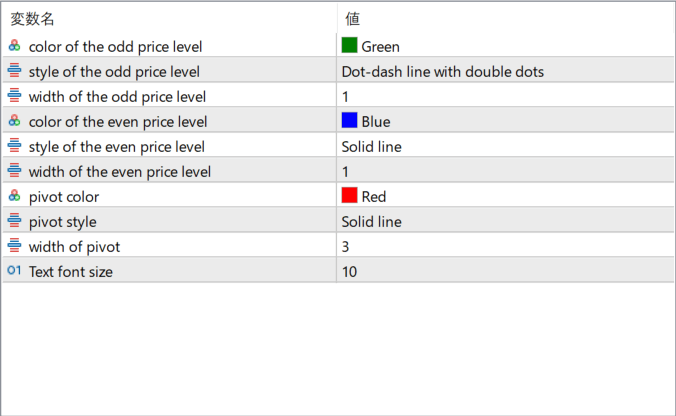
The screenshot above shows the default input parameters in the MT5 settings window.
How to Install .ex5 Indicator in MetaTrader 5
- Download the ZIP file and extract it.
- In MT5, select File → Open Data Folder.
- Open MQL5 → Indicators and copy the EX5 or MQ5 file into it.
- If the package includes library files, copy them to MQL5 → Libraries. Copy TPL files to the top-level templates folder.
- Restart MT5, find the indicator in the Navigator, and drag it onto a chart.
Test the tool on a demo account first. File contents and required folders can vary between packages.


