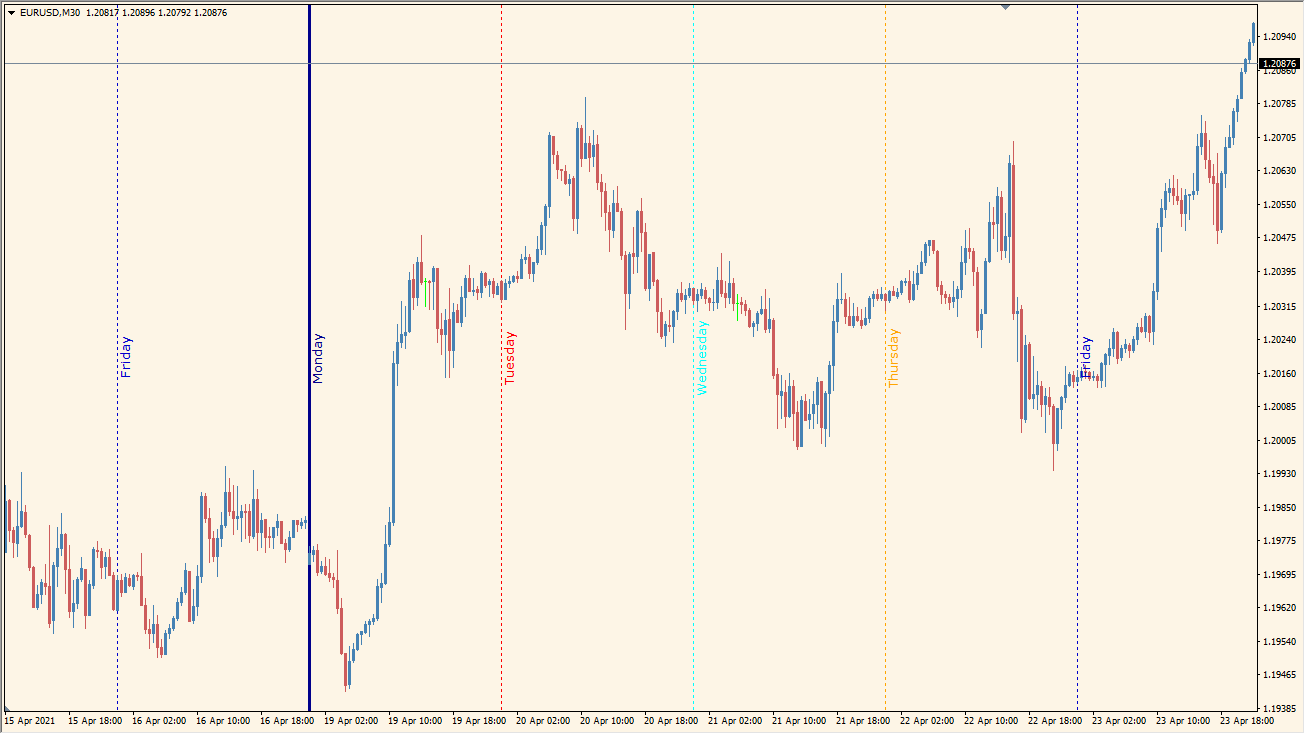
What is Days of the Week Indicator?
The Days of the Week indicator for MT4 visually separates each trading day on the chart using vertical lines. Each day is marked with its name and a unique color, making it easy to identify weekly patterns, compare sessions, and spot recurring market behaviors tied to specific weekdays.
This tool is especially useful for traders who rely on weekly cycles or analyze market activity based on the day of the week.
How to Use It in Practice
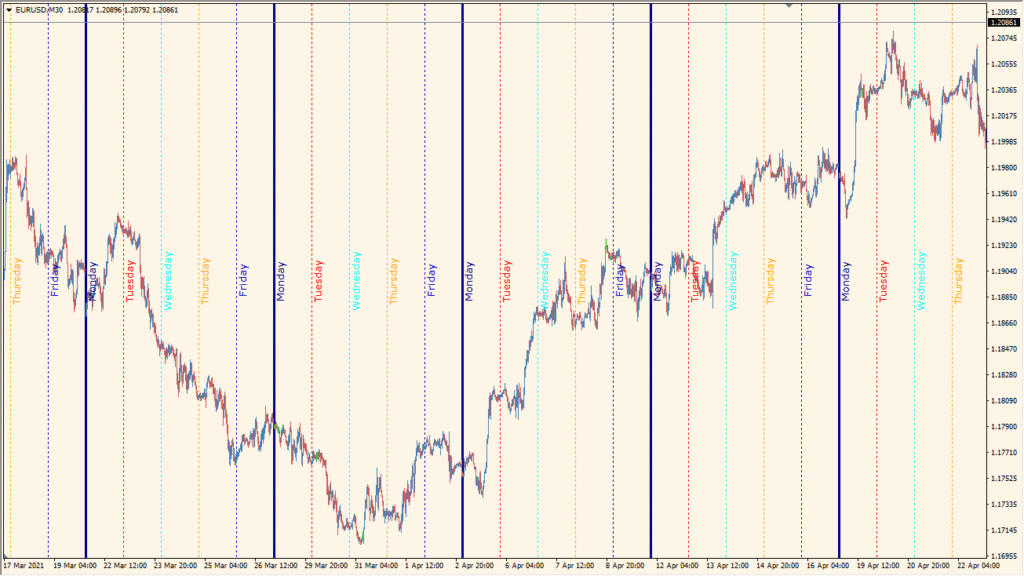
In live trading, you can use the Days of the Week indicator to:
- Visually segment the chart by day to better understand intraday behavior.
- Spot repeated price patterns on specific weekdays, such as Monday reversals or Friday trends.
- Assist with strategy development that depends on day-specific volatility.
- Use the different line styles and widths to emphasize specific days in your workflow.
This indicator is a simple yet powerful visual aid for traders who want a clearer weekly structure on their charts.
Best Settings & MT4 Parameters for Days of the Week
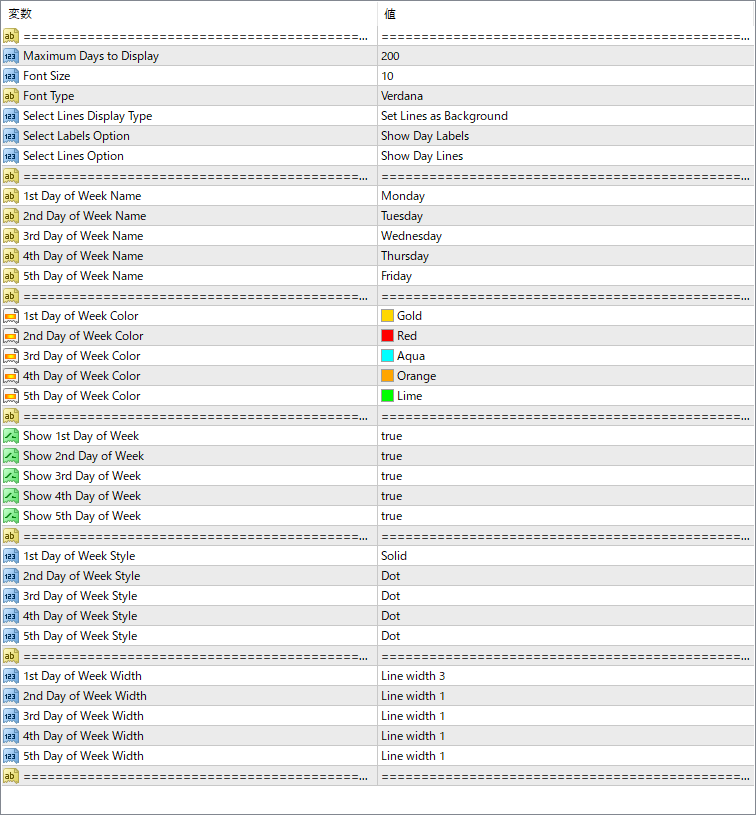
Maximum Days to Display
Controls how many past days are displayed with vertical lines.
Font Size
Sets the size of the weekday name text displayed on the chart.
Font Type
Specifies the font used for day labels.
Select Lines Display Type
Defines whether the vertical lines appear behind the chart candles or on top.
Select Labels Option
Controls whether to show labels for the days of the week.
Select Lines Option
Controls whether the vertical lines for each day are drawn.
1st–5th Day of Week Name
Sets the weekday name (Monday to Friday) that corresponds to each slot.
1st–5th Day of Week Color
Defines the line and label color for each weekday.
Show 1st–5th Day of Week
Toggle each weekday line and label on or off.
1st–5th Day of Week Style
Choose the line style for each day (solid, dot, etc.).
1st–5th Day of Week Width
Sets the line thickness for each day.


