What is Echo Forecast?

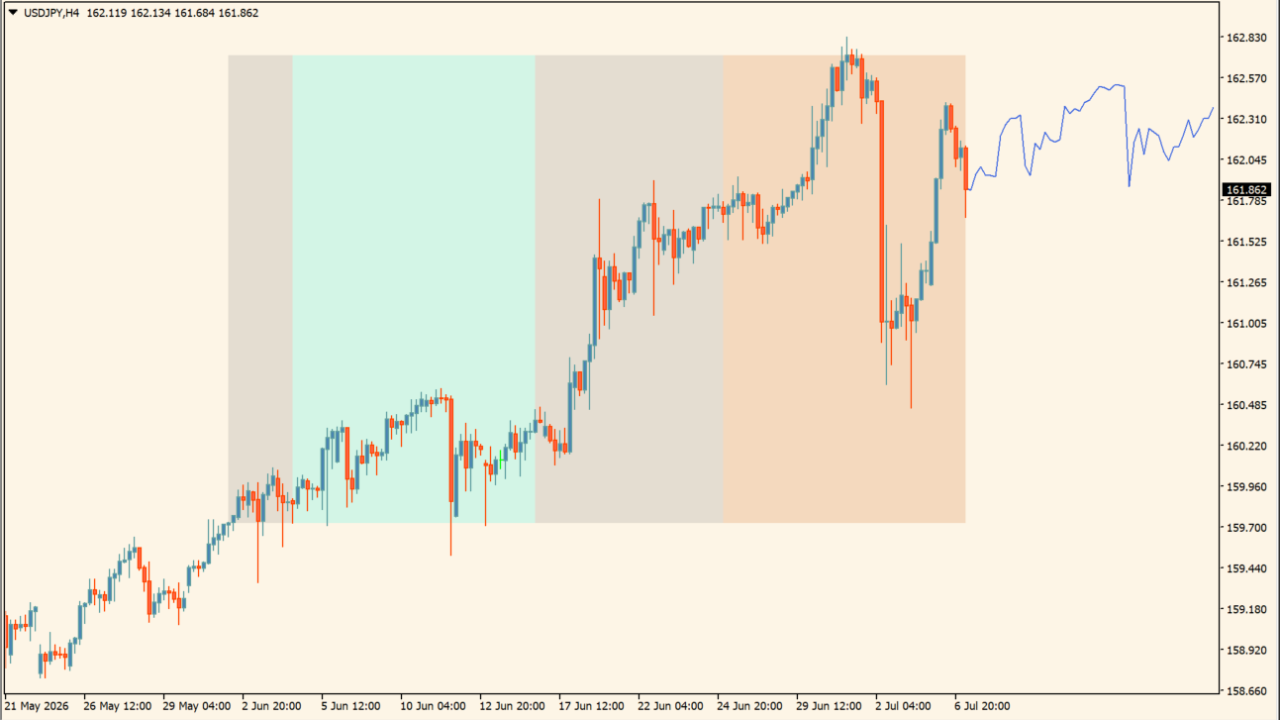
Echo Forecast is an MT4 indicator that compares a selected evaluation window with similar historical price movement. It highlights evaluation, correlation, and reference areas, then displays a blue reference path for comparing the current chart with the selected historical example.
The path is a historical comparison rather than a future price projection. Use it as a visual reference alongside current price behavior, support and resistance, and broader chart context.
How to use Echo Forecast
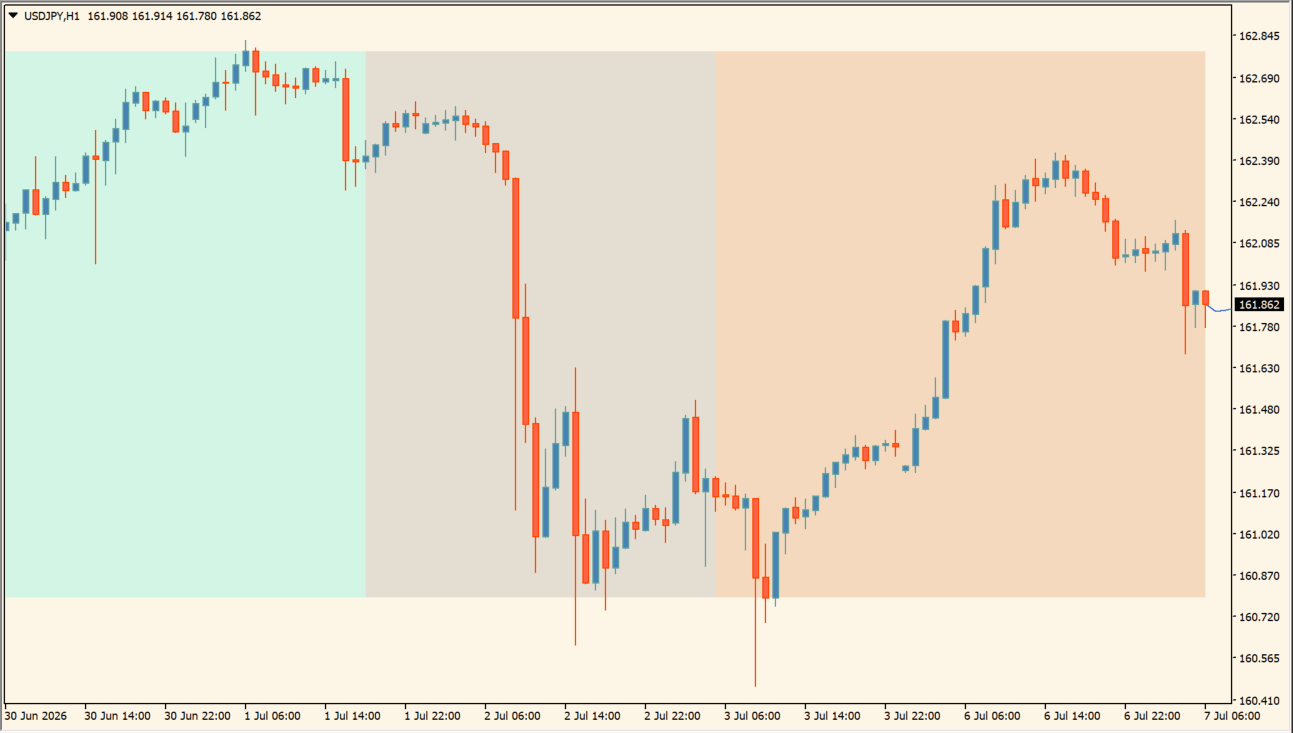
Compare the blue historical reference path with the evaluation, correlation, and reference areas:
- Locate the blue path to see the displayed path based on a similar historical movement, not a fixed future result.
- Use the gray evaluation area, teal correlation area, and orange reference area to identify the compared sections.
- Adjust Evaluation Window, Forecast Window, Forecast Mode, Source, and area colors to make the comparison legible.
- Note where the current movement resembles or diverges from the historical example while keeping the surrounding chart context in view.
Where it helps
Historical matching can shorten manual chart comparison, colored areas distinguish the reviewed segments, and the reference path adds context without requiring a separate chart study.
MT4 Indicator Parameters
The table below lists the available MT4 indicator parameters. You can customize these options in the MetaTrader Inputs dialog to match your trading preferences.
| Parameter | Description |
|---|---|
| Evaluation Window | Sets the number of historical bars evaluated for pattern matching. Default: 50. |
| Forecast Window | Sets the length of the projected forecast line into the future. Default: 50. |
| Forecast Mode | Selects the algorithm mode used for matching past price movements. Default: Similarity. |
| Forecast Construction | Sets the construction method used to assemble the forecast projection line. Default: Cumulative. |
| Source | Selects the price field used for pattern evaluation. Default: Close. |
| Forecast Style | Sets the visual color and style of the forecast projection line. Default: RoyalBlue. |
| Forecast Line Style | Sets the visual line style pattern of the forecast projection line. Default: Dot. |
| Show Area | Displays or hides the evaluation, correlation, and reference background regions. Default: true. |
| Ref Area Color | Sets the background region color for the reference segment. Default: Chocolate. |
| Corr Area Color | Sets the background region color for the correlated segment. Default: Teal. |
| Eval Area Color | Sets the background region color for the evaluation segment. Default: Gray. |
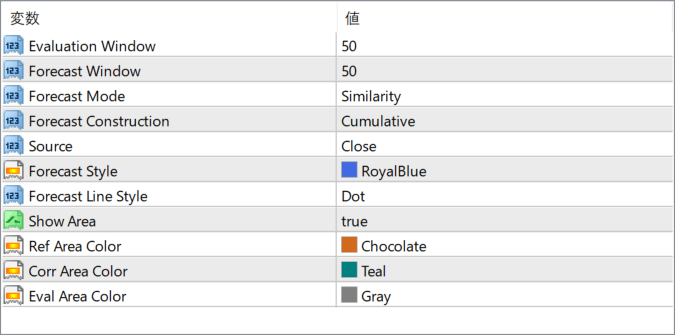
The screenshot above shows the default input parameters in the MT4 settings window.
How to Install .ex4 Indicator in MetaTrader 4
- Download the ZIP file and extract it.
- In MT4, select File → Open Data Folder.
- Open MQL4 → Indicators and copy the EX4 or MQ4 file into it.
- If the package includes library files, copy them to MQL4 → Libraries. Copy TPL files to the top-level templates folder.
- Restart MT4, find the indicator in the Navigator, and drag it onto a chart.
Test the tool on a demo account first. File contents and required folders can vary between packages.


