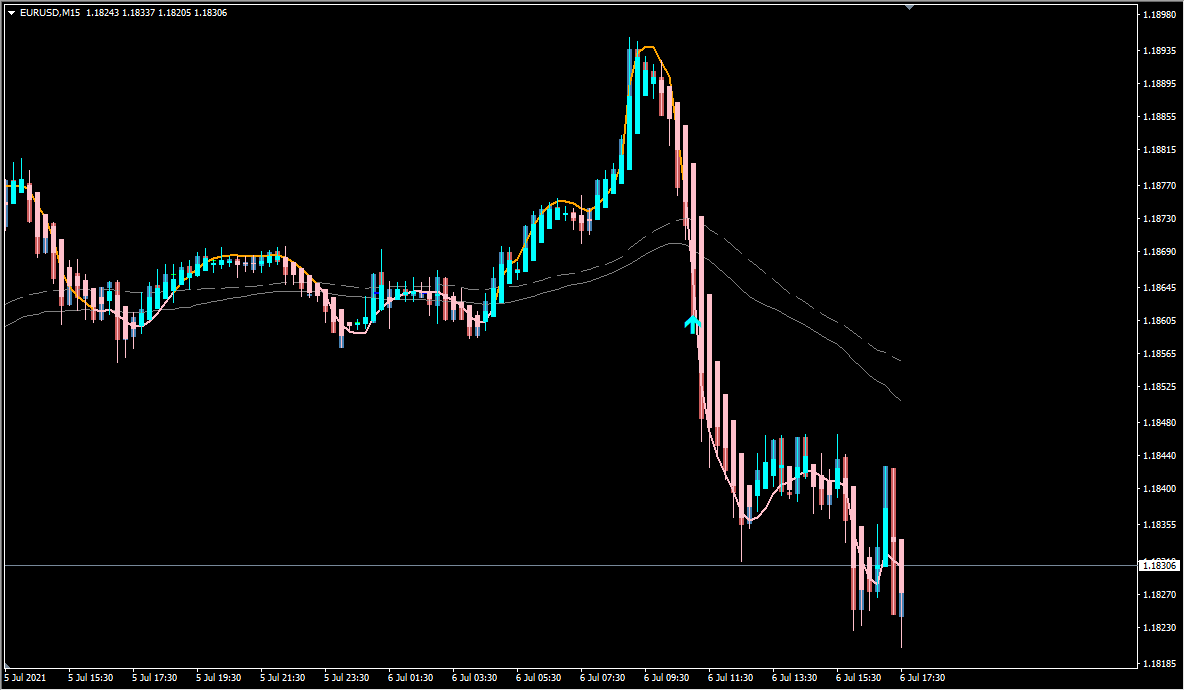
What is Devil_Reaper?
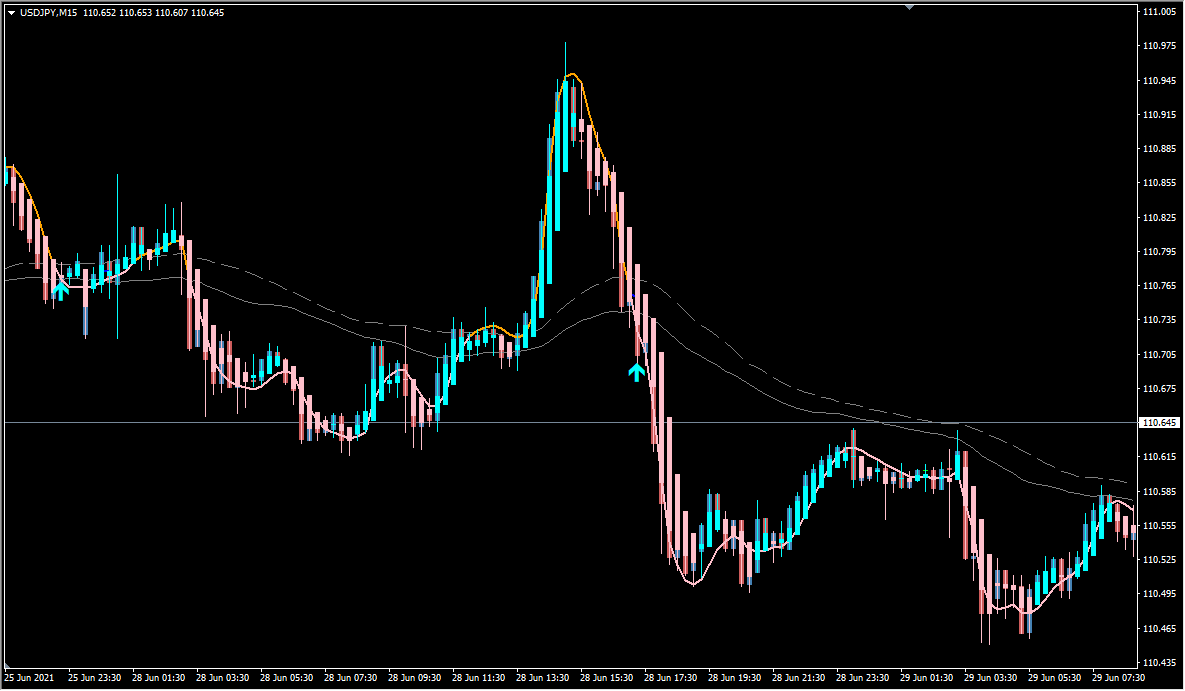
Devil_Reaper is an MT4 signal tool that plots three Keltner Channel bands with ATR logic over Heikin Ashi candles. The default prints very few arrows, and the parameters can adjust that.
The channel is drawn from an EMA centre line, with an ATR-based distance added above it and subtracted below it to form the outer bands. The three configurable moving average periods are 9, 21, and 60, and the Heikin Ashi candles form the price display beneath the bands.
How to use Devil_Reaper
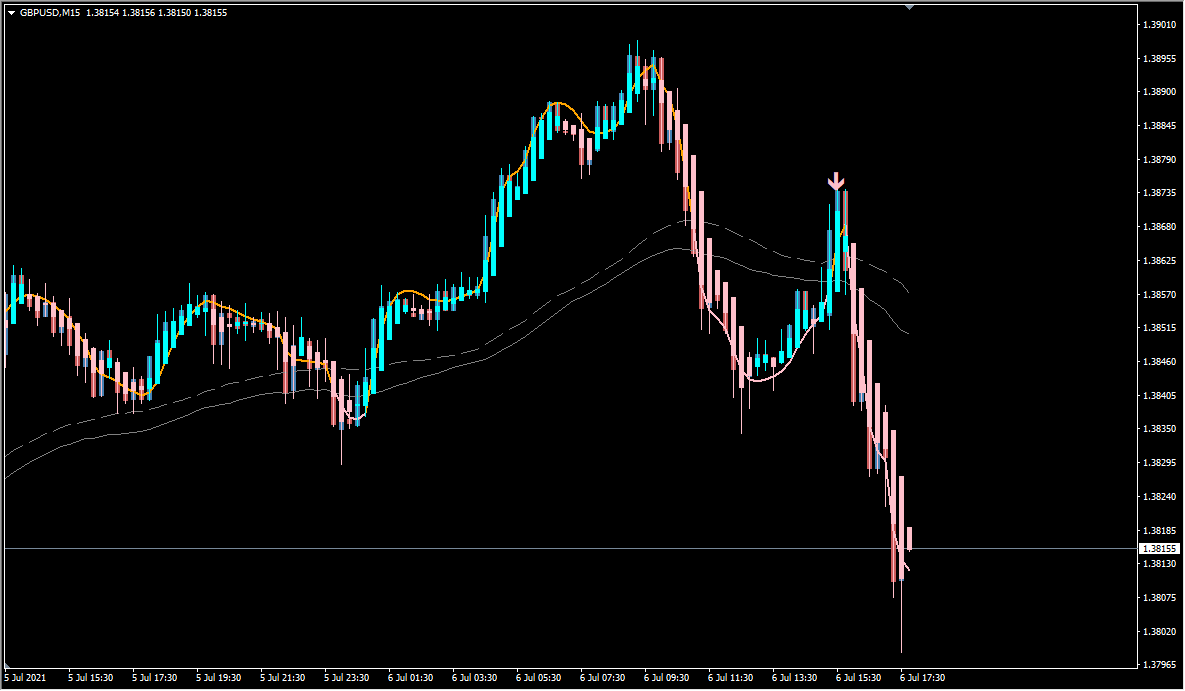
Counter-trend arrows appear when price moves beyond a band. Signs are cut in indecisive ranging stretches.
An alert can be raised as soon as the condition is met on the forming bar, or only after that bar closes. The alert itself can be switched on or off and delivered as a pop-up message, a sound, or an email.
Where it helps
MT4 Indicator Parameters
The table below lists the available MT4 indicator parameters. You can customize these options in the MetaTrader Inputs dialog to match your trading preferences.
| Parameter | Description |
|---|---|
| short_MA_Period | Sets the period of the short moving average. A smaller value reacts more sensitively to price changes. |
| Mid_MA_Period | Sets the period of the mid moving average, which sits between the short and long ones. |
| Long_MA_Period | Sets the period of the long moving average, used to read the overall trend direction. |
| alertsOn | Controls whether the alert function is enabled. |
| alertsOnCurrent | Controls whether the alert is raised on the current unclosed bar instead of after it closes. |
| alertsMessage | Controls whether a pop-up message is shown with the alert. |
| alertsSound | Controls whether a sound is played with the alert. |
| alertsEmail | Controls whether the alert is sent by email, which requires the mail settings in MetaTrader. |
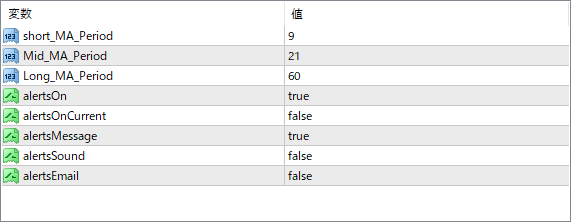
The screenshot above shows the default input parameters in the MT4 settings window.
How to Install .ex4 Indicator in MetaTrader 4
- Download the ZIP file and extract it.
- In MT4, select File → Open Data Folder.
- Open MQL4 → Indicators and copy the EX4 or MQ4 file into it.
- If the package includes library files, copy them to MQL4 → Libraries. Copy TPL files to the top-level templates folder.
- Restart MT4, find the indicator in the Navigator, and drag it onto a chart.
Test the tool on a demo account first. File contents and required folders can vary between packages.


