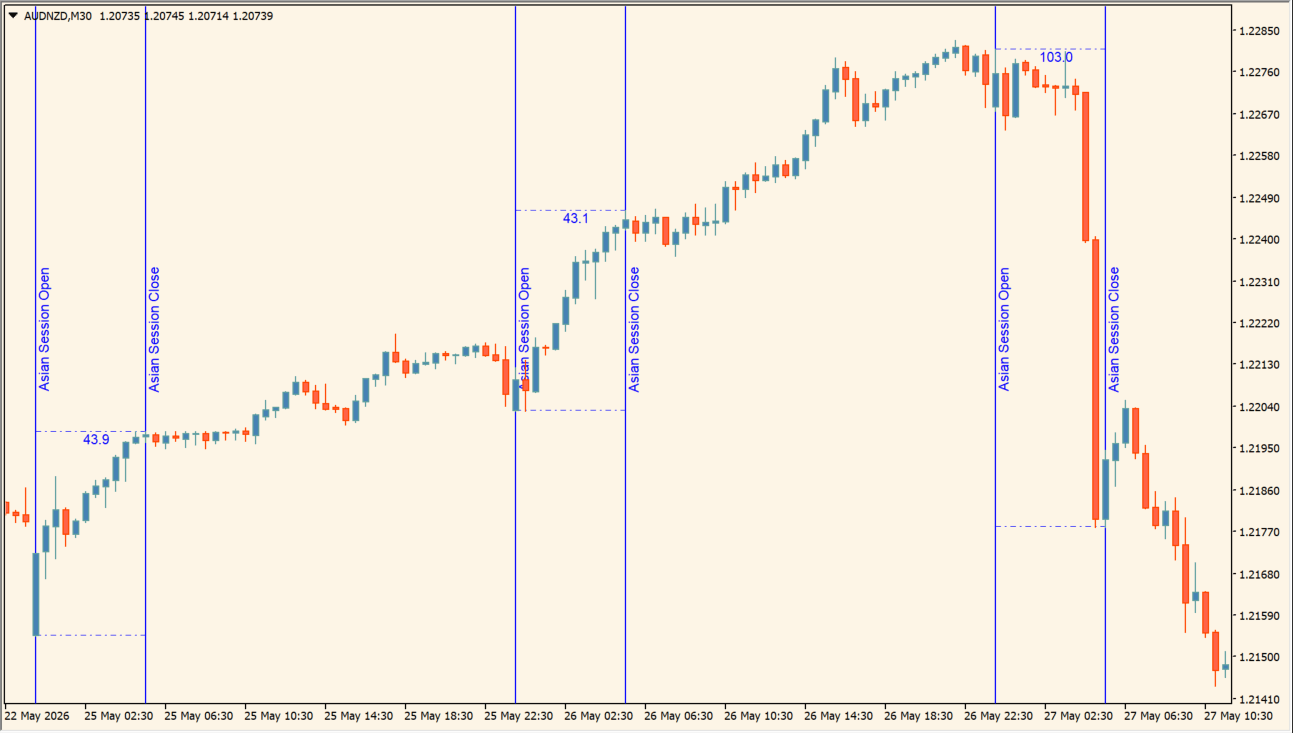
What is DFX Asian Session?
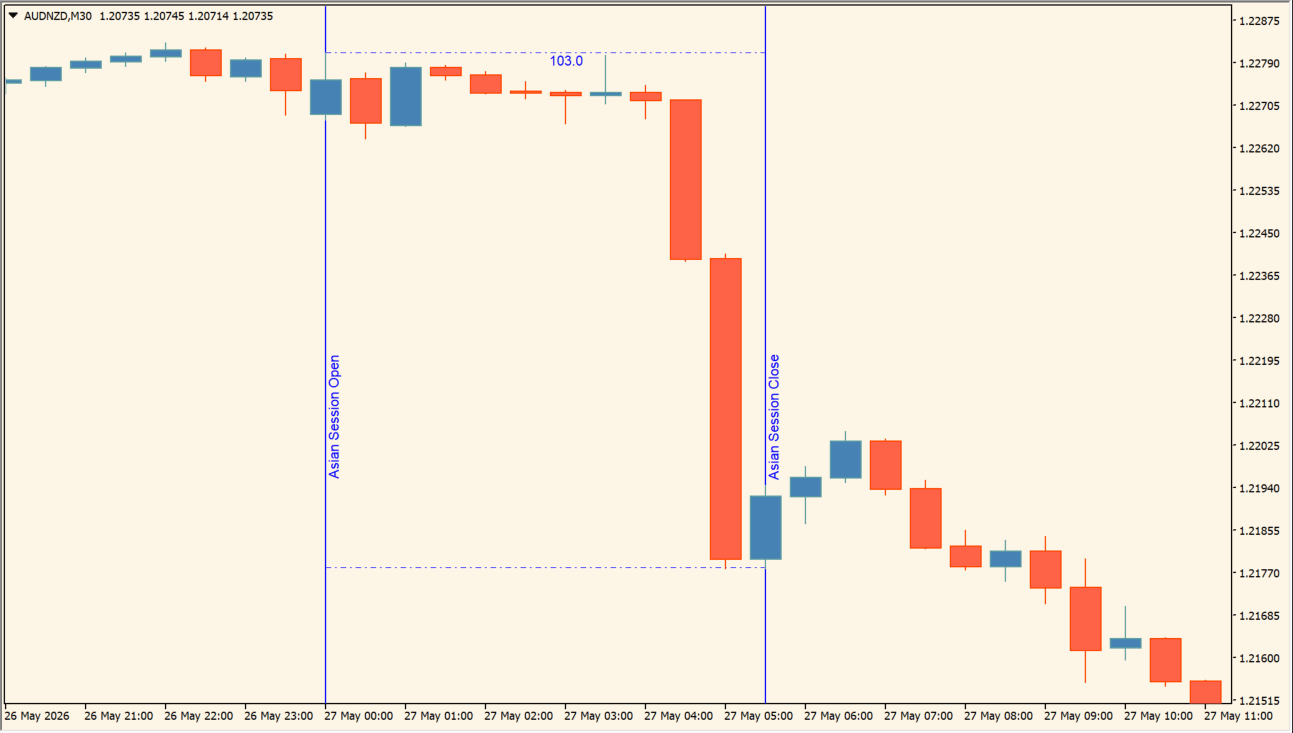
DFX Asian Session marks the opening and closing hours of a configurable session with vertical lines. It measures the high-low range formed during that window and can print the result in pips.
Several historical sessions can remain visible, allowing a compressed or expanded range to be compared with recent sessions. The display describes a time window and its range; it does not recommend a later-session breakout.
How to use DFX Asian Session
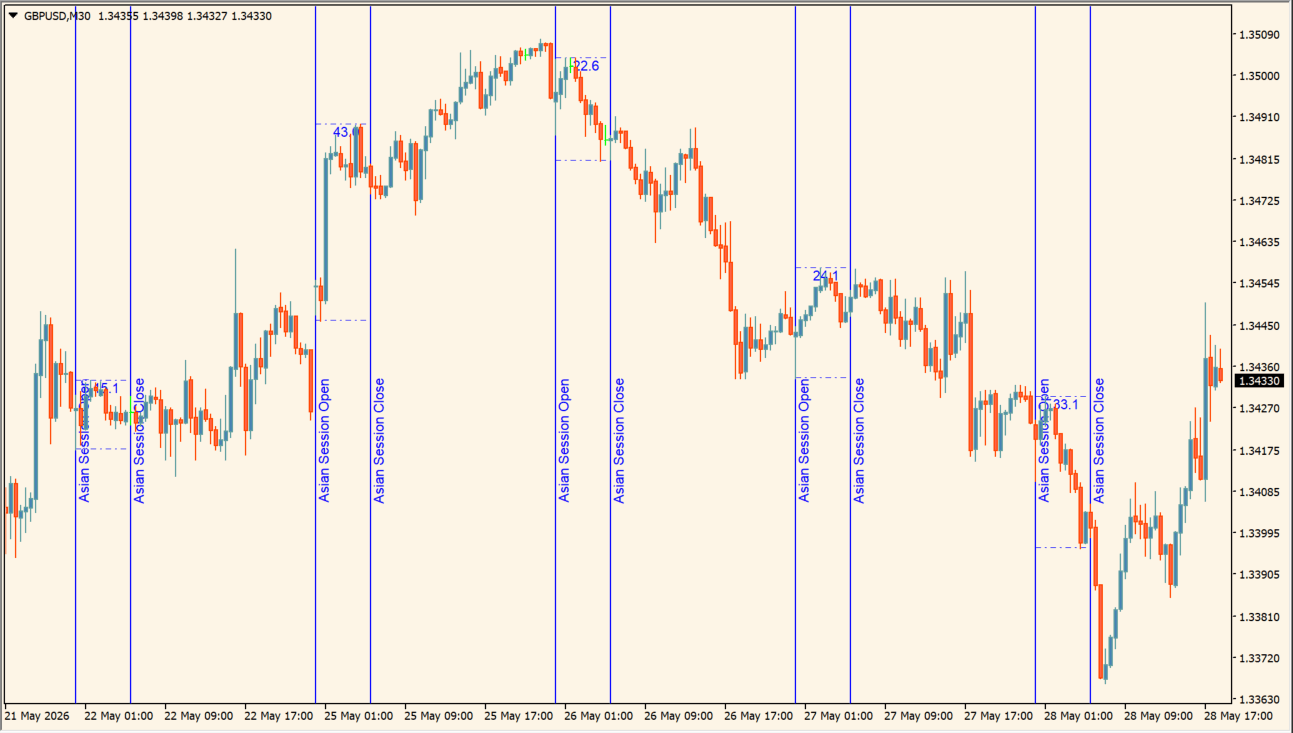
Mark the Asian-session start and end, then compare the displayed range width across recent days:
- Set OpenHour and CloseHour to the intended MT4 session times.
- Use the start and end vertical lines, range value, and RangeShow option to identify the measured interval.
- Adjust NrofDays and the line color, style, width, and field-height settings to compare historical sessions clearly.
- If RangeAlarm is enabled, set RangeThreshold as a notification threshold while keeping the range measurement as chart context.
Where it helps
Session boundaries show exactly which candles form the measurement, pip readings make recent ranges easier to compare, and history or line settings keep the display adjustable.
MT4 Indicator Parameters
The table below lists the available MT4 indicator parameters. You can customize these options in the MetaTrader Inputs dialog to match your trading preferences.
| Parameter | Description |
|---|---|
| Section Label | Labels the main session-input section. |
| Session Open Hour | Sets the beginning hour of the Asian session. Default: 0. |
| Session Close Hour | Sets the ending hour of the Asian session. Default: 6. |
| Enable Range Alarm | Enables the range-threshold alert. Default: true. |
| Range Alarm Threshold | Sets the pip range that triggers the alert. Default: 40. |
| Show Range | Shows or hides the measured session range. Default: true. |
| Range Text Color | Sets the measured-range text color. Default: Blue. |
| Number of Days | Sets how many historical sessions are displayed. Default: 5. |
| Open-Line Section Label | Labels the session-open display section. |
| Show Open Vertical Line | Shows or hides the session-open line. Default: true. |
| Open Line Color | Sets the session-open line color. Default: Blue. |
| Open Line Style | Sets the MT4 line-style code for the open line. Default: 2. |
| Open Line Width | Sets the open-line width. Default: 1. |
| Open Line Label | Sets the text printed beside the open line. Default: Asian Session Open. |
| Close-Line Section Label | Labels the session-close display section. |
| Show Close Vertical Line | Shows or hides the session-close line. Default: true. |
| Close Line Color | Sets the session-close line color. Default: Blue. |
| Close Line Style | Sets the MT4 line-style code for the close line. Default: 2. |
| Close Line Width | Sets the close-line width. Default: 1. |
| Close Line Label | Sets the text printed beside the close line. Default: Asian Session Close. |
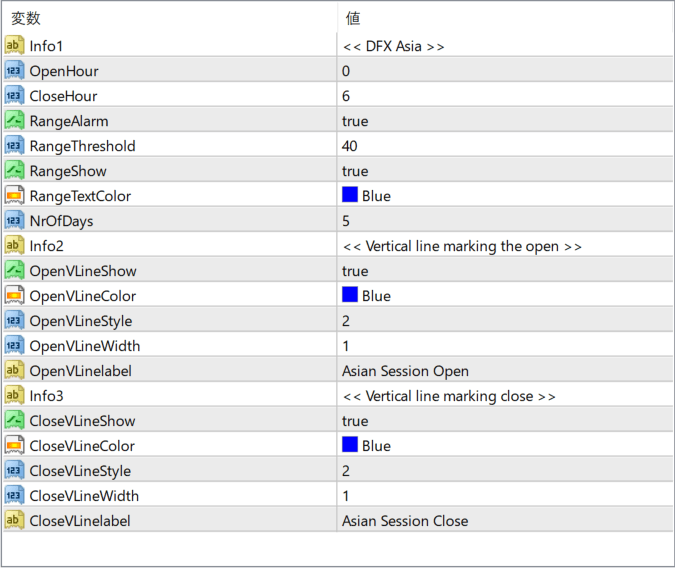
The screenshot above shows the default input parameters in the MT4 settings window.
How to Install .ex4 Indicator in MetaTrader 4
- Download the ZIP file and extract it.
- In MT4, select File → Open Data Folder.
- Open MQL4 → Indicators and copy the EX4 or MQ4 file into it.
- If the package includes library files, copy them to MQL4 → Libraries. Copy TPL files to the top-level templates folder.
- Restart MT4, find the indicator in the Navigator, and drag it onto a chart.
Test the tool on a demo account first. File contents and required folders can vary between packages.


