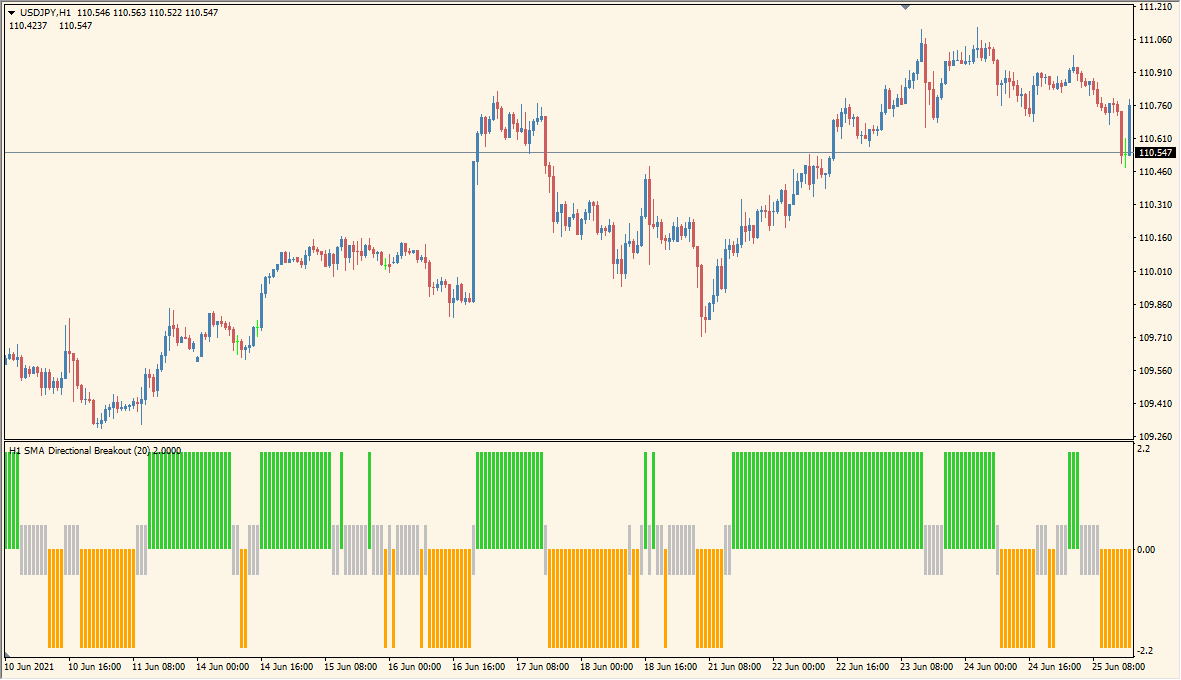
What is Directional Breakout averages 2 Indicator?
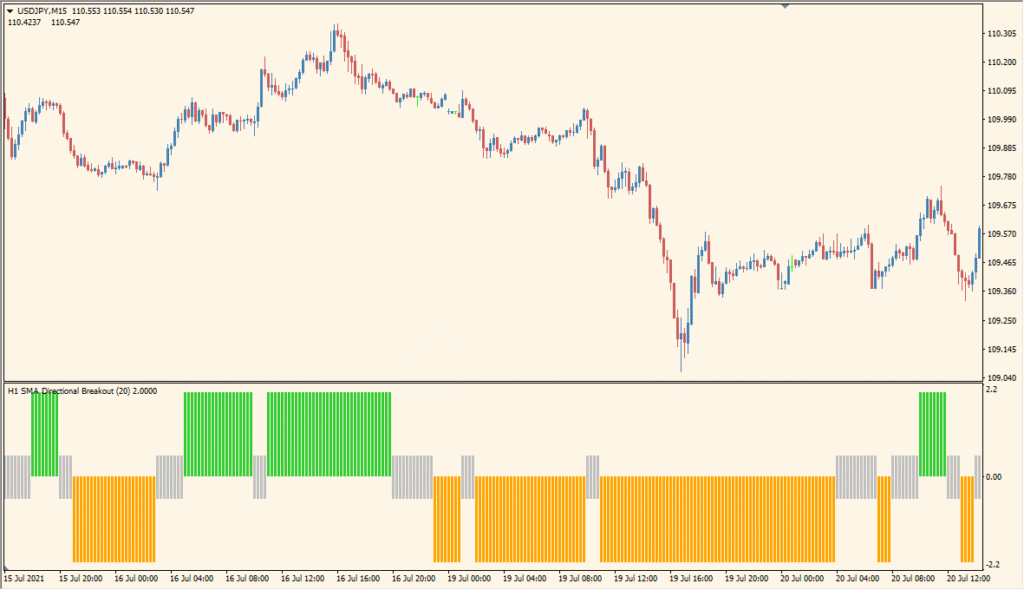
Directional Breakout Averages 2 is an MT4 indicator that compares price with a selected moving average and displays the difference as a colored histogram. Green, red, and orange bars provide a visual way to review changes in directional momentum.
The display can also place arrows on the chart and provide optional sound, pop-up, or email notifications. These annotations add chart context; they do not establish a fixed market outcome.
How to Use It in Practice
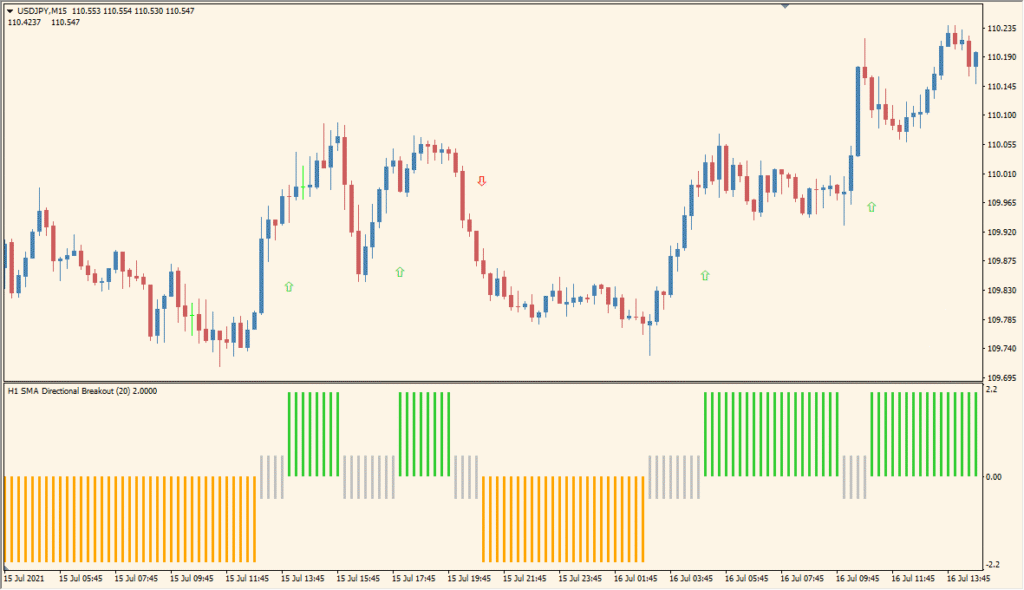
Use the histogram and annotations as visual references while reviewing price behavior:
- Add the indicator to an MT4 chart and review the colored histogram bars around the moving average reference.
- Choose the TimeFrame, Price, Method, and Length settings in the existing Inputs.
- Compare changes in bar color and height with surrounding price structure.
- Enable the existing arrow and alert options when those chart annotations are useful for review.
Moving-average deviation is presented in a compact histogram, optional arrows and notifications can highlight displayed conditions, and timeframe and averaging settings support different chart views.
MT4 Indicator Parameters
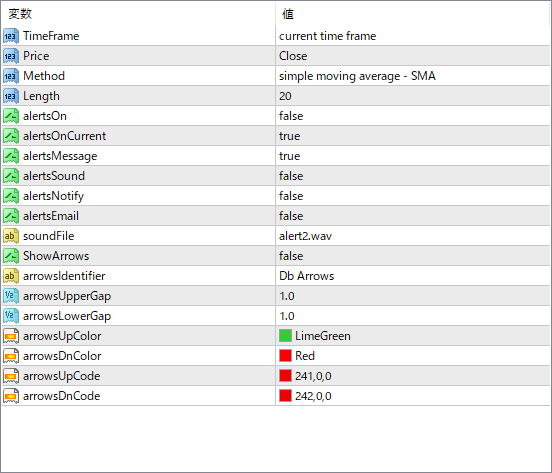
The screenshot above shows the default input parameters in the MT4 settings window.
| Parameter | Description |
|---|---|
| TimeFrame | Selects the timeframe on which the indicator calculations are based. You can set it to use the current chart or a specific one like H1 or D1. |
| Price | Determines which price type to use in the calculation, such as Close, Open, High, or Low. |
| Method | Sets the moving average method — options include SMA, EMA, etc. This affects how breakout deviation is calculated. |
| Length | Specifies the period of the moving average used in the calculation. Shorter values react faster to price changes. |
| alertsOn | Enables or disables all alert types. |
| alertsOnCurrent | Set to true if you want alerts to trigger on the current bar; false waits for bar close confirmation. |
| alertsMessage | If true, displays a pop-up message when a breakout condition is met. |
| alertsSound | Plays a sound notification when a breakout occurs. |
| alertsEmail | Enables email alerts if configured in the MT4 terminal settings. |
| soundFile | Specifies which sound file to play for sound alerts. |
| ShowArrows | If true, shows arrows on the chart to mark breakout signals. |
| arrowsIdentifier | Sets the label name for arrows drawn by the indicator, useful for differentiating from other tools. |
| arrowsUpperGap | Defines the vertical gap (in pixels) above the candle where the upward arrow appears. |
| arrowsLowerGap | Sets the gap below the candle for downward arrows. |
| arrowsUpColor | Color of the upward breakout arrow. |
| arrowsDnColor | Color of the downward breakout arrow. |
| arrowsUpCode | Defines the character code for the up arrow symbol. |
| arrowsDnCode | Defines the character code for the down arrow symbol. |


