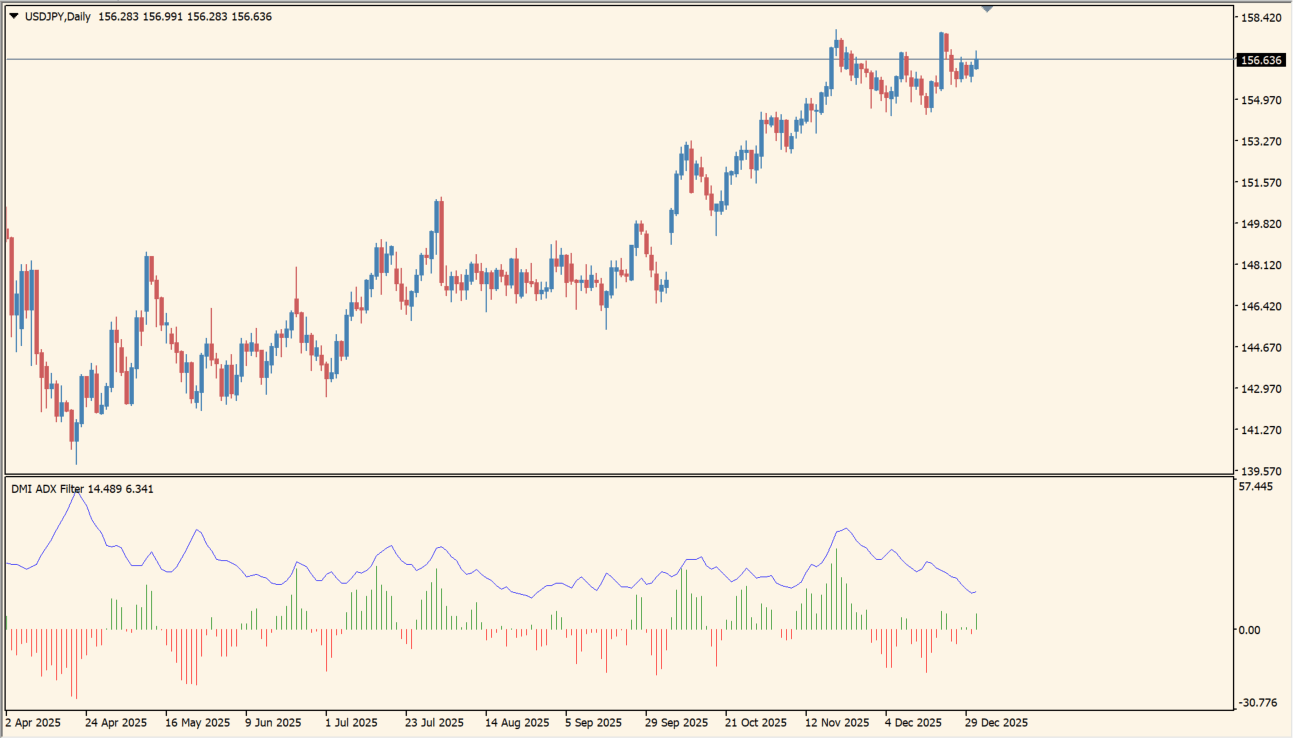
What is DMI ADX Histogram Oscillator?
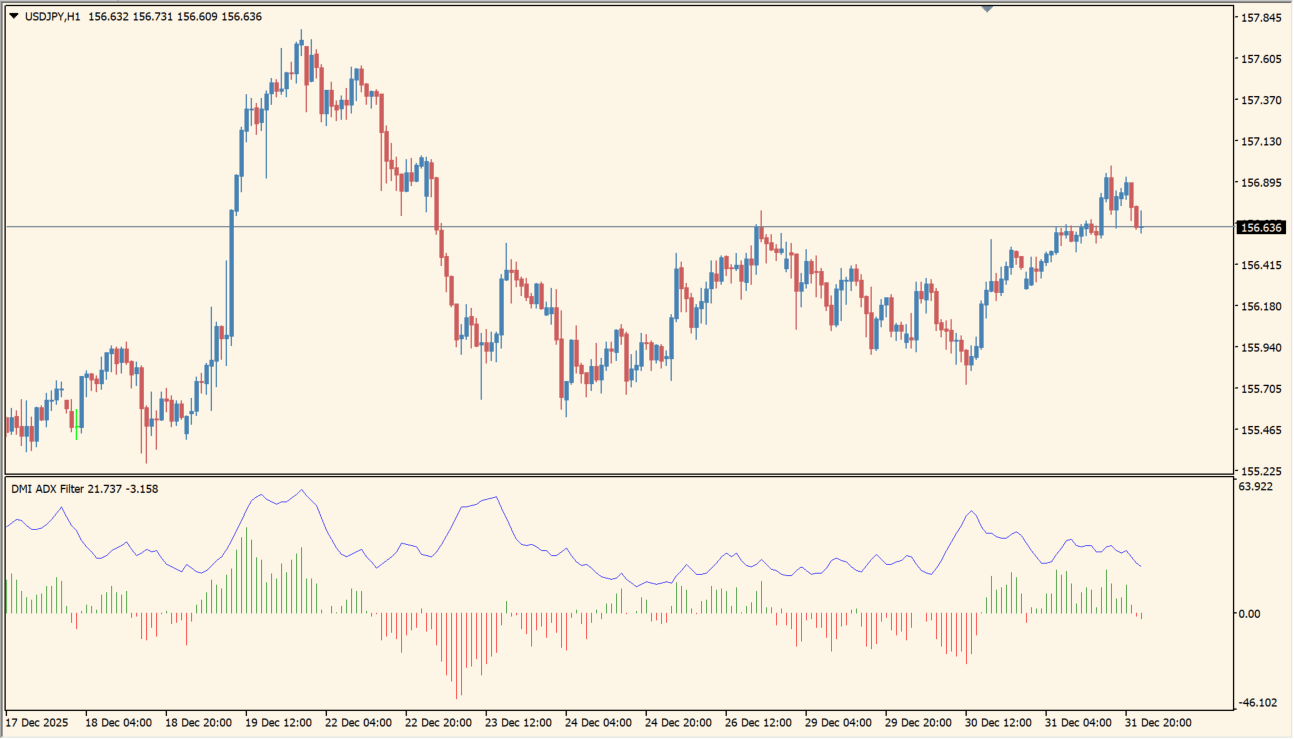
DMI ADX Histogram Oscillator combines directional movement bars with an ADX line in a separate MT4 pane. Positive and negative histogram bars distinguish the displayed directional side, while the ADX line provides a strength reference.
The layout keeps direction and strength in one oscillator view. The package includes an .ex4 file and does not place trading signals on the chart.
How to use DMI ADX Histogram Oscillator
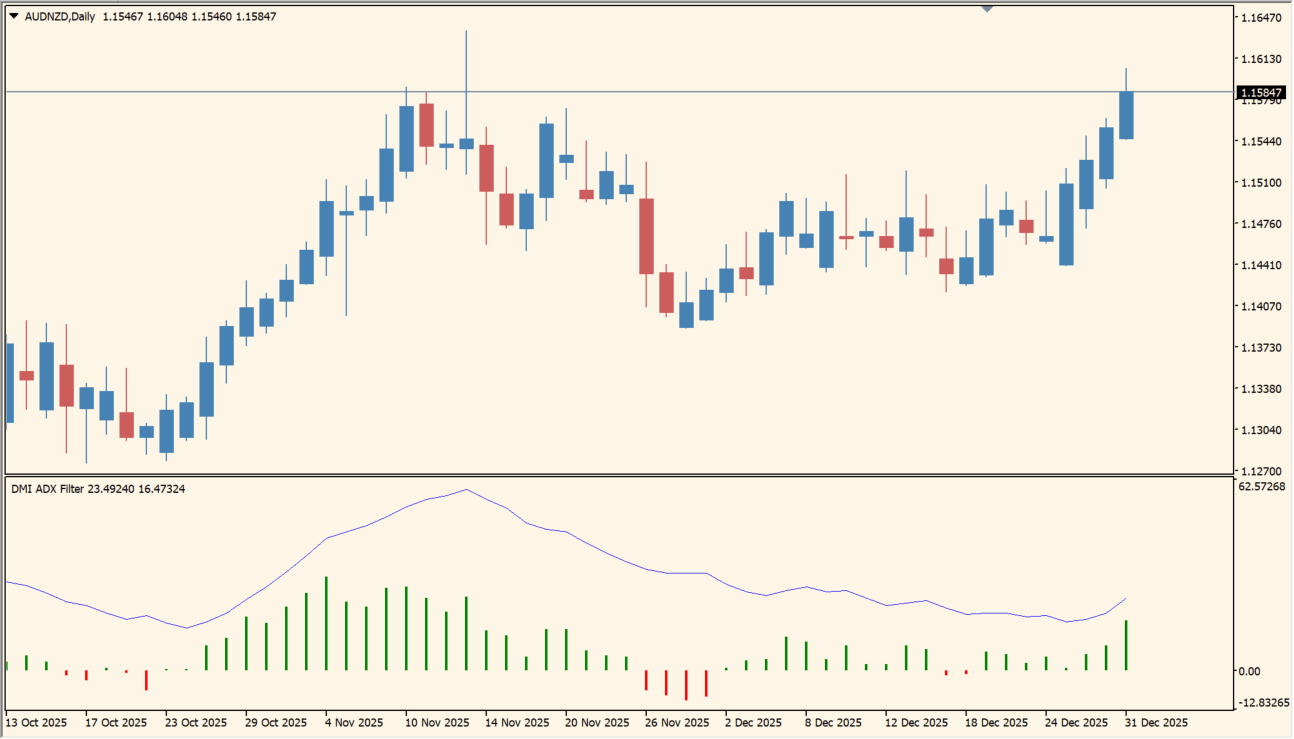
Compare the histogram side and height with the ADX line and the main price chart. Expanding bars and a changing ADX line describe the displayed calculation state for the selected history.
CalculationPeriod controls the main window. Mode, Smoothing, and PriceType provide the remaining display inputs.
Where it helps
Directional bars and an ADX line share one oscillator pane.
Color-separated bars make the two displayed sides easier to compare.
The indicator keeps its main references together below the price chart.
MT4 Indicator Parameters
The table below lists the available MT4 indicator parameters. You can customize these options in the MetaTrader Inputs dialog to match your trading preferences.
| Parameter | Description |
|---|---|
| CalculationPeriod | Sets the calculation window used by the oscillator. Default: 14. |
| Mode | Selects the calculation mode shown by the indicator. Default: 0. |
| Smoothing | Enables the displayed smoothing option. Default: true. |
| PriceType | Selects the price type used by the calculation. Default: 0. |
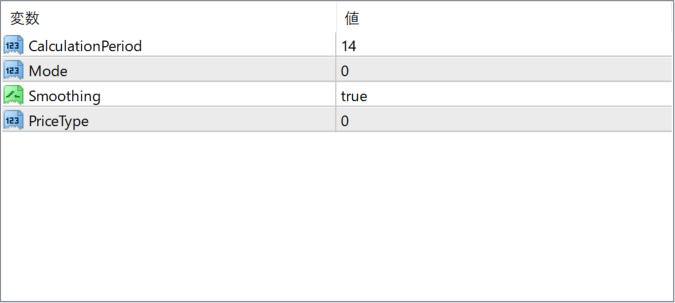
The screenshot above shows the default input parameters in the MT4 settings window.
How to Install .ex4 Indicator in MetaTrader 4
- Download the ZIP file and extract it.
- In MT4, select File → Open Data Folder.
- Open MQL4 → Indicators and copy the EX4 or MQ4 file into it.
- If the package includes library files, copy them to MQL4 → Libraries. Copy TPL files to the top-level templates folder.
- Restart MT4, find the indicator in the Navigator, and drag it onto a chart.
Test the tool on a demo account first. File contents and required folders can vary between packages.


